
No project description provided

Project description
haf
The high automation framework.


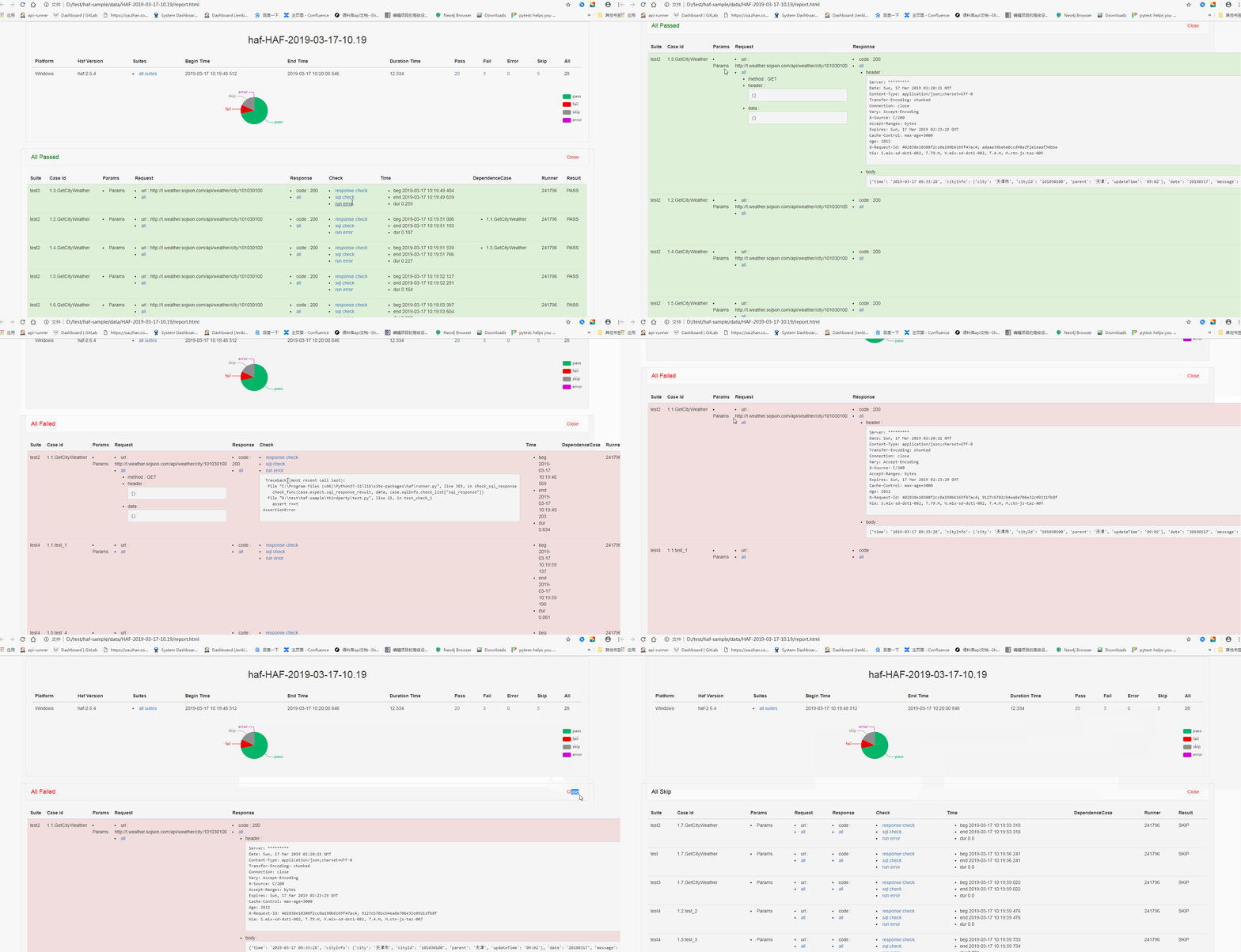
new features
-
now support app-ui cases and generate report
-
support mysql result publish
-
based on local test runners
-
support xlsx,json,yml,py cases
-
report generate with html-template
-
multi-processes on different machines
-
multi-runners
-
web-server support restful api based on flask
-
only mode : loader/runner/recorder/webserver/bus/logger support
How to get it
using pip to get it
tsbxmw@ps# pip install haf --upgrade
using git tool to get it
   tsbxmw@ps# git clone https://github.com/tsbxmw/haf
   tsbxmw@ps# cd haf
   tsbxmw@ps# python setup.py install
How to run
local bus mode, using local bus to run all cases
- local bus is without --bus-server(-bs) args, when running the program, the bus would be created
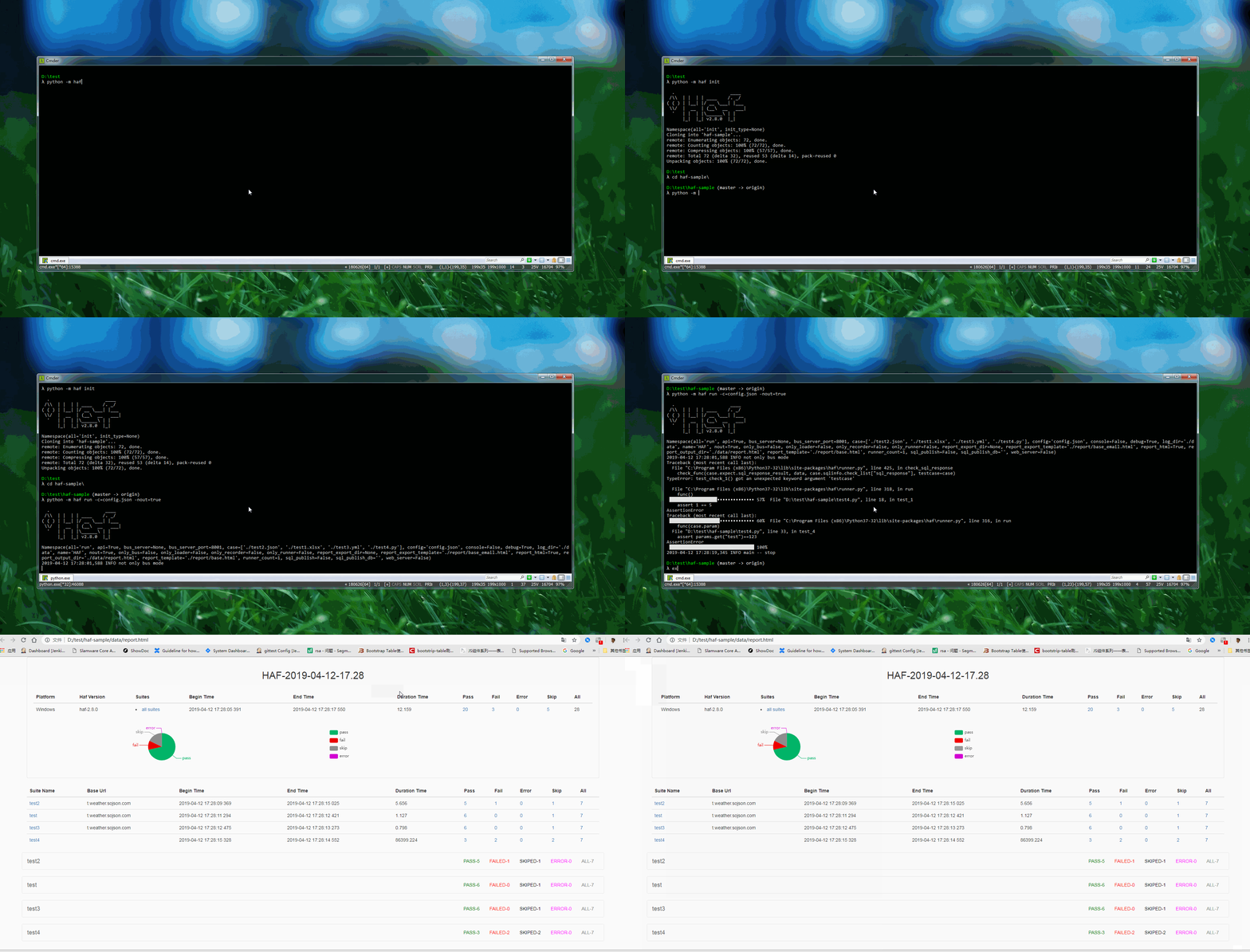
using init to init workspace
python -m haf init
or
git clone https://github.com/tsbxmw/haf-sample
modify the config.json in testcases
- change the
log_pathandreport_pathandcase_pathto your own path - delete
config->run->sql_publishif you don't have an haf-publish
    {
      "config":{
        "name": "test",
        "run": {
          "sql_publish": {
            "id": 1,
            "sql_name": "upload",
            "publish": true,
            "host": "192.168.0.200",
            "port": 3306,
            "username": "root",
            "password": "root",
            "database": "haf_publish",
            "protocol": "mysql"
          },
          "log": {
            "log_path": "./data"
          },
          "bus": {
            "only": false,
            "host": "",
            "port": "",
            "auth_key": ""
          },
          "report": {
            "report_path": "./data/report.html"
          },
          "case": [
            {
              "case_path": "./testcases/test.xlsx"
            },
            {
              "case_path": "./testcases/test2.json"
            },
            {
              "case_path": "./testcases/test1.xlsx"
            },
            {
              "case_path": "./testcases/test3.yml"
            }
          ],
          "runner":{
            "only": false,
            "count": 4
          },
          "loader": {
            "only": false
          },
          "recorder": {
            "only": false
          },
          "web_server": {
            "host": "",
            "port": "",
            "run": true
          }
        }
      }
    }
create testcase or using default cases
- create xlsx/json/yml/py file with template in testcases/
- using haf-sample case template
run
- run with config
python -m haf run -c=./testcases/config.json
- run with args
python -m haf run -case=./testcases/test.xlsx,./testcases/test2.json -ld=./data -rh=true -rod=./data/report.html
when running the app cases
- change the config.json's "report" to add report_template
    "report":
        {
            "report_template": "base_app",
            "report_path": "./data/report.html"
        }
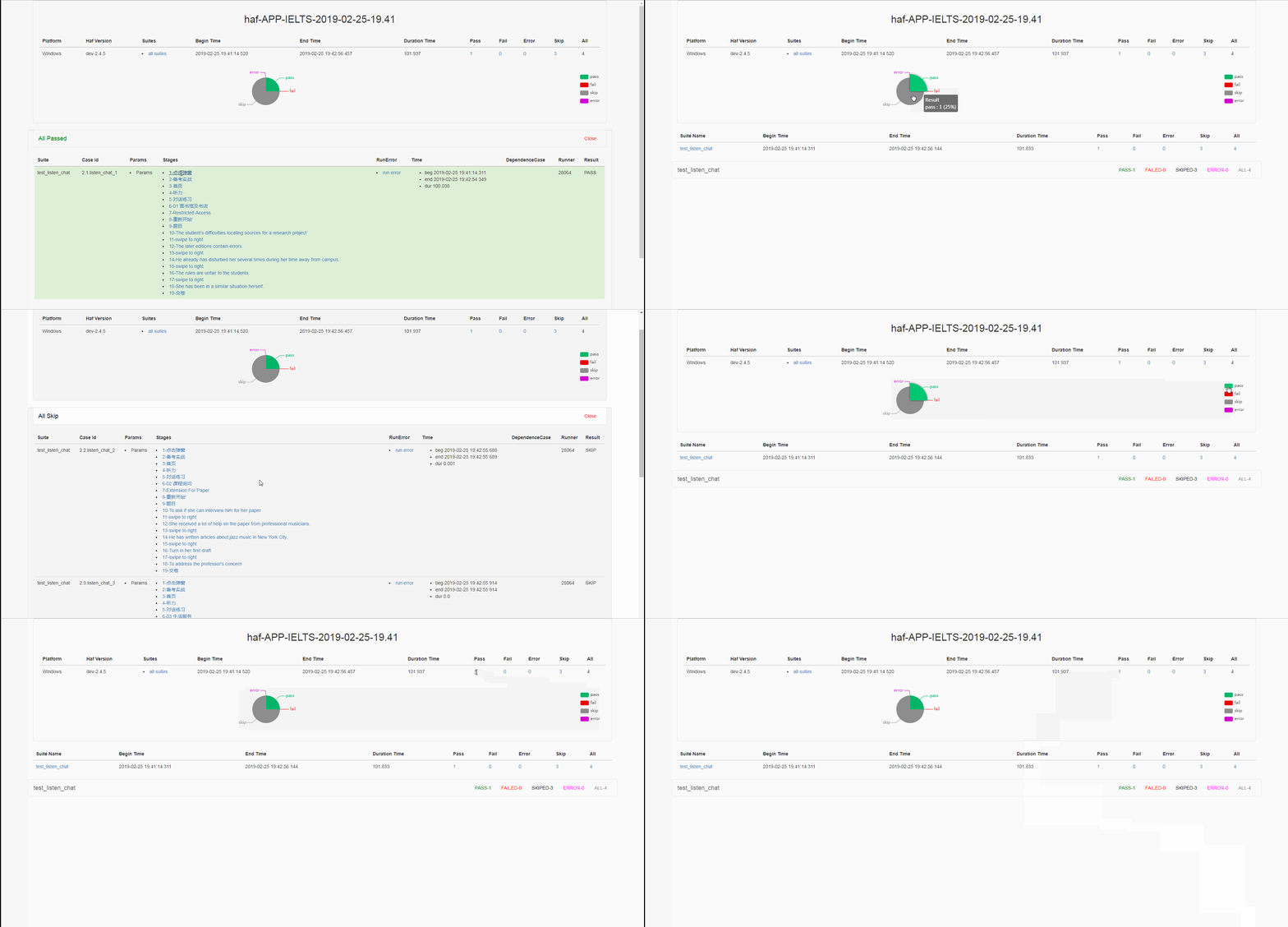
haf samples
other run args
- run with multi-runners (4 runners)
python -m haf run -rc=4
- run with web server
python -m haf run -ws=true
- run with only-mode
    # only loader
    python -m haf run -ol=true
    # only bus
    python -m haf run -ob=true
    # only runner
    python -m haf run -or=true
    # only recorder
    python -m haf run -ore=true
- run with third report template
    "report": {
        "report_template": "base_app"
    }
- run with mysql publish
    "sql_publish": {
        "id": 1,
        "sql_name": "upload",
        "publish": true,
        "host": "192.168.0.200",
        "port": 3306,
        "username": "root",
        "password": "root",
        "database": "haf_publish",
        "protocol": "mysql"
    }
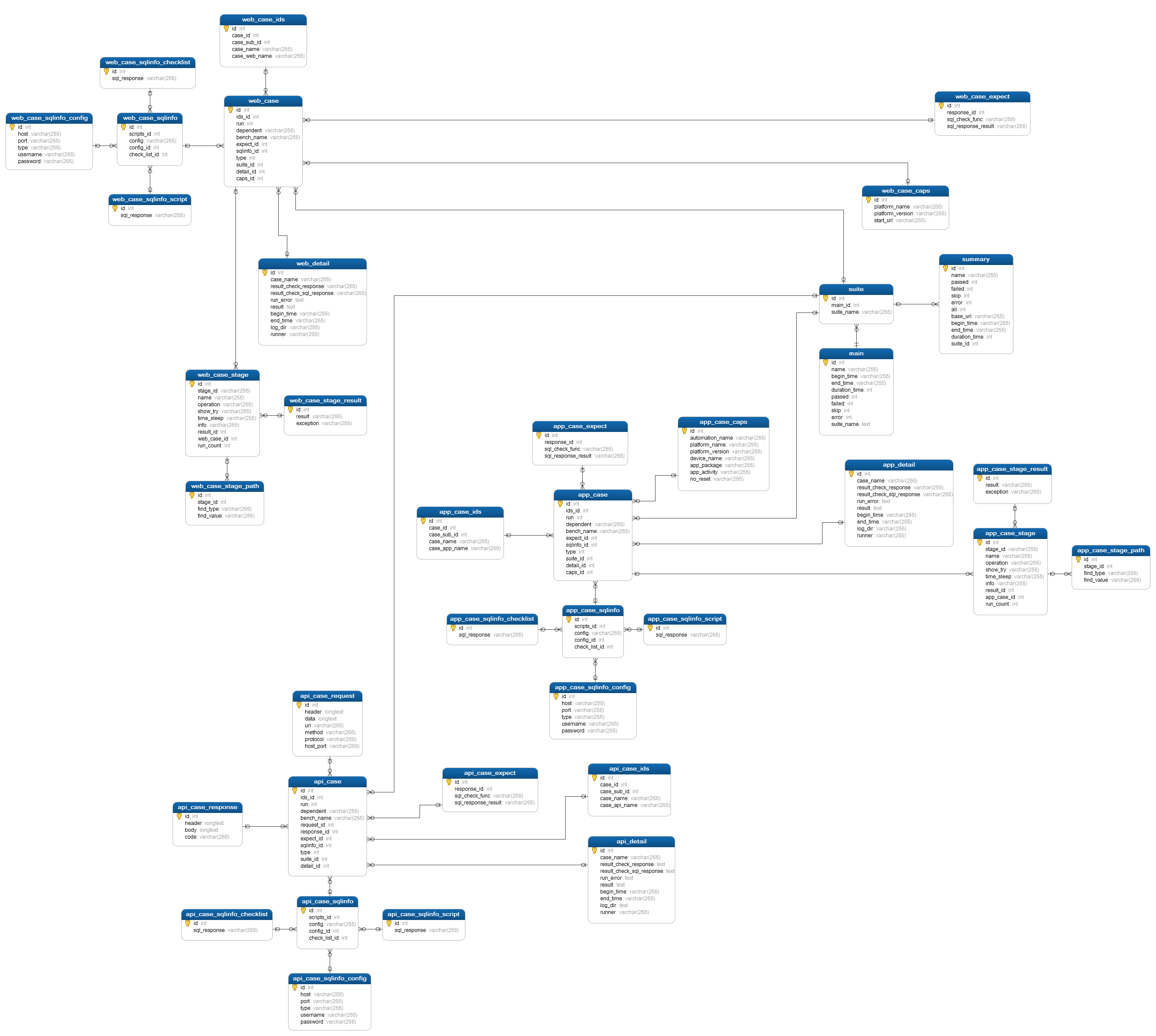
web api server suport
- get loader infos
http://localhost:8888/loader
- get runner infos
http://localhost:8888/runner
- get result infos
http://localhost:8888/result
- get report infos
http://localhost:8888/report
FrameWork
Design
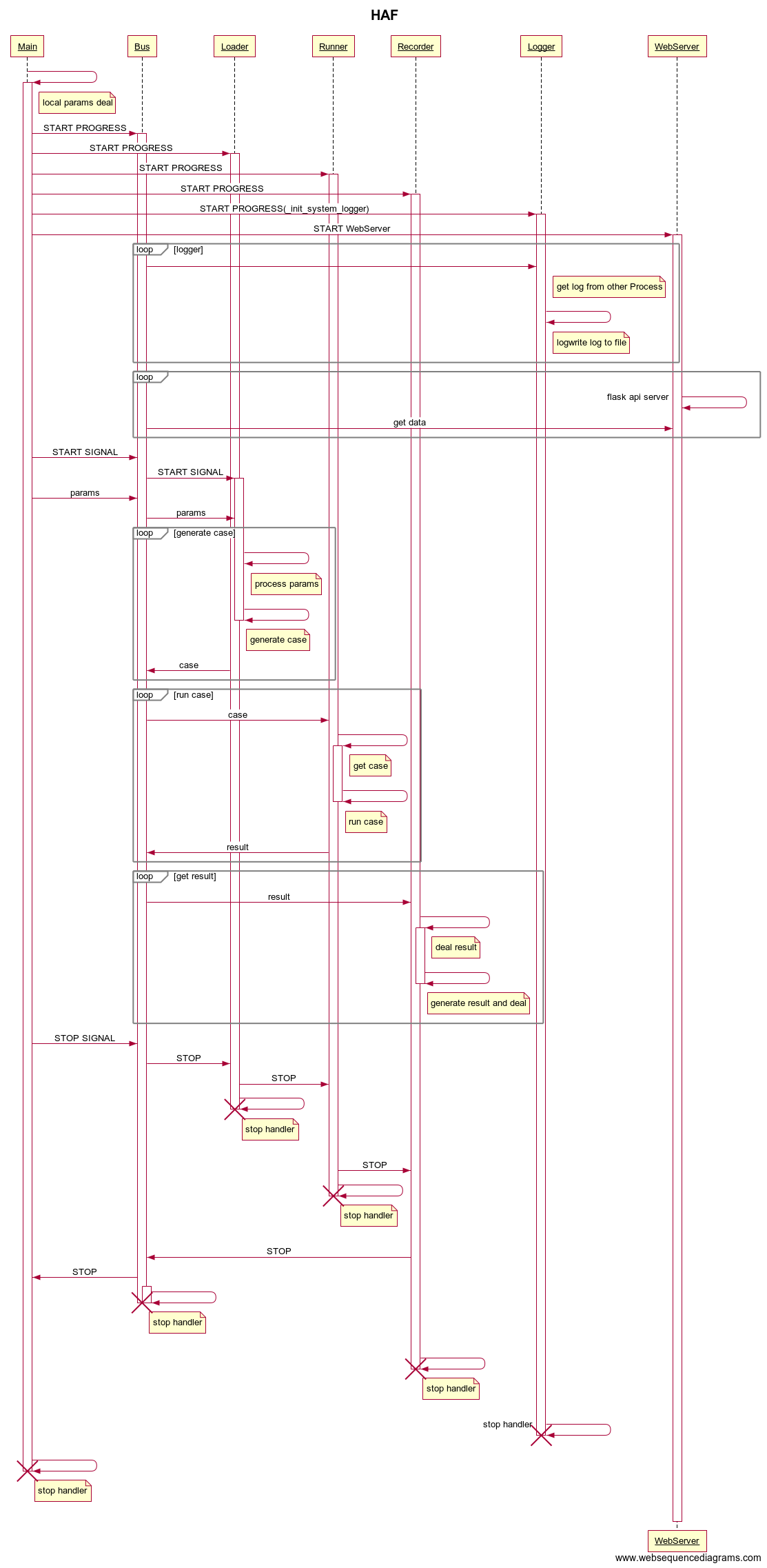
Doc
Release Note
Release history Release notifications | RSS feed


Download files
Download the file for your platform. If you're not sure which to choose, learn more about installing packages.
Source Distributions
Built Distribution
Filter files by name, interpreter, ABI, and platform.
If you're not sure about the file name format, learn more about wheel file names.
Copy a direct link to the current filters
File details
Details for the file haf-2.5.3-py2.py3-none-any.whl.
File metadata
- Download URL: haf-2.5.3-py2.py3-none-any.whl
- Upload date:
- Size: 549.8 kB
- Tags: Python 2, Python 3
- Uploaded using Trusted Publishing? No
- Uploaded via: twine/1.12.1 pkginfo/1.4.2 requests/2.19.1 setuptools/39.0.1 requests-toolbelt/0.8.0 tqdm/4.28.1 CPython/3.7.0
File hashes
| Algorithm | Hash digest | |
|---|---|---|
| SHA256 |
b39bdbcdf8f6c6311502faff8a6f8fc857f7122febef72e46518ca0513605fb3
|
|
| MD5 |
775287252efa0118d91c359f3fa26978
|
|
| BLAKE2b-256 |
869c5db0f6646a9bcc5b43956247757890c5f971af27ebfc4811326581316a05
|






