
Hass-MCP

A Model Context Protocol (MCP) server for Home Assistant integration with Claude and other LLMs.
Overview
Hass-MCP enables AI assistants like Claude to interact directly with your Home Assistant instance, allowing them to:
- Query the state of devices and sensors
- Control lights, switches, and other entities
- Get summaries of your smart home
- Troubleshoot automations and entities
- Search for specific entities
- Create guided conversations for common tasks
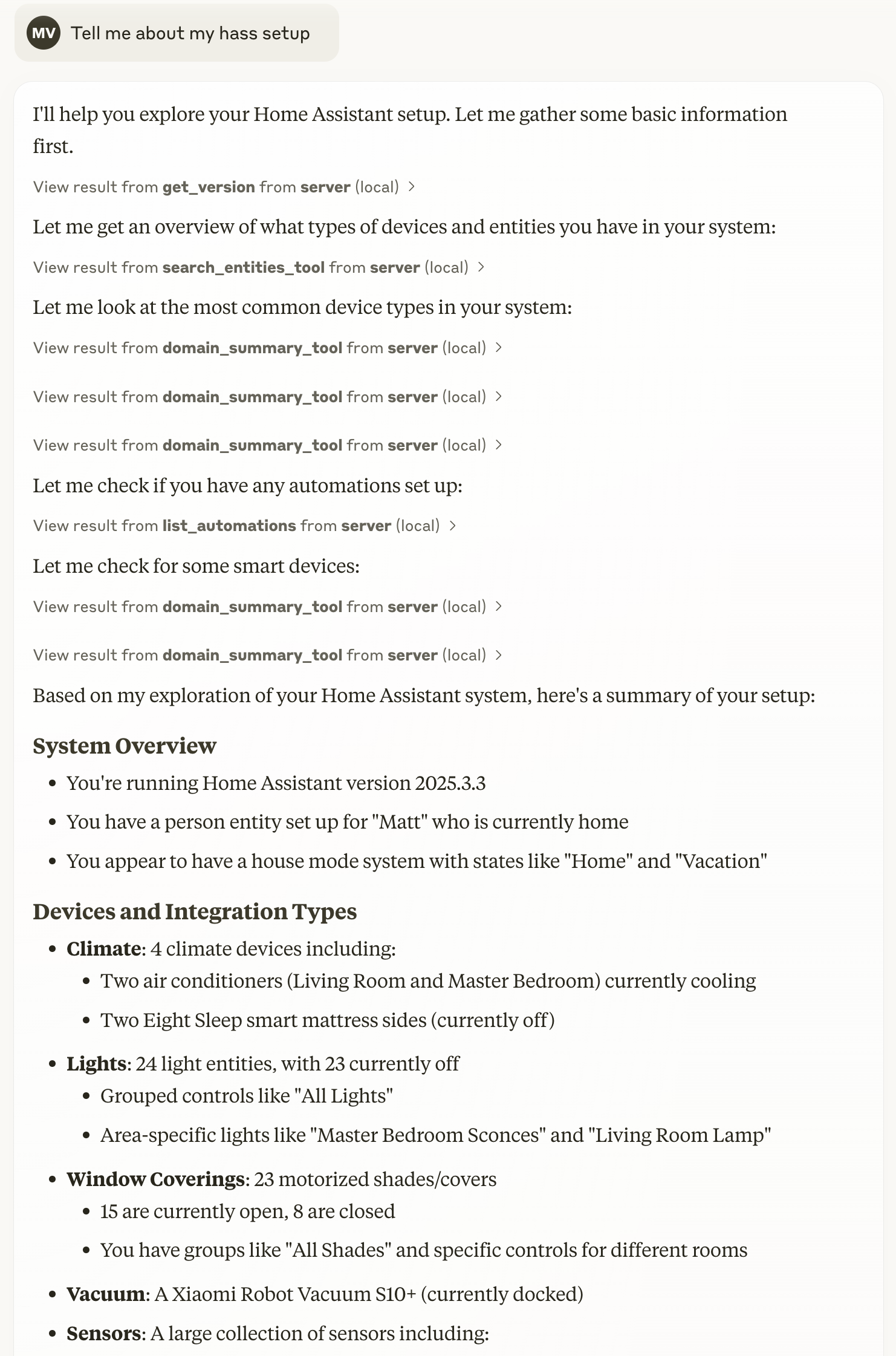
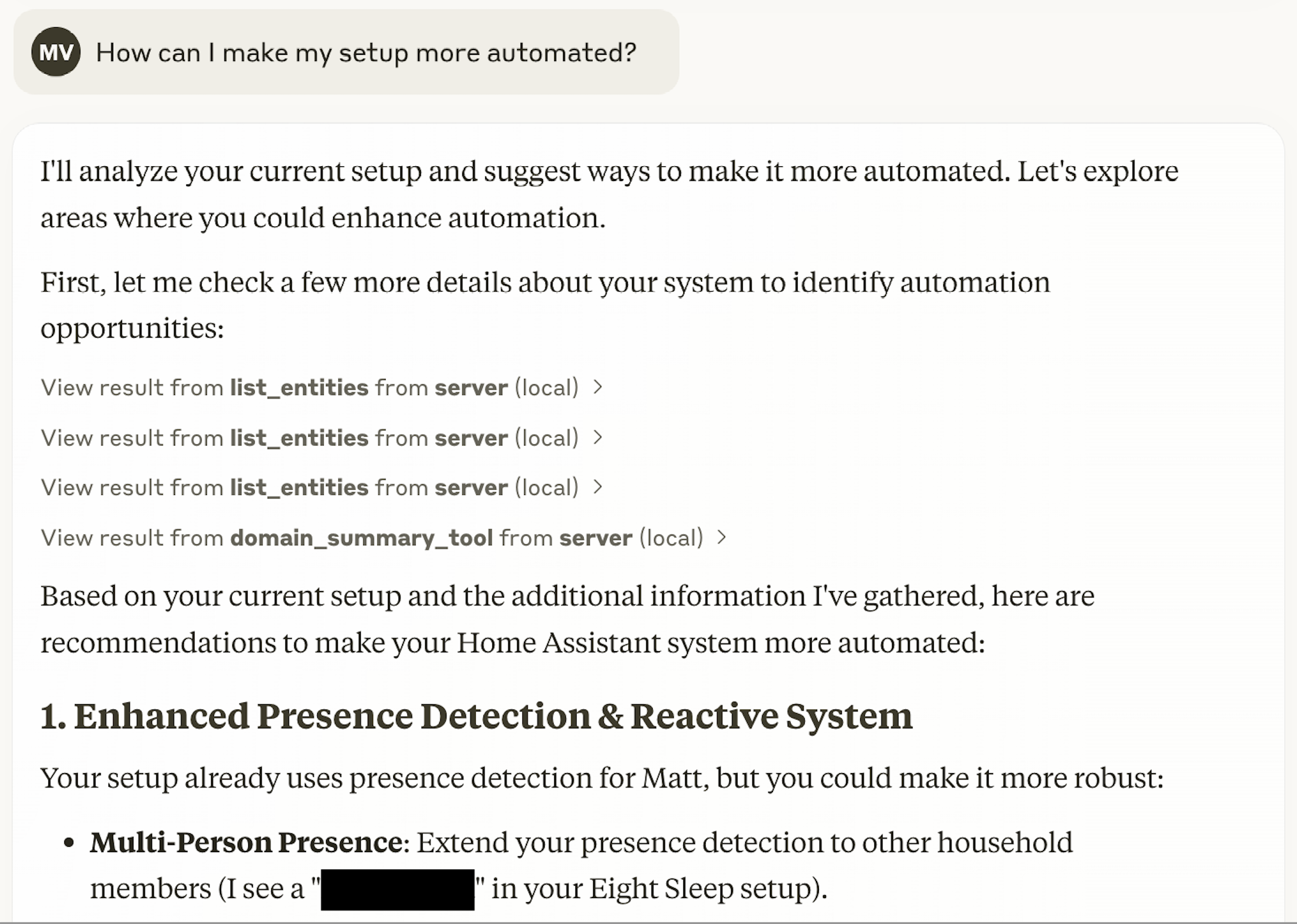
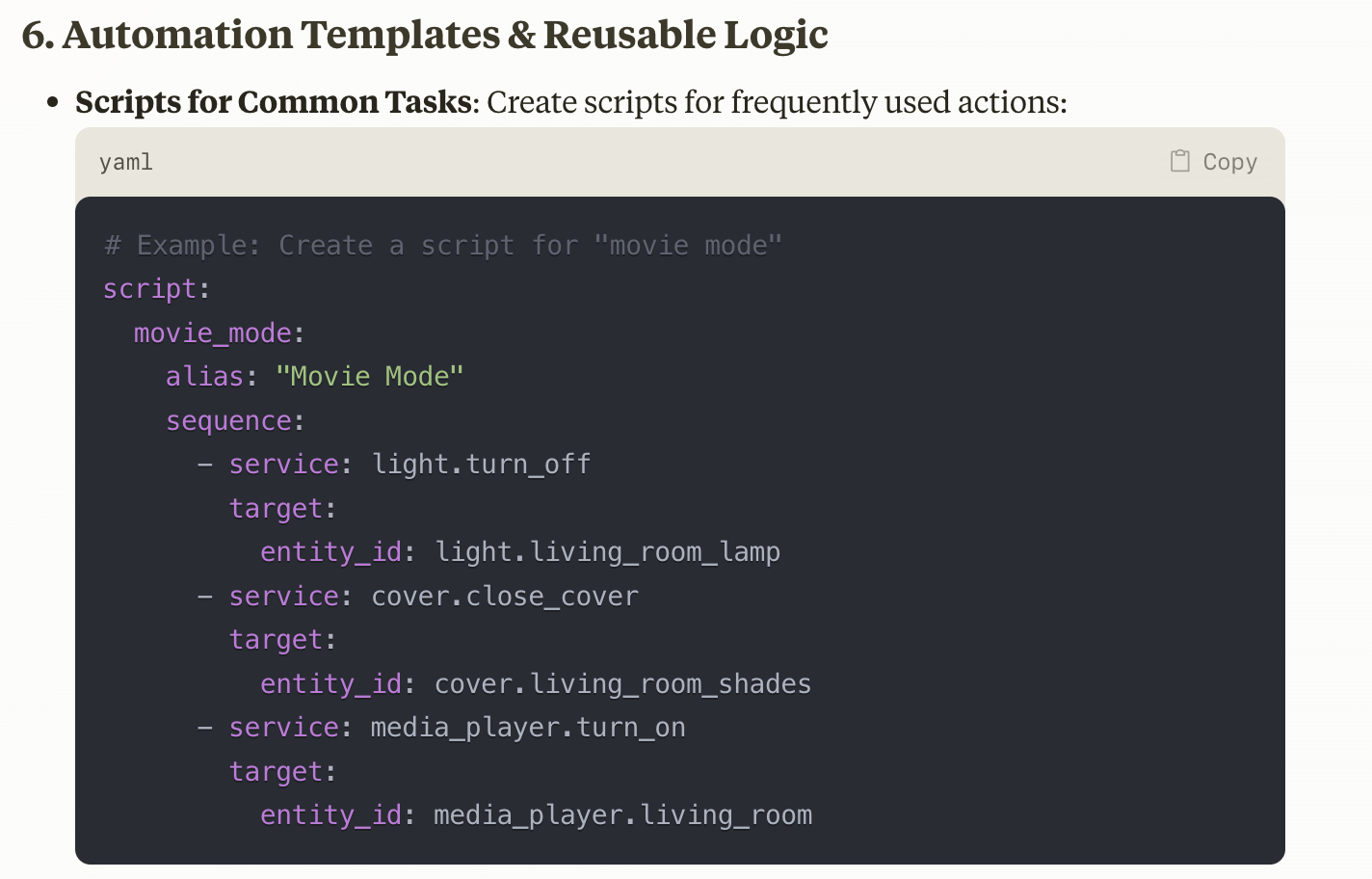
Screenshots
Features
- Entity Management: Get states, control devices, and search for entities
- Domain Summaries: Get high-level information about entity types
- Automation Support: List and control automations
- Guided Conversations: Use prompts for common tasks like creating automations
- Smart Search: Find entities by name, type, or state
- Live Dashboard Editing: Read and edit Lovelace dashboards (cards and views) over Home Assistant's WebSocket API — changes appear instantly in open browsers, with automatic backups and a dry-run preview
- Token Efficiency: Lean JSON responses to minimize token usage
Installation
Prerequisites
- Home Assistant instance with Long-Lived Access Token
- One of the following:
- Docker (recommended)
- Python 3.13+ and uv
Setting Up With Claude Desktop
Docker Installation (Recommended)
-
Pull the Docker image:
docker pull voska/hass-mcp:latest
-
Add the MCP server to Claude Desktop:
a. Open Claude Desktop and go to Settings b. Navigate to Developer > Edit Config c. Add the following configuration to your
claude_desktop_config.jsonfile:{ "mcpServers": { "hass-mcp": { "command": "docker", "args": [ "run", "-i", "--rm", "-e", "HA_URL", "-e", "HA_TOKEN", "voska/hass-mcp" ], "env": { "HA_URL": "http://homeassistant.local:8123", "HA_TOKEN": "YOUR_LONG_LIVED_TOKEN" } } } }
d. Replace
YOUR_LONG_LIVED_TOKENwith your actual Home Assistant long-lived access token e. Update theHA_URL:- If running Home Assistant on the same machine: use
http://host.docker.internal:8123(Docker Desktop on Mac/Windows) - If running Home Assistant on another machine: use the actual IP or hostname
f. Save the file and restart Claude Desktop
- If running Home Assistant on the same machine: use
-
The "Hass-MCP" tool should now appear in your Claude Desktop tools menu
Note: If you're running Home Assistant in Docker on the same machine, you may need to add
--network hostto the Docker args for the container to access Home Assistant. Alternatively, use the IP address of your machine instead ofhost.docker.internal.
uv/uvx
-
Install uv on your system.
-
Add the MCP server to Claude Desktop:
a. Open Claude Desktop and go to Settings b. Navigate to Developer > Edit Config c. Add the following configuration to your
claude_desktop_config.jsonfile:{ "mcpServers": { "hass-mcp": { "command": "uvx", "args": ["hass-mcp"], "env": { "HA_URL": "http://homeassistant.local:8123", "HA_TOKEN": "YOUR_LONG_LIVED_TOKEN" } } } }
d. Replace
YOUR_LONG_LIVED_TOKENwith your actual Home Assistant long-lived access token e. Update theHA_URL:- If running Home Assistant on the same machine: use
http://host.docker.internal:8123(Docker Desktop on Mac/Windows) - If running Home Assistant on another machine: use the actual IP or hostname
f. Save the file and restart Claude Desktop
- If running Home Assistant on the same machine: use
-
The "Hass-MCP" tool should now appear in your Claude Desktop tools menu
Other MCP Clients
Cursor
- Go to Cursor Settings > MCP > Add New MCP Server
- Fill in the form:
- Name:
Hass-MCP - Type:
command - Command:
docker run -i --rm -e HA_URL=http://homeassistant.local:8123 -e HA_TOKEN=YOUR_LONG_LIVED_TOKEN voska/hass-mcp - Replace
YOUR_LONG_LIVED_TOKENwith your actual Home Assistant token - Update the HA_URL to match your Home Assistant instance address
- Name:
- Click "Add" to save
Claude Code (CLI)
To use with Claude Code CLI, you can add the MCP server directly using the mcp add command:
Using Docker (recommended):
claude mcp add hass-mcp -e HA_URL=http://homeassistant.local:8123 -e HA_TOKEN=YOUR_LONG_LIVED_TOKEN -- docker run -i --rm -e HA_URL -e HA_TOKEN voska/hass-mcp
Replace YOUR_LONG_LIVED_TOKEN with your actual Home Assistant token and update the HA_URL to match your Home Assistant instance address.
HTTP Transport (Streamable)
For deployments that can't use stdio — running behind an MCP gateway, hosting on Smithery, sharing one server across multiple clients, or connecting from network-based tools like LibreChat or OpenWebUI — Hass-MCP supports the MCP streamable HTTP transport. The server runs in stateless mode (no Mcp-Session-Id, JSON responses), suitable for horizontally-scaled hosts.
Running locally
Using uvx:
HA_URL=http://homeassistant.local:8123 \
HA_TOKEN=YOUR_LONG_LIVED_TOKEN \
uvx hass-mcp --http --port 8000
The server binds 127.0.0.1 by default. Override with --host 0.0.0.0 only when you've also configured auth in front of it.
Running in Docker
docker run --rm -p 8000:8000 \
  -e HA_URL=http://homeassistant.local:8123 \
  -e HA_TOKEN=YOUR_LONG_LIVED_TOKEN \
  voska/hass-mcp:latest --http --host 0.0.0.0 --port 8000
--host 0.0.0.0 is required inside Docker so the port is reachable through the bridge. Bind the publish (-p) to 127.0.0.1:8000:8000 if you only want it reachable from the host, or put a reverse proxy in front.
Endpoint
The MCP endpoint is at /mcp. Point your client at http://<host>:<port>/mcp.
Smithery / PaaS
The server honors the PORT environment variable (Smithery's convention) in addition to MCP_PORT. Smithery deployment requires --http mode and reads PORT automatically.
Custom / private CA
If your Home Assistant instance serves a certificate signed by your own CA (step-ca, smallstep, homelab OpenSSL), hass-mcp can verify it without disabling TLS:
- Locally: install the CA root in your OS trust store (macOS Keychain, Windows Cert Store, or
update-ca-certificateson Linux). hass-mcp picks it up automatically via truststore. - In Docker (or any sandboxed runtime): bind-mount the CA file and point
SSL_CERT_FILEat it.
docker run --rm \
  -v /path/to/your-ca.crt:/etc/ssl/certs/your-ca.crt:ro \
  -e SSL_CERT_FILE=/etc/ssl/certs/your-ca.crt \
  -e HA_URL=https://homeassistant.example.internal:8123 \
  -e HA_TOKEN=YOUR_LONG_LIVED_TOKEN \
  voska/hass-mcp:latest
SSL_CERT_FILE always takes precedence over the OS store when set. verify=False is intentionally not supported — use HA_URL=http://... if you genuinely want unencrypted local LAN traffic.
Usage Examples
Here are some examples of prompts you can use with Claude once Hass-MCP is set up:
- "What's the current state of my living room lights?"
- "Turn off all the lights in the kitchen"
- "What's the temperature in the master bedroom?"
- "List everything in the guest room"
- "List all my sensors that contain temperature data"
- "Give me a summary of my climate entities"
- "Create an automation that turns on the lights at sunset"
- "Help me troubleshoot why my bedroom motion sensor automation isn't working"
- "Search for entities related to my living room"
- "Show me the last 50 ERROR lines from the Home Assistant log"
- "What's been failing on the mqtt integration today?"
- "Show me power usage by day for the last month"
- "What happened with the front door sensor last Tuesday?"
Available Tools
Hass-MCP provides several tools for interacting with Home Assistant:
get_version: Get the Home Assistant versionget_entity: Get the state of a specific entity with optional field filteringentity_action: Perform actions on entities (turn on, off, toggle)list_entities: Get a list of entities with optional domain filtering and searchsearch_entities_tool: Search for entities matching a querydomain_summary_tool: Get a summary of a domain's entitieslist_automations: Get a list of all automationscall_service_tool: Call any Home Assistant servicerestart_ha: Restart Home Assistantget_history: Get the state history of an entity (last N hours)get_history_range: Get state-change history for an entity over an explicit date/time range (start_time/end_time, ISO-8601)get_statistics: Get long-term aggregated statistics (mean / min / max per bucket) for an entity over the last N hours — works for data older than the recorder's short-term retention windowget_statistics_range: Same, but for an explicit date/time range — useful for monthly / yearly trend queriesget_error_log: Get the Home Assistant error log, with optionallevel/integration/search_term/linesfilters applied server-side so noisy logs don't blow Claude's contextget_entities_by_area: List entities in a specific area / room
Dashboard (Lovelace) Editing
Read and live-edit dashboards over Home Assistant's WebSocket API. Saving pushes the change to every open browser instantly — no restart.
list_dashboards: List dashboards (the default plus any user dashboards), each with itsurl_pathandmode(storage/yaml)get_dashboard_config: Get a dashboard's full configset_dashboard_config: Replace a dashboard's full config (low-level)add_card/update_card/remove_card/move_card: Edit cards within a view (the view is selected by index, or by itspath/title)list_view_sections: List the sections of a "sections"-type viewadd_view/remove_view/update_view: Edit a dashboard's viewslist_dashboard_backups/restore_dashboard: List and roll back to the automatic pre-save backups
Sections views: Home Assistant's modern view type (type: sections) stores
its cards inside sections rather than a single top-level list. For those views,
call list_view_sections and pass the section argument (index, title, or
heading) to the card tools. Card edits on a sections view without a section
are rejected with the list of available sections — rather than silently saving
a card where it would never render.
Every editing tool accepts dry_run=true to preview the resulting config and
a change summary without saving.
Important notes:
- Admin token required. Saving Lovelace config requires the long-lived token to belong to an admin user.
- Storage-mode only. Only UI-managed ("storage") dashboards can be edited. YAML-mode dashboards are detected and rejected with a clear message — edit their YAML files directly instead.
- Whole-config writes. Home Assistant has no partial-edit API; every change is a read-modify-write of the entire dashboard. The high-level card/view tools handle this for you.
- Automatic backups. Before each write, the current config is saved to
HASS_MCP_BACKUP_DIR(default~/.hass-mcp/dashboard-backups/). When running in Docker, mount a volume at this path or backups are lost when the container is recreated.
Prompts for Guided Conversations
Hass-MCP includes several prompts for guided conversations:
create_automation: Guide for creating Home Assistant automations based on trigger typedebug_automation: Troubleshooting help for automations that aren't workingtroubleshoot_entity: Diagnose issues with entitiesroutine_optimizer: Analyze usage patterns and suggest optimized routines based on actual behaviorautomation_health_check: Review all automations, find conflicts, redundancies, or improvement opportunitiesentity_naming_consistency: Audit entity names and suggest standardization improvementsdashboard_layout_generator: Create optimized dashboards based on user preferences and usage patterns
Available Resources
Hass-MCP provides the following resource endpoints:
hass://entities/{entity_id}: Get the state of a specific entityhass://entities/{entity_id}/detailed: Get detailed information about an entity with all attributeshass://entities: List all Home Assistant entities grouped by domainhass://entities/domain/{domain}: Get a list of entities for a specific domainhass://search/{query}/{limit}: Search for entities matching a query with custom result limit
Development
Running Tests
uv run pytest tests/
License
1 maintainer

Metadata
1 maintainer
Release files for hass-mcp 0.6.1
For a detailed explanation of source distributions (sdists) and built distributions (wheels), please see the package formats documentation.
Source distribution (sdist)
| File | Size | Uploaded | Provenance | |
|---|---|---|---|---|
| hass_mcp-0.6.1.tar.gz | 106.9 kB | With provenance | Details |
Built distribution (wheel)
| File | Interpreter | ABI | Platform | Reset |
|---|---|---|---|---|
| hass_mcp-0.6.1-py3-none-any.whl | Python 3 | none | any | Details |
Total release size: 153.8 kB
Release files / hass_mcp-0.6.1.tar.gz
| Download URL | hass_mcp-0.6.1.tar.gz |
|---|---|
| Size | 106.9 kB |
| Tags | Source |
|
SHA-256 checksum How to use checksums |
7cf5cfa7fd34a7a4c7328cf388399f3966346817c903aece094bc59289349bb9
|
|
BLAKE2b-256 checksum How to use checksums |
63e2a584bacfff235b8d75040bb1a591af842f08be5ebeb4d4b9ab78ede39002
|
| Upload date | |
|
Uploaded using Trusted Publishing? What is trusted publishing? |
Yes |
| Uploaded via |
twine/7.0.0 CPython/3.13.16
|
Provenance
Provenance describes where a file came from. On PyPI, provenance is shared via attestations, which provide a verifiable record of the build or publishing details. View details, limitations and caveats.


PyPI Publish Attestation
PyPI verified that this artifact, at this checksum, originated from the publisher listed below.
Signed by GitHub Actions, verified by PyPI on Oct 24, 2026.
Transparency logRelease files / hass_mcp-0.6.1-py3-none-any.whl
| Download URL | hass_mcp-0.6.1-py3-none-any.whl |
|---|---|
| Size | 46.9 kB |
| Tags | Python 3 |
|
SHA-256 checksum How to use checksums |
8f18d2743524b17a035d18ac3feb87dafeb25cb77e2c6257514ae4fee2fff35a
|
|
BLAKE2b-256 checksum How to use checksums |
2d1c3d1030da45a85f85b54d84352561496b52868e3313eb223949ea92b95616
|
| Upload date | |
|
Uploaded using Trusted Publishing? What is trusted publishing? |
Yes |
| Uploaded via |
twine/7.0.0 CPython/3.13.16
|
Provenance
Provenance describes where a file came from. On PyPI, provenance is shared via attestations, which provide a verifiable record of the build or publishing details. View details, limitations and caveats.
PyPI Publish Attestation
PyPI verified that this artifact, at this checksum, originated from the publisher listed below.
Signed by GitHub Actions, verified by PyPI on Oct 24, 2026.
Transparency logSecurity for hass-mcp 0.6.1
Provenance
Provenance describes where a file came from. On PyPI, provenance is shared via attestations, which provide a verifiable record of the build or publishing details. View details, limitations and caveats.
Full provenance
All 2 files in this release have been uploaded with provenance metadata.
Attestation for hass_mcp-0.6.1.tar.gz
PyPI Publish Attestation
PyPI verified that this artifact, at this checksum, originated from the publisher listed below.
Signed by GitHub Actions, verified by PyPI on Oct 24, 2026.
Transparency logA note on package security
PyPI is a repository for distributing packages, not a service for auditing them. While third-party security researchers and our staff do their best to detect and remove malicious packages, PyPI cannot guarantee the quality, security or suitability of any given package.
To learn more about protecting yourself from malicious actors, visit our package security documentation.














