



HERE Search demo
Package version: 0.37.2
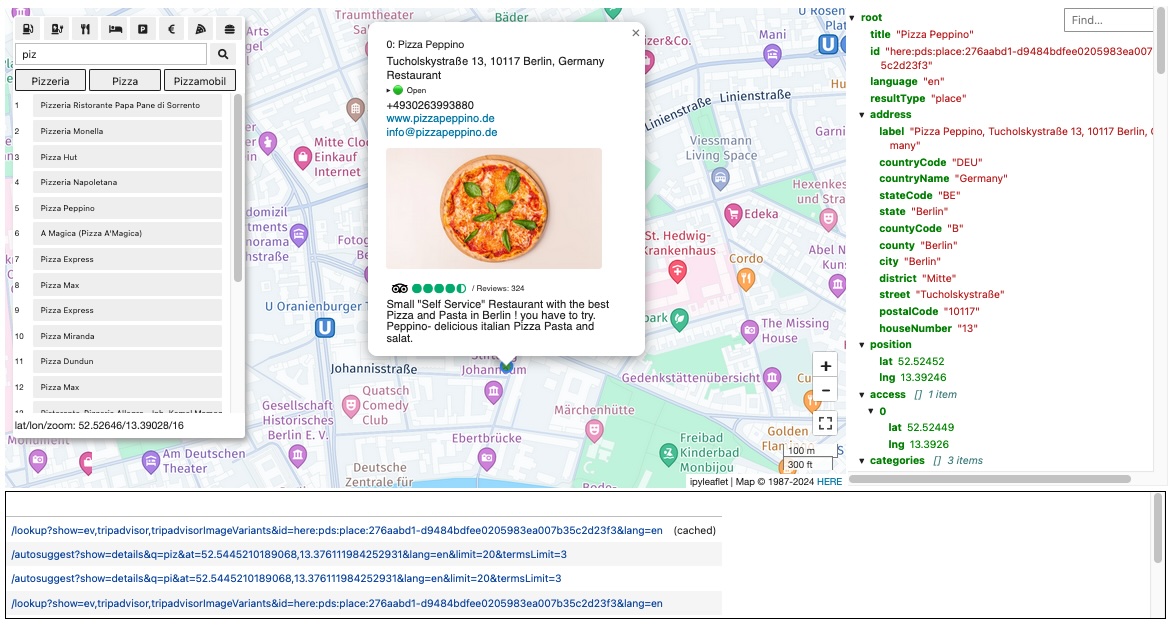
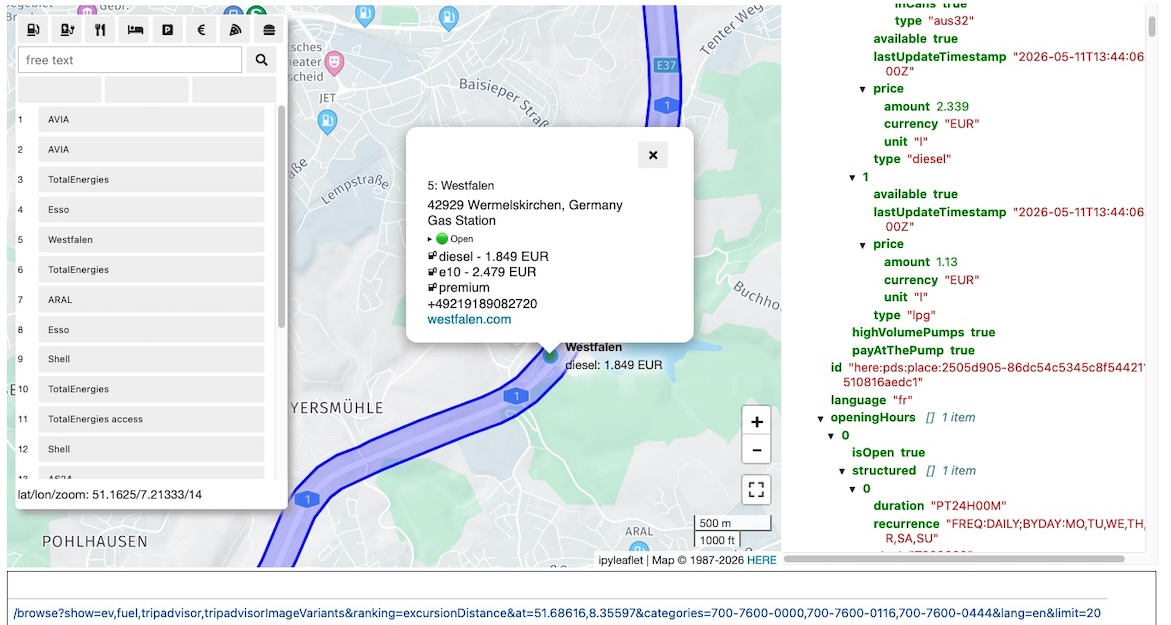
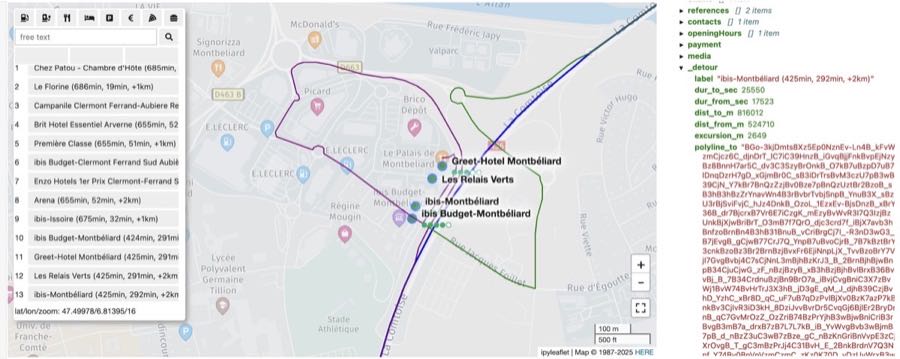
A set of widgets and notebooks demonstrating
- the use of HERE Geocoding & Search endpoints.
- the integration of HERE Routing for search along the route use cases.
Requirements: HERE credentials (both API key and OAuth2 key/secret).
Note that HERE Base Plan Pricing allows you to get started for free.
Demo documentation with interactive notebooks is available here.
 |
 |
 |
| I want to... | Recommended path |
|---|---|
| Load my creds 🔑 and use the app |  |
| Try online interactive notebooks | |
| Use notebooks locally in a Python setup | Offline notebooks |
| Contribute or run full project workflows | Contribute |
Offline notebooks
- Install the package in the virtual environment of your choice (Python 3.14 recommended):
pip install 'here-search-demo[lab]'
- Extract notebooks and
credentials.properties.txtfrom here-search-demo.zip in to the same directory. - Update
credentials.properties.txtwith your HERE credentials. - Create a ipykernel for the package:
prefix=$(python -c "import sys; print(sys.prefix)")
python -m ipykernel install --prefix $prefix --name search_demo --display-name "search demo"
- Start JupyterLab:
python -m jupyterlab
Contribute
- Clone the repository and install dependencies:
uv pip install -e '.[dev,docs,lab]'
Also install micromamba. - Run tests:
pytest -n auto --ignore=tests/test_notebooks.py
- Build the JupyterLite static page:
./lite-build.sh
- Build the docs page:
sphinx-build -b html docs/ workspace/public/docs
- JupyterLab alternative:
prefix=$(python -c "import sys; print(sys.prefix)")
python -m ipykernel install --prefix $prefix --name search_demo --display-name "search demo"
Then:python -m jupyterlab notebooks
License
Copyright (C) 2022-2026 HERE Europe B.V.
This project is licensed under the MIT license - see the LICENSE file in the root of this project for license details.
Note: This MIT-licensed project uses only open-source, community-maintained tools—such as JupyterLite, xeus kernels, micromamba, and packages from conda-forge and emscripten-forge-dev—and includes no Anaconda-distributed components. Each dependency remains under its own open-source license; see their LICENSE files for details.
1 maintainer

Metadata
1 maintainer
Release files for here-search-demo 0.37.2
For a detailed explanation of source distributions (sdists) and built distributions (wheels), please see the package formats documentation.
Source distribution (sdist)
| File | Size | Uploaded | Provenance | Actions |
|---|---|---|---|---|
| here_search_demo-0.37.2.tar.gz | 142.5 kB | Without provenance | Details for here_search_demo-0.37.2.tar.gz |
Built distribution (wheel)
| File | Interpreter | ABI | Platform | Actions Reset |
|---|---|---|---|---|
| here_search_demo-0.37.2-py3-none-any.whl | Python 3 | none | any | Details for here_search_demo-0.37.2-py3-none-any.whl |
Total release size: 257.7 kB
Release files / here_search_demo-0.37.2.tar.gz
| Download URL | here_search_demo-0.37.2.tar.gz |
|---|---|
| Size | 142.5 kB |
| Tags | Source |
|
SHA-256 checksum How to use checksums |
233516f295f19de7ccc1fc1ff5d1759cd819728fd3438e14fa22007cbad26dad
|
|
BLAKE2b-256 checksum How to use checksums |
e4feff4b598131b2ab1983e8b1401d795ed3635c4511dd03ba1e438ef1d335a3
|
| Upload date | |
|
Uploaded using Trusted Publishing? What is trusted publishing? |
No |
| Uploaded via |
twine/7.0.0 CPython/3.13.16
|
Release files / here_search_demo-0.37.2-py3-none-any.whl
| Download URL | here_search_demo-0.37.2-py3-none-any.whl |
|---|---|
| Size | 115.2 kB |
| Tags | Python 3 |
|
SHA-256 checksum How to use checksums |
20b44ce08f019c46b4eaec809904852e139d5147406c1eafa0a2fa113926a7cf
|
|
BLAKE2b-256 checksum How to use checksums |
5dd6d3f7118166f5cf73361831a2b91fdbceb3cd1630f2579c8b3e376598c0b2
|
| Upload date | |
|
Uploaded using Trusted Publishing? What is trusted publishing? |
No |
| Uploaded via |
twine/7.0.0 CPython/3.13.16
|
Security for here-search-demo 0.37.2
Provenance
Provenance describes where a file came from. On PyPI, provenance is shared via attestations, which provide a verifiable record of the build or publishing details. View details, limitations and caveats.
No provenance found
None of the files in this release were uploaded with provenance metadata.
A note on package security
PyPI is a repository for distributing packages, not a service for auditing them. While third-party security researchers and our staff do their best to detect and remove malicious packages, PyPI cannot guarantee the quality, security or suitability of any given package.
To learn more about protecting yourself from malicious actors, visit our package security documentation.














