
HERE Geocoding and Search demo and widgets

Project description




HERE Search demo
A set of widgets and notebooks demonstrating the use of HERE Geocoding & Search endpoints /autosuggest, /discover, /browse, /lookup and /signals.
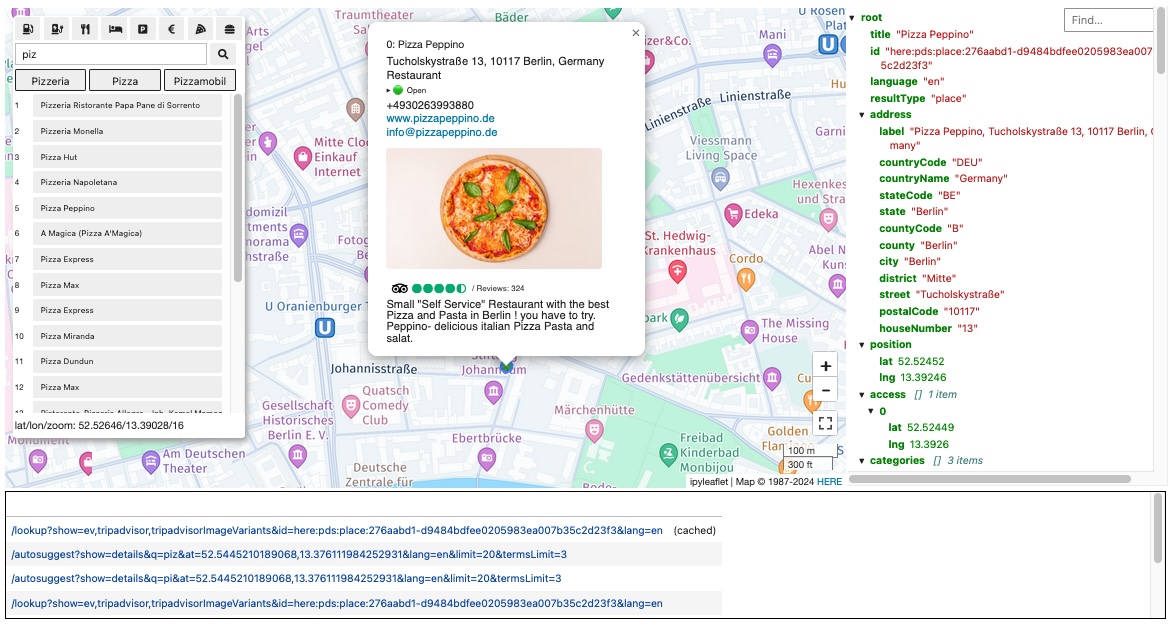 |
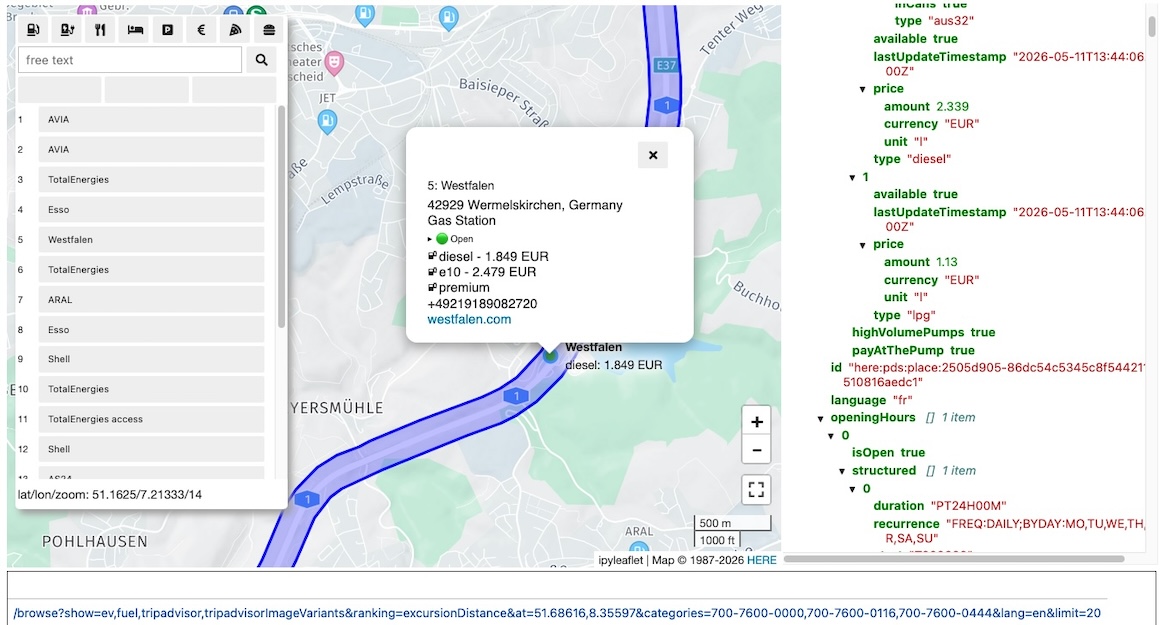 |
Requirements: HERE credentials (both API key and Oauth2 key/secret) and a Python environment. Note that HERE Base Plan Pricing allows you to get started for free.
| Use Case | Installation |
|---|---|
| Online use | Run the notebooks in your browser |
| Local use | Install and try locally |
| Development | Install from the sources |
0-install use
here-search-demo notebooks are available for immediate use in a Github page hosting a JupyterLite instance based on the xeus stack (CPython running on xeus-python kernel).
A version of these pages based on the Pyodide stack and the jupyterlite-pyodide-kernel is also available here.
Install and try locally
If you want to use the library and notebooks in a local JupyterLab, do:
-
Install the widgets into a
virtualenv/venv:uv pip install 'here-search-demo[lab,route]'
-
Extract the notebooks and
credentials.propertiesthe GitHub release asset -
Keep
credentials.propertiesin the same directory as the notebooks and update it with your HERE credentials. -
Link the virtual environment to a IPython kernel:
python -m ipykernel install \
  --prefix $(python -c "import sys; print(sys.prefix)") \
  --name search_demo --display-name "search demo"
-
Start JupyterLab and browse to the notebooks' directory:
python -m jupyterlab
Install from the sources
If you need to maintain this package:
-
git cloneit and into avirtualenv/venv, do:uv pip install -e '.[dev,lab,route]'
-
Copy
example-credentials.propertiestonotebooks/credentials.propertiesand update it with your HERE credentials. -
Link the virtual environment to a IPython kernel:
python -m ipykernel install \
  --prefix $(python -c "import sys; print(sys.prefix)") \
  --name search_demo --display-name "search demo"
-
Run the tests to check the installation:
pytest -v -
Start either
- JupyterLab:
python -m jupyterlab notebooks
- or JupyterLite
bash scripts/lite-build.sh
- JupyterLab:
(Additional notes)
License
Copyright (C) 2022-2026 HERE Europe B.V.
This project is licensed under the MIT license - see the LICENSE file in the root of this project for license details.
Release history Release notifications | RSS feed


Download files
Download the file for your platform. If you're not sure which to choose, learn more about installing packages.
Source Distribution
Built Distribution
Filter files by name, interpreter, ABI, and platform.
If you're not sure about the file name format, learn more about wheel file names.
Copy a direct link to the current filters
File details
Details for the file here_search_demo-0.25.3.tar.gz.
File metadata
- Download URL: here_search_demo-0.25.3.tar.gz
- Upload date:
- Size: 71.5 kB
- Tags: Source
- Uploaded using Trusted Publishing? No
- Uploaded via: twine/6.1.0 CPython/3.13.12
File hashes
| Algorithm | Hash digest | |
|---|---|---|
| SHA256 |
637da44495de306d1ba145cf8736c35fb435c26b71f49a29577dc6c3f6cfc89b
|
|
| MD5 |
5a646e9098507162694f502741bbcc9f
|
|
| BLAKE2b-256 |
def15ffaaee6a6f103c48616a6a2ffd4879037de2aff4a60c71fb41d9b4616a4
|
File details
Details for the file here_search_demo-0.25.3-py3-none-any.whl.
File metadata
- Download URL: here_search_demo-0.25.3-py3-none-any.whl
- Upload date:
- Size: 57.2 kB
- Tags: Python 3
- Uploaded using Trusted Publishing? No
- Uploaded via: twine/6.1.0 CPython/3.13.12
File hashes
| Algorithm | Hash digest | |
|---|---|---|
| SHA256 |
743cd540d4a8c2d3ba256af93e6e1edb4371ee28e8843cde519557be13bba7ff
|
|
| MD5 |
e317c48f52817bc33565061634b0c102
|
|
| BLAKE2b-256 |
e5728e4c814e1cb4c157d02e0336d82e3d15ccb0f3b1ad280396063cb07941c7
|






