
hermes-kanban

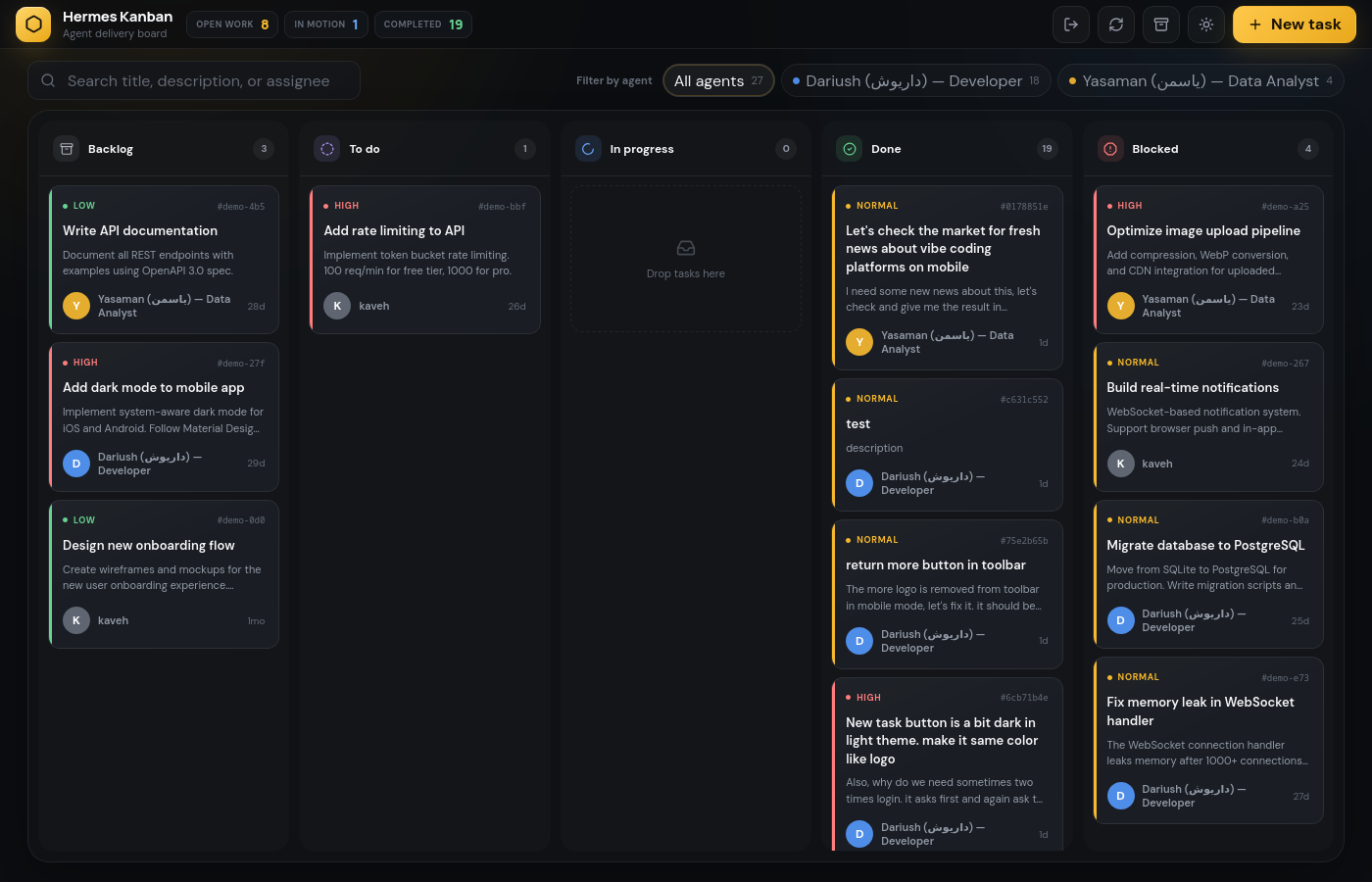
A lightweight, self-contained Kanban board built for Hermes Agent. Zero external dependencies — just SQLite, Flask, and a single pip install.
What is this?
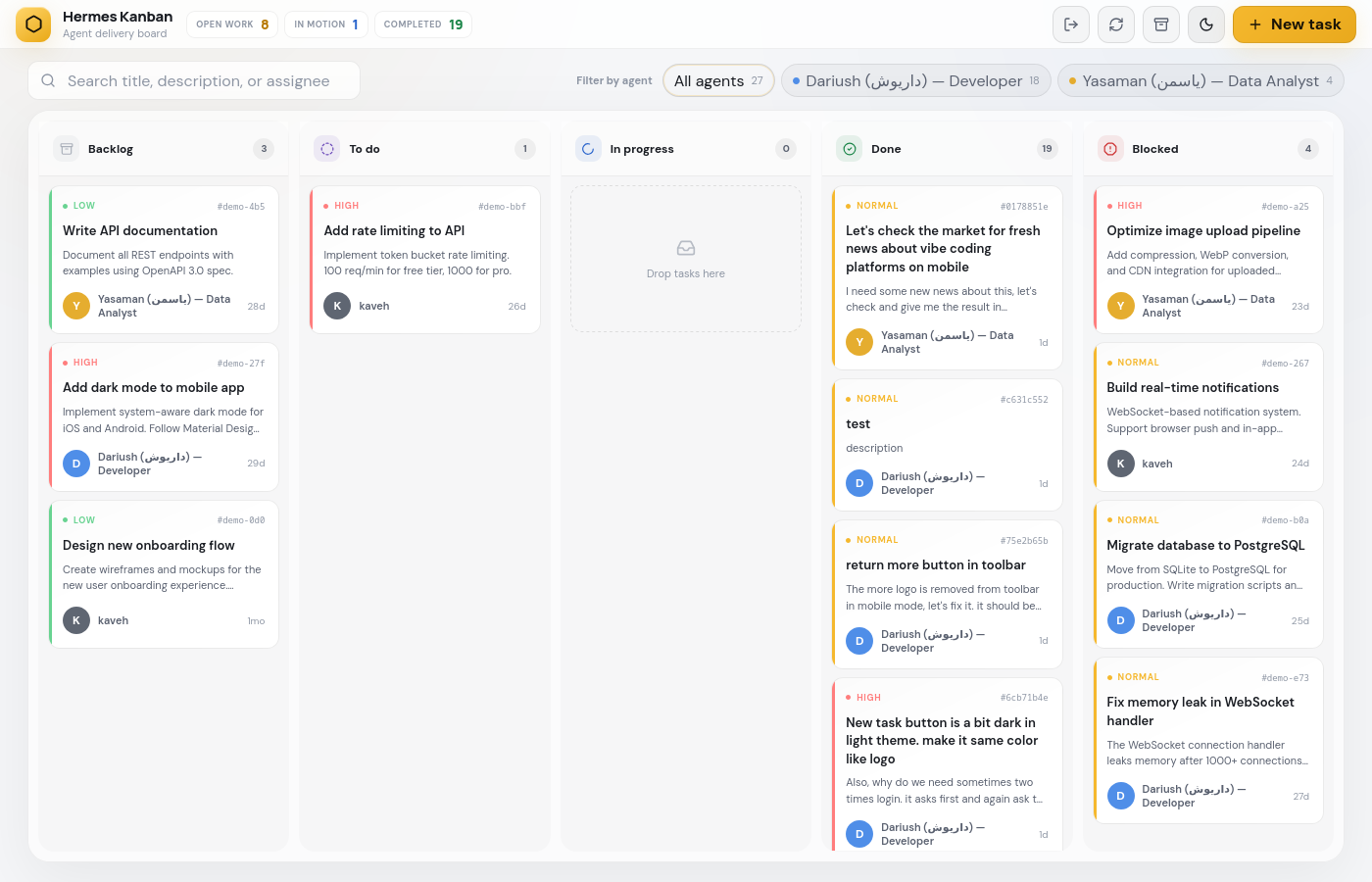
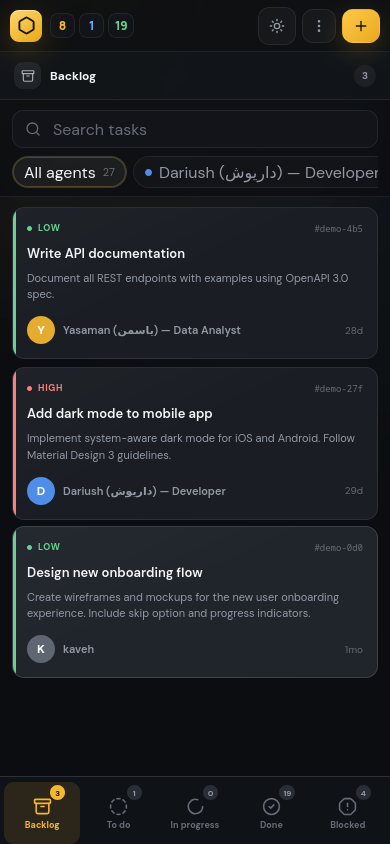
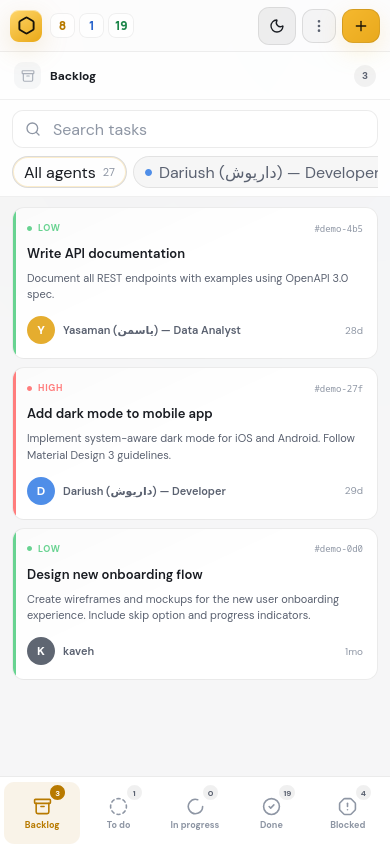
Hermes Kanban gives your AI agents a shared task board. Agents create, update, and complete tasks through a REST API. You monitor everything through a clean web UI with drag-and-drop, dark/light themes, and real-time updates.
Agents are auto-detected from your Hermes profiles — no configuration needed. Install it, start it, and your agents appear automatically.
Quick Start
pip install hermes-kanban
hermes-kanban serve
Open http://localhost:9120 — Login: hermes / hermes
That's it. Your agents from ~/.hermes/profiles/ are already on the board.
Features
- Auto-detect agents — scans
~/.hermes/profiles/and pulls names + descriptions fromSOUL.md - Dark & Light themes — toggle with one click, respects your preference
- Responsive design — works on desktop and mobile
- Drag & drop — move tasks between columns visually
- SQLite backend — no database server needed, single file storage
- REST API — full CRUD for tasks, agents, and comments
- Telegram notifications — optional, get notified on task changes
- Basic auth — protect your board (configurable)
- Export — download your tasks as JSON anytime
Screenshots
Dark Theme
Light Theme
Mobile
How Agent Detection Works
~/.hermes/profiles/
  kaveh/SOUL.md      → "# Kaveh — Team Lead"
  dariush/SOUL.md    → "# Dariush — Developer"
  emily/SOUL.md      → "# Emily — Friend & Companion"
  yasaman/SOUL.md    → "# Yasaman — QA Engineer"
Hermes Kanban reads each profile folder, extracts the first line of SOUL.md as the display name, and assigns a color. Add a new profile → it appears on the board automatically.
You can also add agents manually via POST /api/agents — these show up with source: "custom".
Configuration
All settings are optional via environment variables:
| Variable | Default | Description |
|---|---|---|
KANBAN_PORT |
9120 |
Server port |
KANBAN_HOST |
0.0.0.0 |
Bind address |
KANBAN_AUTH_USER |
hermes |
Login username |
KANBAN_AUTH_PASS |
hermes |
Login password |
KANBAN_NO_AUTH |
0 |
Set to 1 to disable auth |
KANBAN_DB |
auto | Custom database path |
TELEGRAM_BOT_TOKEN |
— | Telegram bot token (optional) |
TELEGRAM_HOME_CHANNEL |
— | Telegram chat ID (optional) |
REST API
| Method | Endpoint | Description |
|---|---|---|
GET |
/api/tasks |
List all tasks |
GET |
/api/tasks/<id> |
Get task details |
POST |
/api/tasks |
Create a task |
PUT |
/api/tasks/<id> |
Update a task |
PUT |
/api/tasks/<id>/status |
Change task status |
DELETE |
/api/tasks/<id> |
Delete a task |
GET |
/api/stats |
Task counts by status |
GET |
/api/agents |
Agent workload |
GET |
/api/agents/config |
Auto-detected agents |
POST |
/api/agents |
Add a custom agent |
DELETE |
/api/agents/<name> |
Remove a custom agent |
POST |
/api/tasks/<id>/comments |
Add a comment |
Create a task
curl -X POST http://localhost:9120/api/tasks \
  -H "Content-Type: application/json" \
  -d '{
    "title": "Fix login bug",
    "description": "Users cant login with SSO",
    "assignee": "dariush",
    "priority": 1,
    "status": "todo"
  }'
List agents
curl http://localhost:9120/api/agents/config
[
  {
    "name": "dariush",
    "display_name": "Dariush — Developer",
    "color": "#4f8ee8",
    "source": "hermes"
  }
]
Hermes Integration
Hermes Agent discovers the Kanban board via SQLite. Once the server is running, agents can:
- Create tasks via
POST /api/tasks - Update status via
PUT /api/tasks/<id>/status - Add comments via
POST /api/tasks/<id>/comments - Check workload via
GET /api/agents
Agents see each other's tasks and can pick up work from any column.
Development
git clone https://github.com/2D-Soft/hermes-kanban.git
cd hermes-kanban
pip install -e .
hermes-kanban serve --port 9121
License
MIT
1 maintainer

Metadata
1 maintainer
Release files for hermes-kanban 1.0.1
For a detailed explanation of source distributions (sdists) and built distributions (wheels), please see the package formats documentation.
Source distribution (sdist)
| File | Size | Uploaded | Provenance | Actions |
|---|---|---|---|---|
| hermes_kanban-1.0.1.tar.gz | 46.4 kB | Without provenance | Details for hermes_kanban-1.0.1.tar.gz |
Built distribution (wheel)
| File | Interpreter | ABI | Platform | Actions Reset |
|---|---|---|---|---|
| hermes_kanban-1.0.1-py3-none-any.whl | Python 3 | none | any | Details for hermes_kanban-1.0.1-py3-none-any.whl |
Total release size: 95.4 kB
Release files / hermes_kanban-1.0.1.tar.gz
| Download URL | hermes_kanban-1.0.1.tar.gz |
|---|---|
| Size | 46.4 kB |
| Tags | Source |
|
SHA-256 checksum How to use checksums |
68c681a871cd0116348360fe07ffe5ade72c983906d8f208e4d94f43c607d49d
|
|
BLAKE2b-256 checksum How to use checksums |
86649b2c7f3322d9c313a643ba5e63bbc51cd62112648164b5d4fd2dcda32aa6
|
| Upload date | |
|
Uploaded using Trusted Publishing? What is trusted publishing? |
No |
| Uploaded via |
twine/6.2.0 CPython/3.11.2
|
Release files / hermes_kanban-1.0.1-py3-none-any.whl
| Download URL | hermes_kanban-1.0.1-py3-none-any.whl |
|---|---|
| Size | 49.0 kB |
| Tags | Python 3 |
|
SHA-256 checksum How to use checksums |
8852fbf59bb2ffc18e2c9e9099d4b92b3b41b3d298316d856d58e56e4f02a40d
|
|
BLAKE2b-256 checksum How to use checksums |
48b66cb367b970b5bd995b35f995b6de303ac1361db0a51d905b996fa0e7bab7
|
| Upload date | |
|
Uploaded using Trusted Publishing? What is trusted publishing? |
No |
| Uploaded via |
twine/6.2.0 CPython/3.11.2
|
Security for hermes-kanban 1.0.1
Provenance
Provenance describes where a file came from. On PyPI, provenance is shared via attestations, which provide a verifiable record of the build or publishing details. View details, limitations and caveats.
No provenance found
None of the files in this release were uploaded with provenance metadata.
A note on package security
PyPI is a repository for distributing packages, not a service for auditing them. While third-party security researchers and our staff do their best to detect and remove malicious packages, PyPI cannot guarantee the quality, security or suitability of any given package.
To learn more about protecting yourself from malicious actors, visit our package security documentation.














