
Lightweight Kanban board for Hermes Agent

Project description
hermes-kanban

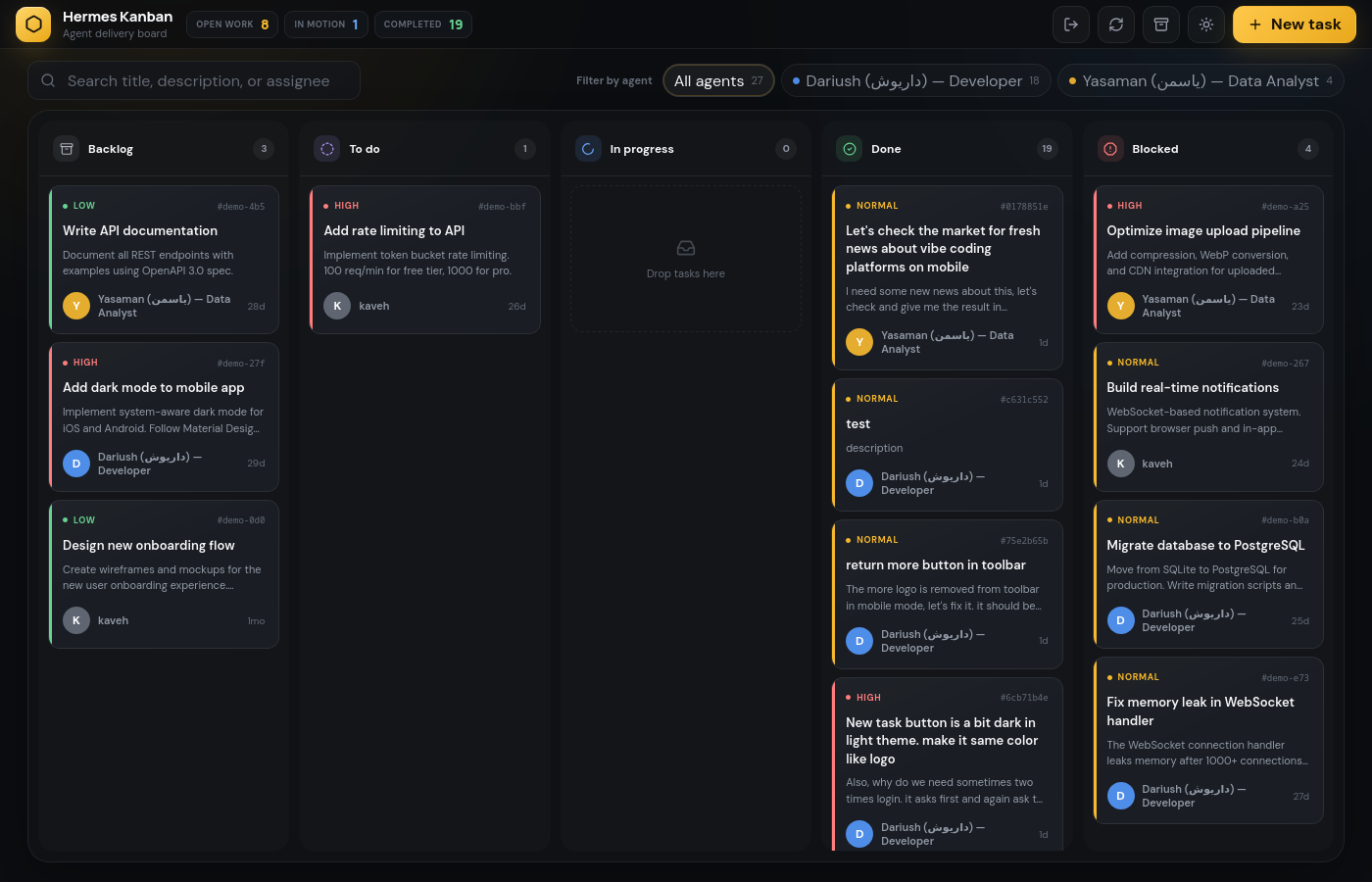
A lightweight, self-contained Kanban board built for Hermes Agent. Zero external dependencies — just SQLite, Flask, and a single pip install.
What is this?
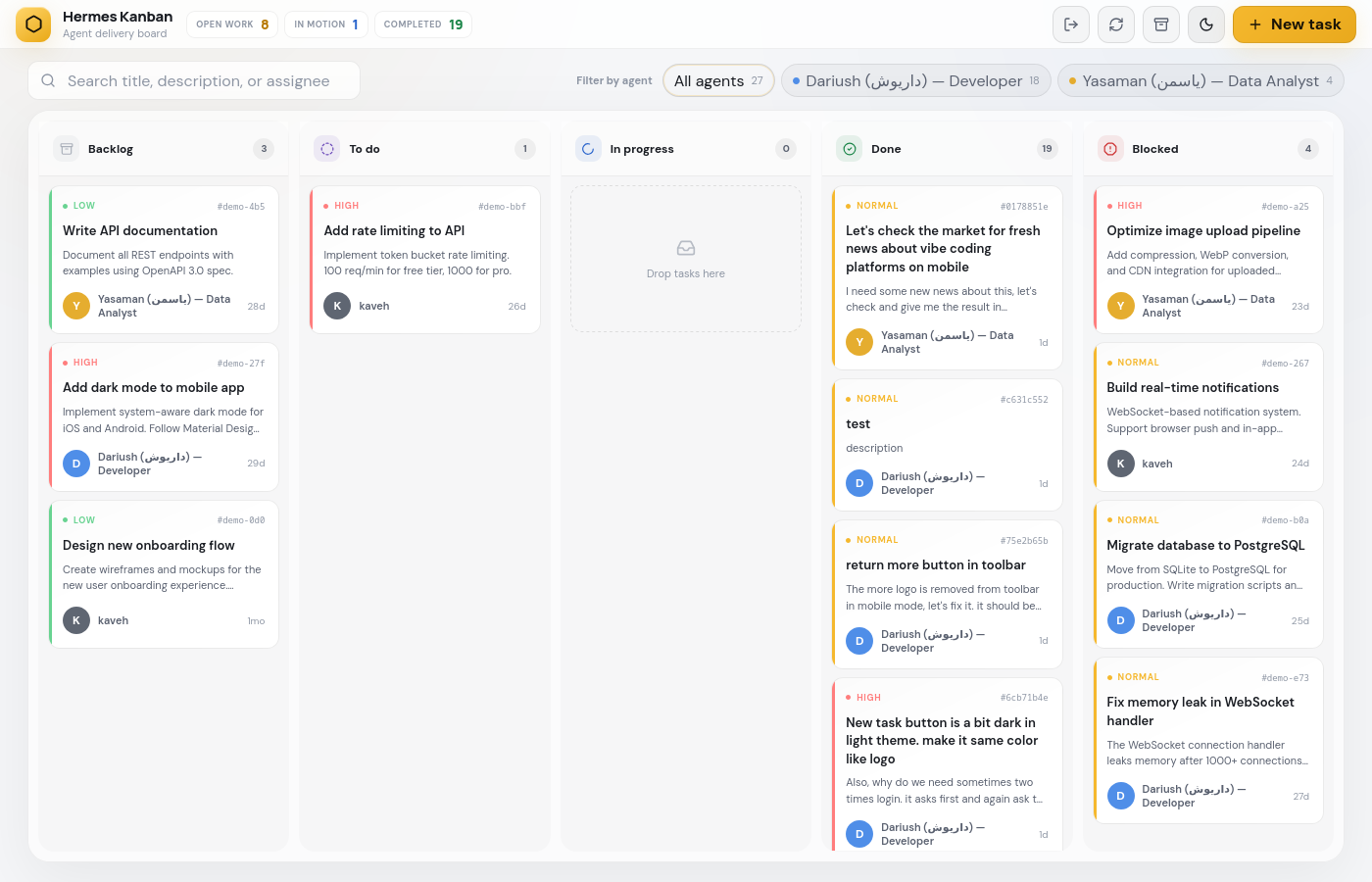
Hermes Kanban gives your AI agents a shared task board. Agents create, update, and complete tasks through a REST API. You monitor everything through a clean web UI with drag-and-drop, dark/light themes, and real-time updates.
Agents are auto-detected from your Hermes profiles — no configuration needed. Install it, start it, and your agents appear automatically.
Quick Start
pip install hermes-kanban
hermes-kanban serve
Open http://localhost:9120 — Login: hermes / hermes
That's it. Your agents from ~/.hermes/profiles/ are already on the board.
Features
- Auto-detect agents — scans
~/.hermes/profiles/and pulls names + descriptions fromSOUL.md - Dark & Light themes — toggle with one click, respects your preference
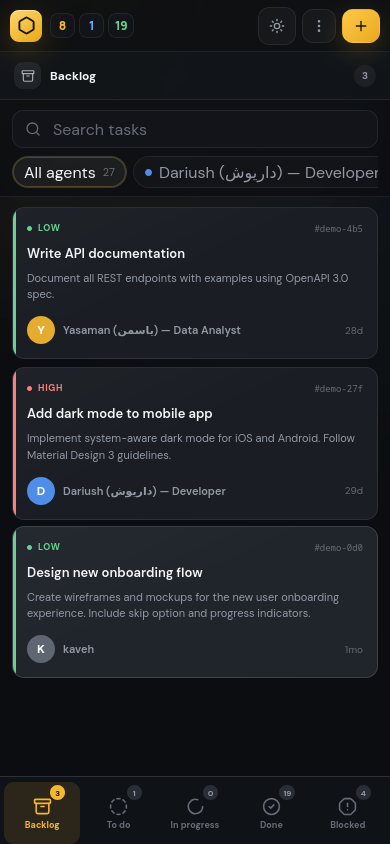
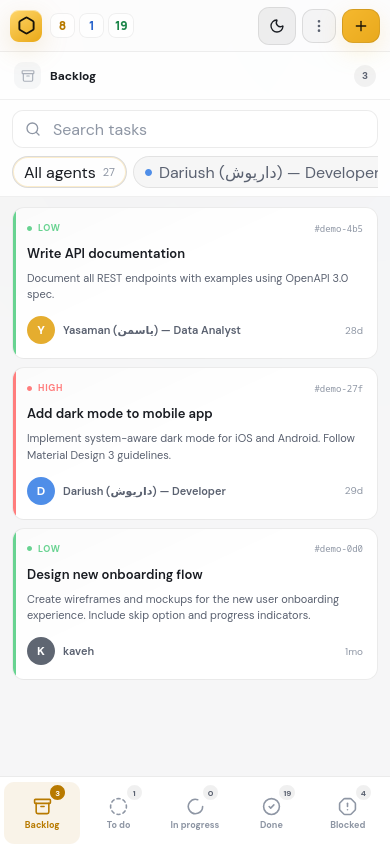
- Responsive design — works on desktop and mobile
- Drag & drop — move tasks between columns visually
- SQLite backend — no database server needed, single file storage
- REST API — full CRUD for tasks, agents, and comments
- Telegram notifications — optional, get notified on task changes
- Basic auth — protect your board (configurable)
- Export — download your tasks as JSON anytime
Screenshots
Dark Theme
Light Theme
Mobile
How Agent Detection Works
~/.hermes/profiles/
  kaveh/SOUL.md      → "# Kaveh — Team Lead"
  dariush/SOUL.md    → "# Dariush — Developer"
  emily/SOUL.md      → "# Emily — Friend & Companion"
  yasaman/SOUL.md    → "# Yasaman — QA Engineer"
Hermes Kanban reads each profile folder, extracts the first line of SOUL.md as the display name, and assigns a color. Add a new profile → it appears on the board automatically.
You can also add agents manually via POST /api/agents — these show up with source: "custom".
Configuration
All settings are optional via environment variables:
| Variable | Default | Description |
|---|---|---|
KANBAN_PORT |
9120 |
Server port |
KANBAN_HOST |
0.0.0.0 |
Bind address |
KANBAN_AUTH_USER |
hermes |
Login username |
KANBAN_AUTH_PASS |
hermes |
Login password |
KANBAN_NO_AUTH |
0 |
Set to 1 to disable auth |
KANBAN_DB |
auto | Custom database path |
TELEGRAM_BOT_TOKEN |
— | Telegram bot token (optional) |
TELEGRAM_HOME_CHANNEL |
— | Telegram chat ID (optional) |
REST API
| Method | Endpoint | Description |
|---|---|---|
GET |
/api/tasks |
List all tasks |
GET |
/api/tasks/<id> |
Get task details |
POST |
/api/tasks |
Create a task |
PUT |
/api/tasks/<id> |
Update a task |
PUT |
/api/tasks/<id>/status |
Change task status |
DELETE |
/api/tasks/<id> |
Delete a task |
GET |
/api/stats |
Task counts by status |
GET |
/api/agents |
Agent workload |
GET |
/api/agents/config |
Auto-detected agents |
POST |
/api/agents |
Add a custom agent |
DELETE |
/api/agents/<name> |
Remove a custom agent |
POST |
/api/tasks/<id>/comments |
Add a comment |
Create a task
curl -X POST http://localhost:9120/api/tasks \
  -H "Content-Type: application/json" \
  -d '{
    "title": "Fix login bug",
    "description": "Users cant login with SSO",
    "assignee": "dariush",
    "priority": 1,
    "status": "todo"
  }'
List agents
curl http://localhost:9120/api/agents/config
[
  {
    "name": "dariush",
    "display_name": "Dariush — Developer",
    "color": "#4f8ee8",
    "source": "hermes"
  }
]
Hermes Integration
Hermes Agent discovers the Kanban board via SQLite. Once the server is running, agents can:
- Create tasks via
POST /api/tasks - Update status via
PUT /api/tasks/<id>/status - Add comments via
POST /api/tasks/<id>/comments - Check workload via
GET /api/agents
Agents see each other's tasks and can pick up work from any column.
Development
git clone https://github.com/2D-Soft/hermes-kanban.git
cd hermes-kanban
pip install -e .
hermes-kanban serve --port 9121
License
MIT
Release history Release notifications | RSS feed


Download files
Download the file for your platform. If you're not sure which to choose, learn more about installing packages.
Source Distribution
Built Distribution
Filter files by name, interpreter, ABI, and platform.
If you're not sure about the file name format, learn more about wheel file names.
Copy a direct link to the current filters
File details
Details for the file hermes_kanban-1.0.1.tar.gz.
File metadata
- Download URL: hermes_kanban-1.0.1.tar.gz
- Upload date:
- Size: 46.4 kB
- Tags: Source
- Uploaded using Trusted Publishing? No
- Uploaded via: twine/6.2.0 CPython/3.11.2
File hashes
| Algorithm | Hash digest | |
|---|---|---|
| SHA256 |
68c681a871cd0116348360fe07ffe5ade72c983906d8f208e4d94f43c607d49d
|
|
| MD5 |
01ecd34459e3630ef716cd5cf7b2d713
|
|
| BLAKE2b-256 |
86649b2c7f3322d9c313a643ba5e63bbc51cd62112648164b5d4fd2dcda32aa6
|
File details
Details for the file hermes_kanban-1.0.1-py3-none-any.whl.
File metadata
- Download URL: hermes_kanban-1.0.1-py3-none-any.whl
- Upload date:
- Size: 49.0 kB
- Tags: Python 3
- Uploaded using Trusted Publishing? No
- Uploaded via: twine/6.2.0 CPython/3.11.2
File hashes
| Algorithm | Hash digest | |
|---|---|---|
| SHA256 |
8852fbf59bb2ffc18e2c9e9099d4b92b3b41b3d298316d856d58e56e4f02a40d
|
|
| MD5 |
9627da01e7b0e753aa25c0fa2f8e2a74
|
|
| BLAKE2b-256 |
48b66cb367b970b5bd995b35f995b6de303ac1361db0a51d905b996fa0e7bab7
|






