
Hermes Plugin Guard


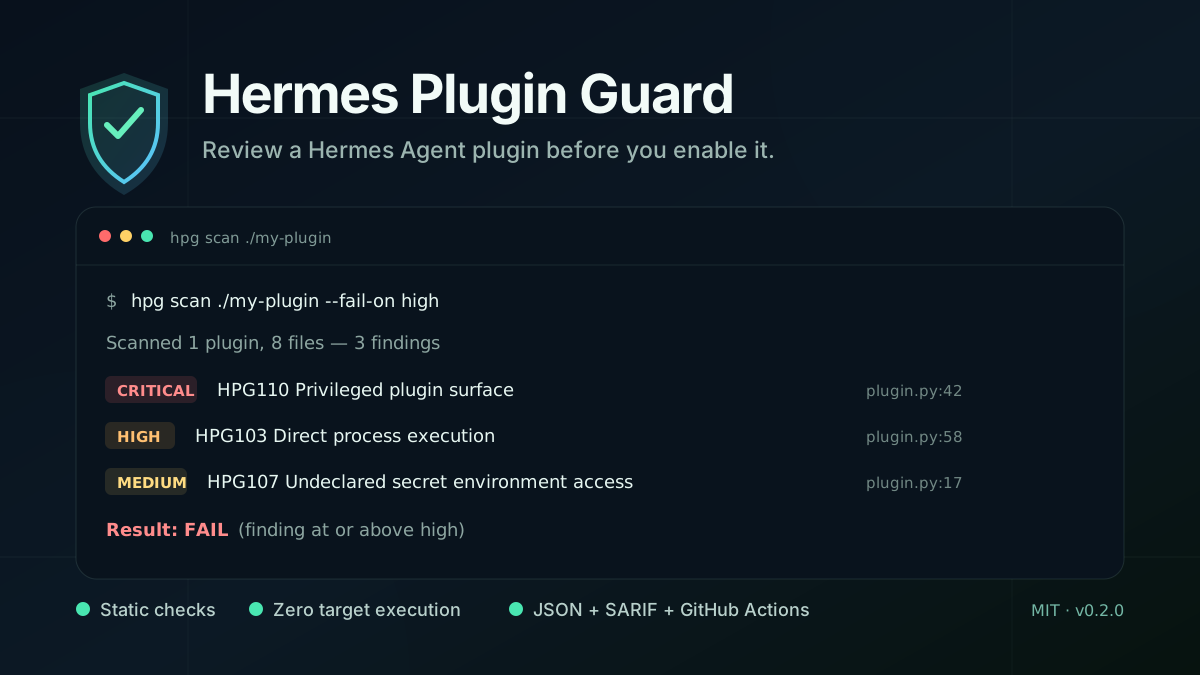
Review a Hermes Agent plugin before you enable it.
Hermes Plugin Guard (hpg) is a local static scanner for
NousResearch Hermes Agent plugins. It
checks plugin manifests, Python source, dependency declarations, likely secret material, and
basic repository hygiene. Target plugin code is read as data: it is never imported or executed.
This is an unofficial community project. It is not affiliated with, endorsed by, or maintained by Nous Research.
Five-minute beta test
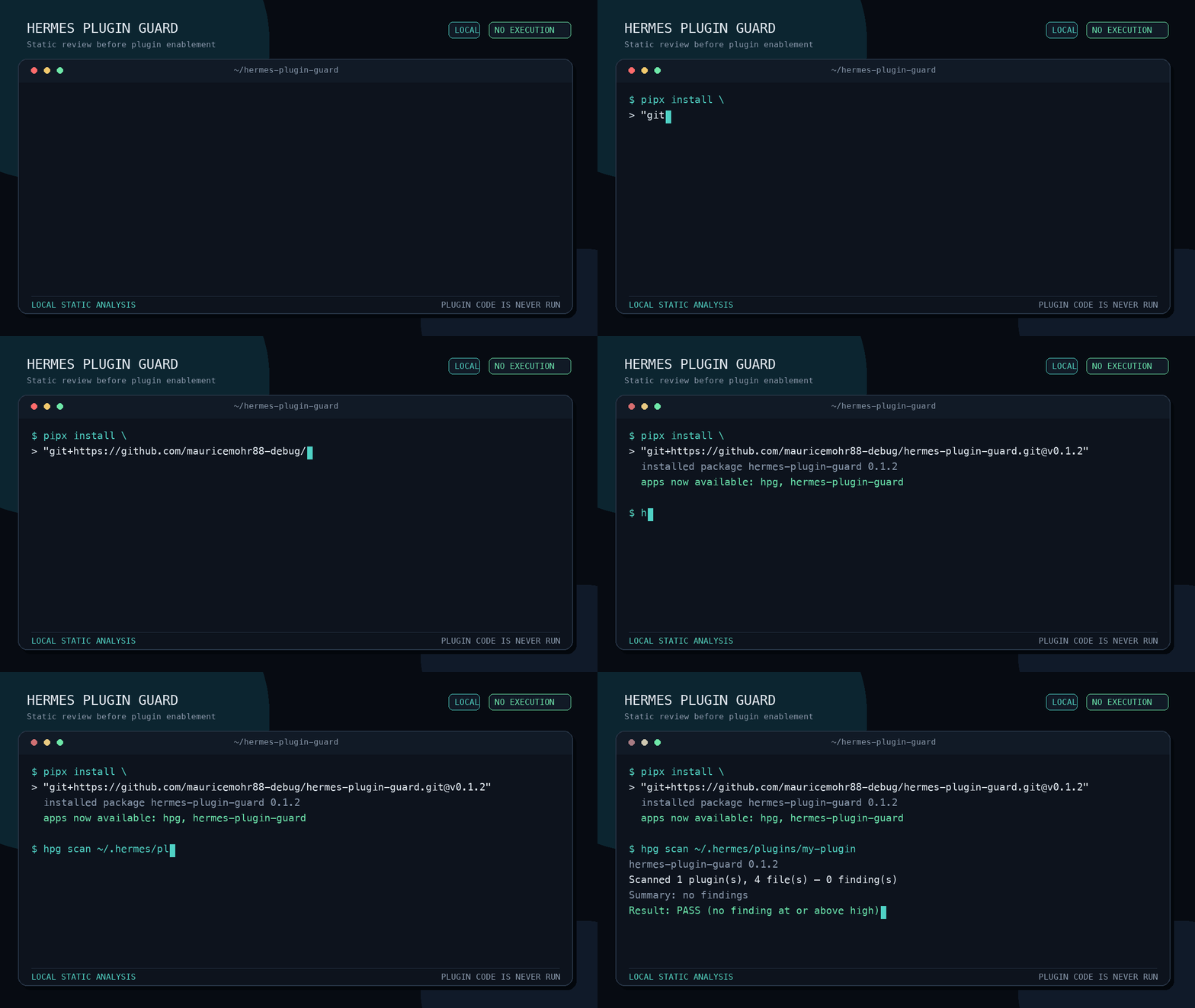
If you maintain or use a Hermes plugin, one local scan is enough to help improve the rules. Python 3.11 or newer and pipx are required.
-
Install the v0.1.3 release directly from GitHub:
pipx install \
  "git+https://github.com/mauricemohr88-debug/hermes-plugin-guard.git@v0.1.3"
-
Scan your plugin without failing the command on findings:
hpg scan /absolute/path/to/your-plugin --fail-on none
-
Send a short beta-test report with the rule IDs that were useful, noisy, or missing. A public plugin URL is helpful but not required.
The scan stays on your computer. hpg reads target files as data, does not import or execute
target plugin code, makes no network requests, includes no telemetry, and uploads neither source
code nor results. Do not paste private code, credentials, or unsanitized paths into a public issue.
Once v0.1.3 is visible on PyPI, the shorter installation command is:
pipx install hermes-plugin-guard
Already installed? Use pipx upgrade hermes-plugin-guard for a PyPI installation, or reinstall
the tagged GitHub URL above.
Why this exists
Hermes plugins are Python extensions, not isolated data files. A third-party plugin can register
tools and hooks and can run with the permissions of the Hermes process. Code review remains the
most important control; hpg adds a fast, repeatable first pass before enablement and in CI.
The scanner is designed to make high-risk patterns visible, including:
- direct subprocess calls that bypass Hermes' terminal-tool approval path;
- dynamic execution and unsafe deserialization;
- sensitive-path access, destructive filesystem operations, and disabled TLS verification;
- all-interface listeners, networking capability, concrete outbound calls with redacted destinations, and undeclared secret environment variables;
- privileged registration and middleware surfaces, plus work performed during import or registration;
- likely committed credentials, mutable remote dependencies, and remote scripts piped to shells;
- plugin declaration drift, missing tests, and missing project policies.
Install
Python 3.11 or newer is required.
Install the current release directly from GitHub with pipx (recommended for command-line tools):
pipx install \
  "git+https://github.com/mauricemohr88-debug/hermes-plugin-guard.git@v0.1.3"
After the release is published to PyPI, install it by package name:
pipx install hermes-plugin-guard
Or install from a local checkout:
git clone https://github.com/mauricemohr88-debug/hermes-plugin-guard.git
cd hermes-plugin-guard
python -m pip install .
Both hpg and hermes-plugin-guard invoke the same command.
Usage
Scan one plugin directory:
hpg scan /path/to/my-plugin
Scan a repository containing multiple plugins and fail when a high or critical finding exists:
hpg scan /path/to/plugins-repository --fail-on high
The scanner recognizes directory plugins using plugin.yaml, dashboard-only plugins using
dashboard/manifest.json, and pip-distributed plugins using
[project.entry-points."hermes_agent.plugins"] in pyproject.toml.
Write machine-readable results:
hpg scan ./my-plugin --format json --output hpg.json
hpg scan ./my-plugin --format sarif --output hpg.sarif
Show GitHub workflow annotations:
hpg scan ./my-plugin --format github
Exclude a reviewed rule for one invocation:
hpg scan ./my-plugin --exclude HPG106 --exclude HPG203
List the complete rule catalog and remediation guidance:
hpg rules
The default failure threshold is high. Use --fail-on critical, high, medium,
low, info, or none to set policy. Exit code 0 means no finding reached the selected
threshold, 1 means the policy threshold was reached, and 2 indicates an invocation or scan
error.
Output
hpg keeps rule IDs stable so findings can be discussed and tracked across runs.
| Format | Intended use |
|---|---|
text |
Human-readable local review (default) |
github |
File and line annotations in GitHub Actions logs |
json |
Automation, baselines, and custom reporting |
sarif |
SARIF-compatible code-scanning consumers |
JSON includes the scan root, plugin and file counts, severity totals, sorted findings, and a stable fingerprint for each finding. SARIF includes rule metadata and source locations. Output is deterministic for unchanged inputs.
GitHub Actions
The repository includes a composite action:
name: Plugin security

on:
  pull_request:

permissions:
  contents: read

jobs:
  guard:
    runs-on: ubuntu-latest
    steps:
      - uses: actions/checkout@3d3c42e5aac5ba805825da76410c181273ba90b1 # v7.0.1
        with:
          persist-credentials: false
      - uses: mauricemohr88-debug/hermes-plugin-guard@v0.1.3
        with:
          path: path/to/plugin
          fail-on: high
          format: github
For stronger supply-chain controls, pin hermes-plugin-guard to a reviewed full commit SHA
instead of a moving tag.
Rules at a glance
| IDs | Area | Examples |
|---|---|---|
HPG001–HPG006 |
Declaration | Missing or invalid declarations, unknown kind, entry point and hook drift |
HPG101–HPG112 |
Python | Execution, deserialization, processes, sensitive paths, network and privileged behavior |
HPG201–HPG204 |
Supply chain | Likely secrets, mutable dependencies, unbounded versions, remote installers |
HPG301–HPG303 |
Project | License, security policy, and automated tests |
Run hpg rules for the current severity, explanation, and suggested remediation for every rule.
Network-egress inventory
HPG106 reports that a plugin imports a network-capable module. HPG112 is more specific: it
reports a concrete outbound request or connection and records the statically visible destination.
The scanner never resolves DNS or makes a request while doing this.
Destination evidence is deliberately limited to the scheme, hostname, and port. User information,
paths, query strings, fragments, headers, and payloads are never copied into a finding. Dynamic or
relative destinations are reported as <dynamic destination>. Loopback calls default to low,
encrypted external calls to medium, and explicitly cleartext HTTP, FTP, WebSocket, or gRPC and
link-local/cloud-metadata targets to high. Raw TCP and SMTP stay medium because the protocol may
upgrade to TLS after connecting.
Threat model
The scanner assumes a plugin directory may be untrusted and inspects it without importing its Python modules. It aims to catch explicit, statically visible patterns that deserve human review. It also helps maintainers enforce a consistent minimum policy in pull requests.
Scanning is a review aid, not a sandbox, signature verifier, malware detector, or proof that a plugin is safe. Enabling a plugin still grants its code the permissions of the Hermes process. Review the source, dependencies, requested environment variables, network destinations, and maintainer history before installation.
Limitations
- Static analysis cannot reliably resolve dynamically constructed names, paths, commands, or network destinations.
- Egress checks cover common Python HTTP, WebSocket, socket, FTP, SMTP, and gRPC APIs. Calls hidden behind dependencies, arbitrary SDK wrappers, native extensions, or dashboard JavaScript can require manual review.
- A finding describes a risky capability or pattern, not necessarily a vulnerability.
- The absence of findings does not establish safety.
- Secret matching is heuristic and may produce false positives or miss encoded or split secrets.
- Dependency checks inspect
requirements*.txt,pyproject.toml, and relevantplugin.yamldeclarations; they do not resolve, download, or audit dependency contents. - Symlinks and oversized files are skipped rather than followed or executed.
- Suppressions are command-line policy choices and should be documented in the consuming project.
If a result looks wrong, please open an issue with the smallest safe reproducer. Never attach live credentials or private plugin code to a public report.
Development and contributing
Contributions are welcome, especially focused detection rules with both positive and negative tests. See CONTRIBUTING.md for setup and design expectations, SECURITY.md for private vulnerability reporting, and CODE_OF_CONDUCT.md for community standards.
License
MIT. See LICENSE.
1 maintainer

Download files
Download the file for your platform. If you're not sure which to choose, learn more about installing packages.
Source Distribution
Built Distribution
Filter files by name, interpreter, ABI, and platform.
If you're not sure about the file name format, learn more about wheel file names.
Copy a direct link to the current filters
File details
Details for the file hermes_plugin_guard-0.1.3.tar.gz.
File metadata
- Download URL: hermes_plugin_guard-0.1.3.tar.gz
- Upload date:
- Size: 60.3 kB
- Tags: Source
- Uploaded using Trusted Publishing? Yes
- Uploaded via: twine/6.1.0 CPython/3.13.14
File hashes
| Algorithm | Hash digest | |
|---|---|---|
| SHA256 |
87b5864e0672c6d996fd1300b32c76425894201628593e4e99457fd61758faad
|
|
| MD5 |
6e2f690585041d853d604592781d54f3
|
|
| BLAKE2b-256 |
74d77781d694a689880f79b8f79f982d26aeb05852d44f2a204d39eb6e9fd6a4
|
Provenance
The following attestation bundles were made for hermes_plugin_guard-0.1.3.tar.gz:
Publisher:
publish.yml on mauricemohr88-debug/hermes-plugin-guard
-
Statement:
-
Statement type:
https://in-toto.io/Statement/v1 -
Predicate type:
https://docs.pypi.org/attestations/publish/v1 -
Subject name:
hermes_plugin_guard-0.1.3.tar.gz -
Subject digest:
87b5864e0672c6d996fd1300b32c76425894201628593e4e99457fd61758faad - Sigstore transparency entry: 2275485631
- Sigstore integration time:
-
Permalink:
mauricemohr88-debug/hermes-plugin-guard@7e16b4d45b3c4dc4eab3cab4790a7765c875e291 -
Branch / Tag:
refs/tags/v0.1.3 - Owner: https://github.com/mauricemohr88-debug
-
Access:
public
-
Token Issuer:
https://token.actions.githubusercontent.com -
Runner Environment:
github-hosted -
Publication workflow:
publish.yml@7e16b4d45b3c4dc4eab3cab4790a7765c875e291 -
Trigger Event:
release
-
Statement type:
File details
Details for the file hermes_plugin_guard-0.1.3-py3-none-any.whl.
File metadata
- Download URL: hermes_plugin_guard-0.1.3-py3-none-any.whl
- Upload date:
- Size: 39.4 kB
- Tags: Python 3
- Uploaded using Trusted Publishing? Yes
- Uploaded via: twine/6.1.0 CPython/3.13.14
File hashes
| Algorithm | Hash digest | |
|---|---|---|
| SHA256 |
124f9cae50f7c12714a98c6d49fbc30be4e22dee58bc30e38807207613514457
|
|
| MD5 |
265b459f89e83b5338409396758b4018
|
|
| BLAKE2b-256 |
23df2910891fa00b936268865b20d79ac8215a966d4b121c6ff0b6f677b04a47
|
Provenance
The following attestation bundles were made for hermes_plugin_guard-0.1.3-py3-none-any.whl:
Publisher:
publish.yml on mauricemohr88-debug/hermes-plugin-guard
-
Statement:
-
Statement type:
https://in-toto.io/Statement/v1 -
Predicate type:
https://docs.pypi.org/attestations/publish/v1 -
Subject name:
hermes_plugin_guard-0.1.3-py3-none-any.whl -
Subject digest:
124f9cae50f7c12714a98c6d49fbc30be4e22dee58bc30e38807207613514457 - Sigstore transparency entry: 2275485787
- Sigstore integration time:
-
Permalink:
mauricemohr88-debug/hermes-plugin-guard@7e16b4d45b3c4dc4eab3cab4790a7765c875e291 -
Branch / Tag:
refs/tags/v0.1.3 - Owner: https://github.com/mauricemohr88-debug
-
Access:
public
-
Token Issuer:
https://token.actions.githubusercontent.com -
Runner Environment:
github-hosted -
Publication workflow:
publish.yml@7e16b4d45b3c4dc4eab3cab4790a7765c875e291 -
Trigger Event:
release
-
Statement type:







