
HuggingFace Byte-Pair Encoding tokenizer visualizer library
The library can help you visualize how the encoding process happens in the Byte-Pair Encoding tokenizer algorithm when you pass on your text content for tokenization.
Byte-Pair Encoding (BPE) was initially developed as an algorithm to compress texts, and then used by OpenAI for tokenization when pre-training the GPT model. It’s used by a lot of Transformer models, including GPT, GPT-2, RoBERTa, BART, and DeBERTa.
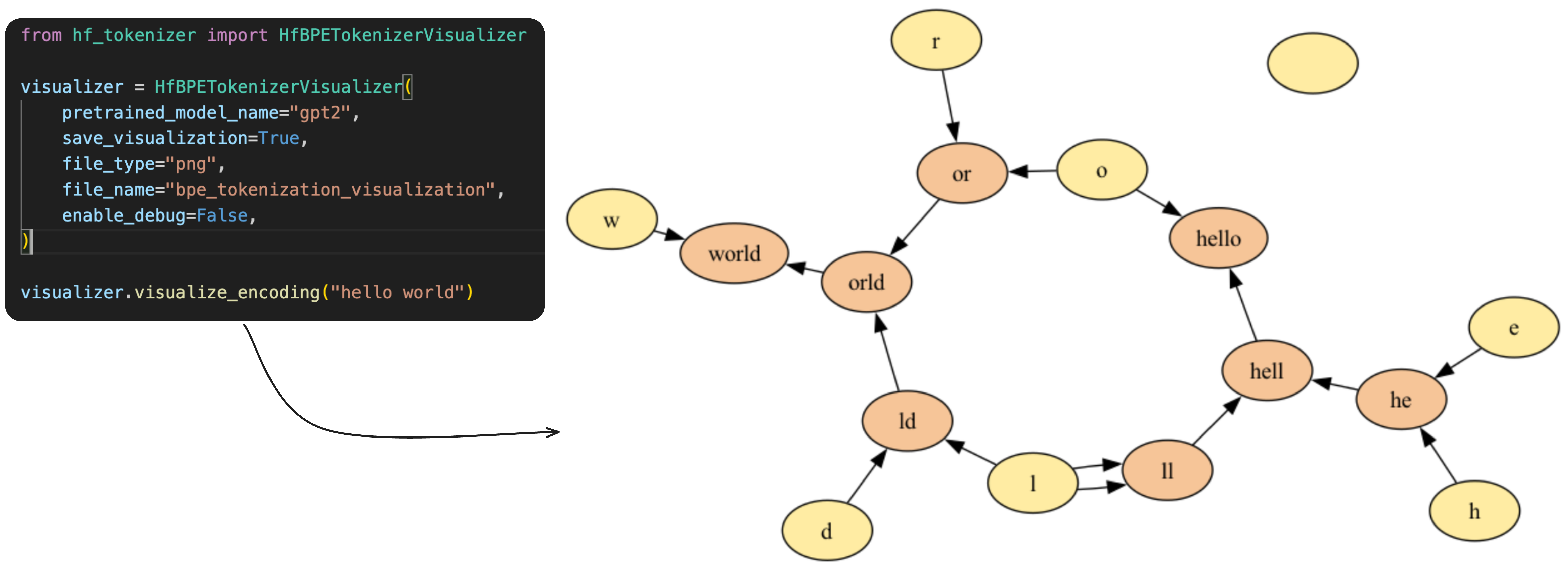
Byte-Pair Encoding tokenization
BPE training starts by computing the unique set of words used in the corpus (after the normalization and pre-tokenization steps are completed), then building the vocabulary by taking all the symbols used to write those words.
More about the algorithm here
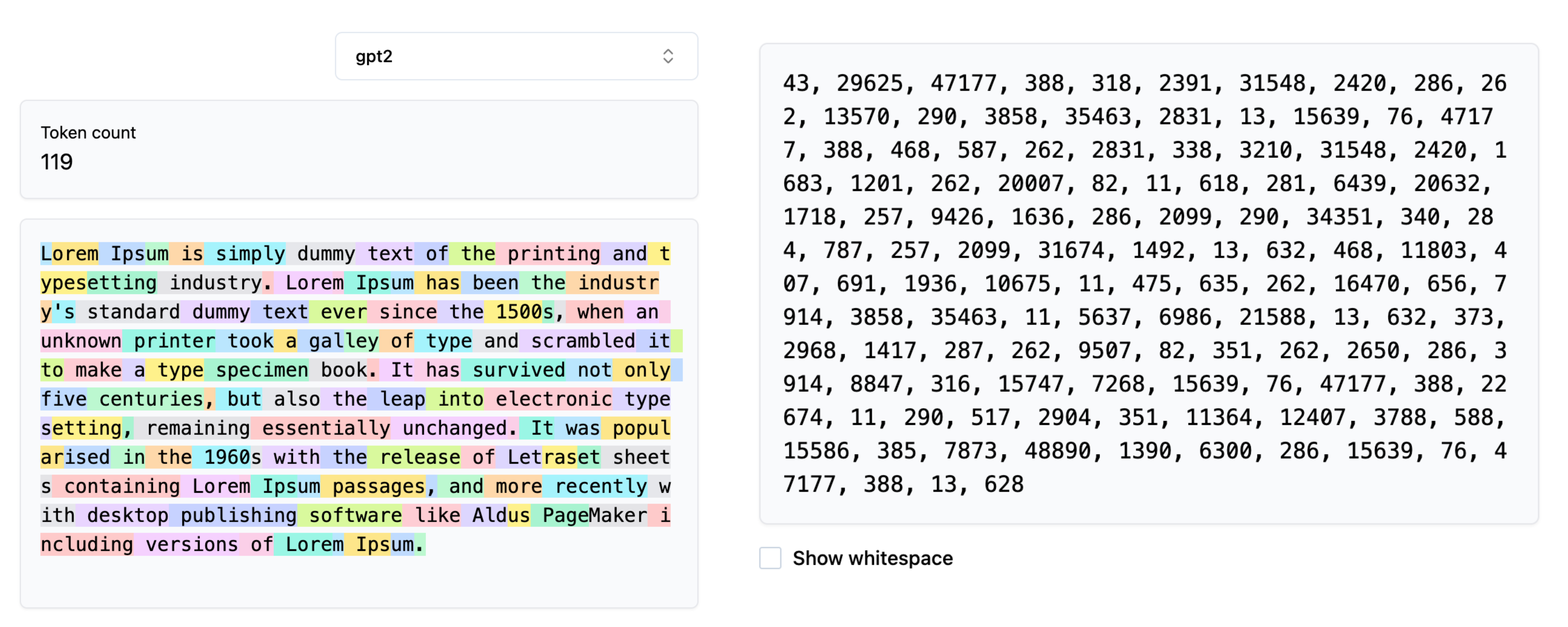
Visualizing the Tokenization process
During the tokenization process the input content is compressed into the encoded IDs based on the trained BPE-Tokenizer. During the training process the token-pairs are merged into new token ID based on their frequency of existence in the training corpus.
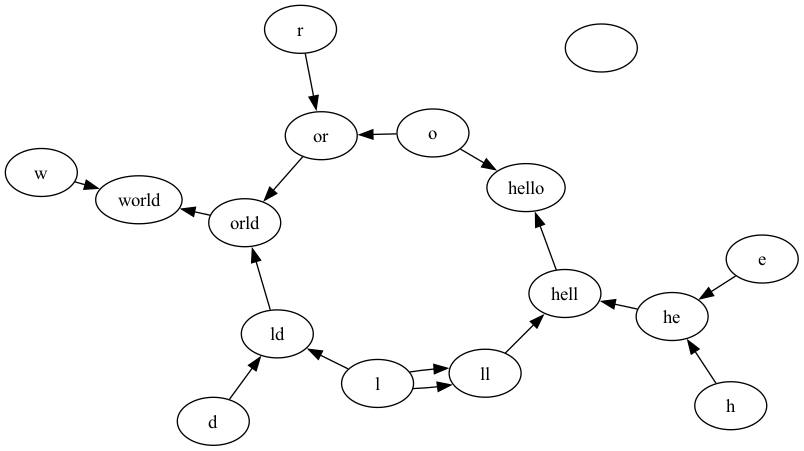
This library helps in visualizing how the merging process looks like for a given string to be encoded. It generates a graph where the nodes are tokens / characters and if a pair of characters are merged, the nodes are connected via directed edges.
Installing the Library
pip install hf-tokenizer-visualizer
Using the Library
- Save your visualization in a
PNGor aPDFfile.
from hf_tokenizer_visualizer import HfBPETokenizerVisualizer

visualizer = HfBPETokenizerVisualizer(
    pretrained_model_name="gpt2",
    save_visualization=True,
    file_type="png",
    file_name="bpe_tokenization_visualization_2",
    enable_debug=False,
)

visualizer.visualize_encoding('hello world')
Note: The file is saved in your current working directory. Note: You can choose between
pngand
- Get the raw encoding
from hf_tokenizer_visualizer import HfBPETokenizerVisualizer

visualizer = HfBPETokenizerVisualizer(
    pretrained_model_name="gpt2",
    save_visualization=True,
    file_type="png",
    file_name="bpe_tokenization_visualization_2",
    enable_debug=False,
)

visualizer.encode('hello world')
Output: [31373, 995]
Output Graph generated
Building the Library and Uploading to PyPi (Owner Only)
python -m build
twine upload --repository pypi dist/*
Pre-requisites
Following are the libraries which are mandatory for running this:
1 maintainer

Metadata
1 maintainer
Release files for hf-tokenizer-visualizer 0.0.7
For a detailed explanation of source distributions (sdists) and built distributions (wheels), please see the package formats documentation.
Source distribution (sdist)
| File | Size | Uploaded | |
|---|---|---|---|
| hf_tokenizer_visualizer-0.0.7.tar.gz | 4.1 kB | Details |
Built distribution (wheel)
| File | Interpreter | ABI | Platform | Reset |
|---|---|---|---|---|
| hf_tokenizer_visualizer-0.0.7-py3-none-any.whl | Python 3 | none | any | Details |
Total release size: 9.6 kB
Release files / hf_tokenizer_visualizer-0.0.7.tar.gz
| Download URL | hf_tokenizer_visualizer-0.0.7.tar.gz |
|---|---|
| Size | 4.1 kB |
| Tags | Source |
|
SHA-256 checksum How to use checksums |
221d0478fd0dfe65c666faf40f9c3d00c94d34868f502eab803ac3827b815e86
|
|
BLAKE2b-256 checksum How to use checksums |
fc57fdf935a77ef86f2c62bb84c10acec4e39dfa7e9540873840b55962f298fb
|
| Upload date | |
|
Uploaded using Trusted Publishing? What is trusted publishing? |
No |
| Uploaded via |
twine/6.2.0 CPython/3.13.1
|
Release files / hf_tokenizer_visualizer-0.0.7-py3-none-any.whl
| Download URL | hf_tokenizer_visualizer-0.0.7-py3-none-any.whl |
|---|---|
| Size | 5.5 kB |
| Tags | Python 3 |
|
SHA-256 checksum How to use checksums |
c5ca1c0045c050ed239c031d48526e9cee0274501b556f73aefaca563374f8f0
|
|
BLAKE2b-256 checksum How to use checksums |
1115804399ebf998ae711b954f5e288993bafc551a839d12962835392465a0f1
|
| Upload date | |
|
Uploaded using Trusted Publishing? What is trusted publishing? |
No |
| Uploaded via |
twine/6.2.0 CPython/3.13.1
|














