
Bijective metric depth <-> RGB mapping along a 3D Hilbert cube walk, as used in the Vision Banana paper.
Verified details
These details have been verified by PyPIProject links
GitHub Statistics
Maintainers

Project description
🎨 3D Hilbert Depth Colormap
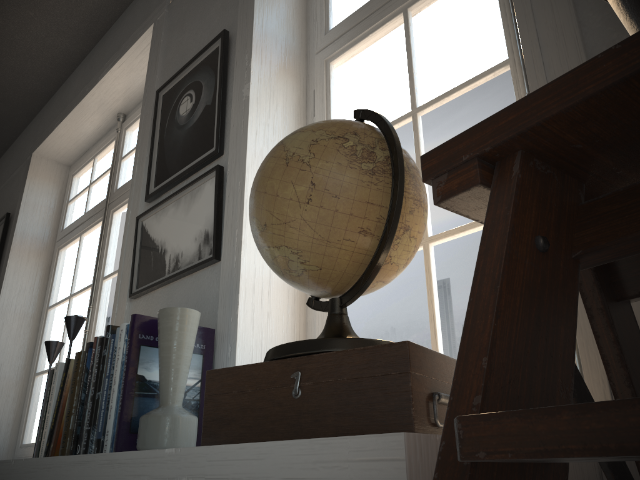
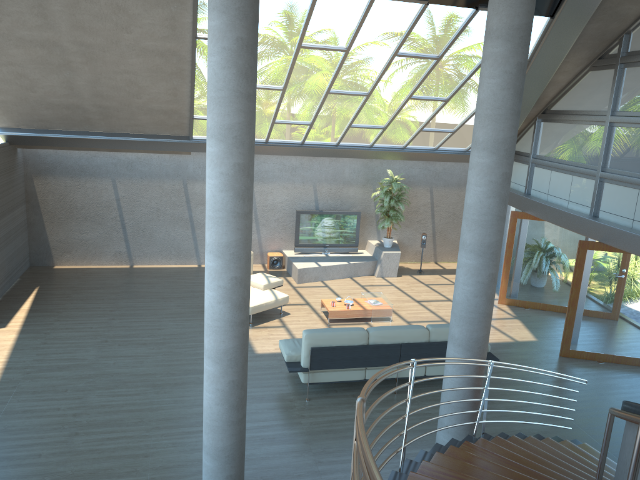
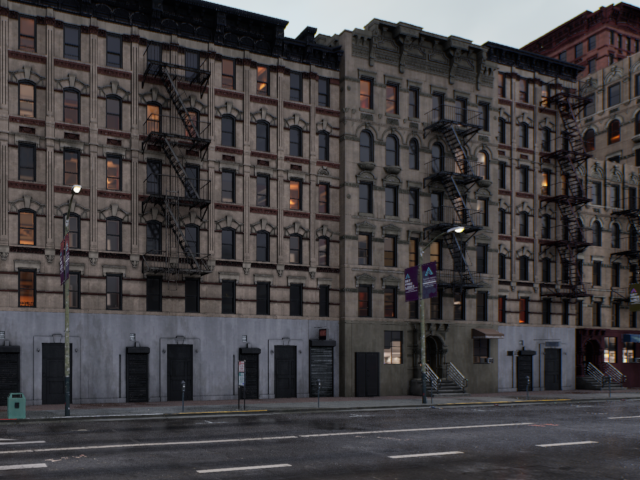
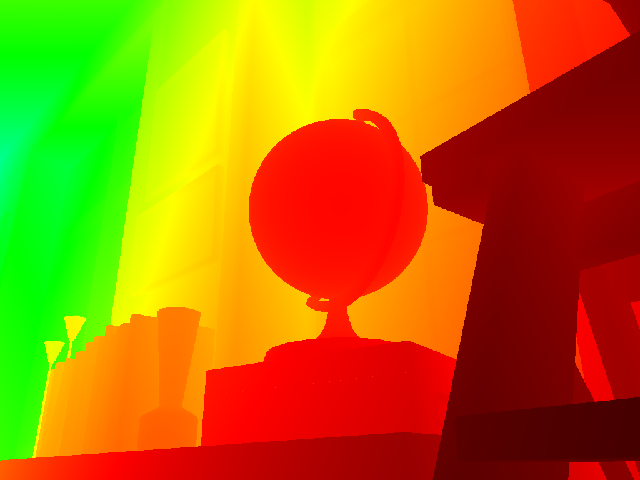
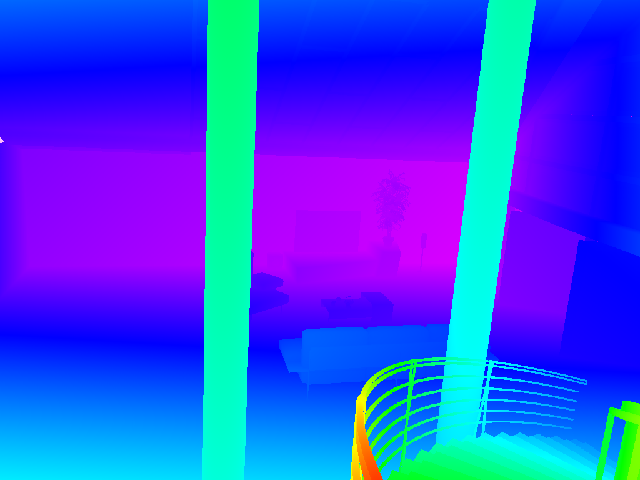
Give your depth estimation a fancy new colormap! Here you'll find an implementation of a bijective metric depth $\leftrightarrow$ RGB mapping along a 3D Hilbert cube walk, as used in the Vision Banana 🍌 paper [1].
 |
 |
 |
 |
 |
 |
📦 Installation
From PyPI:
pip install hilbertmap
From source:
git clone https://github.com/massimilianoviola/hilbertmap
cd hilbertmap
pip install -e .
🛠️ Usage
Direct encoding/decoding
import numpy as np
from hilbertmap import depth_to_rgb, rgb_to_depth

depth = np.load("depth.npy")          # (H, W) float meters
rgb   = depth_to_rgb(depth)           # (H, W, 3) float in [0, 1]
back  = rgb_to_depth(rgb)             # (H, W) recovered meters
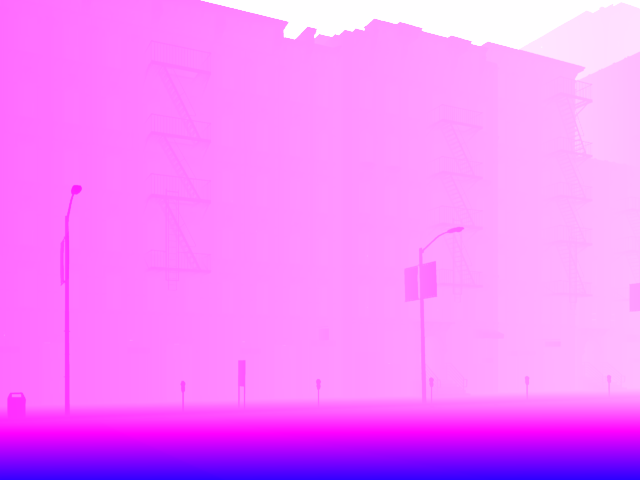
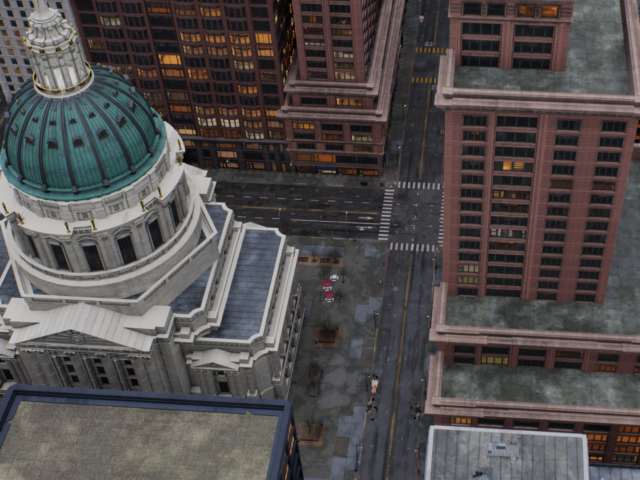
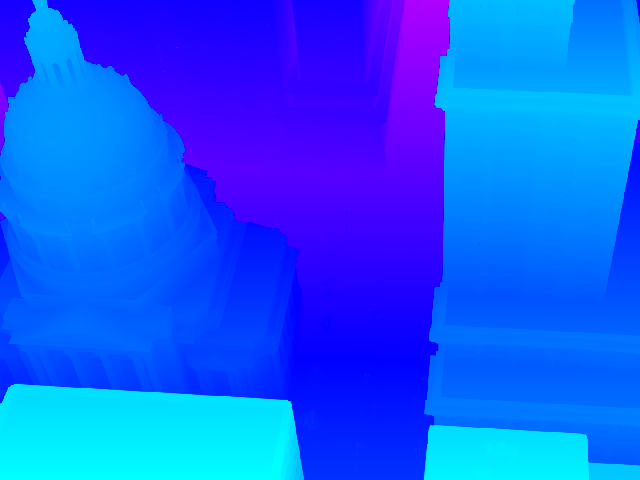
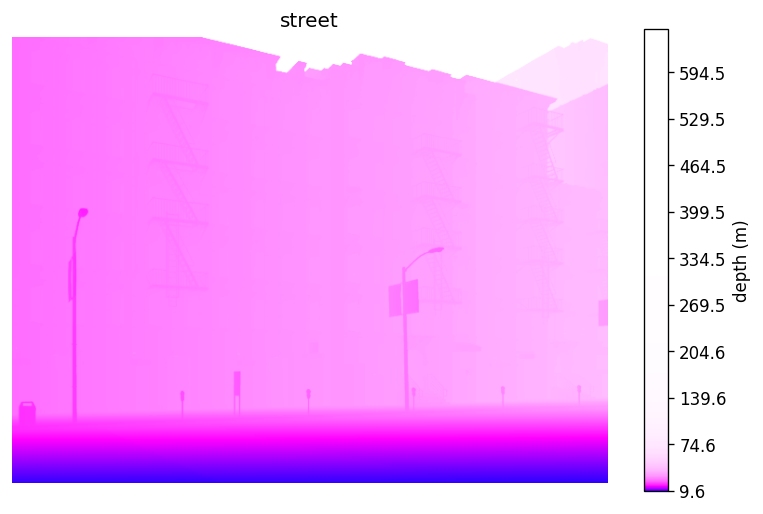
Because the utility of accurate metric depth for nearby image content is generally higher than that of distant content, the default parameters $\lambda = -3$, $c = 10/3$ make the cube walk most sensitive in the first few meters and saturate beyond ~40 m. This behavior can be tuned by changing the parameters to get more meaningful color variation on deep outdoor scenes.
rgb = depth_to_rgb(depth, lam=-4.0, c=120.0) # tuned for long-range outdoor scene
 |
 |
To swap the Barron transform (see explanation below) for a different normalization (linear, log, etc.), use the cube walk primitives directly. hm.walk maps a scalar in $[0, 1]$ to RGB along the cube path, and hm.project is its inverse:
f    = np.clip((depth - vmin) / (vmax - vmin), 0.0, 1.0)  # any forward map from [0, inf) to [0, 1]
rgb  = hm.walk(f)

back = vmin + (vmax - vmin) * hm.project(rgb)             # invert to recover depth
Visualization with matplotlib
import matplotlib.pyplot as plt
import hilbertmap as hm

im = plt.imshow(depth, cmap=hm.cmap(), norm=hm.Norm())
hm.colorbar(im, label="depth (m)")
plt.show()
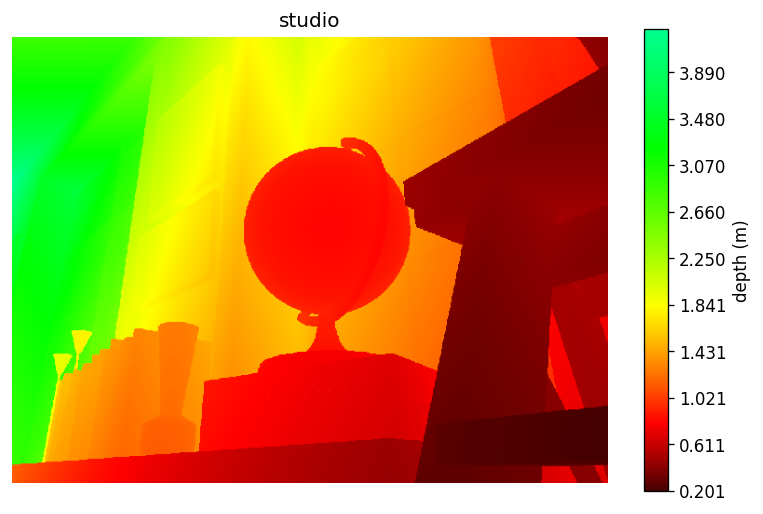
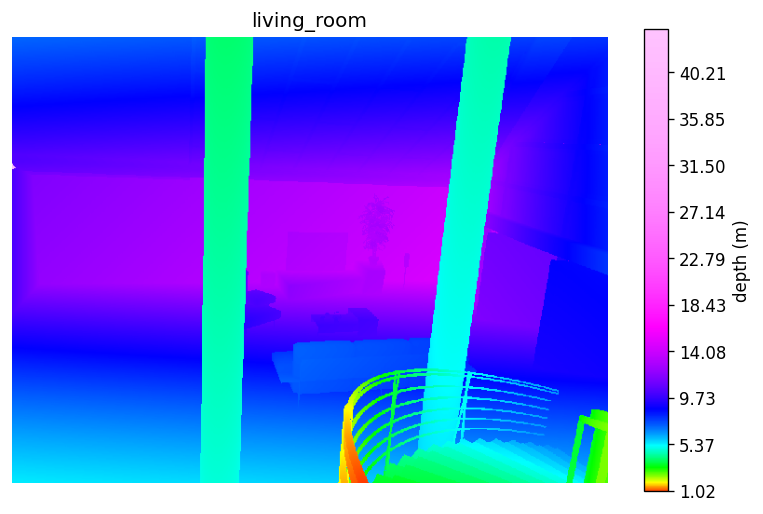
hm.Norm applies the fixed power transform (same depth $\to$ same color across images). With this, hm.colorbar spans only the cmap subset the data actually covers.
 |
 |
 |
In addition, transform params can be tuned as in direct encoding:
im = plt.imshow(depth, cmap=hm.cmap(), norm=hm.Norm(lam=-4.0, c=120.0))  # global, long-range outdoor
hm.colorbar(im, label="depth (m)")
plt.show()
Note that passing vmin / vmax to hm.Norm does not rescale the mapping, only the displayed colorbar range:
im = plt.imshow(depth, cmap=hm.cmap(), norm=hm.Norm(vmin=2.0, vmax=10.0))  # same global mapping, colorbar rescaled
hm.colorbar(im, label="depth (m)")  # <- this now shows [2, 10]
plt.show()
For per-image rescaling without the power transform, pair hm.cmap() with a standard matplotlib normalizer or simply omit it. This is the default behavior of other matplotlib colormaps.
Omit the normalizer to autoscale linearly to the data's min and max:
im = plt.imshow(depth, cmap=hm.cmap())  # linear, autoscaled to min/max, covering full cmap from black to white
hm.colorbar(im, label="depth (m)")
plt.show()
Or pass vmin and vmax for a fixed range:
im = plt.imshow(depth, cmap=hm.cmap(), vmin=0.0, vmax=80.0)               # linear, fixed range
# im = plt.imshow(depth, cmap=hm.cmap(), norm=plt.Normalize(0.0, 80.0))   # equivalent
hm.colorbar(im, label="depth (m)")
plt.show()
🧭 How it works
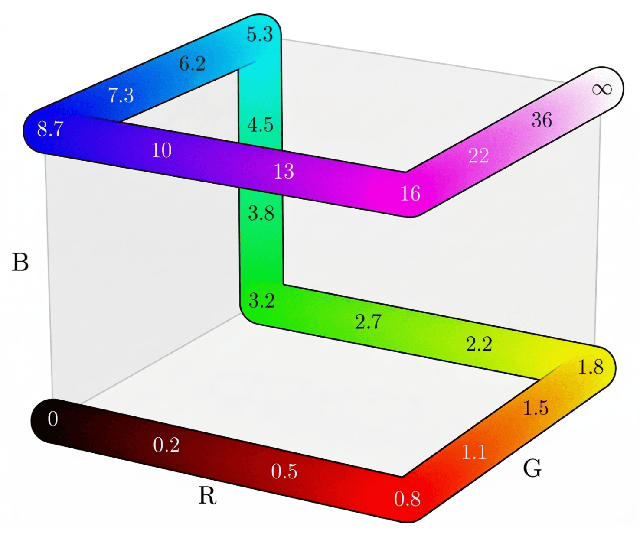
The seven-edge Hamiltonian path on the RGB cube (left) carries depth values from black at zero to white at infinity. The shape parameters $\lambda$ and $c$ produce different saturation curves (right) that decide how much depth lives on each segment of the walk.
| Cube walk | Saturation curves |
 |
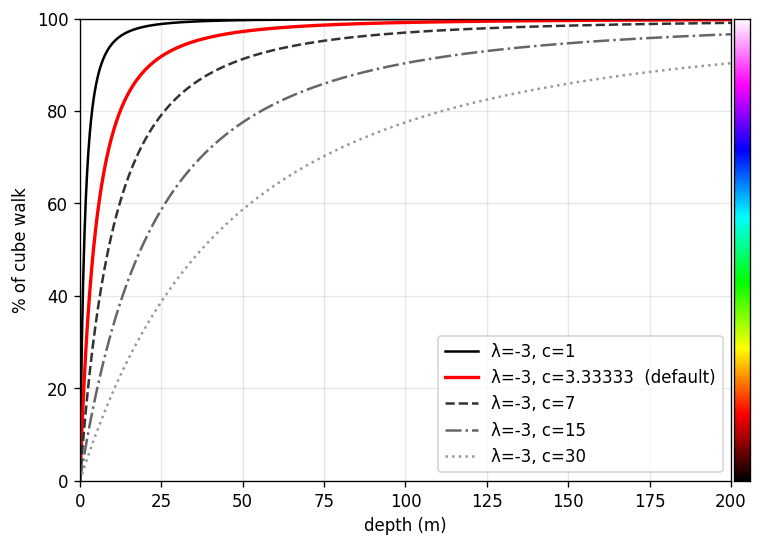 |
Unbounded metric depth $d \in [0, \infty)$ is squashed into $[0, 1)$ by a power transform from Barron (2025) [2], with $\lambda < -1$:
$$f(d, \lambda, c) = 1 - \left(1 - \frac{d}{\lambda c}\right)^{\lambda + 1}$$
With defaults $\lambda = -3$, $c = 10/3$ this simplifies to $f(d) = 1 - (1 + d/10)^{-2}$, mapping $d \in [0, \infty)$ to $f \in [0, 1)$, which is then read as the fractional position along the edge walk to land on $\mathrm{RGB} \in [0, 1]^3$. The mapping is a strict bijection, so any RGB encoding can be decoded back to metric depth by projecting onto the nearest edge.
📚 References
- V. Gabeur et al. Vision Banana: Image generators are generalist vision learners. arXiv preprint arXiv:2604.20329, 2026. Project page: https://vision-banana.github.io/.
- J. T. Barron. A power transform. arXiv preprint arXiv:2502.10647, 2025.
Project details
Verified details
These details have been verified by PyPIProject links
GitHub Statistics
Maintainers


Download files
Download the file for your platform. If you're not sure which to choose, learn more about installing packages.
Source Distribution
Built Distribution
Filter files by name, interpreter, ABI, and platform.
If you're not sure about the file name format, learn more about wheel file names.
Copy a direct link to the current filters
File details
Details for the file hilbertmap-0.1.3.tar.gz.
File metadata
- Download URL: hilbertmap-0.1.3.tar.gz
- Upload date:
- Size: 4.4 MB
- Tags: Source
- Uploaded using Trusted Publishing? Yes
- Uploaded via: twine/6.1.0 CPython/3.13.12
File hashes
| Algorithm | Hash digest | |
|---|---|---|
| SHA256 |
228387d78f344ab4e058974aecc1e54903780e11893bf2f6849100d7560bd01a
|
|
| MD5 |
50ac7907e2071afc7e659ebc4deee597
|
|
| BLAKE2b-256 |
6ef9ce977bfed8543162da8b4ce6e1ec73c866ebf9cc664fd149dc9fac0f517a
|
Provenance
The following attestation bundles were made for hilbertmap-0.1.3.tar.gz:
Publisher:
publish.yml on massimilianoviola/hilbertmap
-
Statement:
-
Statement type:
https://in-toto.io/Statement/v1 -
Predicate type:
https://docs.pypi.org/attestations/publish/v1 -
Subject name:
hilbertmap-0.1.3.tar.gz -
Subject digest:
228387d78f344ab4e058974aecc1e54903780e11893bf2f6849100d7560bd01a - Sigstore transparency entry: 1389230970
- Sigstore integration time:
-
Permalink:
massimilianoviola/hilbertmap@2e77a2479ea89f097ba47911333a6dca54406cd0 -
Branch / Tag:
refs/tags/v0.1.3 - Owner: https://github.com/massimilianoviola
-
Access:
public
-
Token Issuer:
https://token.actions.githubusercontent.com -
Runner Environment:
github-hosted -
Publication workflow:
publish.yml@2e77a2479ea89f097ba47911333a6dca54406cd0 -
Trigger Event:
release
-
Statement type:
File details
Details for the file hilbertmap-0.1.3-py3-none-any.whl.
File metadata
- Download URL: hilbertmap-0.1.3-py3-none-any.whl
- Upload date:
- Size: 7.7 kB
- Tags: Python 3
- Uploaded using Trusted Publishing? Yes
- Uploaded via: twine/6.1.0 CPython/3.13.12
File hashes
| Algorithm | Hash digest | |
|---|---|---|
| SHA256 |
ae1d5aa99ef03a81448239316d96b73163d4ec22b752b31c166eae170027d6bf
|
|
| MD5 |
7693126e0bfa1deaa512b9614358d0ee
|
|
| BLAKE2b-256 |
d971fea064962f4eb693bd430f5f4a6838aeab65024efb8dc20a896b974045fd
|
Provenance
The following attestation bundles were made for hilbertmap-0.1.3-py3-none-any.whl:
Publisher:
publish.yml on massimilianoviola/hilbertmap
-
Statement:
-
Statement type:
https://in-toto.io/Statement/v1 -
Predicate type:
https://docs.pypi.org/attestations/publish/v1 -
Subject name:
hilbertmap-0.1.3-py3-none-any.whl -
Subject digest:
ae1d5aa99ef03a81448239316d96b73163d4ec22b752b31c166eae170027d6bf - Sigstore transparency entry: 1389230979
- Sigstore integration time:
-
Permalink:
massimilianoviola/hilbertmap@2e77a2479ea89f097ba47911333a6dca54406cd0 -
Branch / Tag:
refs/tags/v0.1.3 - Owner: https://github.com/massimilianoviola
-
Access:
public
-
Token Issuer:
https://token.actions.githubusercontent.com -
Runner Environment:
github-hosted -
Publication workflow:
publish.yml@2e77a2479ea89f097ba47911333a6dca54406cd0 -
Trigger Event:
release
-
Statement type:






