
Play any video as colorful ASCII art in your terminal

Project description

hoopoe-player
Play any video as colorful ASCII art directly in your terminal.






Installation
# Most systems
pip install hoopoe-player

# Ubuntu/Debian
pipx install hoopoe-player
You also need ffmpeg for audio:
sudo apt install ffmpeg   # Ubuntu/Debian
sudo pacman -S ffmpeg     # Arch
Usage
# Play a YouTube video
hoopoe https://www.youtube.com/watch?v=xxxxx

# Play a local file
hoopoe -l video.mp4

# Enable audio
hoopoe -s https://www.youtube.com/watch?v=xxxxx

# Change character mode
hoopoe -m blocks https://www.youtube.com/watch?v=xxxxx

# Show status bar (time, volume, controls)
hoopoe --hud https://www.youtube.com/watch?v=xxxxx

# Loop video automatically
hoopoe --loop https://www.youtube.com/watch?v=xxxxx

# Sync video frames to audio clock (experimental)
hoopoe -s --sync https://www.youtube.com/watch?v=xxxxx

# Combine options
hoopoe -l -s -m invert --hud --loop video.mp4
Features
- 🎬 YouTube & local video — stream any YouTube URL or play a local file directly
- 🎨 6 character modes — classic, blocks, braille, minimal, invert, nocolor
- 🌈 True color — full 24-bit RGB color per character for supported terminals
- 🔊 Audio playback (
-s) — synced audio via ffmpeg/ffplay - 📺 Live stream support — plays YouTube live streams with low-latency audio mode
- 🔗 A/V sync mode (
--sync) ⚠️ experimental — drops frames to stay locked to the audio clock when rendering is slow - 🖥️ HUD (
--hud) — status bar with timestamp, real-time FPS, volume, mode and controls - 🔁 Loop mode (
--loop) — automatically restarts video and audio at the end - 📸 Screenshot (
P) — saves the current frame as a timestamped ANSI color file (.ans) - ↔️ Seek & volume — keyboard controls for seeking and volume adjustment
- 📐 Dynamic resize — terminal resize is applied immediately, even while paused
⚠️ Known issues: audio does not play on live streams yet. Video renders correctly but the audio stream fails to start. Tracked in #1. Audio/video sync after pause/resume (#2) is partially fixed but may still drift on long videos or slow network streams.
Controls
| Key | Action |
|---|---|
Space |
Pause / Play |
← / → |
Seek −10s / +10s |
↑ / ↓ |
Volume +10 / −10 (only with -s) |
P |
Screenshot — save current frame as .ans ANSI file |
Q or Ctrl+C |
Quit |
Character modes
| Mode | Style |
|---|---|
classic |
. : - = + * # % @ — default, coloured |
blocks |
░ ▒ ▓ █ — bold blocks, coloured |
braille |
⠁ ⠃ ⠇ ⠿ ⣿ — dense dots, coloured |
minimal |
· • ● ■ — clean and minimal, coloured |
invert |
colour as background — selection effect |
nocolor |
classic chars, no colour — for legacy terminals |
Viewing ANSI screenshots
Screenshots saved with P are .ans files containing raw ANSI escape codes. To view them:
# Any terminal — just cat it
cat hoopoe_screenshot_20260317_142301.ans

# Preserve colors when piping or if cat strips escapes
less -R hoopoe_screenshot_20260317_142301.ans
Requirements
- Python 3.8+
- ffmpeg (optional, needed for
-saudio) - A terminal with true color support (for all modes except
nocolor)
Roadmap
- Image display — render local images and online images (not just YouTube) as ASCII art in the terminal
- Broader URL support — play videos from any URL, not just YouTube
- Optimize rendering performance — reduce CPU usage per frame (numpy vectorisation)
- Fix audio on live streams — audio stream fails to start for HLS/DASH live URLs (#1)
- Stabilize
--sync— frame-drop logic needs tuning to avoid over-skipping on slower machines
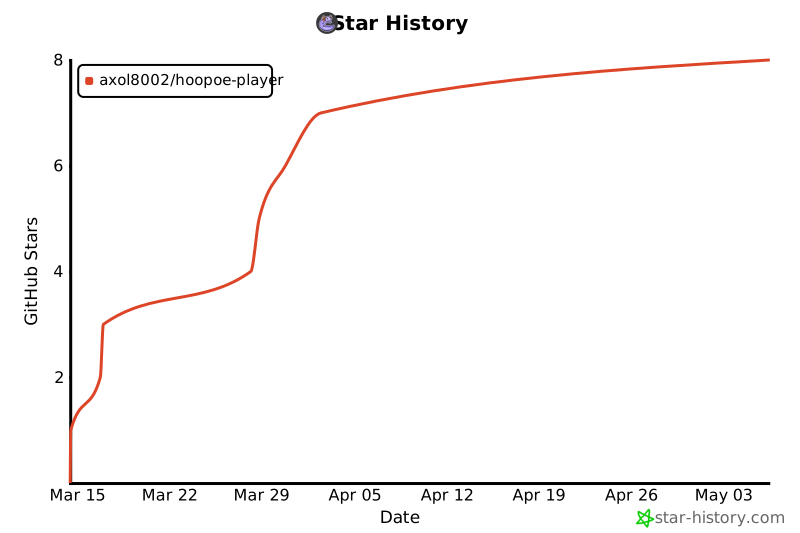
Star History
Support

Support
License
MIT


Download files
Download the file for your platform. If you're not sure which to choose, learn more about installing packages.
Source Distribution
Built Distribution
Filter files by name, interpreter, ABI, and platform.
If you're not sure about the file name format, learn more about wheel file names.
Copy a direct link to the current filters
File details
Details for the file hoopoe_player-0.1.1.tar.gz.
File metadata
- Download URL: hoopoe_player-0.1.1.tar.gz
- Upload date:
- Size: 9.8 kB
- Tags: Source
- Uploaded using Trusted Publishing? No
- Uploaded via: twine/6.2.0 CPython/3.12.3
File hashes
| Algorithm | Hash digest | |
|---|---|---|
| SHA256 |
633a5108e90963a4214321a0e93d6ea4a0bb9c41c8032e5531695fb0f6efe62b
|
|
| MD5 |
f41174d2c5a70a96f736dae22ff2a377
|
|
| BLAKE2b-256 |
9a1e8b2e655511f989f38a964224264f824aab3e5fa8baac56f8b2f1ffa77299
|
File details
Details for the file hoopoe_player-0.1.1-py3-none-any.whl.
File metadata
- Download URL: hoopoe_player-0.1.1-py3-none-any.whl
- Upload date:
- Size: 10.0 kB
- Tags: Python 3
- Uploaded using Trusted Publishing? No
- Uploaded via: twine/6.2.0 CPython/3.12.3
File hashes
| Algorithm | Hash digest | |
|---|---|---|
| SHA256 |
b9ce7c0a545d179a8513c1b3e15740bc85c3735b8609b29b6a574ab914d8c60f
|
|
| MD5 |
17b765ae90bced1d546b91d9de97d1de
|
|
| BLAKE2b-256 |
e7158d8323ef3c582245dddafc9d7738ba7e52784bb59033bd387bd144ecf869
|






