
Play any video as colorful ASCII art in your terminal

Project description

hoopoe-player
Play any video as colorful ASCII art directly in your terminal.






Installation
# Most systems
pip install hoopoe-player

# Ubuntu/Debian
pipx install hoopoe-player
You also need ffmpeg for audio:
sudo apt install ffmpeg   # Ubuntu/Debian
sudo pacman -S ffmpeg     # Arch
Usage
# Play a YouTube video
hoopoe https://www.youtube.com/watch?v=xxxxx

# Play a local file
hoopoe -l video.mp4

# Enable audio
hoopoe -s https://www.youtube.com/watch?v=xxxxx

# Change character mode
hoopoe -m blocks https://www.youtube.com/watch?v=xxxxx

# Show status bar (time, volume, controls)
hoopoe --hud https://www.youtube.com/watch?v=xxxxx

# Loop video automatically
hoopoe --loop https://www.youtube.com/watch?v=xxxxx

# Sync video to audio clock (recommended with -s)
hoopoe -s --sync https://www.youtube.com/watch?v=xxxxx

# Stream webcam as ASCII art
hoopoe --webcam
hoopoe --webcam -m solid --hud
hoopoe --webcam --flip h --invert

# Highlight mode (color as background) with any character mode
hoopoe -m braille --highlight https://www.youtube.com/watch?v=xxxxx

# Combine options
hoopoe -l -s --sync -m classic --highlight --hud --loop video.mp4
Features
- 🎬 YouTube & local video — stream any YouTube URL or play a local file directly
- 🎨 6 character modes — classic, blocks, braille, minimal, nocolor, solid
- 🌈 True color — full 24-bit RGB color per character for supported terminals
- 🔊 Audio playback (
-s) — synced audio via ffmpeg/ffplay - 📺 Live stream support — plays YouTube live streams with low-latency audio mode
- 🔗 A/V sync mode (
--sync) — recommended with-s; drops frames to stay locked to the audio clock when rendering is slow, recovers automatically - 🖥️ HUD (
--hud) — status bar with timestamp, real-time FPS, mode and controls - 🔁 Loop mode (
--loop) — automatically restarts video and audio at the end - 📸 Screenshot (
P) — saves the current frame as a timestamped ANSI color file (.ans) - 📐 Dynamic resize — terminal resize is applied immediately, even while paused
- 🖥️ Alternate screen — runs in a separate buffer like vim/htop; your terminal history is preserved on exit
- 📷 Webcam support (
--webcam) — stream your webcam live as ASCII art; select camera index with--camera - 🔀 Flip (
--flip h/v/hv) — flip the webcam feed horizontally, vertically, or both - 🌗 Invert (
--invert) — invert brightness mapping for any character mode - 🎨 Highlight (
--highlight) — render color as background for any character mode
Controls
| Key | Action |
|---|---|
Space |
Pause / Play |
P |
Screenshot — save current frame as .ans ANSI file |
Q or Ctrl+C |
Quit |
Controls are the same for video and webcam modes.
Character modes
| Mode | Style |
|---|---|
classic |
. : - = + * # % @ — default, coloured |
blocks |
░ ▒ ▓ █ — bold blocks, coloured |
braille |
⠁ ⠃ ⠇ ⠿ ⣿ — dense dots, coloured |
minimal |
· • ● ■ — clean and minimal, coloured |
nocolor |
classic chars, no colour — for legacy terminals |
solid |
pure color blocks — no characters, most accurate color reproduction |
Use --highlight with any mode to render color as background instead of foreground.
Use --invert with any mode to invert the brightness mapping.
Viewing ANSI screenshots
Screenshots saved with P are .ans files containing raw ANSI escape codes. To view them:
cat hoopoe_screenshot_20260317_142301.ans
Requirements
- Python 3.10+
- ffmpeg (optional, needed for
-saudio) - A terminal with true color support (for all modes except
nocolor)
Roadmap
Features
- Webcam support — stream your webcam live as ASCII art in the terminal (
--webcam,--camera,--flip) - Image display — render local images and online images as ASCII art in the terminal
- GIF support — render animated GIFs frame by frame
- Broader URL support — play videos from any URL, not just YouTube (Vimeo, Twitch, etc.)
-
--fpsflag — manually override the playback framerate - 16-color mode — fallback palette for terminals without true color support
-
--outputto file — save the full video render as an ANSI file instead of single screenshots
Performance
- Numpy vectorisation — reduced CPU usage per frame by replacing Python loops with matrix operations
- String join optimisation — replaced
+=string concatenation with list accumulation and"".join() - Dirty rendering — only redraw lines that changed between frames; reduces terminal I/O for low-motion content
Platform support
- macOS — minor adjustments needed (
ffmpegvia Homebrew, no code changes expected) - Windows native — replace
tty/termioswithmsvcrtfor key input, replaceSIGSTOP/SIGCONTwith Windows-compatible pause logic; WSL already works
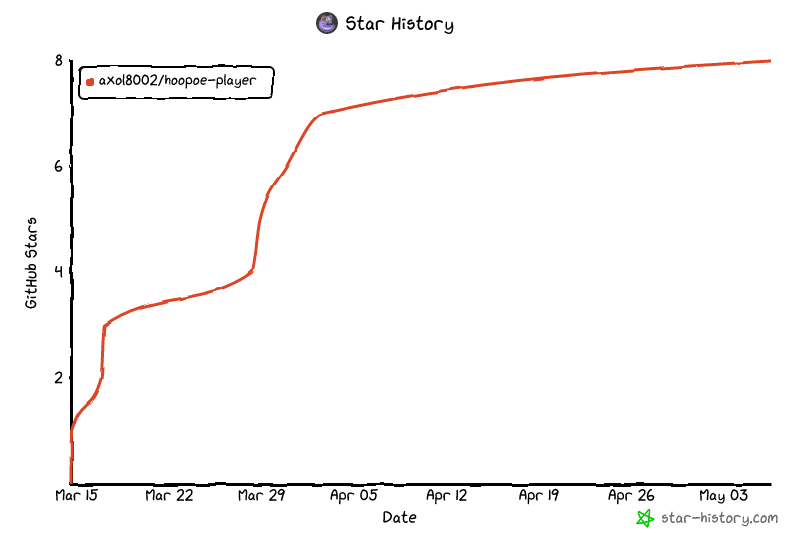
Star History
Support

License
MIT


Download files
Download the file for your platform. If you're not sure which to choose, learn more about installing packages.
Source Distribution
Built Distribution
Filter files by name, interpreter, ABI, and platform.
If you're not sure about the file name format, learn more about wheel file names.
Copy a direct link to the current filters
File details
Details for the file hoopoe_player-0.1.3.tar.gz.
File metadata
- Download URL: hoopoe_player-0.1.3.tar.gz
- Upload date:
- Size: 13.2 kB
- Tags: Source
- Uploaded using Trusted Publishing? No
- Uploaded via: twine/6.2.0 CPython/3.12.3
File hashes
| Algorithm | Hash digest | |
|---|---|---|
| SHA256 |
6936aa7256cd97c65bd48c57af1e48eecd0d2fb2e219764ed2dafe3510c9d88a
|
|
| MD5 |
620d02a97faf25beae1bec9c609d781d
|
|
| BLAKE2b-256 |
a36e283f9fb55d90a16449662aead553eb1450456aea881749829d6b61cf6881
|
File details
Details for the file hoopoe_player-0.1.3-py3-none-any.whl.
File metadata
- Download URL: hoopoe_player-0.1.3-py3-none-any.whl
- Upload date:
- Size: 11.2 kB
- Tags: Python 3
- Uploaded using Trusted Publishing? No
- Uploaded via: twine/6.2.0 CPython/3.12.3
File hashes
| Algorithm | Hash digest | |
|---|---|---|
| SHA256 |
c503398dfd0a77286df3f503618bb69ca41e69853f9cc903944073f87baf69ee
|
|
| MD5 |
c840630af31275d355eb61f74851e69f
|
|
| BLAKE2b-256 |
615f616b86bb6110de5b3e05239643c7abbcbe7d8f9da965f52345900da7332b
|






