
HTML Deck
A visual editor for the HTML slides, reports and pages your AI makes.
Edit what you see, right in the browser. Or mark every spot that needs work with AI Feedback and let your agent fix them all in one go.


🇬🇧 English • 🇻🇳 Tiếng Việt • 🇨🇳 中文 • 🇹🇼 繁體中文
Why
AI assistants like Claude Code and Codex are great at making slides and pages in HTML. Changing them is another story: even a one-word fix sends the AI back through a large file, which burns tokens and time, and it may touch things you didn't ask for.
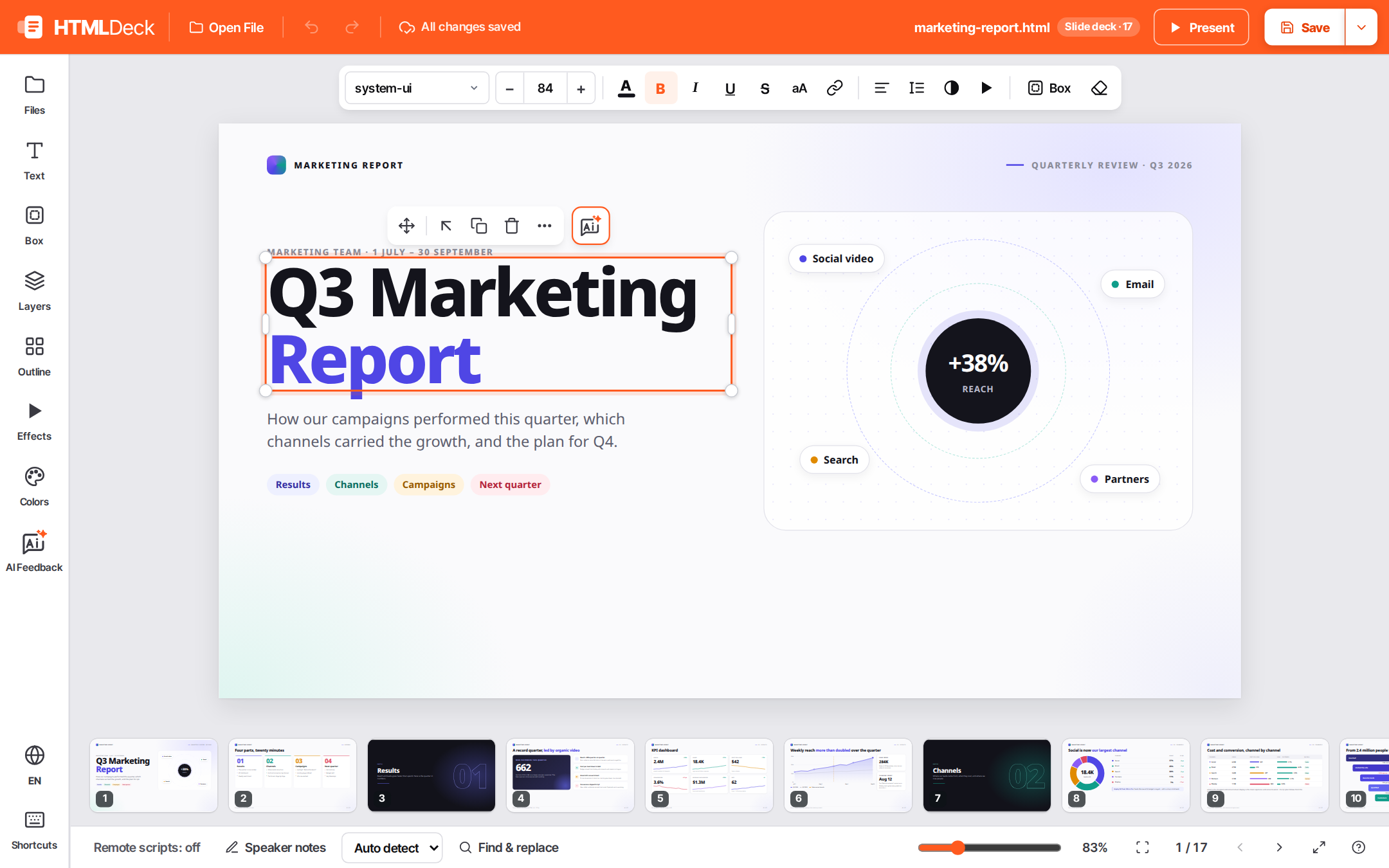
- Edit what you see. Click on the page to change text, colors, fonts, images, layout and effects, WYSIWYG. A small fix takes seconds and no tokens.
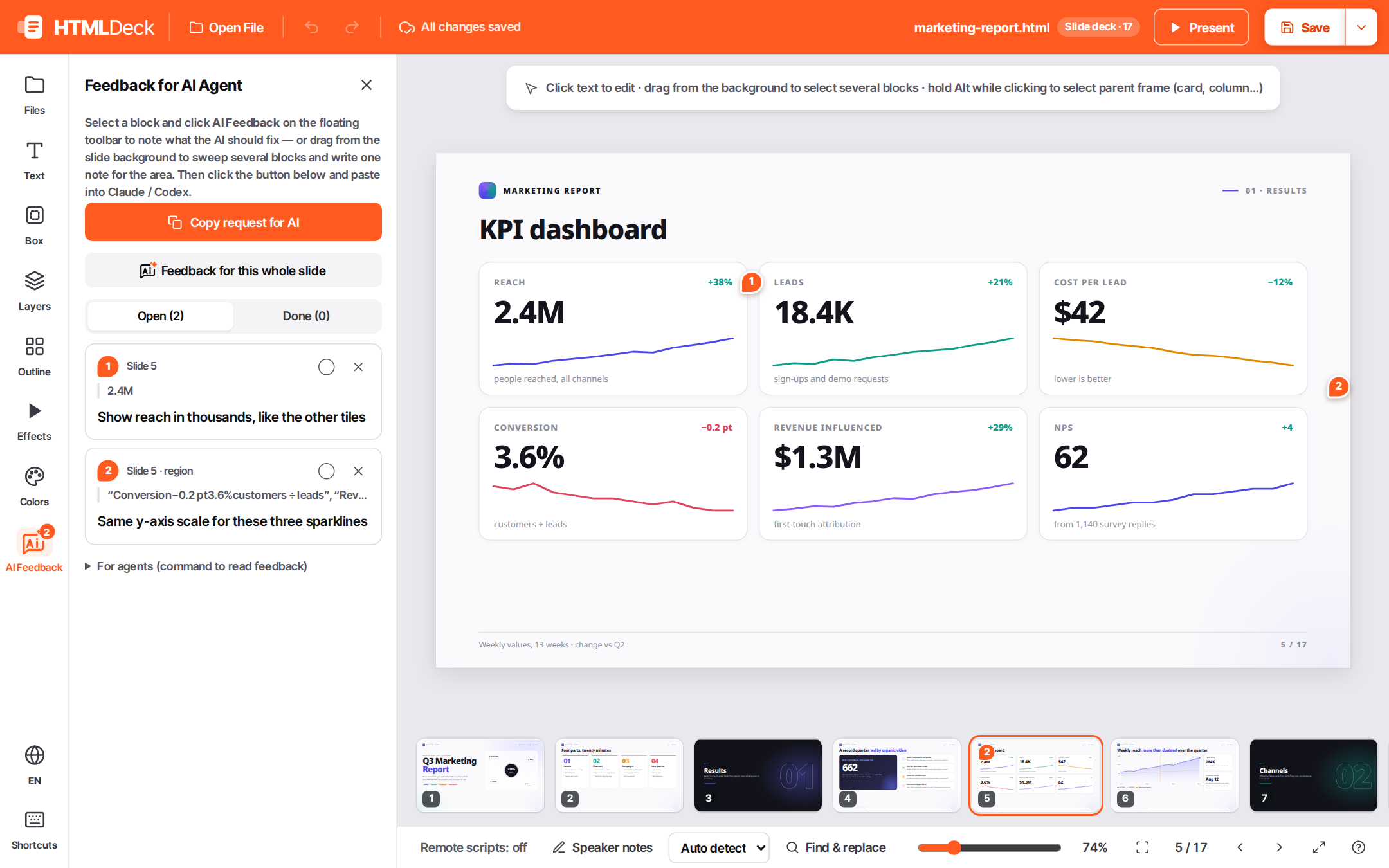
- AI Feedback, in bulk. Select a block or sweep across an area and say what should change ("make this shorter"). Do it everywhere you need, then hand the whole list to your agent at once: it knows exactly what to change and where.
- Your file stays clean. Saving updates only the parts you edited, so the rest of the file is left as it was. If a full rewrite is ever needed, you are asked first.
- Present it. Show the deck full screen with its own animations.
 |
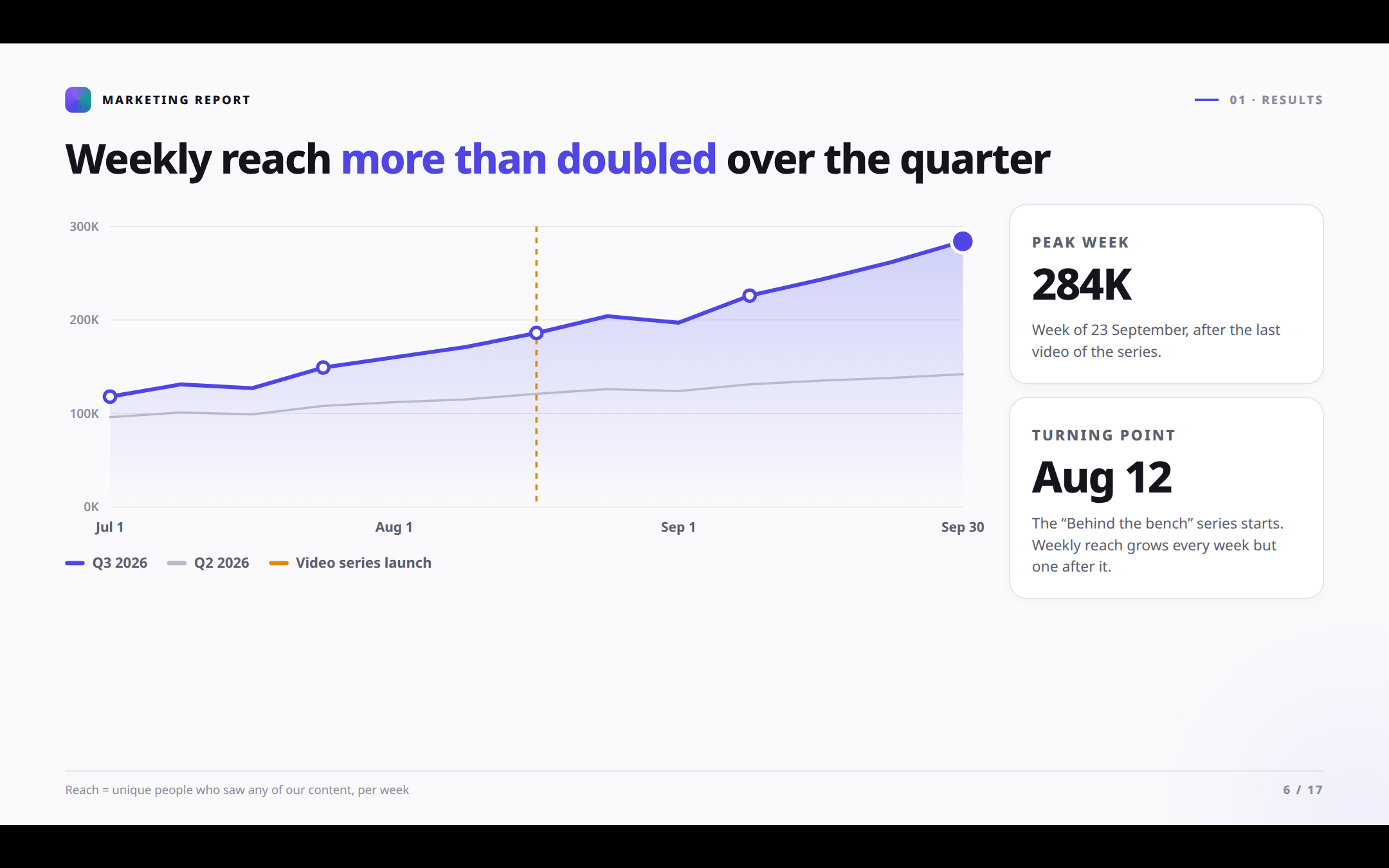 |
| AI Feedback: every change, one list for your agent | Present with the deck's own animations |
 |
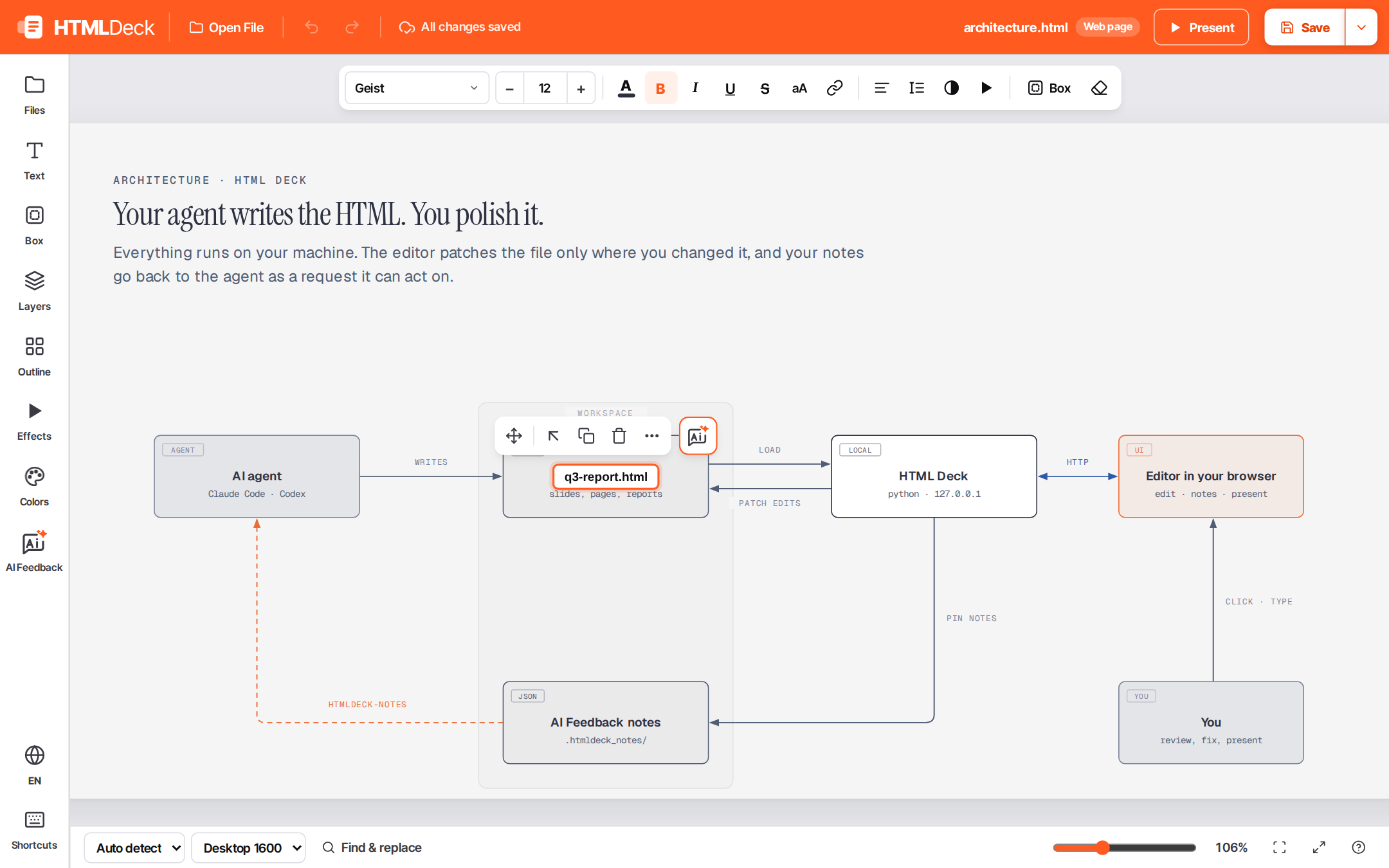 |
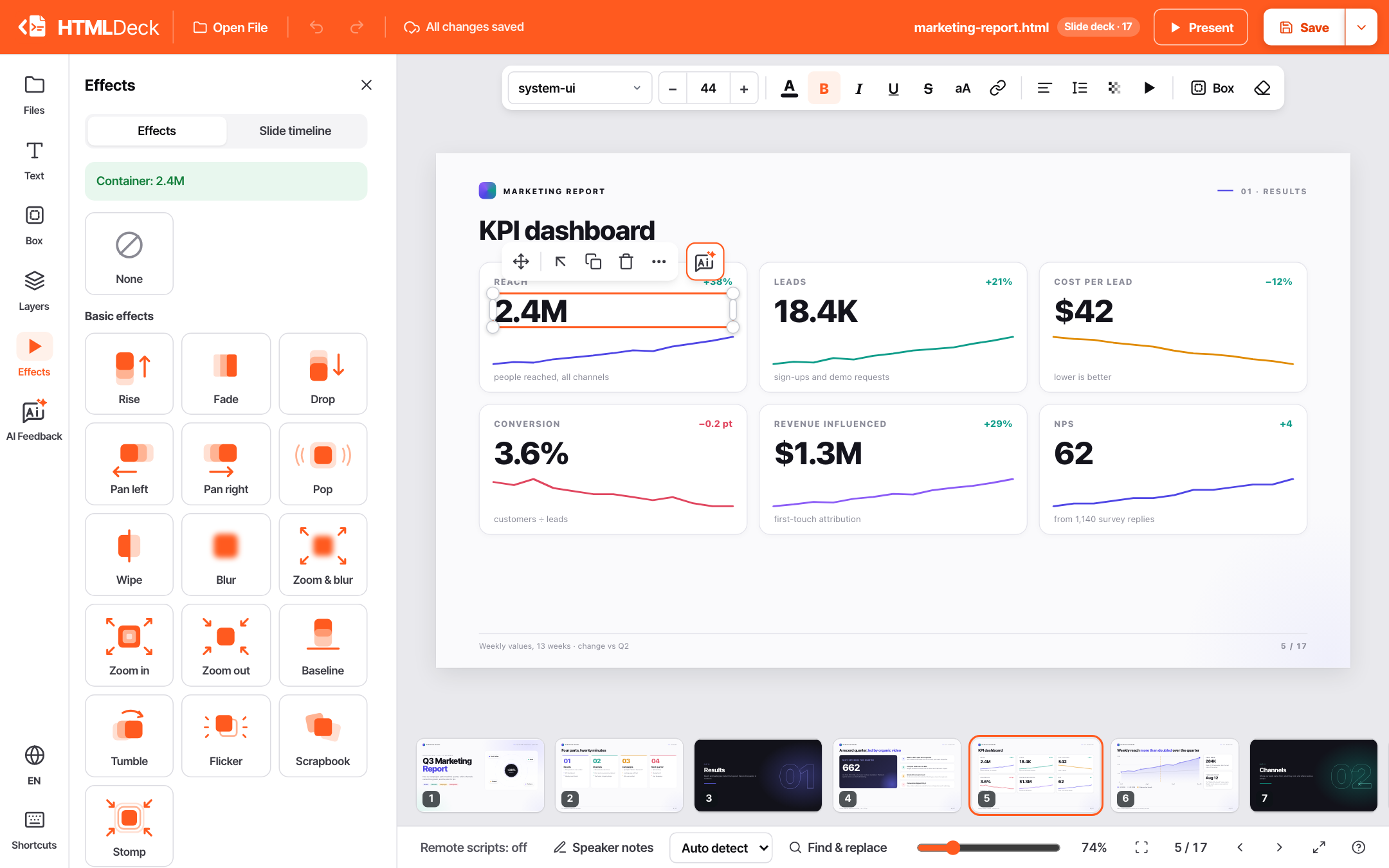
| Effects: pick one from the side bar, or animate the whole slide | Diagrams: retype a label inside a diagram |
Install
| Where | Command |
|---|---|
| Claude Code | /plugin marketplace add avis309/html-deck then /plugin install htmldeck@htmldeck |
| Codex | codex plugin marketplace add avis309/html-deck then codex plugin add htmldeck@htmldeck |
| uv | uvx htmldeck · uv tool install htmldeck |
| pipx / pip | pipx install htmldeck · pip install htmldeck |
| npm | npx @avis309/htmldeck · npm i -g @avis309/htmldeck |
Needs Python 3.11+ (the npm package also needs Node.js 18+). Linux, macOS and Windows.
Use
With Claude Code or Codex:
- Say "open my deck in HTML Deck" (or type
/htmldeck:open [file]in Claude Code). - Edit directly, or leave AI Feedback wherever you want the agent to change something.
- Say "apply my HTML Deck notes". The agent makes the changes and marks the notes done. HTML Deck shows the new version as soon as the file changes.
On its own, in the folder with your files:
htmldeck                          # open the editor on the current folder
htmldeck --file <file>.html       # open that document first
htmldeck --root <folder> --port 6789 --no-browser
It runs on your computer (127.0.0.1). Save keeps a backup of each version in .htmldeck_bak/.
Save ▾ also gives you a copy to share: one HTML file with its images, styles and fonts built in,
or a PDF. The editor starts in your browser's language; change it from the language menu.
Try it in a clone of this repo: htmldeck --root samples --file marketing-report.html.
Works with
| Documents | Plain HTML pages, reports, and decks of .slide blocks, written by hand or by an agent. |
| Reveal.js | Hand-written decks: stacks, fragments, speaker notes, backgrounds. Markdown slides are read-only. |
| Tailwind CSS | Classes stay as written; your styles go on top. |
| SVG | Retype a <text> / <tspan> label in an inline <svg>. |
| Animations | The page's own scripts (anime.js, GSAP…) run when presenting a file from the workspace. While editing, CSS and Web Animations are paused, and content a script changes is locked. Add effects from the toolbar without code: entrances, emphasis (pop), data & charts (count-up, grow bars, draw lines) and loops (spin, float, pulse). Animate this slide adds them to a whole slide in one undoable step; Enable FX in the file keeps them running when the file is opened on its own. |
| Safety | Undo/redo, draft recovery, backups. A workspace's own scripts do not run while editing until you trust the workspace (asked once, remembered; --trust for one session), and remote scripts (a CDN) also wait until you trust the file. Presenting runs everything, on a separate origin. Backups and notes never follow symlinks; HTML export embeds web assets only and never fetches from local or private addresses. |
Details for developers
Workspace. The current folder, or --root. Nothing outside it is served or written. A --file
outside it makes its folder the workspace (unless --root is given).
Saving. The source is patched where you edited; when a document can't be patched, the editor asks before rewriting it. Backups are kept for files from the workspace (not for a file opened from your computer).
Files opened from your computer (or dropped in) rather than from the workspace run none of their own scripts, even when presenting; HTML export saves the edited file without embedding its images and styles; AI Feedback is off.
Export. HTML export embeds linked images, styles, scripts and fonts; resources it can't fetch
stay as links. From a terminal: python -m htmldeck.export --file <file>.html --remote (--remote
also embeds web resources). PDF uses the browser's print dialog.
AI Feedback. Notes are stored in .htmldeck_notes/<name>.json beside the document.
Each note records the element's selector, a text snippet and its source line; a region note also
records the area and the elements in it.
htmldeck-notes --file <file>.html             # list open notes
htmldeck-notes --file <file>.html --prompt    # as a request ready to paste to an agent
htmldeck-notes --file <file>.html --done <id> # mark one done
Develop.
python3 -m venv .venv && .venv/bin/pip install -e '.[dev]'
npm install
npm run check        # eslint + pytest + browser specs
Server: htmldeck/server.py. Editor: htmldeck/web/js/ (native ES modules, no bundler; app.mjs
boots it; npm run lint also checks that imports only go down the layers and never form a cycle). Browser specs: tests/spec/. Release: python tools/bump_version.py X.Y.Z, commit, tag
vX.Y.Z, push the tag.
License
MIT © Avis
1 maintainer

Metadata
1 maintainer
Release files for htmldeck 0.1.9
For a detailed explanation of source distributions (sdists) and built distributions (wheels), please see the package formats documentation.
Source distribution (sdist)
| File | Size | Uploaded | |
|---|---|---|---|
| htmldeck-0.1.9.tar.gz | 229.3 kB | Details |
Built distribution (wheel)
| File | Interpreter | ABI | Platform | Reset |
|---|---|---|---|---|
| htmldeck-0.1.9-py3-none-any.whl | Python 3 | none | any | Details |
Total release size: 469.7 kB
Release files / htmldeck-0.1.9.tar.gz
| Download URL | htmldeck-0.1.9.tar.gz |
|---|---|
| Size | 229.3 kB |
| Tags | Source |
|
SHA-256 checksum How to use checksums |
3c22b7ac8f51ba085fc2d9ca5cb3af3972bfa61da38b615737f5d75f4712335a
|
|
BLAKE2b-256 checksum How to use checksums |
698ea5615e4c56c8ebc11b4b1e014bfb5aa875bc1379953484aa0de6d608f094
|
| Upload date | |
|
Uploaded using Trusted Publishing? What is trusted publishing? |
Yes |
| Uploaded via |
twine/7.0.0 CPython/3.13.14
|
Provenance
Provenance describes where a file came from. On PyPI, provenance is shared via attestations, which provide a verifiable record of the build or publishing details. View details, limitations and caveats.


PyPI Publish Attestation
PyPI verified that this artifact, at this checksum, originated from the publisher listed below.
Signed by GitHub Actions, verified by PyPI on Oct 8, 2026.
Transparency logRelease files / htmldeck-0.1.9-py3-none-any.whl
| Download URL | htmldeck-0.1.9-py3-none-any.whl |
|---|---|
| Size | 240.5 kB |
| Tags | Python 3 |
|
SHA-256 checksum How to use checksums |
9a992e93b879d0c72d6842e3b5463f7c8beddaa10d11a5f7d3f9ad8f17e9de81
|
|
BLAKE2b-256 checksum How to use checksums |
8b4a4e2455b1fddc313eb4d8c210e36d736a6dc657860397c3b4cf574fa4613d
|
| Upload date | |
|
Uploaded using Trusted Publishing? What is trusted publishing? |
Yes |
| Uploaded via |
twine/7.0.0 CPython/3.13.14
|
Provenance
Provenance describes where a file came from. On PyPI, provenance is shared via attestations, which provide a verifiable record of the build or publishing details. View details, limitations and caveats.
PyPI Publish Attestation
PyPI verified that this artifact, at this checksum, originated from the publisher listed below.
Signed by GitHub Actions, verified by PyPI on Oct 8, 2026.
Transparency log













