
The next generation HTTP client.
Verified details
These details have been verified by PyPIProject links
Owner
GitHub Statistics
Maintainers

Project description

HTTPX - A next-generation HTTP client for Python.


HTTPX is a fully featured HTTP client library for Python 3. It includes an integrated command line client, has support for both HTTP/1.1 and HTTP/2, and provides both sync and async APIs.
Install HTTPX using pip:
$ pip install httpx
Now, let's get started:
>>> import httpx
>>> r = httpx.get('https://www.example.org/')
>>> r
<Response [200 OK]>
>>> r.status_code
200
>>> r.headers['content-type']
'text/html; charset=UTF-8'
>>> r.text
'<!doctype html>\n<html>\n<head>\n<title>Example Domain</title>...'
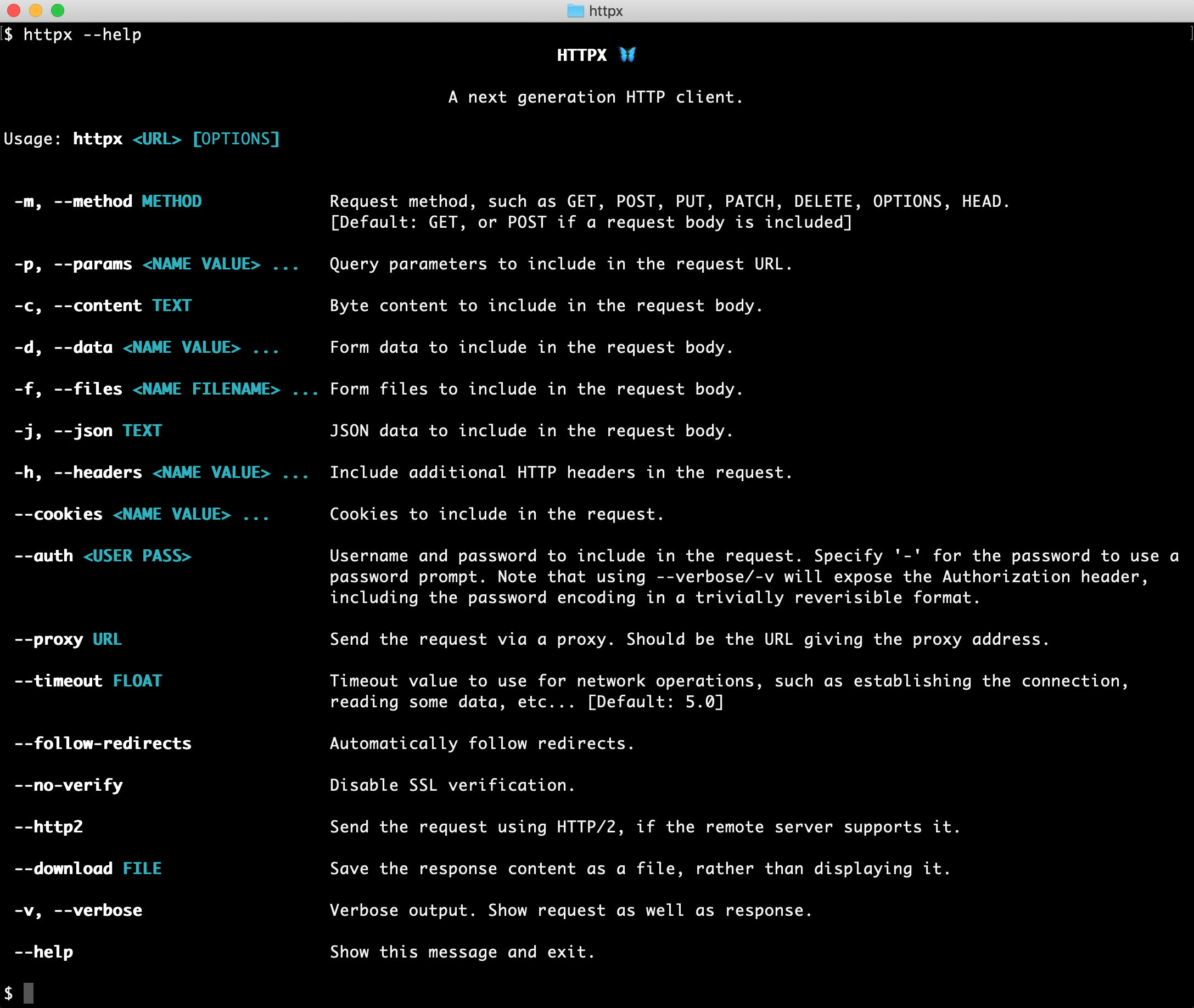
Or, using the command-line client.
$ pip install 'httpx[cli]' # The command line client is an optional dependency.
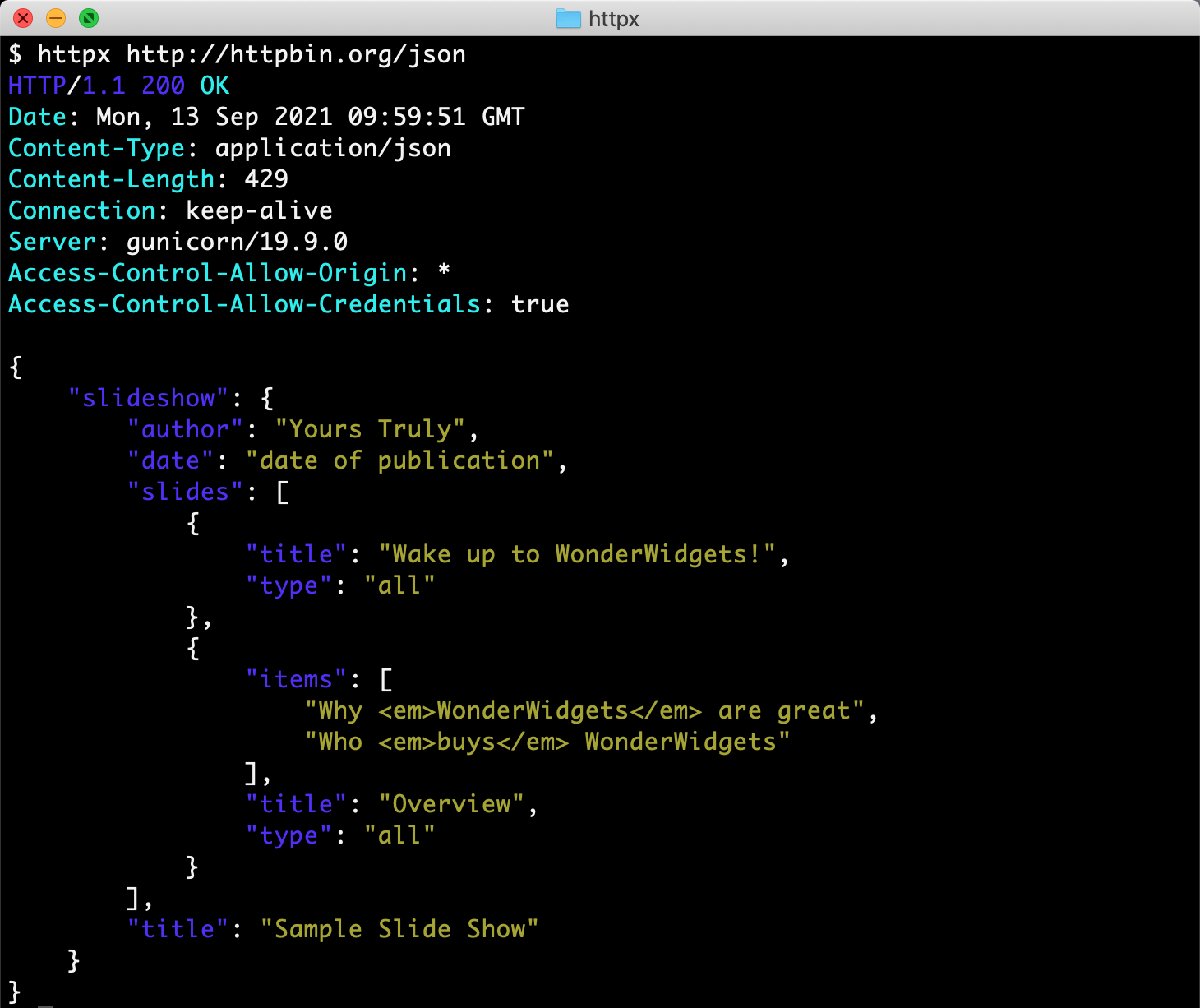
Which now allows us to use HTTPX directly from the command-line...
Sending a request...
Features
HTTPX builds on the well-established usability of requests, and gives you:
- A broadly requests-compatible API.
- An integrated command-line client.
- HTTP/1.1 and HTTP/2 support.
- Standard synchronous interface, but with async support if you need it.
- Ability to make requests directly to WSGI applications or ASGI applications.
- Strict timeouts everywhere.
- Fully type annotated.
- 100% test coverage.
Plus all the standard features of requests...
- International Domains and URLs
- Keep-Alive & Connection Pooling
- Sessions with Cookie Persistence
- Browser-style SSL Verification
- Basic/Digest Authentication
- Elegant Key/Value Cookies
- Automatic Decompression
- Automatic Content Decoding
- Unicode Response Bodies
- Multipart File Uploads
- HTTP(S) Proxy Support
- Connection Timeouts
- Streaming Downloads
- .netrc Support
- Chunked Requests
Installation
Install with pip:
$ pip install httpx
Or, to include the optional HTTP/2 support, use:
$ pip install httpx[http2]
HTTPX requires Python 3.9+.
Documentation
Project documentation is available at https://www.python-httpx.org/.
For a run-through of all the basics, head over to the QuickStart.
For more advanced topics, see the Advanced Usage section, the async support section, or the HTTP/2 section.
The Developer Interface provides a comprehensive API reference.
To find out about tools that integrate with HTTPX, see Third Party Packages.
Contribute
If you want to contribute with HTTPX check out the Contributing Guide to learn how to start.
Dependencies
The HTTPX project relies on these excellent libraries:
httpcore- The underlying transport implementation forhttpx.h11- HTTP/1.1 support.
certifi- SSL certificates.idna- Internationalized domain name support.sniffio- Async library autodetection.
As well as these optional installs:
h2- HTTP/2 support. (Optional, withhttpx[http2])socksio- SOCKS proxy support. (Optional, withhttpx[socks])rich- Rich terminal support. (Optional, withhttpx[cli])click- Command line client support. (Optional, withhttpx[cli])brotliorbrotlicffi- Decoding for "brotli" compressed responses. (Optional, withhttpx[brotli])zstandard- Decoding for "zstd" compressed responses. (Optional, withhttpx[zstd])
A huge amount of credit is due to requests for the API layout that
much of this work follows, as well as to urllib3 for plenty of design
inspiration around the lower-level networking details.
HTTPX is BSD licensed code.
Designed & crafted with care.
— 🦋 —
Release Information
Breaking changes
- Renamed package:
httpx->httpx2.import httpxbecomesimport httpx2. The CLI is nowhttpx2, the User-Agent header ispython-httpx2/<version>, and the logger ishttpx2. No other public API changed. - Renamed transitive dependency:
httpcore->httpcore2, vendored into the same repository as a uv workspace member. Code that importshttpcoredirectly should switch tohttpcore2.httpx2always depends on a specifichttpcore2version, pinned exactly.
Added
- Expose
FunctionAuthfrom the public API. (Inherited from upstream PR encode/httpx#3699.)
Fixed
- Eliminate
PytestUnraisableExceptionWarningfrom async generator finalization during stream teardown under trio. (#137, backporting encode/httpcore#1019 by @agronholm.)
Historical entries below are from upstream encode/httpx.
Project details
Verified details
These details have been verified by PyPIProject links
Owner
GitHub Statistics
Maintainers
Release history Release notifications | RSS feed


Download files
Download the file for your platform. If you're not sure which to choose, learn more about installing packages.
Source Distribution
Built Distribution
Filter files by name, interpreter, ABI, and platform.
If you're not sure about the file name format, learn more about wheel file names.
Copy a direct link to the current filters
File details
Details for the file httpx2-2.0.0b1.tar.gz.
File metadata
- Download URL: httpx2-2.0.0b1.tar.gz
- Upload date:
- Size: 79.0 kB
- Tags: Source
- Uploaded using Trusted Publishing? Yes
- Uploaded via: twine/6.1.0 CPython/3.13.13
File hashes
| Algorithm | Hash digest | |
|---|---|---|
| SHA256 |
28501f6008b55a98d7ed2519d4436d8683ecfd6dfaa8a9eeb02d3fc8d0838515
|
|
| MD5 |
1c306b6d80d762d97a10a6422737c79a
|
|
| BLAKE2b-256 |
2ec1f3bcb28e30d6b4ea42a8998dccd2e441d22fa6bbd9dd886a9eb5e29a80ca
|
Provenance
The following attestation bundles were made for httpx2-2.0.0b1.tar.gz:
Publisher:
publish.yml on pydantic/httpx2
-
Statement:
-
Statement type:
https://in-toto.io/Statement/v1 -
Predicate type:
https://docs.pypi.org/attestations/publish/v1 -
Subject name:
httpx2-2.0.0b1.tar.gz -
Subject digest:
28501f6008b55a98d7ed2519d4436d8683ecfd6dfaa8a9eeb02d3fc8d0838515 - Sigstore transparency entry: 1508716184
- Sigstore integration time:
-
Permalink:
pydantic/httpx2@4d2e525b9e8a1ab6e31c06ecd37a45672349c4a2 -
Branch / Tag:
refs/tags/v2.0.0b1 - Owner: https://github.com/pydantic
-
Access:
public
-
Token Issuer:
https://token.actions.githubusercontent.com -
Runner Environment:
github-hosted -
Publication workflow:
publish.yml@4d2e525b9e8a1ab6e31c06ecd37a45672349c4a2 -
Trigger Event:
push
-
Statement type:
File details
Details for the file httpx2-2.0.0b1-py3-none-any.whl.
File metadata
- Download URL: httpx2-2.0.0b1-py3-none-any.whl
- Upload date:
- Size: 73.0 kB
- Tags: Python 3
- Uploaded using Trusted Publishing? Yes
- Uploaded via: twine/6.1.0 CPython/3.13.13
File hashes
| Algorithm | Hash digest | |
|---|---|---|
| SHA256 |
a0375bd3bd9b36d1536b8a3a567dd3cf92b11120b223ddc6124438b2b0be0846
|
|
| MD5 |
31f66a2004110b0d18eb777504193996
|
|
| BLAKE2b-256 |
7b1f2608665f746e7dc7799d5f71db8619792384f635b2ba62186ca2a6412627
|
Provenance
The following attestation bundles were made for httpx2-2.0.0b1-py3-none-any.whl:
Publisher:
publish.yml on pydantic/httpx2
-
Statement:
-
Statement type:
https://in-toto.io/Statement/v1 -
Predicate type:
https://docs.pypi.org/attestations/publish/v1 -
Subject name:
httpx2-2.0.0b1-py3-none-any.whl -
Subject digest:
a0375bd3bd9b36d1536b8a3a567dd3cf92b11120b223ddc6124438b2b0be0846 - Sigstore transparency entry: 1508716821
- Sigstore integration time:
-
Permalink:
pydantic/httpx2@4d2e525b9e8a1ab6e31c06ecd37a45672349c4a2 -
Branch / Tag:
refs/tags/v2.0.0b1 - Owner: https://github.com/pydantic
-
Access:
public
-
Token Issuer:
https://token.actions.githubusercontent.com -
Runner Environment:
github-hosted -
Publication workflow:
publish.yml@4d2e525b9e8a1ab6e31c06ecd37a45672349c4a2 -
Trigger Event:
push
-
Statement type:






