
hunch
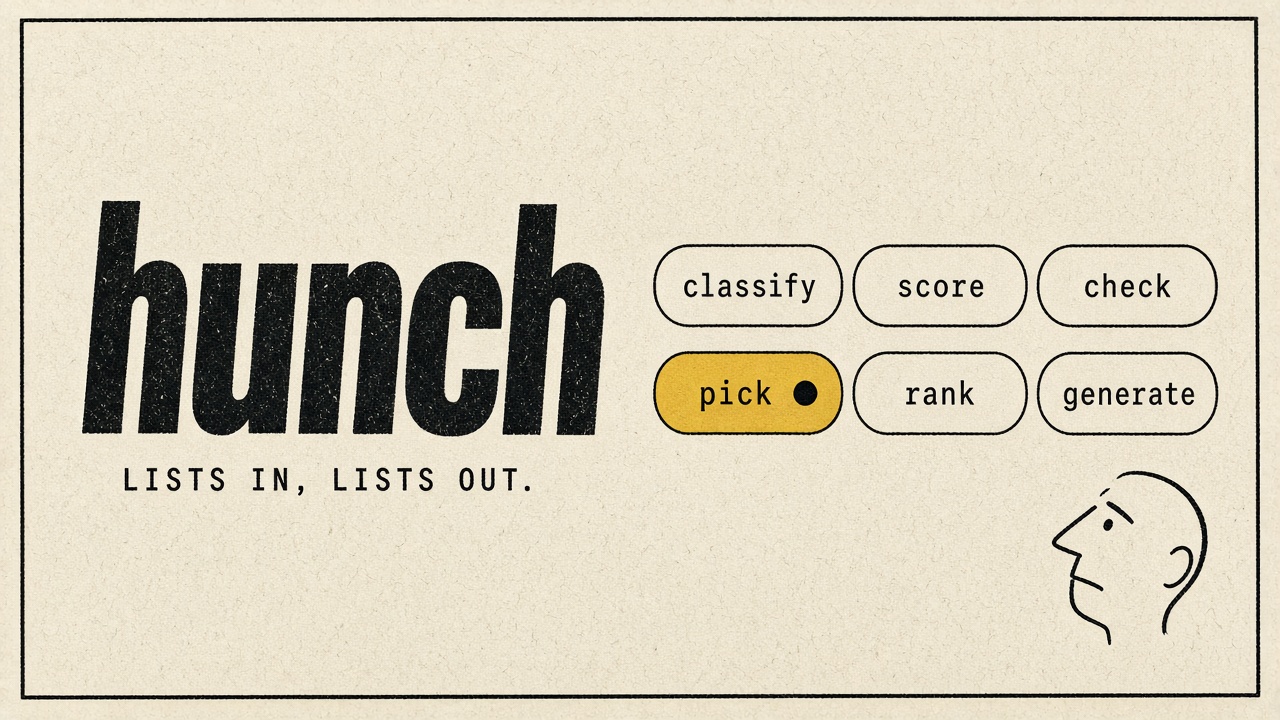
Judgment as a Python function. Ask a question about a string, a list, or a whole DataFrame column, and get an answer for every row that your code can branch on.
import hunch

reviews["theme"] = reviews["text"].hunch.classify(["delivery", "food quality", "pricing", "app"])
angry = reviews.hunch.where("the customer is angry")
totals = invoices["body"].hunch.extract({"total": "money", "due": "date"})
pip install hunch-jev
Also available for TypeScript, with the same verbs over arrays.
Using a coding agent? Give it the hunch skill so it uses these verbs instead of writing prompt-and-parse code:
npx skills add steven-shoemaker/hunch --skill hunch
How it works
Jev does the judging. Jev is TypeSafe's classifier with frontier-level intelligence, and it needs no fine-tuning. You send it some state and a typed question. It answers with a probability distribution instead of prose. It knows three kinds of question, and every hunch verb is built from them:
| Jev primitive | Answers | Used by |
|---|---|---|
| Choice | one option from a closed set | classify, pick, extract, verify |
| Score | a position on ordered levels | score, rank |
| Noul | the probability that a statement is true | check, where, classify(multi_label=True) |
Your data goes in and comes back in the same shape. A string returns one answer. A list returns a list, and a pandas Series returns a Series on the same index. With a DataFrame, each row is the thing being judged: Jev sees every column unless you pass columns=. Anything in context=, such as a policy, an ICP, or a diff, rides along with every row.
One request per distinct row. Duplicate values are asked once. Several questions about the same row go in a single request. Requests run in parallel, and answers are cached, so re-running costs nothing.
Every answer keeps its probabilities. By default you get the plain answer. detail=True gives the whole distribution, plus a shape: sure when one option dominates, split when two are close, and unsure when the evidence is flat. Shapes tell your code which rows to trust, re-ask, or send to a person.
An LLM may propose, but only Jev decides. A few verbs use an LLM to write things: fake data, category names, rewrites, and second opinions on hard rows. Jev still makes every call, and your code keeps the thresholds and weights. If you never configure an LLM, you never need one.
Setup
import hunch

hunch.configure(api_key=TYPESAFE_API_KEY)          # or set TYPESAFE_API_KEY
hunch.configure(api_key=..., llm=hunch.anthropic(), cache="~/.cache/hunch")
The LLM can be any of these. Only generate, discover, refine, and escalation use it.
hunch.anthropic()                        # Claude via the anthropic SDK (pip install anthropic)
hunch.openai(model="gpt-5-mini")
hunch.azure(deployment="my-gpt")         # Azure OpenAI
hunch.openrouter(model="z-ai/glm-5.3-flash")
hunch.ollama("qwen3")                    # a local model
lambda system, user: my_gateway(system, user)   # anything else
To reach Jev through a gateway your company already uses, pass gateway="openrouter" (reads OPENROUTER_API_KEY) or gateway="vercel" (reads AI_GATEWAY_API_KEY) to configure. Everything else works the same.
Every verb is also available as a pandas accessor, so hunch.classify(df["x"], ...) and df["x"].hunch.classify(...) are the same call.
The verbs
classify: which label?
hunch.classify("This product is amazing!", ["positive", "negative", "neutral"])   # 'positive'
df["function"] = df["title"].hunch.classify({"Sales": "sells to customers", "Engineering": "builds the product"})
Labels can be a list, an Enum (you get members back), or a dict of label to description, for when the names alone are ambiguous. Useful options:
multi_label=Trueasks one yes/no per label and returns every label that applies.split="rematch"re-asks between the top two labels, only for rows where those two were close.unsure="review"returns that value for rows where the evidence was flat. Passing an LLM instead, likeunsure=hunch.anthropic(), sends only those rows to the LLM, which must choose from the same labels.backoff={"Laptops": "Computers", "Tablets": "Computers"}answers with the parent when Jev can't tell the children apart.- For a taxonomy, pass a
hunch.Tree. Jev walks it level by level, keeping the best few paths:
catalog = hunch.Tree({"Electronics": {"Phones": None, "Computers": {"Laptops": None, "Tablets": None}},
                      "Home": {"Kitchen": None, "Furniture": None}})
hunch.classify("MacBook Air 13-inch", catalog)   # 'Electronics > Computers > Laptops'
score: where on a scale?
hunch.score("Checkout is down for everyone", ["cosmetic", "degraded, workaround exists", "blocked", "outage"])
# a float from 0 to 3, e.g. 2.9
Returns a position from 0 to one less than the number of levels, and it can land between two levels. Give 2 to 10 levels, worst first, written as concrete situations rather than degrees. Pass instructions={"hook": "...", "clarity": "..."} to score several dimensions in one request.
check: is it true?
hunch.check("BUY NOW!!! Limited offer", "is unsolicited advertising")   # True
df["cancel"] = df["review"].hunch.check("the customer will cancel", uncertain=(0.3, 0.7))   # True, None, False
Returns True when P(yes) reaches threshold (0.5 by default). With uncertain=(low, high), rows in between come back None, so borderline cases go to review instead of being forced to a side. Pass a dict of statements to check several in one request.
where: which rows match?
df.hunch.where("might yell at a waiter for getting their order wrong")
df.hunch.where("is an economic buyer for a product like ours", columns=["title", "company"], threshold=0.7)
A semantic WHERE clause. It returns the whole matching rows, strongest match first. Statements about evidence in the row filter well. Predictions about behavior sit near 0.3 to 0.4 when the row says nothing either way, so rank those with detail=True and sort by match_p instead of filtering.
extract: what's the value?
hunch.extract(invoice, {
    "total":         ("money", "the amount due, not a subtotal or tax line"),
    "due_date":      "date",
    "billing_email": ("email", "where to send payment questions"),
    "po_number":     r"PO-\d+",
})
# {'total': '$1,240.00', 'due_date': 'October 1, 2026', 'billing_email': 'ap@northwind.com', 'po_number': None}
Code finds every candidate, meaning every dollar amount, date, or email. Jev picks the one that answers the field, seeing the words around each. The value is always copied from the text, never written by a model, and a field the text doesn't state comes back None. Built-in finders are email, url, money, number, percent, phone, and date; anything else is a regex or a function.
ask: several questions at once
from hunch import Classify, Rate, Check

tickets = tickets.join(tickets.hunch.ask({
    "kind":     Classify(["bug", "feature request", "question"]),
    "severity": Rate(["cosmetic", "degraded", "blocked", "outage"]),
    "angry":    Check("the customer is frustrated", uncertain=(0.3, 0.7)),
}))
Every question about a row goes in one request, and the answers come back as columns ready to join. Each spec takes the same options as its verb. When only one question should see some context, put context= on that spec, so it doesn't color the other answers.
pick: which one is best?
hunch.pick(drafts, "most likely to get a reply from a busy CFO")
hunch.pick(date_ideas, "a quiet first date for someone who hates noise", none=True)   # None if nothing fits
The candidates go head to head in one question. A head-to-head always crowns someone, so none=True also asks whether anything actually fits, in the same request. Given a Series or DataFrame, pick returns the winner's index label.
rank: order them
hunch.rank(candidates, {"experience": "How relevant is their experience?", "writing": "How clear is their writing?"},
           levels=["weak", "okay", "strong", "excellent"], weights={"experience": 2, "writing": 1},
           query="Senior data engineer, remote, healthcare")
Scores every candidate on each dimension, normalizes, and applies your weights. query= is what they're being ranked for, which turns this into a reranker. Changing the weights never re-runs inference.
pairs: compare two things
same = hunch.score(hunch.pairs(crm, vendors), ["different companies", "related", "the same company"],
                   instructions="Are a and b the same company?")
pairs(a, b) lines up two lists, Series, or DataFrames row by row, so any verb can compare them. Use it to deduplicate records, match leads to accounts, or grade answers against references.
verify: is it supported?
hunch.verify(["skips None values", "adds a cache", "renames the function", 'says "filter empty strings"'], diff)
# ['supported', 'contradicted', 'not mentioned', 'misquoted']
Checks each claim against one source, or one source per claim. It tells "the source says otherwise" apart from "the source doesn't say". Text a claim puts in quotes must appear in the source word for word, which catches made-up quotes. Use it as the last step of anything an LLM or agent produced: good = comments[hunch.verify(comments["text"], diff) == "supported"].
route: what happens next?
answers = tickets.hunch.ask({
    "urgent": Check("needs a human within the hour"),
    "topic":  Classify(["billing", "bug", "question"]),
}, detail=True)

tickets["queue"] = hunch.route(answers, {
    "page":    {"urgent": 0.8},                  # P(yes) at least 0.8
    "billing": {"topic": ("billing", 0.7)},      # this label, with P at least 0.7
    "docs":    {"topic": ["question", "how-to"]},  # any of these labels
    "review":  {"topic.shape": "unsure"},        # Jev couldn't decide
}, default="triage")
Turns answers into actions. Rules are checked in order, and the first one whose conditions all hold wins; within a rule, every condition must hold. A number is a minimum probability (or score), a string is a label, a (label, p) pair is both, a list means any of those labels, and a name ending in .shape checks the shape. It sends no requests, so you can change the rules and rerun for free. It reads the output of ask, classify, check, or score, including a DataFrame you've already joined them onto.
generate, discover, refine: with an LLM
drafts = hunch.generate(str, n=20, instructions="cold emails to CFOs about expense software")
themes = hunch.discover(tickets["body"], 8, instructions="by what the customer needs")   # {name: description}
tickets["theme"] = tickets["body"].hunch.classify(themes)
final = hunch.refine(draft, {"accurate": "matches the facts in context", "short": "is under 120 words"},
                     context={"facts": FACTS})
generatemakes typed data, likestr, dataclasses, or pydantic models. Largenis drawn in batches without repeats, and results are cached, sofresh=Truedraws new ones.discoverhas the LLM read a sample and propose categories with descriptions, including anotherbucket. The result goes straight intoclassify.refinehas the LLM rewrite until Jev confirms every check. Only failing drafts go back, each told which checks it missed. Checks only test what you list, so include an accuracy check and give the facts as context.
evaluate, tune_threshold: should I trust it?
pred = sample["title"].hunch.classify(LEVELS, detail=True)
hunch.evaluate(pred, sample["true_level"])
# e.g. Evaluation(accuracy=91.0% on 100 rows, by shape: sure: 98% of 71, split: 79% of 19, unsure: 60% of 10)

cut = hunch.tune_threshold(sample.hunch.check("is a buyer", detail=True), sample["is_buyer"], precision=0.9)
Label 50 to 100 rows by hand. evaluate shows accuracy overall and per shape, lists every miss, and gives a confusion matrix with .table(). tune_threshold finds the check / where cutoff that hits the precision or recall you need.
Probabilities and shapes
detail=True returns the full answer. On lists you get objects, like Answer, Rating, Feeling, or Pick. On pandas, the answer is spread into columns:
| Verb | Columns with detail=True |
|---|---|
| classify | label, label_p, label_confidence, label_shape, and label_by when an LLM or backoff can decide |
| score | score, score_level, score_confidence, score_shape |
| check / where | check / match, and check_p / match_p |
| extract | each field, plus <field>_p, <field>_confidence, <field>_shape |
| verify | verdict, verdict_p, verdict_shape |
Shapes come from ShapePolicy(sure_peak=0.8, unsure_peak=0.5, split_margin=0.15, split_mass=0.75), which you can pass as policy= to configure. They're computed from the probabilities alone. A sure shape, or a high confidence, means the distribution is peaked. It does not mean the answer is correct. That's what evaluate is for. Changing the policy never re-runs inference, because the cache stores the raw distribution.
Running on real data
hunch.configure(api_key=..., cache="~/.cache/hunch", max_workers=8, max_rps=20, errors="skip")

with hunch.dry_run() as plan:
    df.hunch.ask({...})
print(plan)   # e.g. Plan(requests=8214, questions=16428, items=50000); nothing was sent
- Cache. With
cache=, answers persist on disk, keyed by state and question. - Failures. With
errors="skip", a request that still fails after the SDK's retries returnsNonefor its rows, with a warning. Re-running re-sends only those rows. - Rate limits.
max_rps=caps requests per second. - Async. Every Jev verb has an
_asynctwin. It runs requests on your event loop, up tomax_concurrencyat a time, so use it inside services. - Progress. Calls needing 10 or more requests show a progress bar.
progress=Falseturns it off. - Usage.
hunch.default().usagereports calls, cache hits, and tokens.
Examples
Single files you can run as-is. The first three need only TYPESAFE_API_KEY, and the rest also use an LLM key.
| File | Shows |
|---|---|
find_angry_reviews.py |
check as a filter, ranking by probability, several checks per row |
classify_job_titles.py |
classify with Enums, shapes, and rematches |
triage_tickets.py |
two score scales per ticket, multi-label tags, paging policy in code |
review_themes.py |
discover themes, classify with LLM escalation, where for churn risk |
dating_profiles.py |
typed generate, ask, score against a person, pick, where |
introduce_hunch.py |
generate 20 tweets, rank, pick, then refine |
organize_downloads.py |
an LLM proposes folders, classify files them, the script moves them |
CHANGELOG.md lists what changed in each version.
License
MIT. Jev and TypeSafe are typesafe.ai; this library is not affiliated.
1 maintainer

Release files for hunch-jev 0.10.0
For a detailed explanation of source distributions (sdists) and built distributions (wheels), please see the package formats documentation.
Source distribution (sdist)
| File | Size | Uploaded | |
|---|---|---|---|
| hunch_jev-0.10.0.tar.gz | 451.3 kB | Details |
Built distribution (wheel)
| File | Interpreter | ABI | Platform | Reset |
|---|---|---|---|---|
| hunch_jev-0.10.0-py3-none-any.whl | Python 3 | none | any | Details |
Total release size: 503.2 kB
Release files / hunch_jev-0.10.0.tar.gz
| Download URL | hunch_jev-0.10.0.tar.gz |
|---|---|
| Size | 451.3 kB |
| Tags | Source |
|
SHA-256 checksum How to use checksums |
dc3886ad23a0c5b7966a2ed2ba4ffd6b1fee60b55b5869869a06a993886d42ae
|
|
BLAKE2b-256 checksum How to use checksums |
0b88297048738f0e3c8e72ac70925cc3f25f50c5e03285b50ed668b66989bcb9
|
| Upload date | |
|
Uploaded using Trusted Publishing? What is trusted publishing? |
Yes |
| Uploaded via |
twine/7.0.0 CPython/3.13.14
|
Provenance
Provenance describes where a file came from. On PyPI, provenance is shared via attestations, which provide a verifiable record of the build or publishing details. View details, limitations and caveats.


PyPI Publish Attestation
PyPI verified that this artifact, at this checksum, originated from the publisher listed below.
Signed by GitHub Actions, verified by PyPI on Sep 22, 2026.
Transparency logRelease files / hunch_jev-0.10.0-py3-none-any.whl
| Download URL | hunch_jev-0.10.0-py3-none-any.whl |
|---|---|
| Size | 51.9 kB |
| Tags | Python 3 |
|
SHA-256 checksum How to use checksums |
7c43196765a99fc04a269f70a317f27a3b5015503ba4a609aa712c2b029999e0
|
|
BLAKE2b-256 checksum How to use checksums |
98405f75cc01341b6d891db6160ff545889f9f2e375614d3b407fdd632549c3e
|
| Upload date | |
|
Uploaded using Trusted Publishing? What is trusted publishing? |
Yes |
| Uploaded via |
twine/7.0.0 CPython/3.13.14
|
Provenance
Provenance describes where a file came from. On PyPI, provenance is shared via attestations, which provide a verifiable record of the build or publishing details. View details, limitations and caveats.
PyPI Publish Attestation
PyPI verified that this artifact, at this checksum, originated from the publisher listed below.
Signed by GitHub Actions, verified by PyPI on Sep 22, 2026.
Transparency log













