
MCP server for HoloViz ecosystem — interactive visualizations and dashboards rendered as MCP Apps in AI chat.

Project description


HoloViz MCP Server
Let AI agents create interactive visualizations that render live inside your chat — no code required.
Built with FastMCP · Panel · HoloViews · hvPlot · Bokeh



27 MCP tools · 4 interactive UI templates · live streaming · bidirectional interaction
Demo
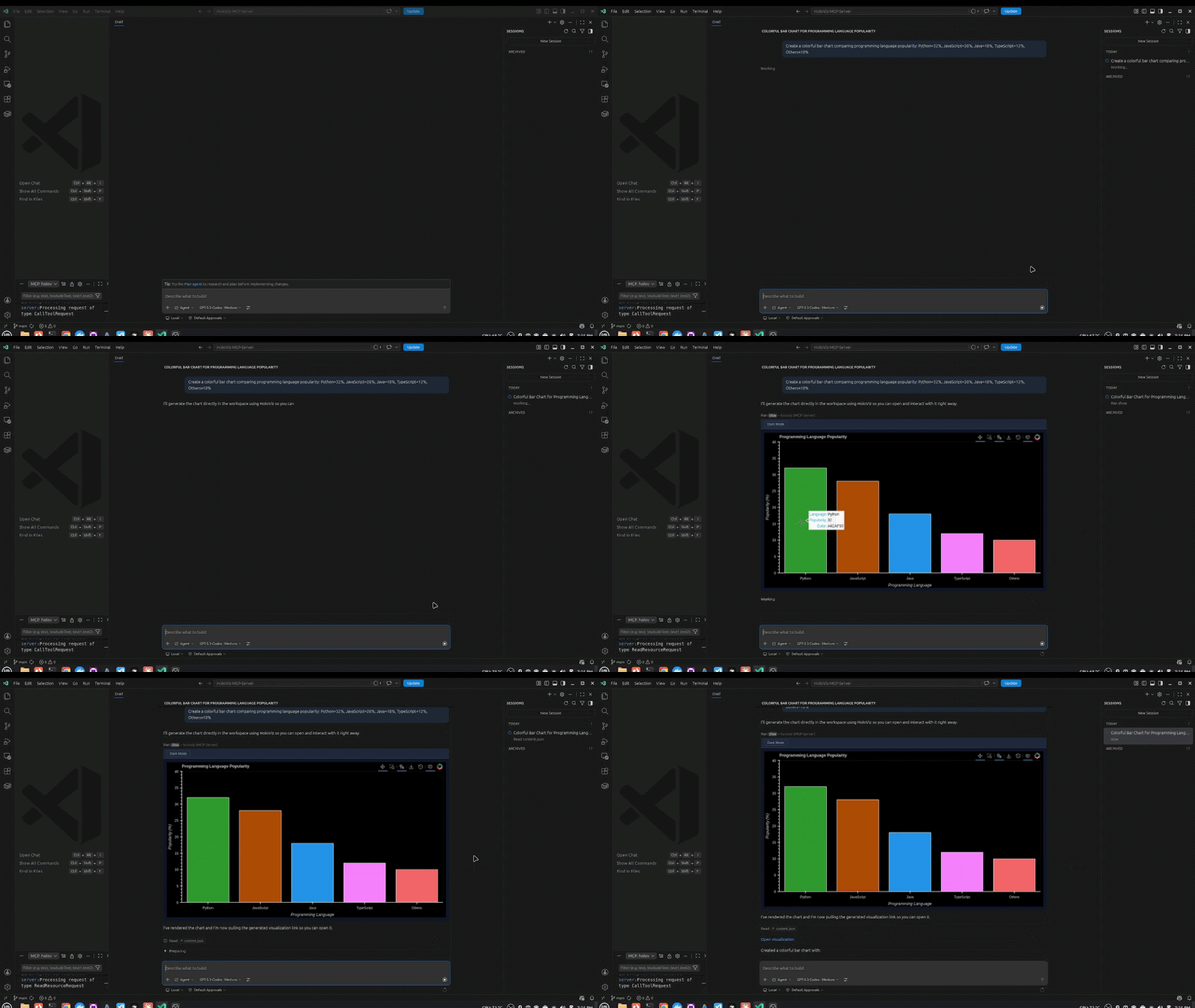
1. Inline Chart
"Create a bar chart comparing programming language popularity: Python=32%, JavaScript=28%, Java=18%, TypeScript=12%, Others=10%"
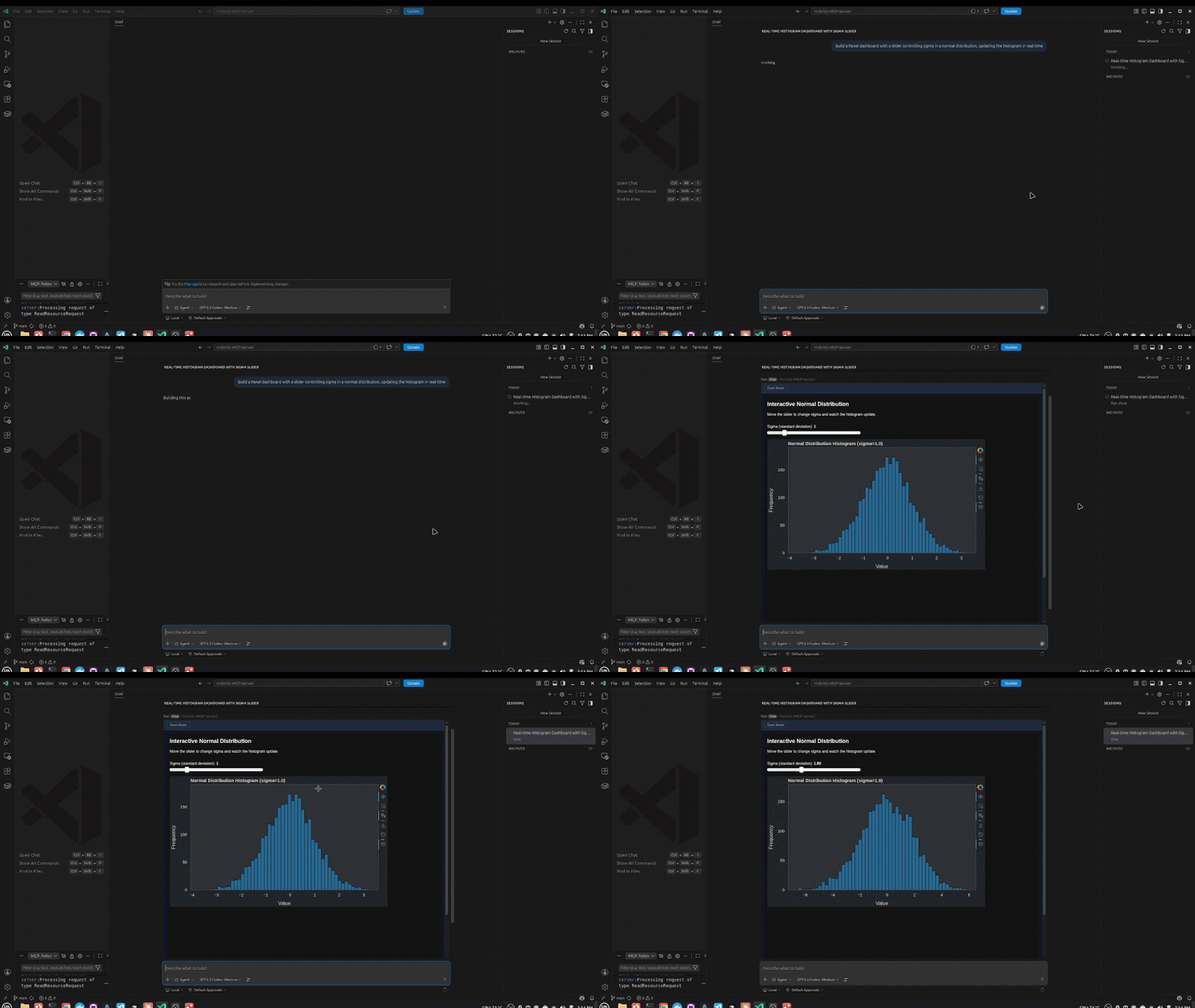
2. Panel Widgets & Interactivity
"Build a Panel dashboard with a slider controlling sigma in a normal distribution, updating the histogram in real time"
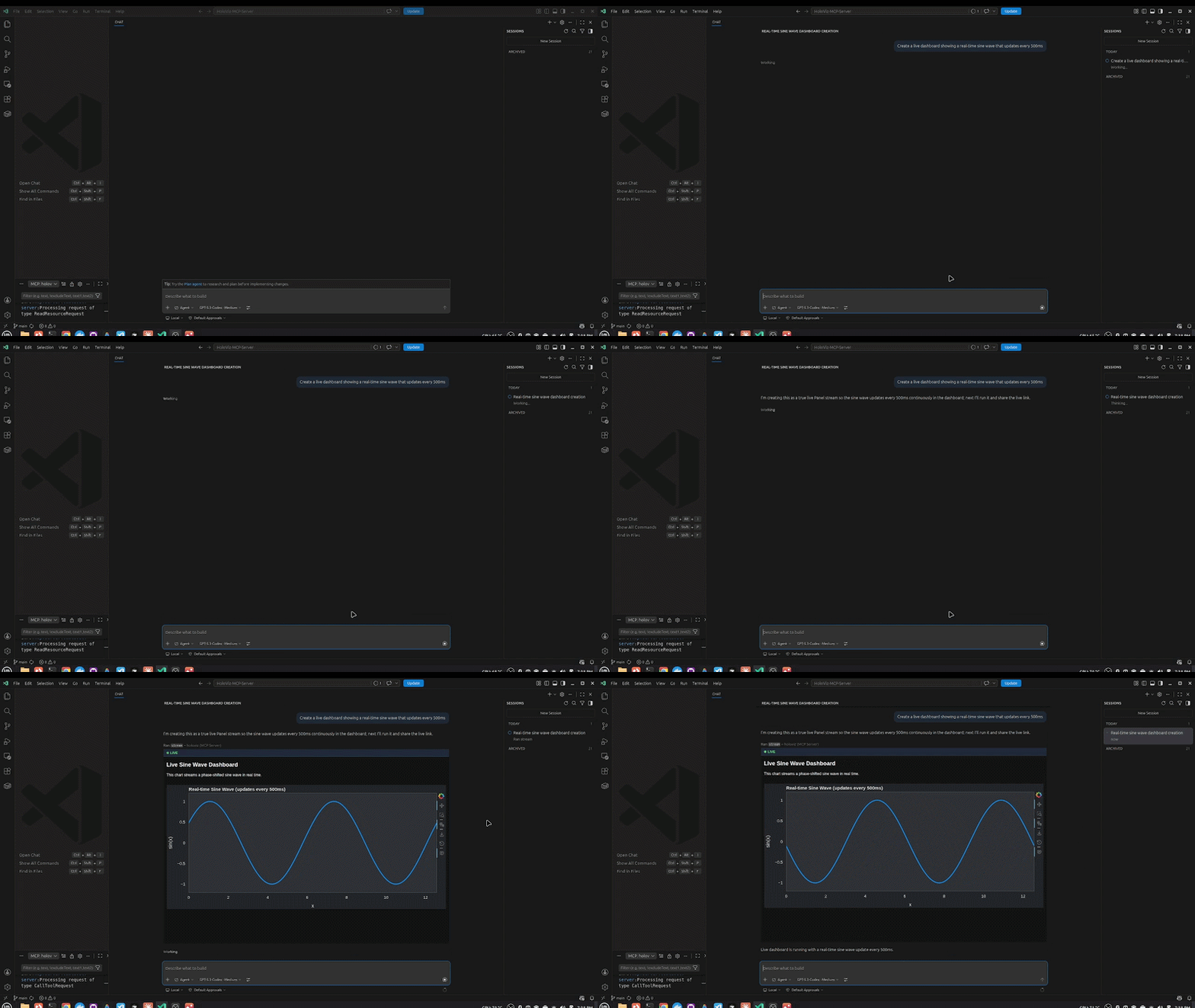
3. Streaming / Live Data
"Create a live dashboard showing a real-time sine wave that updates every 500ms"
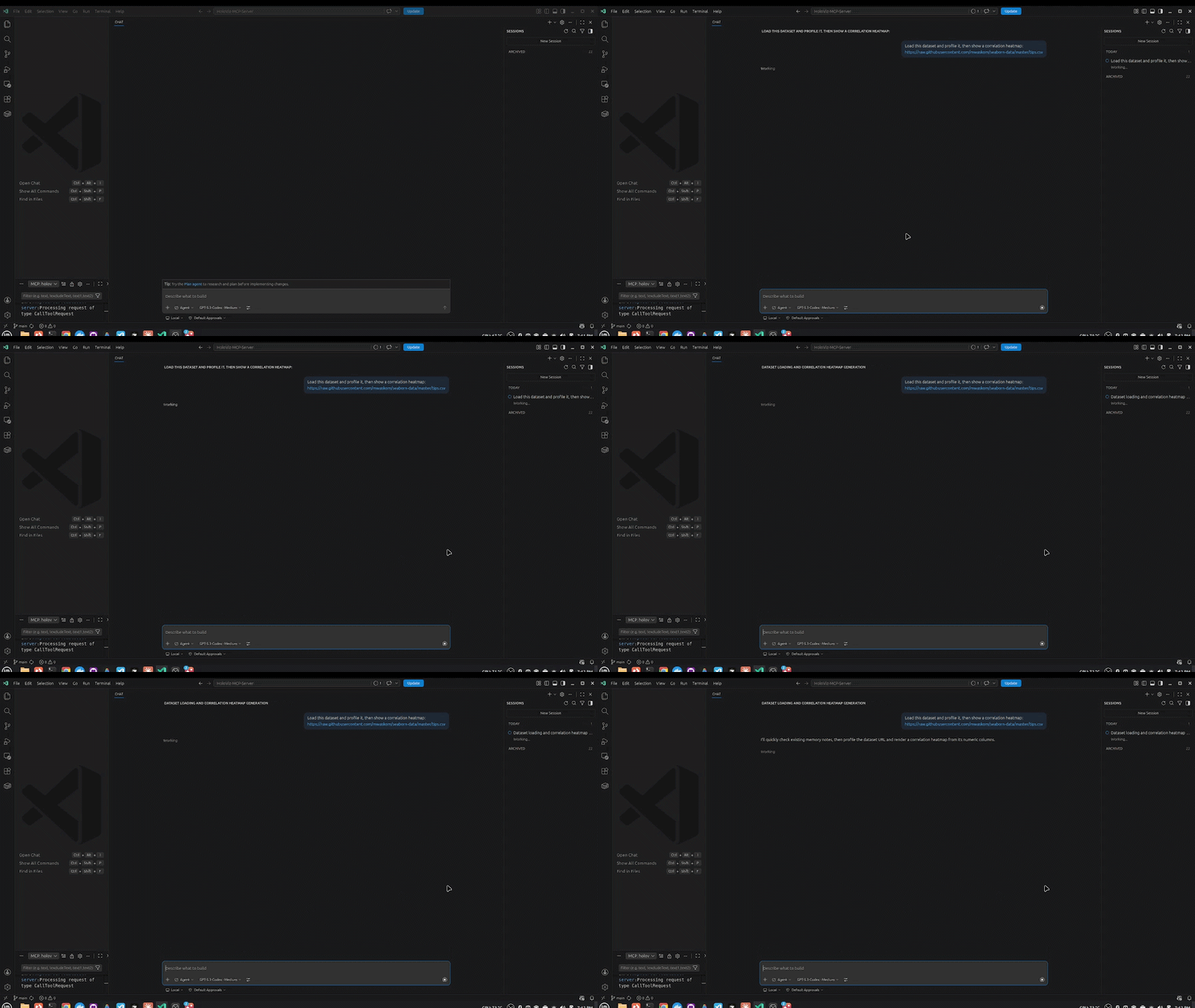
4. Remote Data Loading
"Load this dataset and profile it, then show a correlation heatmap: https://raw.githubusercontent.com/mwaskom/seaborn-data/master/tips.csv"
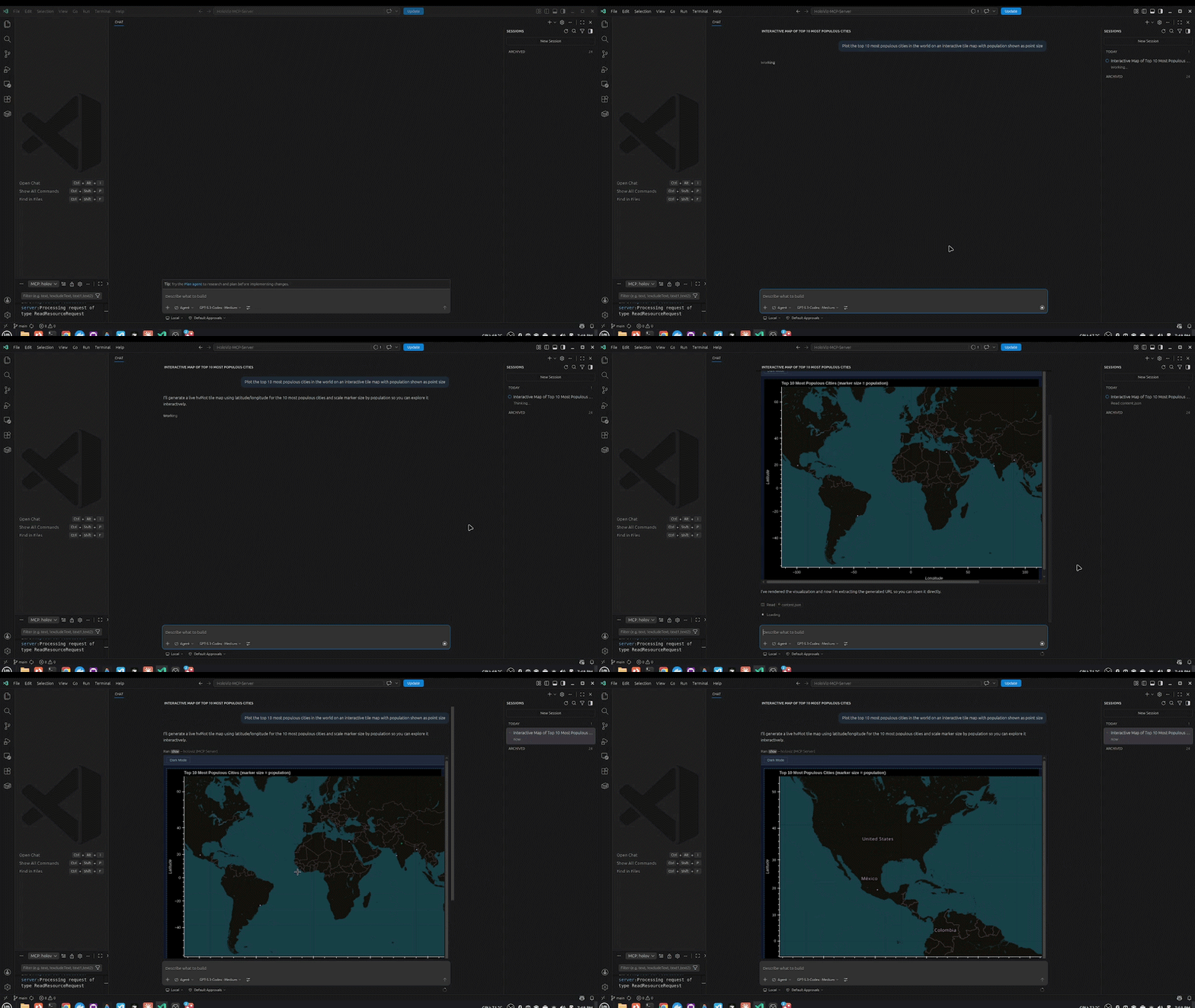
5. Maps
"Plot the top 10 most populous cities in the world on an interactive tile map with population shown as point size"
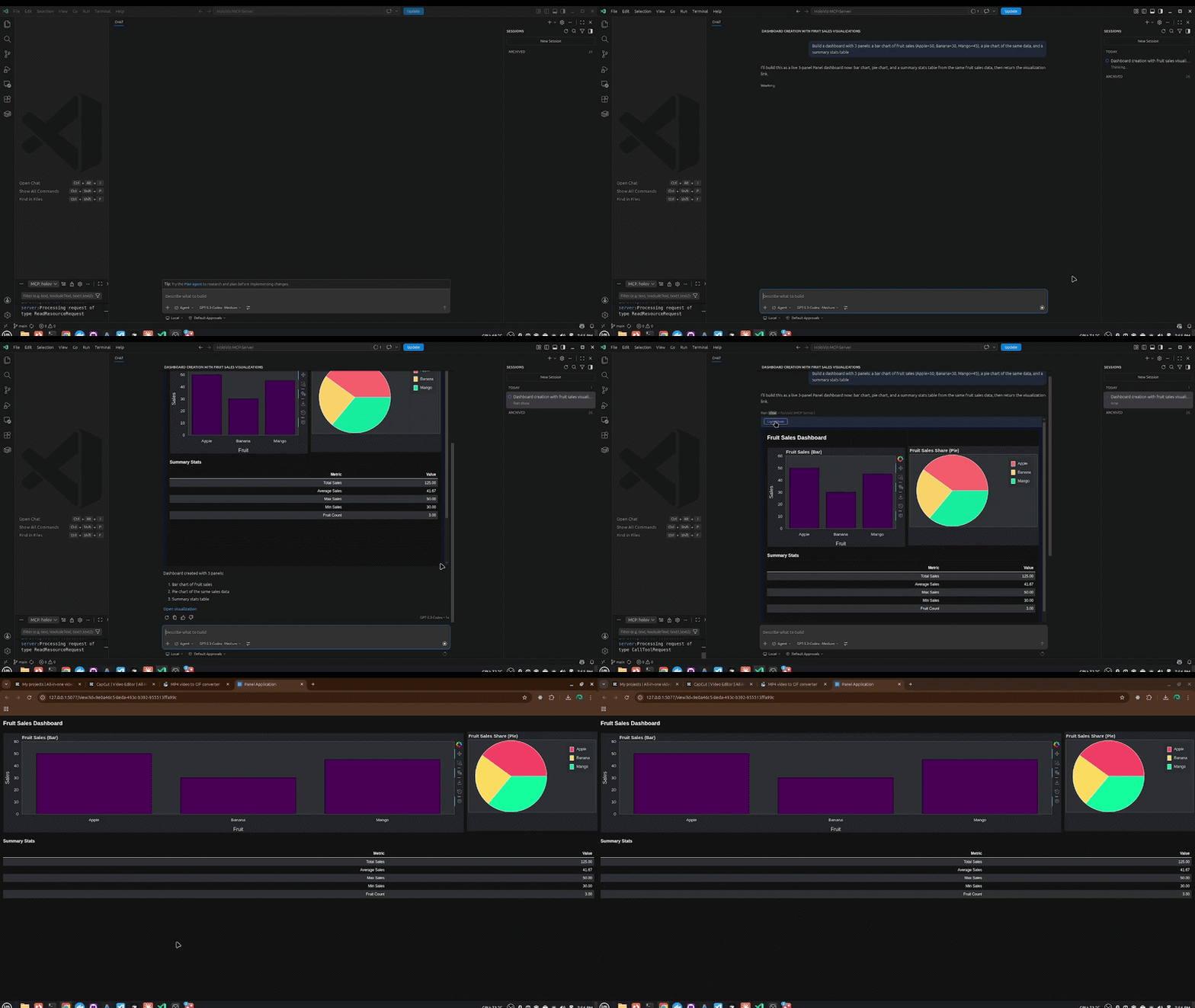
6. Multi-Panel Dashboard
"Build a dashboard with 3 panels: a bar chart of fruit sales (Apple=50, Banana=30, Mango=45), a pie chart of the same data, and a summary stats table"
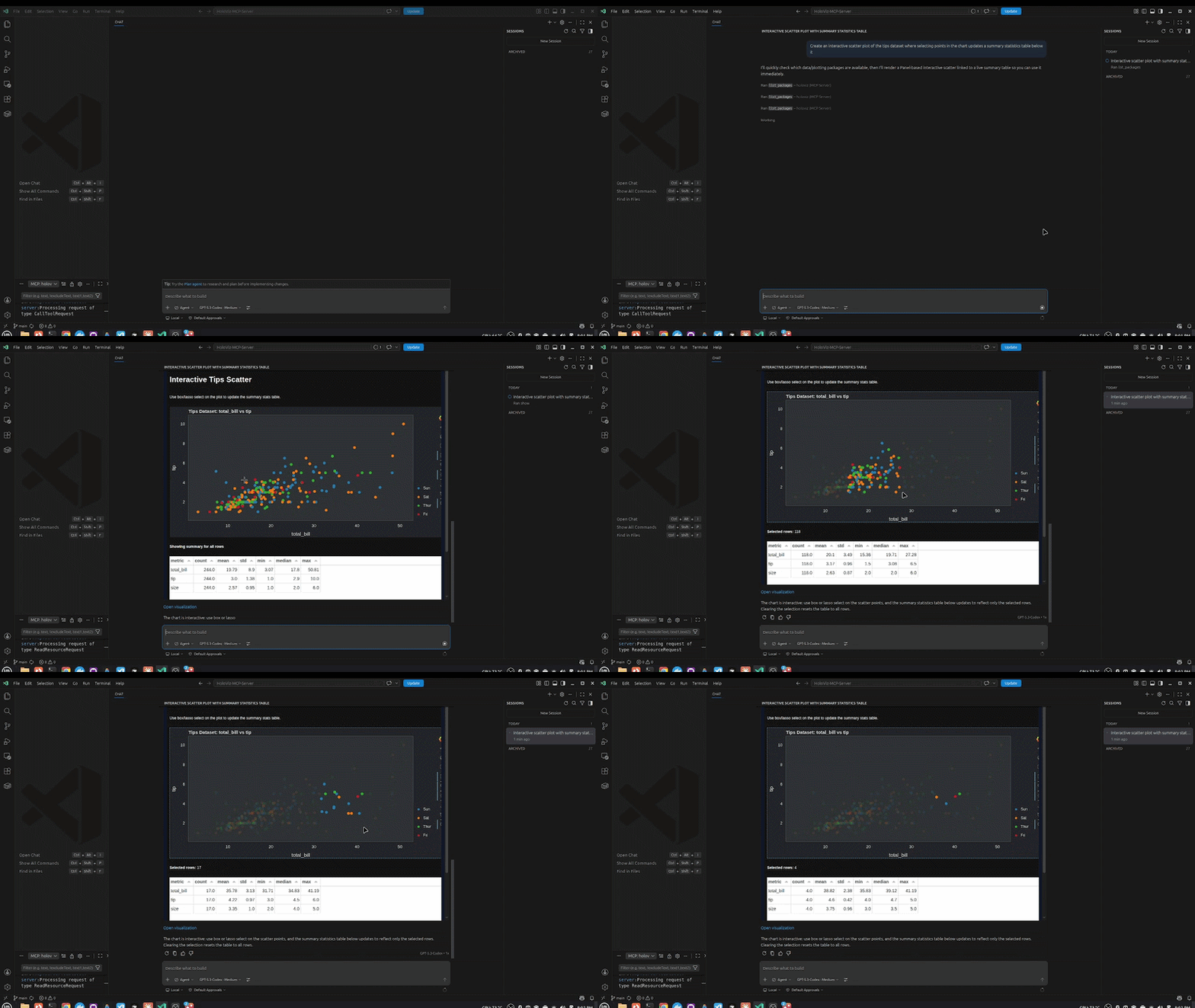
7. Bidirectional Interaction
"Create an interactive scatter plot of the tips dataset where selecting points in the chart updates a summary statistics table below it"
Architecture
This project is designed as an MCP-native visualization platform: LLMs call tools, the server validates and executes visualization code safely, and users get live, interactive UIs inline in chat.
Architecture at a glance
flowchart TD
    A([User sends a prompt]) --> B[LLM Client\nVS Code · Claude Desktop · Cursor]
    B --> C{Which tool type?}

    C -->|pn, hvplot, hv| D[Component introspection\nDirect lookup]
    D --> E[Return result to LLM]

    C -->|load_data| F[Load and profile dataset\nCSV, Kaggle, HuggingFace]
    F --> G{More than\n100k rows?}
    G -->|Yes| H[Add Datashader = True\nto recommendation]
    H --> I[Auto chart recommendations\nby column type]
    G -->|No| I
    I --> J[Return profile + chart\nrecommendations]

    C -->|viz guided tools| K[Codegen\nConfig → Python code]
    K --> M

    C -->|show/stream| M{AST syntax\nvalid?}
    M -->|No| N[Return error: syntax]
    M -->|Yes| O{Ruff security\nrules pass?}
    O -->|No| P[Return error: security violation]
    O -->|Yes| Q{No blocked imports?}
    Q -->|No| R[Return error: blocked import]
    Q -->|Yes| S{Package available?}
    S -->|No| T[Return error: missing package]
    S -->|Yes| U{Runtime exec in isolated\nnamespace OK?}
    U -->|No| V[Return error: runtime failure]
    U -->|Yes| W[Post to Panel subprocess\nport 5077, /api/snippet]
    W --> X[(SQLite + FTS5\nsnippets database)]
    X --> Y{Pure HoloViews\nor hvplot?}
    Y -->|Yes| Z[Bokeh json_item\nSerialize to JSON spec]
    Z --> AA[Render inline via BokehJS\nHover, Zoom, Click, in chat]
    Y -->|No| AB[Panel URL\nServe via Subprocess]
    AB --> AC[Serve Panel app\nin sandboxed iframe, in chat]
Layer responsibilities
| Layer | Responsibility | Key implementation modules |
|---|---|---|
| LLM Client Layer | Hosts the chat UX and invokes MCP tools | VS Code Copilot, Claude Desktop, Cursor |
| MCP Orchestration | Defines tool surface and namespaces | server/main.py, server/compose.py, server/guided_mcp.py |
| Validation and Safety | Enforces secure code execution before rendering | validation.py, utils.py, display/database.py |
| Display Runtime | Runs Panel as managed subprocess, serves rendered apps | display/manager.py, display/app.py, display/endpoints.py |
| Persistence | Stores every snippet and execution metadata for replay/debug/search | display/database.py |
| MCP App UI | Renders interactive outputs inline in chat sandboxes | templates/show.html, templates/dashboard.html, templates/stream.html, templates/multi.html |
| HoloViz Stack | Visualization abstraction and rendering backend | Panel, HoloViews, hvPlot, Bokeh, Param |
| Data Layer | Ingestion and profiling for local and remote datasets | load_data() tool in server/main.py |
End-to-end flow
- An agent calls a tool such as
show,viz.create, orviz.dashboard. - The server runs a 5-layer validation pipeline (syntax, security, packages, extensions, runtime).
- Validated code/config is sent to the Panel display subprocess via REST.
- The display server executes and persists the snippet in SQLite.
- The tool returns either:
- a Bokeh JSON spec for direct in-chat embedding, or
- a Panel URL rendered in an iframe.
- MCP App templates provide rich UX (filters, theme toggle, exports, click-to-insight).
Development Setup
For contributing or running from source:
1. Install Pixi
curl -fsSL https://pixi.sh/install.sh | bash
source ~/.bashrc
2. Clone and install
git clone https://github.com/SuMayaBee/HoloViz-MCP-Server
cd HoloViz-MCP-Server

pixi install
pixi run postinstall
3. Verify
.pixi/envs/default/bin/hvmcp --version
Example Prompts
Simple chart:
Create a bar chart showing: Jan=120, Feb=95, Mar=140, Apr=110
Scatter plot:
Show a scatter plot of 50 random points using hvplot
Full dashboard:
Create a dashboard with this sales data:
products=[Apples, Bananas, Oranges, Grapes],
revenue=[500, 300, 450, 200],
units=[50, 30, 45, 20]
Load a dataset:
Load /path/to/data.csv and create a visualization
Live streaming chart:
Create a live streaming chart that updates every second with random values
Explore available tools:
What hvplot chart types are available?
What Panel widgets are available?
Show me the hvplot skill guide
Features
Core Visualization
- Ask your AI assistant to create a chart — renders inline in the chat via MCP Apps
- Interactive charts (zoom, pan, hover) powered by Bokeh
- Every visualization persisted and accessible via URL
- Works in VS Code Insiders, Claude Desktop, and Cursor
View Code Button
Every chart rendered inline has a View Code button in the toolbar — click it to see the exact Python that generated the visualization, with a one-click copy. Great for learning HoloViz.
Kaggle Integration
Paste any Kaggle dataset or competition URL directly into the chat:
Load https://www.kaggle.com/datasets/uciml/iris and show a scatter plot colored by species
Requires KAGGLE_USERNAME and KAGGLE_KEY in your MCP config env (free Kaggle account).
HuggingFace Datasets
Paste any HuggingFace dataset URL and get instant EDA:
Load https://huggingface.co/datasets/scikit-learn/iris and show a correlation heatmap
HF_TOKEN is optional — only needed for private datasets.
Automatic Chart Recommendations
After load_data(), the server analyses column types and returns up to 3 ready-to-render chart recommendations with working hvplot code — no manual chart selection needed.
Datashader for Big Data
Datasets with >100k rows automatically use datashade=True in all recommended chart code — rendering stays fast regardless of dataset size.
Live Streaming Dashboards
Real-time dashboards with periodic callbacks — sine waves, counters, live feeds — all rendered inline.
Maps
Interactive tile maps using hvPlot + GeoViews:
Plot the top 10 most populous cities on an interactive map with population as point size
Tools
| Tool | Description |
|---|---|
show(code) |
Execute Python viz code, render as live UI with View Code button |
stream(code) |
Execute streaming Panel code with periodic callbacks |
load_data(source) |
Profile a dataset + auto chart recommendations. Supports CSV, Parquet, Kaggle, HuggingFace, S3 |
validate(code) |
Run 5-layer validation before show() |
viz.create |
High-level: describe a chart in plain config, no Python needed |
viz.dashboard |
Create a multi-panel dashboard from structured config |
viz.stream |
Create a live streaming visualization |
viz.multi |
Create a multi-chart grid with linked selections |
pn.list / pn.get / pn.params / pn.search |
Panel component introspection |
hvplot.list / hvplot.get |
hvPlot chart type discovery |
hv.list / hv.get |
HoloViews element discovery |
skill_list / skill_get |
Access best-practice guides for Panel, hvPlot, HoloViews |
list_packages |
List installed packages in the server environment |
Project Structure
src/holoviz_mcp_server/
├── cli.py               # CLI entry point (hvmcp serve / mcp / status)
├── config.py            # Pydantic config + env var loading
├── validation.py        # 5-layer code validation pipeline
├── utils.py             # Code execution, extension detection utilities
│
├── server/              # MCP server layer (FastMCP)
│   ├── main.py          # Main server + core tools (show, stream, load_data, ...)
│   ├── compose.py       # Mounts all sub-servers with namespaces
│   ├── guided_mcp.py    # viz.* tools (create, dashboard, stream, multi)
│   ├── panel_mcp.py     # pn.* tools
│   ├── hvplot_mcp.py    # hvplot.* tools
│   └── holoviews_mcp.py # hv.* tools
│
├── codegen/             # Code generators (config → Python)
│   └── codegen.py
│
├── introspection/       # Pure Python discovery functions
│   ├── panel.py         # Panel component discovery
│   ├── holoviews.py     # HoloViews element discovery
│   ├── hvplot.py        # hvPlot chart type discovery
│   └── skills.py        # Skill file loading
│
├── display/             # Panel display server (runs as subprocess)
│   ├── app.py           # Panel server entry point
│   ├── manager.py       # Subprocess lifecycle management
│   ├── client.py        # HTTP client (MCP → Panel)
│   ├── database.py      # SQLite + FTS5 persistence
│   ├── endpoints.py     # REST handlers (/api/snippet, /api/health)
│   └── pages/           # Web UI pages (feed, view, add, admin)
│
├── templates/           # MCP App HTML (inline rendering in chat)
│   ├── show.html        # Chart viewer + click-to-insight
│   ├── stream.html      # Live streaming viewer
│   ├── dashboard.html   # Dashboard viewer
│   └── multi.html       # Multi-chart grid
│
└── skills/              # Best-practice guides (SKILL.md files)
    ├── panel/
    ├── hvplot/
    ├── holoviews/
    ├── param/
    └── data/
Installation
Prerequisite: Install
uvfirst:# macOS / Linux curl -LsSf https://astral.sh/uv/install.sh | sh # Windows powershell -ExecutionPolicy ByPass -c "irm https://astral.sh/uv/install.sh | iex" # Or via pip pip install uv
VS Code / Copilot Chat (Recommended)
Add to your global ~/.config/Code - Insiders/User/mcp.json or workspace .vscode/mcp.json:
{
  "servers": {
    "holoviz": {
      "type": "stdio",
      "command": "uvx",
      "args": ["--from", "holoviz-mcp-server", "hvmcp", "mcp"]
    }
  }
}
Open Copilot Chat (Ctrl+Alt+I) → switch to Agent mode → start chatting.
Claude Desktop
Add to ~/Library/Application Support/Claude/claude_desktop_config.json (macOS) or %APPDATA%\Claude\claude_desktop_config.json (Windows):
{
  "mcpServers": {
    "holoviz": {
      "command": "uvx",
      "args": ["--from", "holoviz-mcp-server", "hvmcp", "mcp"]
    }
  }
}
Restart Claude Desktop.
Cursor
Add to ~/.cursor/mcp.json:
{
  "mcpServers": {
    "holoviz": {
      "command": "uvx",
      "args": ["--from", "holoviz-mcp-server", "hvmcp", "mcp"]
    }
  }
}
Claude Code / Other stdio clients
{
  "mcpServers": {
    "holoviz": {
      "command": "uvx",
      "args": ["--from", "holoviz-mcp-server", "hvmcp", "mcp"]
    }
  }
}
Optional extras
The base install is lightweight. Add only what you need:
| Extra | What it adds | Install |
|---|---|---|
geo |
Maps via GeoViews + Cartopy | uvx --from "holoviz-mcp-server[geo]" hvmcp mcp |
bigdata |
Datashader for >100k row datasets | uvx --from "holoviz-mcp-server[bigdata]" hvmcp mcp |
kaggle |
Kaggle dataset loading | uvx --from "holoviz-mcp-server[kaggle]" hvmcp mcp |
huggingface |
HuggingFace dataset loading | uvx --from "holoviz-mcp-server[huggingface]" hvmcp mcp |
all |
Everything above | uvx --from "holoviz-mcp-server[all]" hvmcp mcp |
Optional: Kaggle & HuggingFace Integration
To load datasets directly from Kaggle or HuggingFace URLs, add credentials to the env section of your config:
{
  "env": {
    "KAGGLE_USERNAME": "your_kaggle_username",
    "KAGGLE_KEY": "your_kaggle_api_key",
    "HF_TOKEN": "your_huggingface_token"
  }
}
- Kaggle token: kaggle.com → Account → Settings → Create New Token
- HuggingFace token: huggingface.co → Settings → Access Tokens → New token (Read role)
HF_TOKEN is optional — only needed for private HuggingFace datasets. If credentials are not provided, Kaggle/HuggingFace URLs will return a friendly message instead of failing silently.
Example prompts once configured:
Load https://www.kaggle.com/datasets/uciml/iris and show a scatter plot colored by species
Load https://huggingface.co/datasets/scikit-learn/iris and show a correlation heatmap
License
BSD 3-Clause
Release history Release notifications | RSS feed


Download files
Download the file for your platform. If you're not sure which to choose, learn more about installing packages.
Source Distribution
Built Distribution
Filter files by name, interpreter, ABI, and platform.
If you're not sure about the file name format, learn more about wheel file names.
Copy a direct link to the current filters
File details
Details for the file hvmcp-0.1.0.tar.gz.
File metadata
- Download URL: hvmcp-0.1.0.tar.gz
- Upload date:
- Size: 20.2 MB
- Tags: Source
- Uploaded using Trusted Publishing? No
- Uploaded via: twine/6.2.0 CPython/3.13.12
File hashes
| Algorithm | Hash digest | |
|---|---|---|
| SHA256 |
958ef89a1120237329ad6b2b8dde7e4b75b8779ead8ed3ff085e2abd84d47643
|
|
| MD5 |
ae7fdd442e29a78cdea45cd0fba556e6
|
|
| BLAKE2b-256 |
85f4f4f5d7e05abaf2dc6ee1b8ccf2068dbe5ba9cb968818b1393ec9dcb49dbc
|
File details
Details for the file hvmcp-0.1.0-py3-none-any.whl.
File metadata
- Download URL: hvmcp-0.1.0-py3-none-any.whl
- Upload date:
- Size: 79.0 kB
- Tags: Python 3
- Uploaded using Trusted Publishing? No
- Uploaded via: twine/6.2.0 CPython/3.13.12
File hashes
| Algorithm | Hash digest | |
|---|---|---|
| SHA256 |
580e07650fab73e0c7dc5c33ab349ce7d206c4ef625bfb9c0d19f44156e62dbe
|
|
| MD5 |
bd5076a848b5e1d2e012451faeb4ccff
|
|
| BLAKE2b-256 |
de1cd22e0879ca68629af975d87c99a9cdf5cbcfc2734dc8296776c123f8ecbd
|






