
Hyperscale




| Package | Hyperscale |
|---|---|
| Version | 0.8.0 |
| Download | https://pypi.org/project/hyperscale/ |
| Source | https://github.com/hyper-light/hyperscale |
| Keywords | performance, testing, async, distributed, graph, DAG, workflow |
Hyperscale is a Python performance and scalable unit/integration testing framework that makes creating and running complex test workflows easy.
Write and orchestrate workflows as Python classes and decorator-wrapped async methods (called actions) using clients from Playwright and HTTP3 to GRPC and DTLS-UDP concurrently, connect to over thirty one different reporting options, and execute your tests the same locally and distributed via an intuitive CLI. Test execution statistics and performance are displayed via an intuitive terminal UI allowing for real-time feedback.
Why Hyperscale?
Understanding how your application performs under load provides valuable insights, from catching issues with latency and memory usage to finding race condititions and infrastructure misconfiguration. However, performance test tools are often difficult to use and lack the ability to simulate complex user scenarios. As a simulation framework Hyperscale is different, built from the ground up to facilitate multi-client workflow-driven testing without sacrificing developer experience, speed, or effciency. The Hyperscale project follows these tenants:
Speed and efficiency by default
Whether running on your personal laptop or distributed across a cluster, Hyperscale is fast, capable of generating millions of requests or interactions per minute and without consuming excessive memory such that running in modern cloud environments becomes difficult.
Run with ease anywhere
Hyperscale just works, requiring no additional setup beyond a supported Python distribution. Options (like ready made containers) to make running Hyperscale in more challenging environments easy are readily provided and maintained, but never required. Test code requires no changes whether running locally or distributed, and CLI option or configuration tweaks are kept as few as possible. Hyperscale embraces carefully selected modern developer experience features like starter templates generation, includes useful debugging tools like one-off request/response checking and IP lookup, and enforced a minimal but flexible API. This means developers and engineers spend less time learning the framework and more time making their applications the best they can.
Flexibility and and painless extensibility
Hyperscale ships with support for HTTP, HTTP2, HTTP3, SMTP, TCP, UDP, and Websockets out of the box. GraphQL, GraphQL-HTTP2, GRPC, and Playwright are available as optional extras that can be installed via:
pip install "hyperscale[<extra_here>]"
You can use any installed and supported client concurrently in the same or an independent Workflow, allowing you to exercise each part of your application's stack to the fullest. Performing non-test work to accomplish setup is easy and only requires writing a workflow where no actions specify a client response return type.
Hyperscale offers JSON and CSV results reporting by default, with 29 additional reporters readily available as extra install options. All additional reporting options utilize the same config API and require no additional boilerplate. Specifying custom metrics only entails specifying the Metric[T] return type, and all reporters support customer metrics just like the default metrics Hyperscale provides. Writing your own reporter or client is as easy as defining
a class with a hadful of methods and specifying a few return types.
Requirements and Getting Started
Hyperscale makes use of the latest and greatest Python features, and requires Python 3.11+. We also recommend installing the latest LTS version of OpenSSL if you wish to perform DTLS UDP testing or run tests over SSL encrypted connections.
Installing
To install Hyperscale run:
pip install hyperscale
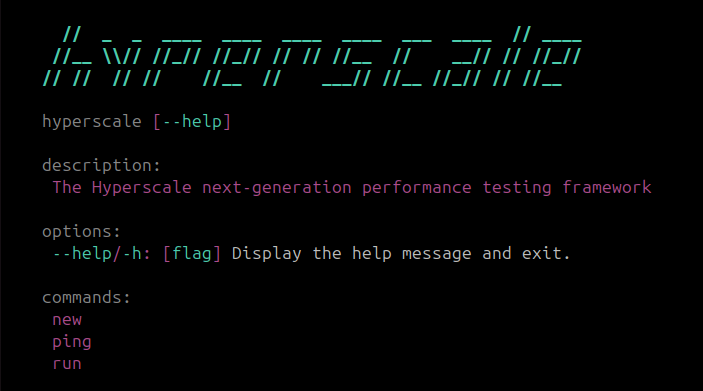
Verify the installation was was successful by running the command:
hyperscale --help
which should output
Running your first test
Get started by running Hyperscale's:
# Note: test.py can also be any other file
hyperscale new test.py
which will output the following:
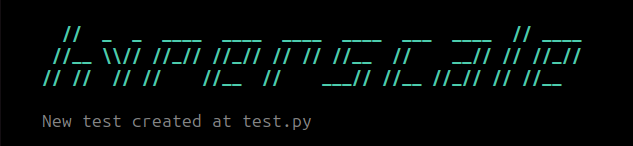
and generate the the test below in the specified test.py file:
from hyperscale.graph import Workflow, step
from hyperscale.testing import URL, HTTPResponse


class Test(Workflow):
    vus = 1000
    duration = "1m"

    @step()
    async def login(
        self,
        url: URL = "https://httpbin.org/get",
    ) -> HTTPResponse:
        return await self.client.http.get(
            url,
        )
Before running our test let's do two things. First, if on a Unix system, set the maximum number of open files above its current limit. This can be done by running:
ulimit -n 256000
Next, let's verify that httpbin.org/get can actually be reached by running:
hyperscale ping http https://httpbin.org/get
which should output:
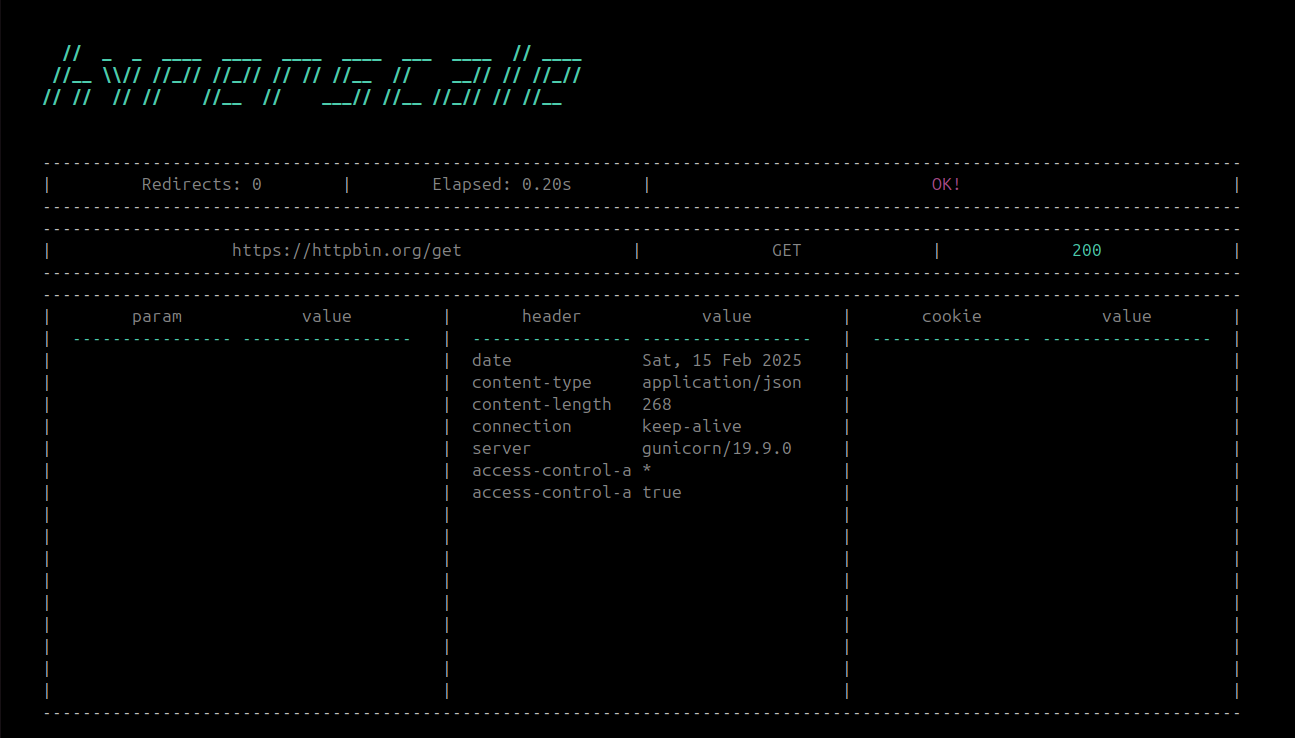
Awesome! Now let's run the test by executing:
hyperscale run test.py
which will output:
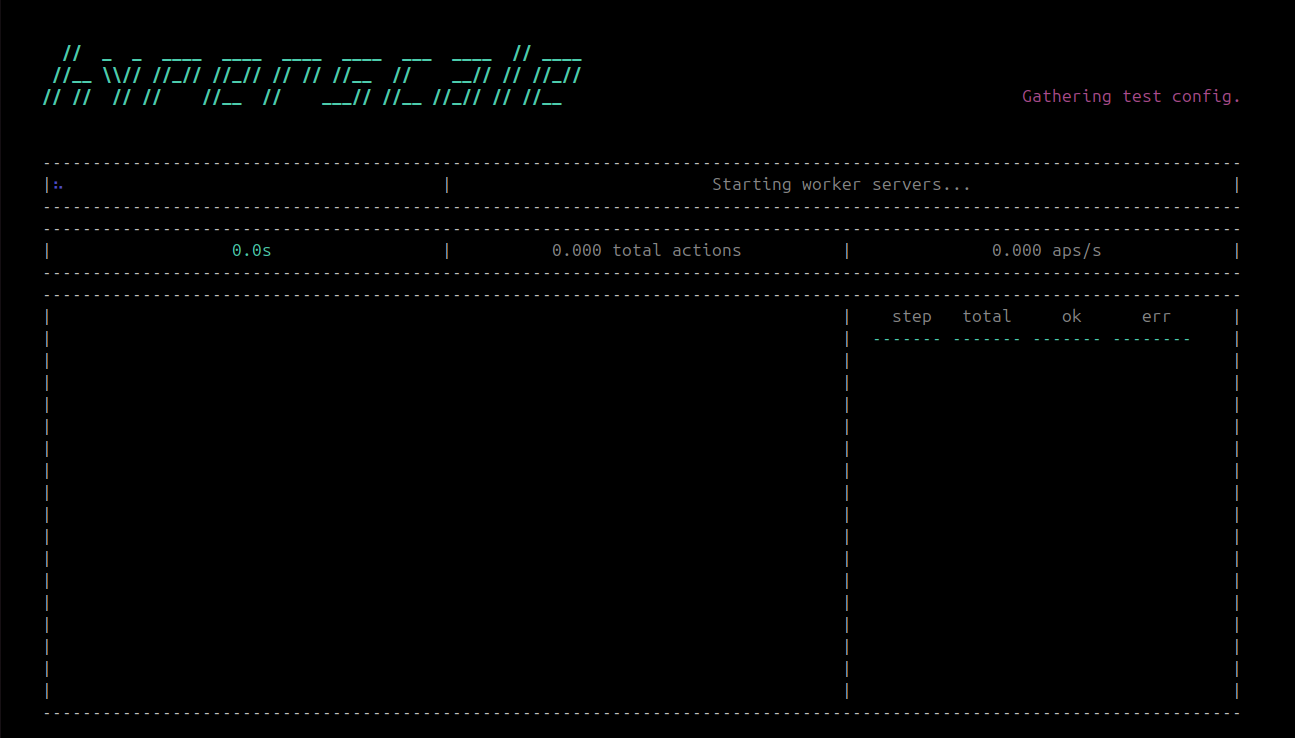
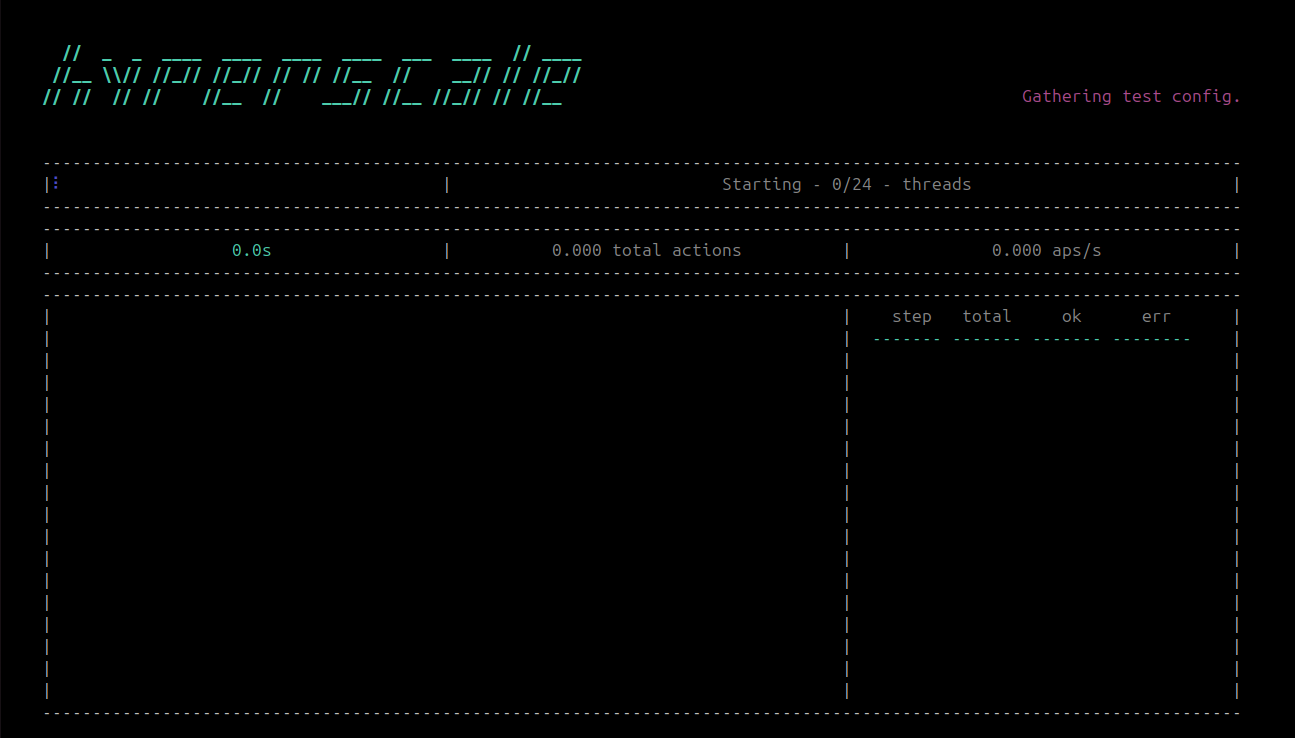
Hyperscale runs a independent "worker" server on each CPU core and uses all available CPUs by default, so it may take a few seconds while the worker servers connect. During this few seconds, Hyperscale will let you know how many workers have successfully connected thusfar:
Once the servers have connected your test will start, during which you will see both static test-wide and real-time updating run statstics:
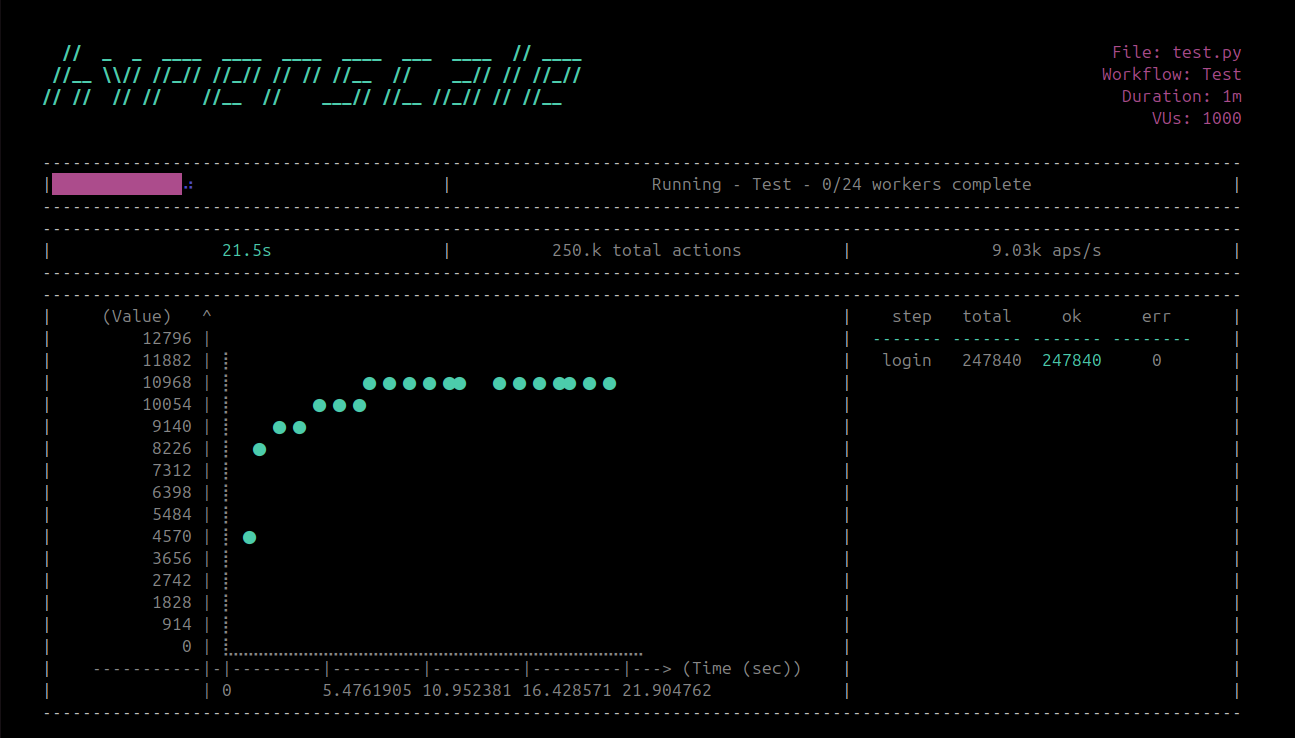
Live-updated statistics include actions-per-second (i.e. APS - how many individual actions Hyperscale completed, error or otherwise, per second), a scatter plot showing actions-per-second over time, total completed requests, total workflow duration, and per-action total/success/error stats. If multiple Workflows are present in the same Test file and executing concrrently, live statistics for each workflow will display for five-seconds and will cycle between all concurrent workflows.
Once the run is complete you should see:
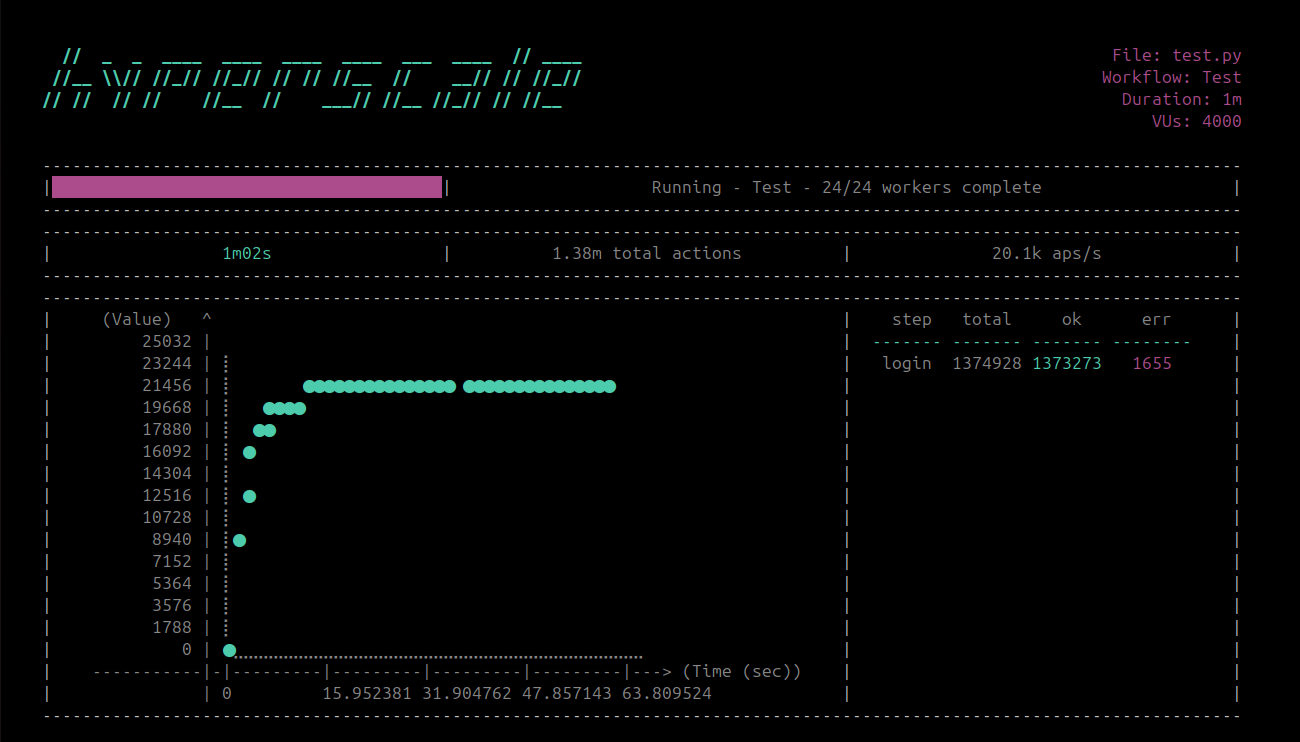
You have officially created and run your first workflow!
Cluster security
Every message between Hyperscale processes is authenticated and encrypted (AES-256-GCM) with a key derived from one shared secret, and workflows travel between processes as code. Whoever knows the secret can run code on every node, so Hyperscale has no default secret and refuses a weak one.
-
Local runs (
hyperscale run <test>.py) need no configuration: each run generates a random secret (secrets.token_urlsafe(32)) and shares it only with the worker processes it starts. IfMERCURY_SYNC_AUTH_SECRETis set, the run uses it instead. -
Cluster nodes and commands (
hyperscale run worker|manager|gate,hyperscale run workflow --managers/--gates,hyperscale cluster,join,remove,resize,membership,job status|cancel) take the secret from, in order:- the
--acm-secretflag, - the
MERCURY_SYNC_AUTH_SECRETenvironment variable, - the per-user cluster cookie, created on first use (as Erlang's
~/.erlang.cookieis) with 32 random bytes, readable by its owner only (mode 0600):- Linux, macOS and other POSIX systems:
$XDG_CONFIG_HOME/hyperscale/cluster_cookie, or~/.config/hyperscale/cluster_cookiewhenXDG_CONFIG_HOMEis unset. - Windows:
%APPDATA%\hyperscale\cluster_cookie.
- Linux, macOS and other POSIX systems:
All the nodes one user starts on one host therefore share a secret with no configuration. For a cluster that spans hosts or users, give every node the same secret: set
MERCURY_SYNC_AUTH_SECRET, pass--acm-secret, or copy one cookie to each host (keeping mode 0600). - the
Generate a strong secret with:
python -c "import secrets; print(secrets.token_urlsafe(32))"
A secret shorter than 16 characters, or a known weak or default value such as hyperscale-secret, is refused whatever HYPERSCALE_ENV is set to. The same rules apply to MERCURY_SYNC_AUTH_SECRET_PREVIOUS, which keeps the previous secret valid for decryption while the nodes rotate to a new one. Hyperscale also refuses a cluster cookie that its group or other users can access (fix it with chmod 600 <path>). If the cookie can't be created or read, for example because there is no home directory or the filesystem is read-only, the command exits and tells you to set MERCURY_SYNC_AUTH_SECRET or pass --acm-secret. It never runs without a secret.
Running in GitHub Actions
The Hyperscale action installs Hyperscale and runs hyperscale run workflow [OPTIONS...] <path> in your pipeline, with CI output and one worker per CPU the runner gives the job. A run that does not complete fails the step.
- uses: actions/checkout@v4
- uses: hyper-light/hyperscale@main
  with:
    workflow: tests/load/test_api.py
To run on a Hyperscale cluster instead of the runner, name its managers (or gates) and pass the cluster's secret from a repository secret:
- uses: hyper-light/hyperscale@main
  with:
    workflow: tests/load/test_api.py
    managers: manager-1.internal:9000 manager-2.internal:9000
    host: ${{ env.RUNNER_ADDRESS }}
    auth-secret: ${{ secrets.HYPERSCALE_AUTH_SECRET }}
Other inputs: workers, name, config, log-level, gates, args (any other run workflow options), working-directory (where results and logs are written), version, extras (for example playwright), with (packages your test file imports), python-version, and install-browsers for Playwright workflows. See action.yml.
Running in Docker
Hyperscale offers a Docker image that allows you to create and run tests in any Docker compatible environment. To run the Hyperscale Docker image run:
docker pull hyperlightorg/hyperscale:latest
then execute commands from within the image via:
docker run -e COLUMNS=200 -e LINES=60 -v <TEST_DIR>:/tests hyperlightorg/hyperscale:latest <ARGS_HERE>
Development
To setup your environment run the following script:
# Clone the repo
git clone https://github.com/hyper-light/hyperscale.git && \
cd hyperscale

# Development uses uv (https://docs.astral.sh/uv/getting-started/installation/).
# Create .venv exactly as uv.lock pins it, with the dev tools:
uv sync --dev

# NOTE: To install ALL dependencies for ALL reporting and
# client options instead, run:

# uv sync --all-extras --dev
JSON Scenario Framework
Hyperscale includes a JSON-driven scenario framework for cluster-level testing in
tests/framework. It is used by end-to-end scenarios under tests/end_to_end.
Key capabilities:
- Define clusters and actions in JSON (start/stop, submit jobs, stop/restart nodes)
- Assert runtime state via
assert_conditiontargets - Submit workflow instances with explicit dependencies via
workflow_instances - Dynamically generate step/state hooks per workflow instance
- Port safety defaults: manager and worker ports are gapped by 500, worker UDP ports use a 50 offset and 100 stride by default (configurable)
The schema is the spec classes' from_dict validators in tests/framework/specs/
(scenario_spec.py, cluster_spec.py, node_spec.py, action_spec.py), which
reject a malformed scenario with the field at fault; the scenarios under
tests/end_to_end/gate_manager/ (e.g. section_08.py) are worked examples.
Clients and Reporters
Below find a tables of Hyperscale's supported client and reporting options, as well as co-requisite dependencies (if any):
Clients
| Client | Additional Install Option | Dependencies |
|---|---|---|
| FTP | N/A | N/A |
| HTTP | N/A | N/A |
| HTTP2 | N/A | N/A |
| HTTP3 (unstable) | pip install hyperscale[http3] | aioquic |
| SMTP | N/A | N/A |
| TCP | N/A | N/A |
| UDP | N/A | N/A |
| Websocket | N/A | N/A |
| GRPC | pip install hyperscale[grpc] | protobuf |
| GraphQL | pip install hyperscale[graphql] | graphql-core |
| GraphQL-HTTP2 | pip install hyperscale[graphql] | graphql-core |
| Playwright | pip install hyperscale[playwright] && playwright install | playwright |
Reporters
| Reporter | Additional Install Option | Dependencies |
|---|---|---|
| AWS Lambda | pip install hyperscale[aws] | boto3 |
| AWS Timestream | pip install hyperscale[aws] | boto3 |
| Big Query | pip install hyperscale[google] | google-cloud-bigquery |
| Big Table | pip install hyperscale[google] | google-cloud-bigtable |
| Cassandra | pip install hyperscale[cassandra] | cassandra-driver |
| Cloudwatch | pip install hyperscale[aws] | boto3 |
| CosmosDB | pip install hyperscale[azure] | azure-cosmos |
| CSV | N/A | N/A |
| Datadog | pip install hyperscale[datadog] | datadog |
| DogStatsD | pip install hyperscale[statsd] | aio_statsd |
| Google Cloud Storage | pip install hyperscale[google] | google-cloud-storage |
| Graphite | pip install hyperscale[statsd] | aio_statsd |
| Honeycomb | pip install hyperscale[honeycomb] | libhoney |
| InfluxDB | pip install hyperscale[influxdb] | influxdb_client |
| JSON | N/A | N/A |
| Kafka | pip install hyperscale[kafka] | aiokafka |
| MongoDB | pip install hyperscale[mongodb] | motor |
| MySQL | pip install hyperscale[sql] | aiomysql, sqlalchemy |
| NetData | pip install hyperscale[statsd] | aio_statsd |
| New Relic | pip install hyperscale[newrelic] | newrelic |
| Postgresql | pip install hyperscale[sql] | aiopg, psycopg2-binary, sqlalchemy |
| Prometheus | pip install hyperscale[prometheus] | prometheus-client, prometheus-client-api |
| Redis | pip install hyperscale[redis] | redis, aioredis |
| S3 | pip install hyperscale[aws] | boto3 |
| Snowflake | pip install hyperscale[snowflake] | snowflake-connector-python, sqlalchemy |
| SQLite3 | pip install hyperscale[sql] | sqlalchemy |
| StatsD | pip install hyperscale[statsd] | aio_statsd |
| Telegraf | pip install hyperscale[statsd] | aio_statsd |
| TelegrafStatsD | pip install hyperscale[statsd] | aio_statsd |
| TimescaleDB | pip install hyperscale[sql] | aiopg, psycopg2-binary, sqlalchemy |
| XML | pip install hyperscale[xml] | dicttoxml |
Resources
Hyperscale's official and full documentation is currently being written and will be linked here soon!
License
Hyper-Light and the Hyperscale project believe software should be truly open source forever. As such, this software is licensed under the MIT License in perpetuitiy. See the LICENSE file in the top distribution directory for the full license text.
Contributing
Hyperscale will be open to general contributions starting Fall, 2025 (once the distributed rewrite and general testing is complete). Until then, feel free to use Hyperscale on your local machine and report any bugs or issues you find!
Code of Conduct
Hyperscale has adopted and follows the Contributor Covenant code of conduct. If you observe behavior that violates those rules please report to:
| Name | ||
|---|---|---|
| Ada Lundhe | alundhe@anaconda.com | @adalundhe.dev |


Release files for hyperscale 0.8.1
For a detailed explanation of source distributions (sdists) and built distributions (wheels), please see the package formats documentation.
Source distribution (sdist)
| File | Size | Uploaded | |
|---|---|---|---|
| hyperscale-0.8.1.tar.gz | 4.7 MB | Details |
Built distribution (wheel)
| File | Interpreter | ABI | Platform | Reset |
|---|---|---|---|---|
| hyperscale-0.8.1-py3-none-any.whl | Python 3 | none | any | Details |
Total release size: 10.9 MB
Release files / hyperscale-0.8.1.tar.gz
| Download URL | hyperscale-0.8.1.tar.gz |
|---|---|
| Size | 4.7 MB |
| Tags | Source |
|
SHA-256 checksum How to use checksums |
91e6f41c7c37323f0d79dd9b1fc226eba7e4b4c34b15c6112bbfba85483cf8a4
|
|
BLAKE2b-256 checksum How to use checksums |
c8028ba2363a9021e9559a356fe1086d52bd6b7d2847655837b8acdda4ebb1c6
|
| Upload date | |
|
Uploaded using Trusted Publishing? What is trusted publishing? |
No |
| Uploaded via |
twine/7.0.0 CPython/3.13.14
|
Release files / hyperscale-0.8.1-py3-none-any.whl
| Download URL | hyperscale-0.8.1-py3-none-any.whl |
|---|---|
| Size | 6.2 MB |
| Tags | Python 3 |
|
SHA-256 checksum How to use checksums |
7b68d4edb214f7fa1abeffee521c6cd3cebfc14779f1ad2631f23ec8afeaa70d
|
|
BLAKE2b-256 checksum How to use checksums |
97cf8f0d10fe06a9b881e08745c85716f153201b6f088d637b4bd241a271a7d5
|
| Upload date | |
|
Uploaded using Trusted Publishing? What is trusted publishing? |
No |
| Uploaded via |
twine/7.0.0 CPython/3.13.14
|














