
Performance testing at scale.


Project description
Hyperscale




| Package | Hyperscale |
|---|---|
| Version | 0.1.0 |
| Download | https://pypi.org/project/hyperscale/ |
| Source | https://github.com/hyper-light/hyperscale |
| Keywords | performance, testing, async, distributed, graph, DAG, workflow |
Hyperscale is a Python performance and scalable unit/integration testing framework that makes creating and running complex test workflows easy.
Write and orchestrate workflows as Python classes and decorator-wrapped async methods (called actions) using clients from Playwright and HTTP3 to GRPC and DTLS-UDP concurrently, connect to over thirty one different reporting options, and execute your tests the same locally and distributed via an intuitive CLI. Test execution statistics and performance is displayed via an intuitive terminal UI allowing for real-time feedback.
Why Hyperscale?
Understanding how your application performs under load provides valuable insights, from catching issues with latency and memory usage to finding race condititions and infrastructure misconfiguration. However, performance test tools are often difficult to use and lack the ability to simulate complex user scenarios. As a simulation framework Hyperscale is different, built from the ground up to facilitate multi-client workflow-driven testing without sacrificing developer experience, speed, or effciency. The Hyperscale project follows these tenants:
Speed and efficiency by default
Whether running on your personal laptop or distributed across a cluster, Hyperscale should be fast, capable of generating millions of requests or interactions per minute and without consuming excessive memory such that running in modern cloud environments becomes difficult.
Run with ease anywhere
Authoring, managing, and running test workflows should be easy. Hyperscale should run without any additional setup beyond a supported Python 3.11+ Python distribution and offer portable containerized options to make running in more challenging environments likewise easy. Test code should require no changes whether running locally or distributed, and CLI option or configuration tweaks should be kept to as few as possible. Hyperscale should facilitate modern developer experience features like starter templates generation or dev tools like one-off request/response checks, and should enforce a minimal but flexible API so that developer spend less time learning the framework and more time making their applications the best they can.
Flexibility and and painless extensibility
Hyperscale ships with support for HTTP, HTTP2, HTTP3, Websockets, and UDP out of the box. GraphQL, GraphQL-HTTP2, GRPC, and Playwright are available as optional extras that can be installed via:
pip install "hyperscale[<extra_here>]"
Hyperscale offers JSON and CSV results reporting by default, with 29 additional reporters readily available as extra install options.
Requirements and Getting Started
Hyperscale makes use of the latest and greatest Python features, and requires Python 3.11+. We also recommend installing the latest LTS version of OpenSSL if you wish to perform DTLS UDP testing or run tests over SSL encrypted connections.
Installing
To install Hyperscale run:
pip install hyperscale
Verify the installation was was successful by running the command:
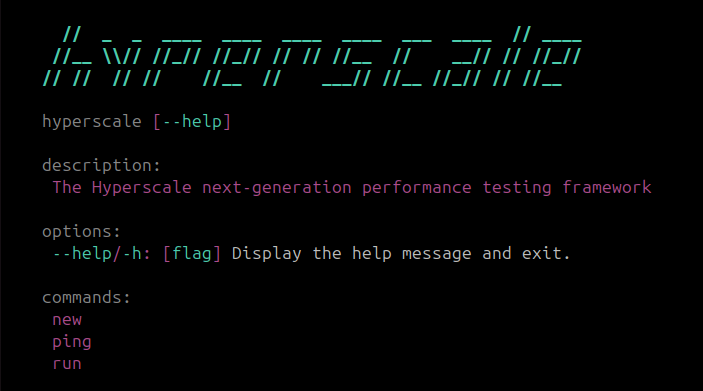
hyperscale --help
which should output
Note: Hyperscale has been tested using and fully supports both poetry and uv package managers. We strongly recommend uv for its speed and ease of use.
Running Your First Workflow Test
Get started by running Hyperscale's:
# Note: test.py can also be any other file
hyperscale new test.py
which will output the following:
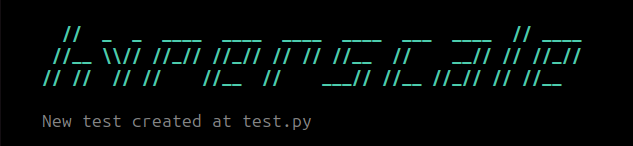
and generate the the test below in the specified test.py file:
from hyperscale.graph import Workflow, step
from hyperscale.testing import URL, HTTPResponse


class Test(Workflow):
    vus = 1000
    duration = "1m"

    @step()
    async def login(
        self,
        url: URL = "https://httpbin.org/get",
    ) -> HTTPResponse:
        return await self.client.http.get(
            url,
        )
Before running our test let's do two things. First, if on a Unix system, set the maximum number of open files above its current limit. This can be done by running:
ulimit -n 256000
Note that you can provide any number here, as long as it is greater than the vus specified in a given Workflow. Next, let's verify that httpbin.org/get
can actually be reached by running:
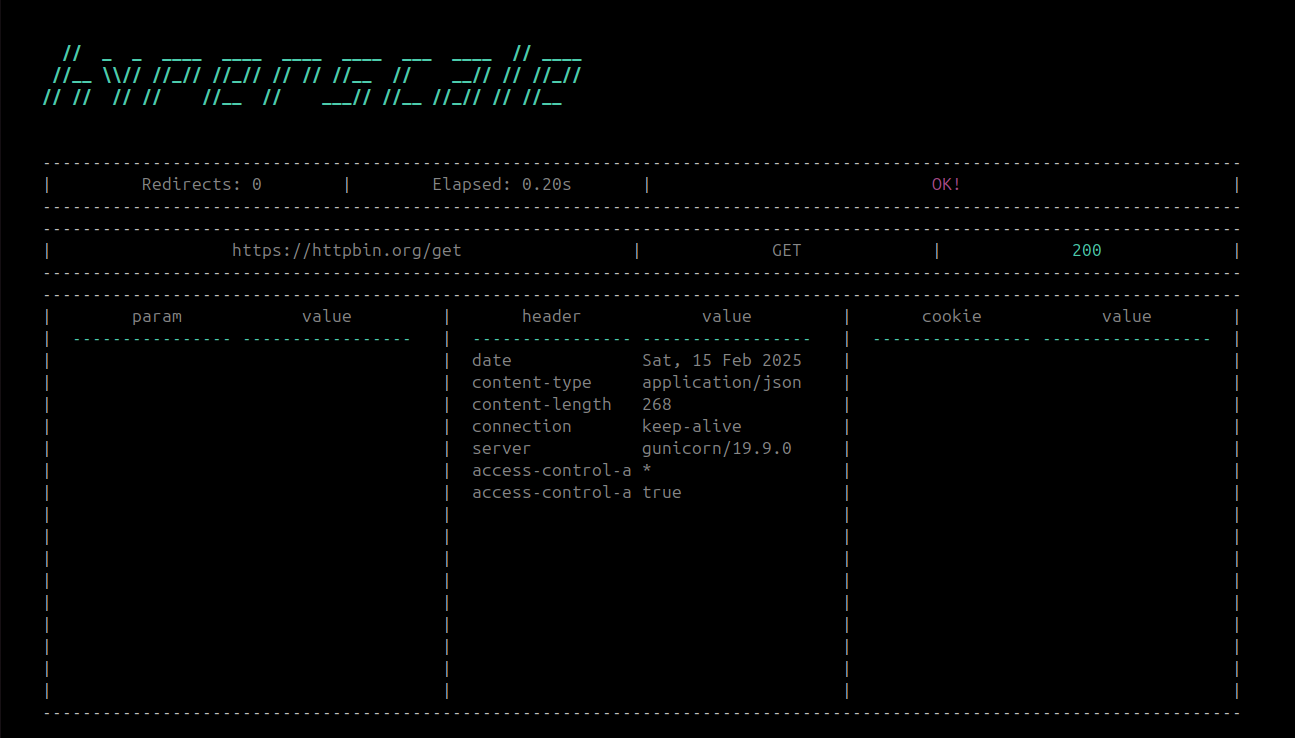
hyperscale ping https://httpbin.org/get
which should output:
Awesome! Now let's run the test by executing:
hyperscale run test.py
which will output:
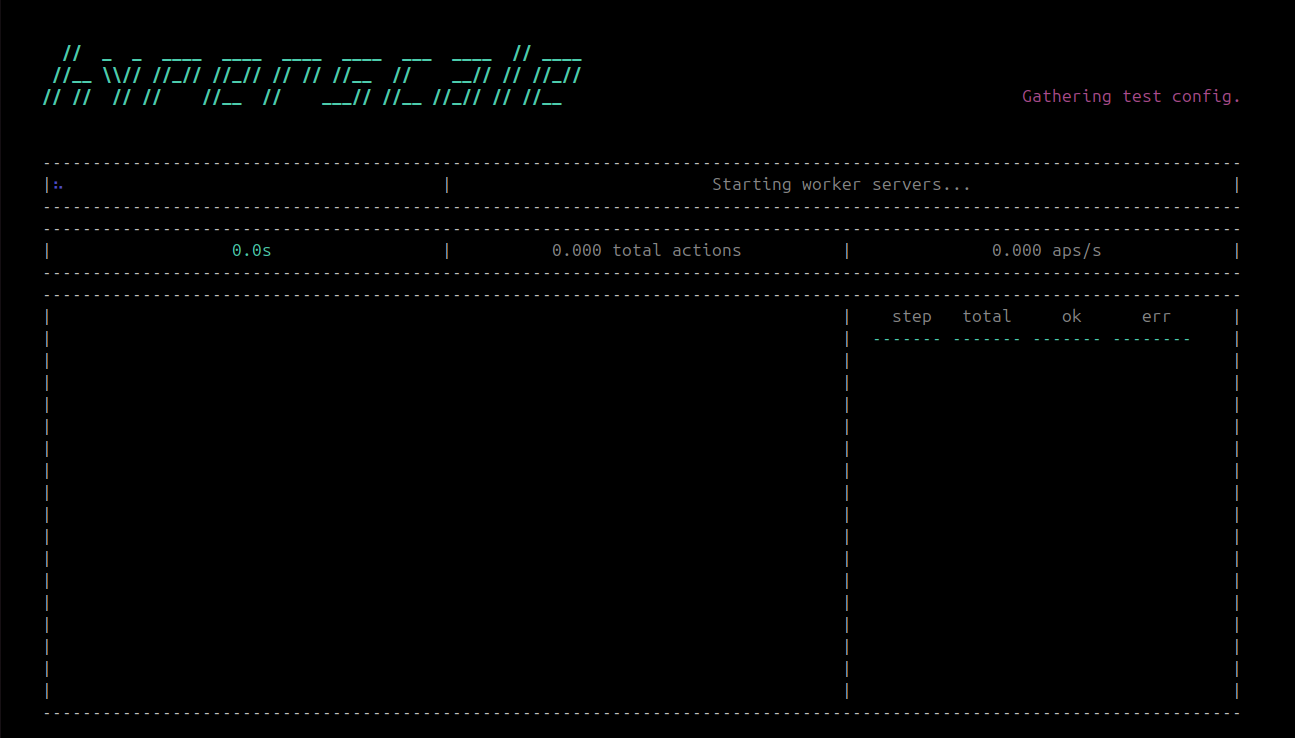
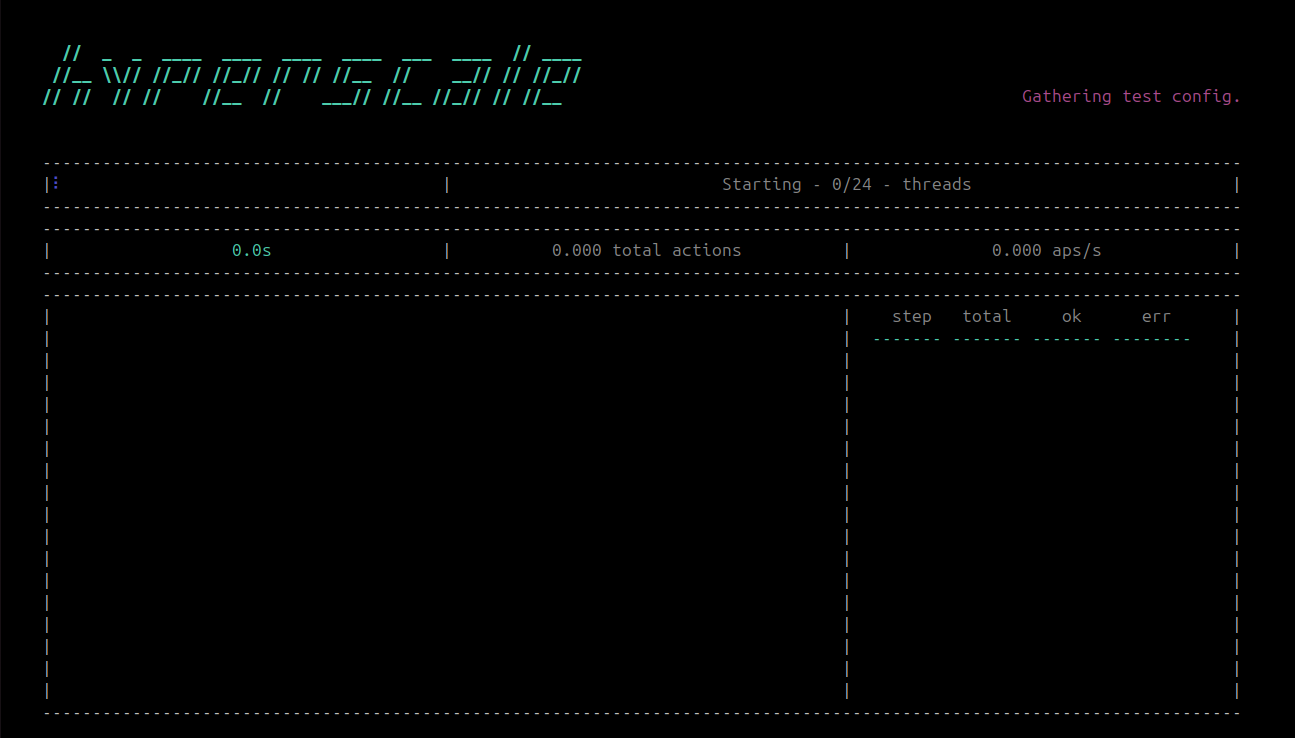
Hyperscale runs a independent "worker" server on each CPU core and uses all available CPUs by default, so it may take a few seconds while the worker servers connect. During this few seconds, Hyperscale will let you know how many workers have successfully connected thusfar:
Once the servers have connected your test will start, during which you will see both static test-wide and real-time updating run statstics:
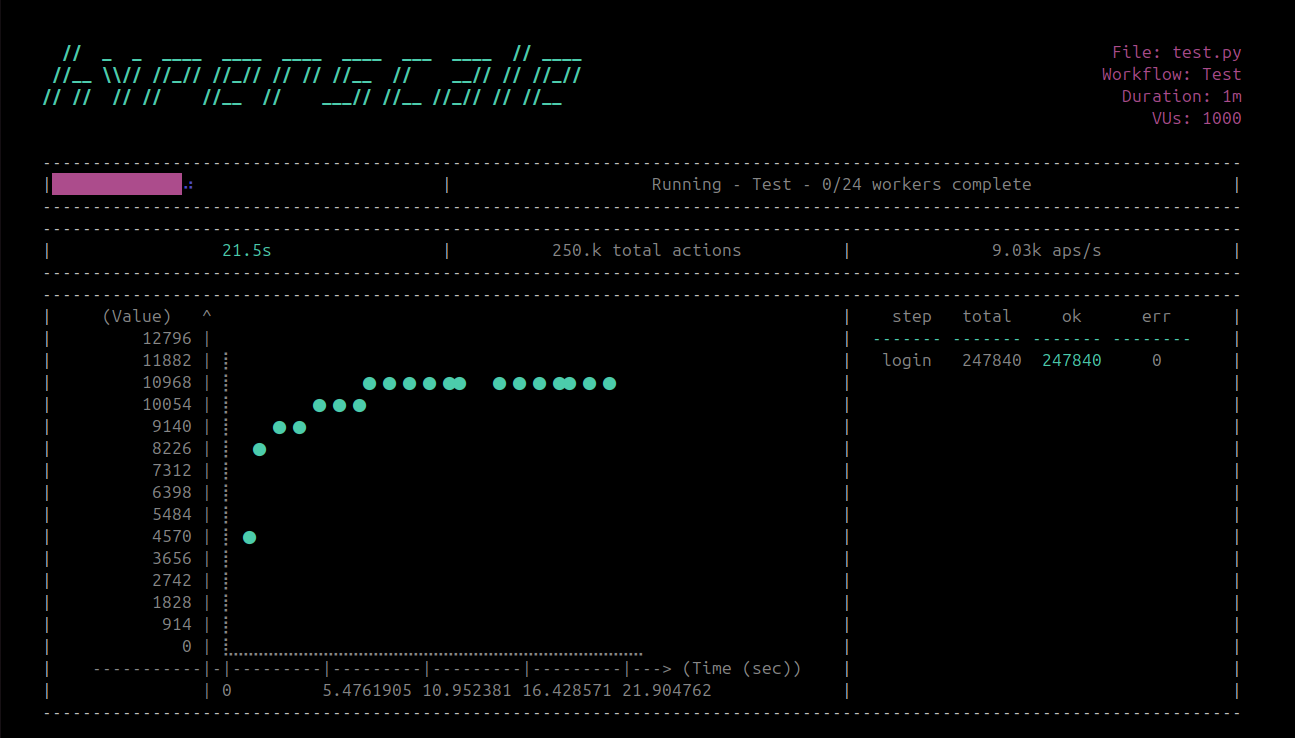
Live-updated statistics include actions-per-second (i.e. APS - how many individual actions Hyperscale completed, error or otherwise, per second), a scatter plot showing actions-per-second over time, total completed requests, total workflow duration, and per-action total/success/error stats. If multiple Workflows are present in the same Test file and executing concrrently, live statistics for each workflow will display for five-seconds and will cycle between all concurrent workflows.
Once the run is complete you should see:
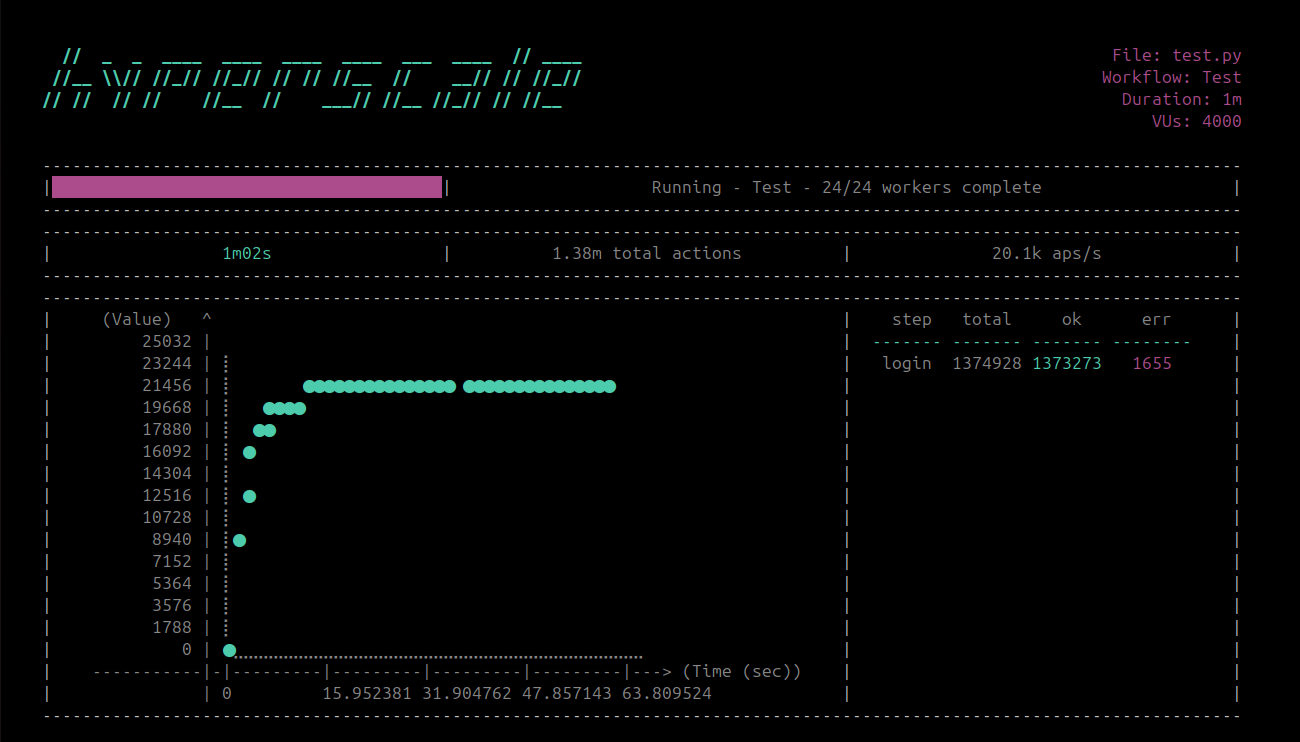
You have officially created and run your first workflow!
Development
To setup your environment run the following script:
# Clone the repo
git clone https://github.com/hyper-light/hyperscale.git && \
cd hyperscale

# We personally recommend uv
pip install uv

uv venv && \
source .venv/bin/activate

# Install Hyperscale

# NOTE: To install ALL dependencies for ALL reporting and
# engine options, uncomment the line below:

# uv pip install -r requirements.txt.dev

uv pip install -e .
Engines and Reporters
Below find a tables of Hyperscale's supported client and reporting options, as well as co-requisite dependencies (if any):
Engines
| Engine | Additional Install Option | Dependencies |
|---|---|---|
| HTTP | N/A | N/A |
| HTTP2 | N/A | N/A |
| HTTP3 (unstable) | pip install hyperscale[http3] | aioquic |
| UDP | N/A | N/A |
| Websocket | N/A | N/A |
| GRPC | pip install hyperscale[grpc] | protobuf |
| GraphQL | pip install hyperscale[graphql] | graphql-core |
| GraphQL-HTTP2 | pip install hyperscale[graphql] | graphql-core |
| Playwright | pip install hyperscale[playwright] && playwright install | playwright |
Reporters
| Engine | Additional Install Option | Dependencies |
|---|---|---|
| AWS Lambda | pip install hyperscale[aws] | boto3 |
| AWS Timestream | pip install hyperscale[aws] | boto3 |
| Big Query | pip install hyperscale[google] | google-cloud-bigquery |
| Big Table | pip install hyperscale[google] | google-cloud-bigtable |
| Cassandra | pip install hyperscale[cassandra] | cassandra-driver |
| Cloudwatch | pip install hyperscale[aws] | boto3 |
| CosmosDB | pip install hyperscale[azure] | azure-cosmos |
| CSV | N/A | N/A |
| Datadog | pip install hyperscale[datadog] | datadog |
| DogStatsD | pip install hyperscale[statsd] | aio_statsd |
| Google Cloud Storage | pip install hyperscale[google] | google-cloud-storage |
| Graphite | pip install hyperscale[statsd] | aio_statsd |
| Honeycomb | pip install hyperscale[honeycomb] | libhoney |
| InfluxDB | pip install hyperscale[influxdb] | influxdb_client |
| JSON | N/A | N/A |
| Kafka | pip install hyperscale[kafka] | aiokafka |
| MongoDB | pip install hyperscale[mongodb] | motor |
| MySQL | pip install hyperscale[sql] | aiomysql, sqlalchemy |
| NetData | pip install hyperscale[statsd] | aio_statsd |
| New Relic | pip install hyperscale[newrelic] | newrelic |
| Postgresql | pip install hyperscale[sql] | aiopg, psycopg2-binary, sqlalchemy |
| Prometheus | pip install hyperscale[prometheus] | prometheus-client, prometheus-client-api |
| Redis | pip install hyperscale[redis] | redis, aioredis |
| S3 | pip install hyperscale[aws] | boto3 |
| Snowflake | pip install hyperscale[snowflake] | snowflake-connector-python, sqlalchemy |
| SQLite3 | pip install hyperscale[sql] | sqlalchemy |
| StatsD | pip install hyperscale[statsd] | aio_statsd |
| Telegraf | pip install hyperscale[statsd] | aio_statsd |
| TelegrafStatsD | pip install hyperscale[statsd] | aio_statsd |
| TimescaleDB | pip install hyperscale[sql] | aiopg, psycopg2-binary, sqlalchemy |
| XML | pip install hyperscale[xml] | dicttoxml |
Resources
Hyperscale's official and full documentation is currently being written and will be linked here soon!
License
Hyper-Light and the Hyperscale project believe software should be truly open source forever. As such, this software is licensed under the MIT License in perpetuitiy. See the LICENSE file in the top distribution directory for the full license text.
Contributing
Hyperscale will be open to general contributions starting Fall, 2025 (once the distributed rewrite and general testing is complete). Until then, feel free to use Hyperscale on your local machine and report any bugs or issues you find!
Code of Conduct
Hyperscale has adopted and follows the Contributor Covenant code of conduct. If you observe behavior that violates those rules please report to:
| Name | ||
|---|---|---|
| Ada Lundhe | alundhe@anaconda.com | @adalundhe.dev |
Release history Release notifications | RSS feed


Download files
Download the file for your platform. If you're not sure which to choose, learn more about installing packages.
Source Distribution
Built Distribution
Filter files by name, interpreter, ABI, and platform.
If you're not sure about the file name format, learn more about wheel file names.
Copy a direct link to the current filters
File details
Details for the file hyperscale-0.2.21.tar.gz.
File metadata
- Download URL: hyperscale-0.2.21.tar.gz
- Upload date:
- Size: 582.1 kB
- Tags: Source
- Uploaded using Trusted Publishing? No
- Uploaded via: twine/6.1.0 CPython/3.9.21
File hashes
| Algorithm | Hash digest | |
|---|---|---|
| SHA256 |
170a93626262033a13afef1f8b93d1adbd32c7942075be5c459b6ed65344e084
|
|
| MD5 |
c0892a15ed30dcf683a9f999ddba44f9
|
|
| BLAKE2b-256 |
2c3a7b8ee8b698d08093dc6e3ec121b6c757c2015c0d3d94750097576c246b51
|
File details
Details for the file hyperscale-0.2.21-py3-none-any.whl.
File metadata
- Download URL: hyperscale-0.2.21-py3-none-any.whl
- Upload date:
- Size: 930.7 kB
- Tags: Python 3
- Uploaded using Trusted Publishing? No
- Uploaded via: twine/6.1.0 CPython/3.9.21
File hashes
| Algorithm | Hash digest | |
|---|---|---|
| SHA256 |
b842acf80a09a906a1995e520711a08dc294e0d47b9f27b40b5cf19d51d1776b
|
|
| MD5 |
98d0d3d51f0f4e08e238d6abd7bcccb1
|
|
| BLAKE2b-256 |
8ff57f179547e343bf0635eef6376de9a8a40c827e86f21660dcae978cf28f62
|






