
firecracker-python


firecracker-python is a simple Python library that makes it easy to manage Firecracker microVMs. It provides a simple way to create, configure, and manage microVMs.
Some features are still being developed and will be added in the future. You can track these in the TODO.md file.
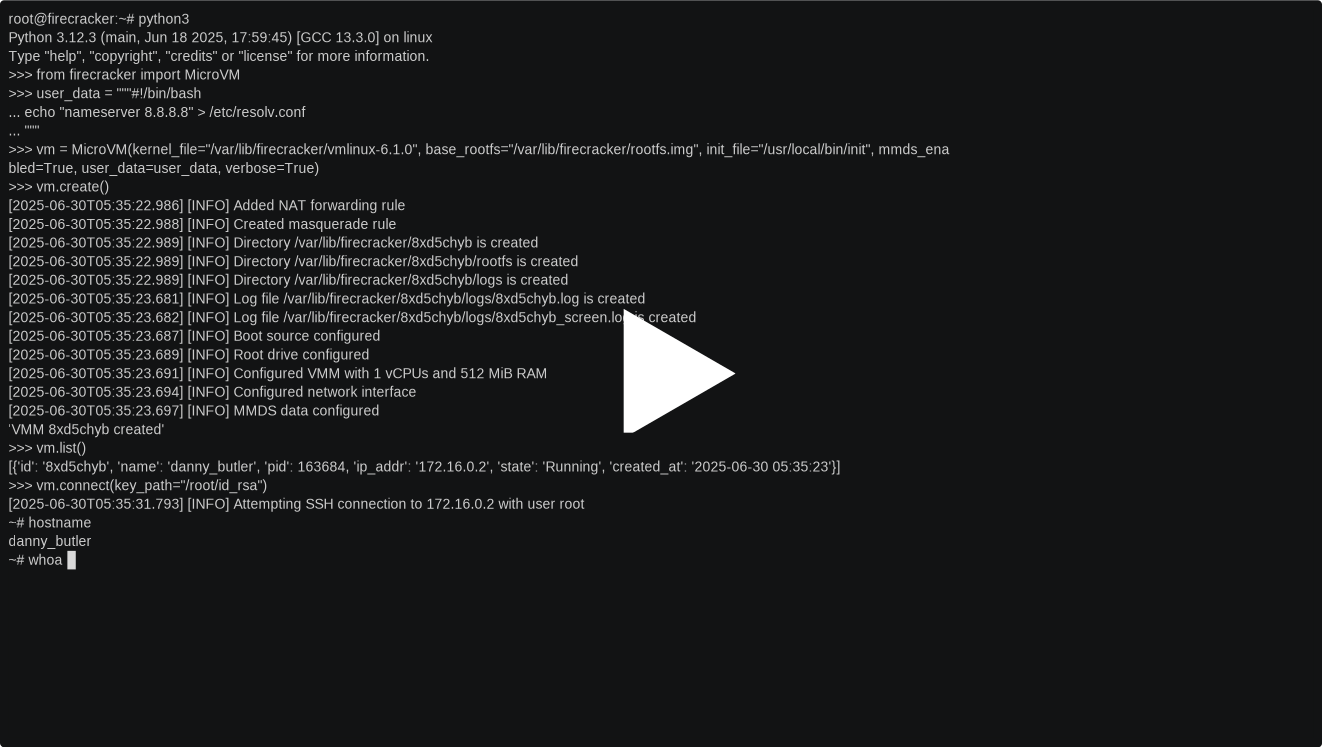
Table of Contents
How to Install
Install the package from PyPI:
pip3 install hysn-firecracker-python
The import name is firecracker:
from firecracker import MicroVM
Or install from source:
git clone https://github.com/hysnsec/firecracker-python.git
cd firecracker-python

# Using uv (recommended)
uv sync --dev

# Or using pip
python3 -m venv venv
source venv/bin/activate
pip3 install -r requirements.txt
pip3 install -e .
Key Features
- Create microVMs with custom vCPU, memory and network settings
- Build a rootfs image from a Docker image
- List, pause, resume and delete microVMs
- Connect to microVMs over SSH
- Forward host ports to microVMs
- Create and load snapshots
- Pass metadata and user data through MMDS
- Attach a vsock device
Getting Started
The easiest way to get started is to use the official Firecracker setup script:
# Download the official CI kernel and rootfs, and create an SSH key
./assets/rootfs/setup-firecracker-official.sh

# Then run the sample script
./examples/sample.py
The setup script creates these files:
| File | Purpose |
|---|---|
firecracker-files/vmlinux |
Guest kernel |
firecracker-files/rootfs.img |
10 GB ext4 rootfs with SSH enabled |
ssh_keys/ubuntu-22.04 |
SSH private key for root |
The official setup uses Firecracker's CI kernel and rootfs, which are tested together. This avoids kernel compatibility issues. See FIRECRACKER_SETUP.md for details.
To build a rootfs from your own Docker image instead, see Build a rootfs from a Docker image.
Prerequisites
Before running the setup script, ensure you have:
- Linux with KVM enabled:
lsmod | grep kvm - Firecracker binary installed at
/usr/local/bin/firecracker - Docker installed and running. The library connects to Docker every time you create a
MicroVMobject. - Python 3.9+
- python3-nftables installed
- root access. The library creates TAP devices and nftables rules.
Enable IP Forwarding
To enable networking for Firecracker VMs, run:
sudo sh -c "echo 1 > /proc/sys/net/ipv4/ip_forward"
sudo iptables -P FORWARD ACCEPT
Quick Start Example
# Activate virtual environment and run sample
source .venv/bin/activate
./examples/sample.py
The sample script:
- Picks a free subnet so the new VM does not conflict with running VMs
- Creates a VM with the files from the setup script
- Offers to open an SSH session
- Prints cleanup instructions
For a full walkthrough, read the getting started guide.
Usage
Every microVM needs a kernel (kernel_file) and a root filesystem (base_rootfs). The examples below use the files from the setup script.
Create a microVM with custom configuration and list them all
from firecracker import MicroVM

KERNEL = "./firecracker-files/vmlinux"
ROOTFS = "./firecracker-files/rootfs.img"

# Memory accepts MiB as a number, or a string such as "4G"
vm = MicroVM(kernel_file=KERNEL, base_rootfs=ROOTFS, vcpu=2, memory="4G")
vm.create()

# List all running microVMs
for info in MicroVM.list():
    print(f"VM {info['id']} has IP {info['ip_addr']} and is {info['state']}")
Delete a microVM by id or all microVMs
from firecracker import MicroVM

vm = MicroVM(kernel_file=KERNEL, base_rootfs=ROOTFS)
vm.create()

# Delete the microVM just created
vm.delete()

# Delete a specific microVM by ID
MicroVM().delete(id="<specific_id>")

# Delete all microVMs
MicroVM().delete(all=True)
MicroVM() without arguments is enough to manage VMs that already exist. You only need kernel_file and base_rootfs to create a new VM.
Enable port forwarding
During initialization:
from firecracker import MicroVM

# Single port
vm = MicroVM(
    kernel_file=KERNEL,
    base_rootfs=ROOTFS,
    expose_ports=True,
    host_port=10222,
    dest_port=22,
)
# Multiple ports: host_port=[10222, 10280], dest_port=[22, 80]

vm.create()
After creation you can also expose ports using the port_forward function:
# Forward a single port
vm.port_forward(host_port=10222, dest_port=22)
# 'Port forwarding added successfully for VMM <id>'

# Forward multiple ports
vm.port_forward(host_port=[10222, 10280], dest_port=[22, 80])

# Remove port forwarding
vm.port_forward(host_port=10222, dest_port=22, remove=True)
# 'Port forwarding removed successfully for VMM <id>'
Note: When using port forwarding, you need to specify both
host_portanddest_port. The number of host ports must match the number of destination ports. Port forwarding supports TCP only.
Documentation
- Getting started
- Build a rootfs from a Docker image
- API reference
- Configuration
- Network
- Snapshots
- MMDS, vsock, overlayfs and initrd
- Examples
- Cleanup
- Testing in Docker
License
This project is licensed under the MIT License. See the LICENSE file for details.
Contributing
Contributions are welcome! Please open an issue or submit a Pull Request (PR).
1 maintainer

Metadata
1 maintainer
Release files for hysn-firecracker-python 1.0.8
For a detailed explanation of source distributions (sdists) and built distributions (wheels), please see the package formats documentation.
Source distribution (sdist)
| File | Size | Uploaded | Provenance | Actions |
|---|---|---|---|---|
| hysn_firecracker_python-1.0.8.tar.gz | 315.1 kB | With provenance | Details for hysn_firecracker_python-1.0.8.tar.gz |
Built distribution (wheel)
| File | Interpreter | ABI | Platform | Actions Reset |
|---|---|---|---|---|
| hysn_firecracker_python-1.0.8-py3-none-any.whl | Python 3 | none | any | Details for hysn_firecracker_python-1.0.8-py3-none-any.whl |
Total release size: 371.0 kB
Release files / hysn_firecracker_python-1.0.8.tar.gz
| Download URL | hysn_firecracker_python-1.0.8.tar.gz |
|---|---|
| Size | 315.1 kB |
| Tags | Source |
|
SHA-256 checksum How to use checksums |
c989bad73f3a00d5698d92334fa462377535c98798f704f5ad256e0625864730
|
|
BLAKE2b-256 checksum How to use checksums |
2255e1088b84fd443fd1dbc27eabc4eb314a2a9b5662336e4ba43e4acd51d761
|
| Upload date | |
|
Uploaded using Trusted Publishing? What is trusted publishing? |
Yes |
| Uploaded via |
twine/7.0.0 CPython/3.13.16
|
Provenance
Provenance describes where a file came from. On PyPI, provenance is shared via attestations, which provide a verifiable record of the build or publishing details. View details, limitations and caveats.


PyPI Publish Attestation
PyPI verified that this artifact, at this checksum, originated from the publisher listed below.
Signed by GitHub Actions, verified by PyPI on Nov 1, 2026.
Transparency logRelease files / hysn_firecracker_python-1.0.8-py3-none-any.whl
| Download URL | hysn_firecracker_python-1.0.8-py3-none-any.whl |
|---|---|
| Size | 55.9 kB |
| Tags | Python 3 |
|
SHA-256 checksum How to use checksums |
5e1497c8f3dc242fcee3cc1c3be6fc7543ed28ef129fb60e5cdc522af187d58b
|
|
BLAKE2b-256 checksum How to use checksums |
153790ddd2bf0291bc1b828f51b213e22c5f1a2b9b7ae9ccdbe99923cea5fb14
|
| Upload date | |
|
Uploaded using Trusted Publishing? What is trusted publishing? |
Yes |
| Uploaded via |
twine/7.0.0 CPython/3.13.16
|
Provenance
Provenance describes where a file came from. On PyPI, provenance is shared via attestations, which provide a verifiable record of the build or publishing details. View details, limitations and caveats.
PyPI Publish Attestation
PyPI verified that this artifact, at this checksum, originated from the publisher listed below.
Signed by GitHub Actions, verified by PyPI on Nov 1, 2026.
Transparency logSecurity for hysn-firecracker-python 1.0.8
Provenance
Provenance describes where a file came from. On PyPI, provenance is shared via attestations, which provide a verifiable record of the build or publishing details. View details, limitations and caveats.
Full provenance
Both files in this release have been uploaded with provenance metadata.
Attestation for hysn_firecracker_python-1.0.8.tar.gz
PyPI Publish Attestation
PyPI verified that this artifact, at this checksum, originated from the publisher listed below.
Signed by GitHub Actions, verified by PyPI on Nov 1, 2026.
Transparency logA note on package security
PyPI is a repository for distributing packages, not a service for auditing them. While third-party security researchers and our staff do their best to detect and remove malicious packages, PyPI cannot guarantee the quality, security or suitability of any given package.
To learn more about protecting yourself from malicious actors, visit our package security documentation.














