
A Python client library to interact with Firecracker microVMs

Project description
firecracker-python


firecracker-python is a simple Python library that makes it easy to manage Firecracker microVMs. It provides a simple way to create, configure, and manage microVMs.
Some features are still being developed and will be added in the future. You can track these in the TODO.md file.
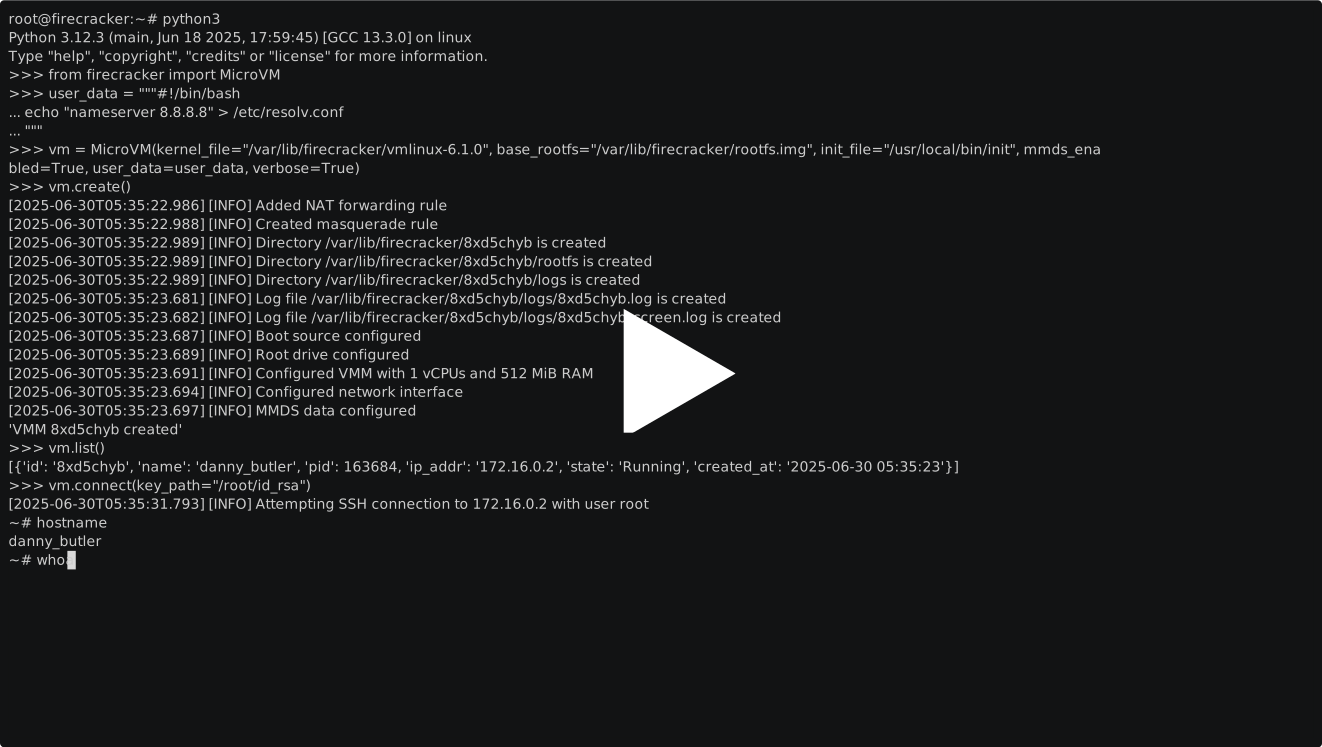
Table of Contents
How to Install
To install from PyPI, you need to have a personal access token with read access to the repository.
pip3 install firecracker-python
Or install from source, by cloning the repository and installing the package using pip:
git clone https://github.com/myugan/firecracker-python.git
cd firecracker-python

# Using uv (recommended)
uv sync --dev

# Or using pip
python3 -m venv venv
source venv/bin/activate
pip3 install -r requirements.txt
pip3 install -e .
Key Features
- Easily create microVMs with default or custom settings
- View a list of all running microVMs
- Access and modify microVM settings
- Remove one or all microVMs
- Connect to microVMs using SSH
- Set up port forwarding in microVMs
Getting Started
The easiest way to get started is to use the official Firecracker setup script:
# Run the official setup script (downloads official CI kernel and rootfs)
./assets/rootfs/setup-firecracker-official.sh

# Then run the sample script
./examples/sample.py
This will:
- Download the latest Firecracker kernel from official CI (tested with Ubuntu)
- Download the official Ubuntu rootfs from Firecracker CI
- Set up SSH keys for root access
- Create a properly configured ext4 rootfs image
The official setup uses Firecracker's CI kernel and rootfs which are proven to work together, avoiding kernel compatibility issues.
Manual Setup (Alternative):
If you prefer to build your own rootfs, see FIRECRACKER_SETUP.md for detailed instructions.
Prerequisites
Before running the setup script, ensure you have:
- Firecracker binary installed at
/usr/local/bin/firecrackeror/usr/bin/firecracker - KVM enabled on your system:
lsmod | grep kvm - Docker installed and running (for rootfs setup)
- Python 3.9+ installed
Enable IP Forwarding
To enable networking for Firecracker VMs, run:
sudo sh -c "echo 1 > /proc/sys/net/ipv4/ip_forward"
sudo iptables -P FORWARD ACCEPT
Quick Start Example
# Activate virtual environment and run sample
source .venv/bin/activate
./examples/sample.py
The sample script includes:
- Automatic IP conflict detection
- VM creation with verified files
- SSH connection capability
- Cleanup instructions
To get started with firecracker-python, check out the getting started guide
Usage
Here are some examples of how to use the library.
Create a microVM with custom configuration and list them all
from firecracker import MicroVM

# Create a new microVM with custom configuration
vm = MicroVM(vcpu=2, memory="4096")
# Or
vm = MicroVM(vcpu=2, memory="4G")

vm.create()

# List all running microVMs
vms = MicroVM.list()  # Static method to list all VMs
for vm in vms:
    print(f"VM with id {vm['id']} has IP {vm['ip_addr']} and is in state {vm['state']}")
Delete a microVM by id or all microVMs
from firecracker import MicroVM

# Create a new microVM
vm = MicroVM()
vm.create()

# Delete the microVM just created
vm.delete()

# Delete a specific microVM by ID
vm.delete(id="<specific_id>")

# Delete all microVMs
vm.delete(all=True)
Enable port forwarding
During initialization:
from firecracker import MicroVM

# Single port
vm = MicroVM(expose_ports=True, host_port=10222, dest_port=22)
# Multiple ports
# vm = MicroVM(expose_ports=True, host_port=[10222, 10280], dest_port=[22, 80])

vm.create()
After creation you can also expose ports using the port_forward function:
from firecracker import MicroVM

vm = MicroVM()
vm.create()

# Forward a single port
vm.port_forward(host_port=10222, dest_port=22)
# 'Port forwarding added successfully'

# Forward multiple ports
vm.port_forward(host_port=[10222, 10280], dest_port=[22, 80])
# 'Port forwarding added successfully'

# Remove port forwarding
vm.port_forward(host_port=10222, dest_port=22, remove=True)
# 'Port forwarding removed successfully'
Note: When using port forwarding, you need to specify both
host_portanddest_port. The number of host ports must match the number of destination ports.
License
This project is licensed under the MIT License. See the LICENSE file for details.
Contributing
Contributions are welcome! Please open an issue or submit a Pull Request (PR).
Release history Release notifications | RSS feed


Download files
Download the file for your platform. If you're not sure which to choose, learn more about installing packages.
Source Distribution
Built Distribution
Filter files by name, interpreter, ABI, and platform.
If you're not sure about the file name format, learn more about wheel file names.
Copy a direct link to the current filters
File details
Details for the file hysn_firecracker_python-1.0.6.tar.gz.
File metadata
- Download URL: hysn_firecracker_python-1.0.6.tar.gz
- Upload date:
- Size: 284.9 kB
- Tags: Source
- Uploaded using Trusted Publishing? Yes
- Uploaded via: twine/6.1.0 CPython/3.13.12
File hashes
| Algorithm | Hash digest | |
|---|---|---|
| SHA256 |
7a11c4641601609557c407bf1d2a6ee38c70ad7efb5b6b4e72b6696f4091ab50
|
|
| MD5 |
2c16fe3a2e48684f3c1e1cf0fa4b8e46
|
|
| BLAKE2b-256 |
5b191f4f32f78d363dd19d9efce6cc8436dba03aa154d101649fe04cf259dbd2
|
Provenance
The following attestation bundles were made for hysn_firecracker_python-1.0.6.tar.gz:
Publisher:
pypi-release.yml on hysnsec/firecracker-python
-
Statement:
-
Statement type:
https://in-toto.io/Statement/v1 -
Predicate type:
https://docs.pypi.org/attestations/publish/v1 -
Subject name:
hysn_firecracker_python-1.0.6.tar.gz -
Subject digest:
7a11c4641601609557c407bf1d2a6ee38c70ad7efb5b6b4e72b6696f4091ab50 - Sigstore transparency entry: 1708068827
- Sigstore integration time:
-
Permalink:
hysnsec/firecracker-python@3b21589ba4a401571b79a01407df5f42a51db90e -
Branch / Tag:
refs/tags/v1.0.6 - Owner: https://github.com/hysnsec
-
Access:
public
-
Token Issuer:
https://token.actions.githubusercontent.com -
Runner Environment:
github-hosted -
Publication workflow:
pypi-release.yml@3b21589ba4a401571b79a01407df5f42a51db90e -
Trigger Event:
push
-
Statement type:
File details
Details for the file hysn_firecracker_python-1.0.6-py3-none-any.whl.
File metadata
- Download URL: hysn_firecracker_python-1.0.6-py3-none-any.whl
- Upload date:
- Size: 43.1 kB
- Tags: Python 3
- Uploaded using Trusted Publishing? Yes
- Uploaded via: twine/6.1.0 CPython/3.13.12
File hashes
| Algorithm | Hash digest | |
|---|---|---|
| SHA256 |
2a581b83f851dd0246501cf3860afd0b28d0c015f1c2c80a6cc089b8a2ec6838
|
|
| MD5 |
075752d6577dc559e2bb4da60bf9ce4f
|
|
| BLAKE2b-256 |
3ffc099b5cc23d4429ad61bd0d4a5d262368d71507ceae12bee7ead80b438161
|
Provenance
The following attestation bundles were made for hysn_firecracker_python-1.0.6-py3-none-any.whl:
Publisher:
pypi-release.yml on hysnsec/firecracker-python
-
Statement:
-
Statement type:
https://in-toto.io/Statement/v1 -
Predicate type:
https://docs.pypi.org/attestations/publish/v1 -
Subject name:
hysn_firecracker_python-1.0.6-py3-none-any.whl -
Subject digest:
2a581b83f851dd0246501cf3860afd0b28d0c015f1c2c80a6cc089b8a2ec6838 - Sigstore transparency entry: 1708068847
- Sigstore integration time:
-
Permalink:
hysnsec/firecracker-python@3b21589ba4a401571b79a01407df5f42a51db90e -
Branch / Tag:
refs/tags/v1.0.6 - Owner: https://github.com/hysnsec
-
Access:
public
-
Token Issuer:
https://token.actions.githubusercontent.com -
Runner Environment:
github-hosted -
Publication workflow:
pypi-release.yml@3b21589ba4a401571b79a01407df5f42a51db90e -
Trigger Event:
push
-
Statement type:






