
BloodHound MCP Server for Active Directory security analysis

Project description
BloodHound-MCP

Model Context Protocol (MCP) Server for BloodHound
BloodHound-MCP is a powerful integration that brings the capabilities of Model Context Procotol (MCP) Server to BloodHound, the industry-standard tool for Active Directory security analysis. This integration allows you to analyze BloodHound data using natural language, making complex Active Directory attack path analysis accessible to everyone.
🥇 First-Ever BloodHound AI Integration!
This is the first integration that connects BloodHound with AI through MCP, originally announced here.
🔍 What is BloodHound-MCP?
BloodHound-MCP combines the power of:
- BloodHound: Industry-standard tool for visualizing and analyzing Active Directory attack paths
- Model Context Protocol (MCP): An open protocol for creating custom AI tools, compatible with various AI models
- Neo4j: Graph database used by BloodHound to store AD relationship data
With over 75 specialized tools based on the original BloodHound CE Cypher queries, BloodHound-MCP allows security professionals to:
- Query BloodHound data using natural language
- Discover complex attack paths in Active Directory environments
- Assess Active Directory security posture more efficiently
- Generate detailed security reports for stakeholders
📱 Community
Join our Telegram channel for updates, tips, and discussion:
- Telegram: root_sec
🌟 Star History
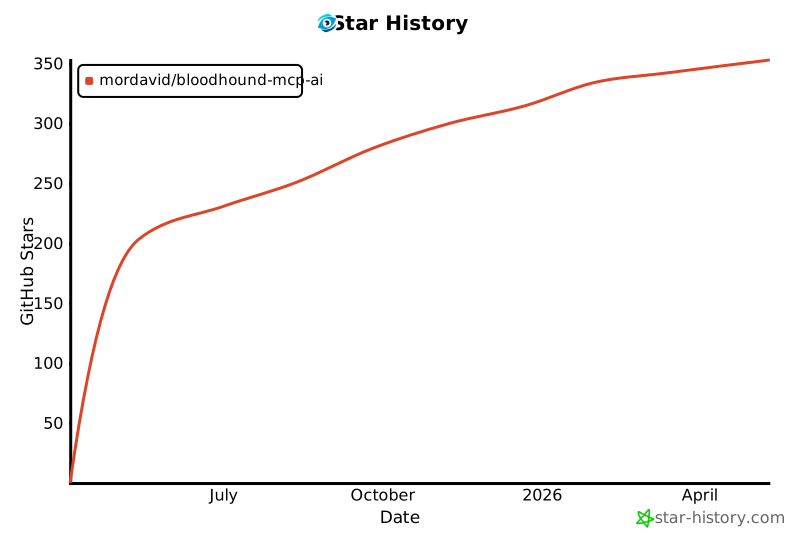
✨ Features
- Natural Language Interface: Query BloodHound data using plain English
- Comprehensive Analysis Categories:
- Domain structure mapping
- Privilege escalation paths
- Kerberos security issues (Kerberoasting, AS-REP Roasting)
- Certificate services vulnerabilities
- Active Directory hygiene assessment
- NTLM relay attack vectors
- Delegation abuse opportunities
- And much more!
📋 Prerequisites
- BloodHound 4.x+ with data collected from an Active Directory environment
- Neo4j database with BloodHound data loaded
- Python 3.8 or higher
- MCP Client
🔧 Installation
-
Clone this repository:
git clone https://github.com/your-username/MCP-BloodHound.git
cd MCP-BloodHound
-
Install dependencies:
pip install -r requirements.txt
-
Configure the MCP Server
"mcpServers": {
    "BloodHound-MCP": {
        "command": "python",
        "args": [
            "<Your_Path>\\BloodHound-MCP.py"
        ],
        "env": {
            "BLOODHOUND_URI": "bolt://localhost:7687",
            "BLOODHOUND_USERNAME": "neo4j",
            "BLOODHOUND_PASSWORD": "bloodhoundcommunityedition"
        }
    }
}
🚀 Usage
Example queries you can ask through the MCP:
- "Show me all paths from kerberoastable users to Domain Admins"
- "Find computers where Domain Users have local admin rights"
- "Identify Domain Controllers vulnerable to NTLM relay attacks"
- "Map all Active Directory certificate services vulnerabilities"
- "Generate a comprehensive security report for my domain"
- "Find inactive privileged accounts"
- "Show me attack paths to high-value targets"
🔐 Security Considerations
This tool is designed for legitimate security assessment purposes. Always:
- Obtain proper authorization before analyzing any Active Directory environment
- Handle BloodHound data as sensitive information
- Follow responsible disclosure practices for any vulnerabilities discovered
📜 License
This project is licensed under the MIT License - see the LICENSE file for details.
🙏 Acknowledgments
- The BloodHound team for creating an amazing Active Directory security tool
- The security community for continuously advancing AD security practices

Note: This is not an official Anthropic product. BloodHound-MCP is a community-driven integration between BloodHound and MCP.
Release history Release notifications | RSS feed

Download files
Download the file for your platform. If you're not sure which to choose, learn more about installing packages.
Source Distribution
Built Distribution
Filter files by name, interpreter, ABI, and platform.
If you're not sure about the file name format, learn more about wheel file names.
Copy a direct link to the current filters
File details
Details for the file iflow_mcp_bloodhound_mcp_ai-1.0.0.tar.gz.
File metadata
- Download URL: iflow_mcp_bloodhound_mcp_ai-1.0.0.tar.gz
- Upload date:
- Size: 8.3 kB
- Tags: Source
- Uploaded using Trusted Publishing? No
- Uploaded via: uv/0.9.8
File hashes
| Algorithm | Hash digest | |
|---|---|---|
| SHA256 |
4c6a3a9862884d9ca20d1df2b4cf89b44946dcd3bc1af2160f10803ad76a423b
|
|
| MD5 |
11f850a1eb609916b519ac3af5439038
|
|
| BLAKE2b-256 |
02715dabcb2922cf150ae760cd39281d67ac56dbb848d473a1af86dece7c0156
|
File details
Details for the file iflow_mcp_bloodhound_mcp_ai-1.0.0-py3-none-any.whl.
File metadata
- Download URL: iflow_mcp_bloodhound_mcp_ai-1.0.0-py3-none-any.whl
- Upload date:
- Size: 8.8 kB
- Tags: Python 3
- Uploaded using Trusted Publishing? No
- Uploaded via: uv/0.9.8
File hashes
| Algorithm | Hash digest | |
|---|---|---|
| SHA256 |
b661af32128e06cb8bfd89162e399b6ab855a198fb2d9d5111d71b369d8eabc5
|
|
| MD5 |
bb3728e1457ab1b88dc322d86a439dc4
|
|
| BLAKE2b-256 |
11020b60399d1218375903448861eafca33cfb8f27b226721cbf15e284b6b20b
|






