
SeaTunnel MCP Server
A Model Context Protocol (MCP) server for interacting with SeaTunnel through LLM interfaces like Claude.


Operation Video
To help you better understand the features and usage of SeaTunnel MCP, we provide a video demonstration. Please refer to the link below or directly check the video file in the project documentation directory.
https://www.youtube.com/watch?v=JaLA8EkZD7Q
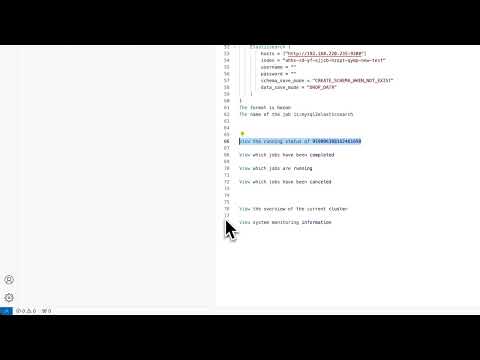
Tip: If the video does not play directly, make sure your device supports MP4 format and try opening it with a modern browser or video player.
Features
- Job management (submit, stop, monitor)
- System monitoring and information retrieval
- REST API interaction with SeaTunnel services
- Built-in logging and monitoring tools
- Dynamic connection configuration
- Comprehensive job information and statistics
Installation
# Clone repository
git clone <repository_url>
cd seatunnel-mcp

# Create virtual environment and install
python -m venv .venv
source .venv/bin/activate  # On Windows: .venv\Scripts\activate
pip install -e .
Requirements
- Python ≥ 3.12
- Running SeaTunnel instance
- Node.js (for testing with MCP Inspector)
Usage
Environment Variables
SEATUNNEL_API_URL=http://localhost:8090  # Default SeaTunnel REST API URL
SEATUNNEL_API_KEY=your_api_key           # Optional: Default SeaTunnel API key
Dynamic Connection Configuration
The server provides tools to view and update connection settings at runtime:
get-connection-settings: View current connection URL and API key statusupdate-connection-settings: Update URL and/or API key to connect to a different SeaTunnel instance
Example usage through MCP:
// Get current settings
{
  "name": "get-connection-settings"
}

// Update connection settings
{
  "name": "update-connection-settings",
  "arguments": {
    "url": "http://new-host:8090",
    "api_key": "new-api-key"
  }
}
Job Management
The server provides tools to submit and manage SeaTunnel jobs:
submit-job: Submit a new job with job configurationsubmit-jobs: Submit multiple jobs in batchstop-job: Stop a running jobget-job-info: Get detailed information about a specific jobget-running-jobs: List all currently running jobsget-finished-jobs: List all finished jobs by state (FINISHED, CANCELED, FAILED, etc.)
Running the Server
python -m src.seatunnel_mcp
Usage with Claude Desktop
To use this with Claude Desktop, add the following to your claude_desktop_config.json:
{
  "mcpServers": {
    "seatunnel": {
      "command": "python",
      "args": ["-m", "src.seatunnel_mcp"],
      "cwd": "Project root directory"
    }
  }
}
Testing with MCP Inspector
npx @modelcontextprotocol/inspector python -m src.seatunnel_mcp
Available Tools
Connection Management
get-connection-settings: View current SeaTunnel connection URL and API key statusupdate-connection-settings: Update URL and/or API key to connect to a different instance
Job Management
submit-job: Submit a new job with configuration in HOCON formatsubmit-job/upload: submit job source upload configuration filesubmit-jobs: Submit multiple jobs in batch, directly passing user input as request bodystop-job: Stop a running job with optional savepointget-job-info: Get detailed information about a specific jobget-running-jobs: List all currently running jobsget-running-job: Get details about a specific running jobget-finished-jobs: List all finished jobs by state
System Monitoring
get-overview: Get an overview of the SeaTunnel clusterget-system-monitoring-information: Get detailed system monitoring information
Changelog
v1.2.0 (2025-06-10)
New Features in v1.2.0
- SSE Support: Added
st-mcp-ssefor real-time communication with SeaTunnel MCP via Server-Sent Events (SSE). Corresponding sse branch - UV/Studio Mode: Added
st-mcp-uv(orst-mcp-studio) to support running the MCP server using theuvtool for improved performance and async support. Corresponding to uv branch
Example claude_desktop_config.json:
{
  "mcpServers": {
    "st-mcp-sse": {
      "url": "http://your-server:18080/sse"
    },
    "st-mcp-uv": {
      "command": "uv",
      "args": ["run", "seatunnel-mcp"],
      "env": {
        "SEATUNNEL_API_URL": "http://127.0.0.1:8080"
      }
    }
  }
}
v1.1.0 (2025-04-10)
- New Feature: Added
submit-jobsandsubmit-job/uploadtool for batch job submission and Document submission operations- Allows submitting multiple jobs at once with a single API call
- Input is passed directly as the request body to the API
- Supports JSON format for job configurations
- Allow submission of jobs based on documents
v1.0.0 (Initial Release)
- Initial release with basic SeaTunnel integration capabilities
- Job management tools (submit, stop, monitor)
- System monitoring tools
- Connection configuration utilities
License
Apache License
1 maintainer

Metadata
1 maintainer
Release files for iflow-mcp_ocean-zhc-seatunnel-mcp 0.1.2
For a detailed explanation of source distributions (sdists) and built distributions (wheels), please see the package formats documentation.
Source distribution (sdist)
| File | Size | Uploaded | |
|---|---|---|---|
| iflow_mcp_ocean_zhc_seatunnel_mcp-0.1.2.tar.gz | 16.9 kB | Details |
Built distribution (wheel)
| File | Interpreter | ABI | Platform | Reset |
|---|---|---|---|---|
| iflow_mcp_ocean_zhc_seatunnel_mcp-0.1.2-py3-none-any.whl | Python 3 | none | any | Details |
Total release size: 36.6 kB
Release files / iflow_mcp_ocean_zhc_seatunnel_mcp-0.1.2.tar.gz
| Download URL | iflow_mcp_ocean_zhc_seatunnel_mcp-0.1.2.tar.gz |
|---|---|
| Size | 16.9 kB |
| Tags | Source |
|
SHA-256 checksum How to use checksums |
918cd73231ded06407f5b64c999eb84979ba2558290fb0ae6aa5d36b41ff3423
|
|
BLAKE2b-256 checksum How to use checksums |
6f2c6edef338da146c1bb3bacb3a3943a6a7fb777a14f3c64c53f6e16e85f551
|
| Upload date | |
|
Uploaded using Trusted Publishing? What is trusted publishing? |
No |
| Uploaded via |
uv/0.10.0 {"installer":{"name":"uv","version":"0.10.0","subcommand":["publish"]},"python":null,"implementation":{"name":null,"version":null},"distro":{"name":"Debian GNU/Linux","version":"13","id":"trixie","libc":null},"system":{"name":null,"release":null},"cpu":null,"openssl_version":null,"setuptools_version":null,"rustc_version":null,"ci":null}
|
Release files / iflow_mcp_ocean_zhc_seatunnel_mcp-0.1.2-py3-none-any.whl
| Download URL | iflow_mcp_ocean_zhc_seatunnel_mcp-0.1.2-py3-none-any.whl |
|---|---|
| Size | 19.7 kB |
| Tags | Python 3 |
|
SHA-256 checksum How to use checksums |
253e8888d2a231fd89e2f4f05ccb62b3fad554fc489c4ffd0c0e9dbe51886257
|
|
BLAKE2b-256 checksum How to use checksums |
6a71245b0df7db0c7267cbe7442fd1060aa556e39622a999af002f04eed0acb6
|
| Upload date | |
|
Uploaded using Trusted Publishing? What is trusted publishing? |
No |
| Uploaded via |
uv/0.10.0 {"installer":{"name":"uv","version":"0.10.0","subcommand":["publish"]},"python":null,"implementation":{"name":null,"version":null},"distro":{"name":"Debian GNU/Linux","version":"13","id":"trixie","libc":null},"system":{"name":null,"release":null},"cpu":null,"openssl_version":null,"setuptools_version":null,"rustc_version":null,"ci":null}
|














