
A Model Context Protocol (MCP) server for interacting with SeaTunnel through LLM interfaces

Project description
SeaTunnel MCP Server
A Model Context Protocol (MCP) server for interacting with SeaTunnel through LLM interfaces like Claude.


Operation Video
To help you better understand the features and usage of SeaTunnel MCP, we provide a video demonstration. Please refer to the link below or directly check the video file in the project documentation directory.
https://www.youtube.com/watch?v=JaLA8EkZD7Q
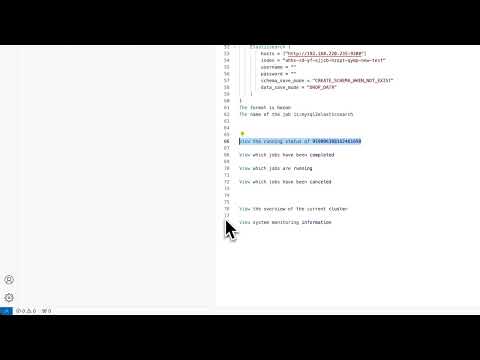
Tip: If the video does not play directly, make sure your device supports MP4 format and try opening it with a modern browser or video player.
Features
- Job management (submit, stop, monitor)
- System monitoring and information retrieval
- REST API interaction with SeaTunnel services
- Built-in logging and monitoring tools
- Dynamic connection configuration
- Comprehensive job information and statistics
Installation
# Clone repository
git clone <repository_url>
cd seatunnel-mcp

# Create virtual environment and install
python -m venv .venv
source .venv/bin/activate  # On Windows: .venv\Scripts\activate
pip install -e .
Requirements
- Python ≥ 3.12
- Running SeaTunnel instance
- Node.js (for testing with MCP Inspector)
Usage
Environment Variables
SEATUNNEL_API_URL=http://localhost:8090  # Default SeaTunnel REST API URL
SEATUNNEL_API_KEY=your_api_key           # Optional: Default SeaTunnel API key
Dynamic Connection Configuration
The server provides tools to view and update connection settings at runtime:
get-connection-settings: View current connection URL and API key statusupdate-connection-settings: Update URL and/or API key to connect to a different SeaTunnel instance
Example usage through MCP:
// Get current settings
{
  "name": "get-connection-settings"
}

// Update connection settings
{
  "name": "update-connection-settings",
  "arguments": {
    "url": "http://new-host:8090",
    "api_key": "new-api-key"
  }
}
Job Management
The server provides tools to submit and manage SeaTunnel jobs:
submit-job: Submit a new job with job configurationsubmit-jobs: Submit multiple jobs in batchstop-job: Stop a running jobget-job-info: Get detailed information about a specific jobget-running-jobs: List all currently running jobsget-finished-jobs: List all finished jobs by state (FINISHED, CANCELED, FAILED, etc.)
Running the Server
python -m src.seatunnel_mcp
Usage with Claude Desktop
To use this with Claude Desktop, add the following to your claude_desktop_config.json:
{
  "mcpServers": {
    "seatunnel": {
      "command": "python",
      "args": ["-m", "src.seatunnel_mcp"],
      "cwd": "Project root directory"
    }
  }
}
Testing with MCP Inspector
npx @modelcontextprotocol/inspector python -m src.seatunnel_mcp
Available Tools
Connection Management
get-connection-settings: View current SeaTunnel connection URL and API key statusupdate-connection-settings: Update URL and/or API key to connect to a different instance
Job Management
submit-job: Submit a new job with configuration in HOCON formatsubmit-job/upload: submit job source upload configuration filesubmit-jobs: Submit multiple jobs in batch, directly passing user input as request bodystop-job: Stop a running job with optional savepointget-job-info: Get detailed information about a specific jobget-running-jobs: List all currently running jobsget-running-job: Get details about a specific running jobget-finished-jobs: List all finished jobs by state
System Monitoring
get-overview: Get an overview of the SeaTunnel clusterget-system-monitoring-information: Get detailed system monitoring information
Changelog
v1.2.0 (2025-06-10)
New Features in v1.2.0
- SSE Support: Added
st-mcp-ssefor real-time communication with SeaTunnel MCP via Server-Sent Events (SSE). Corresponding sse branch - UV/Studio Mode: Added
st-mcp-uv(orst-mcp-studio) to support running the MCP server using theuvtool for improved performance and async support. Corresponding to uv branch
Example claude_desktop_config.json:
{
  "mcpServers": {
    "st-mcp-sse": {
      "url": "http://your-server:18080/sse"
    },
    "st-mcp-uv": {
      "command": "uv",
      "args": ["run", "seatunnel-mcp"],
      "env": {
        "SEATUNNEL_API_URL": "http://127.0.0.1:8080"
      }
    }
  }
}
v1.1.0 (2025-04-10)
- New Feature: Added
submit-jobsandsubmit-job/uploadtool for batch job submission and Document submission operations- Allows submitting multiple jobs at once with a single API call
- Input is passed directly as the request body to the API
- Supports JSON format for job configurations
- Allow submission of jobs based on documents
v1.0.0 (Initial Release)
- Initial release with basic SeaTunnel integration capabilities
- Job management tools (submit, stop, monitor)
- System monitoring tools
- Connection configuration utilities
License
Apache License
Release history Release notifications | RSS feed


Download files
Download the file for your platform. If you're not sure which to choose, learn more about installing packages.
Source Distribution
Built Distribution
Filter files by name, interpreter, ABI, and platform.
If you're not sure about the file name format, learn more about wheel file names.
Copy a direct link to the current filters
File details
Details for the file iflow_mcp_ocean_zhc_seatunnel_mcp-0.1.0.tar.gz.
File metadata
- Download URL: iflow_mcp_ocean_zhc_seatunnel_mcp-0.1.0.tar.gz
- Upload date:
- Size: 16.9 kB
- Tags: Source
- Uploaded using Trusted Publishing? No
- Uploaded via: uv/0.10.0 {"installer":{"name":"uv","version":"0.10.0","subcommand":["publish"]},"python":null,"implementation":{"name":null,"version":null},"distro":{"name":"Debian GNU/Linux","version":"13","id":"trixie","libc":null},"system":{"name":null,"release":null},"cpu":null,"openssl_version":null,"setuptools_version":null,"rustc_version":null,"ci":null}
File hashes
| Algorithm | Hash digest | |
|---|---|---|
| SHA256 |
006f31c88a1828761891fb63d5d6c5d570affc2293191930426dc2e7da7a7e67
|
|
| MD5 |
f84e7428c189bd5613a534dda8a2d620
|
|
| BLAKE2b-256 |
c326d1b7f43564326ab6774917e09118f10ee3bc93d2ab8c7b927c4c1f4f1f03
|
File details
Details for the file iflow_mcp_ocean_zhc_seatunnel_mcp-0.1.0-py3-none-any.whl.
File metadata
- Download URL: iflow_mcp_ocean_zhc_seatunnel_mcp-0.1.0-py3-none-any.whl
- Upload date:
- Size: 19.7 kB
- Tags: Python 3
- Uploaded using Trusted Publishing? No
- Uploaded via: uv/0.10.0 {"installer":{"name":"uv","version":"0.10.0","subcommand":["publish"]},"python":null,"implementation":{"name":null,"version":null},"distro":{"name":"Debian GNU/Linux","version":"13","id":"trixie","libc":null},"system":{"name":null,"release":null},"cpu":null,"openssl_version":null,"setuptools_version":null,"rustc_version":null,"ci":null}
File hashes
| Algorithm | Hash digest | |
|---|---|---|
| SHA256 |
f1721f895859fe4f972eb22528bb29fdcbdd1d662812dd14d31de06ddf10d661
|
|
| MD5 |
9d2147c65bed4dc243f471f45fde3c37
|
|
| BLAKE2b-256 |
74f3f33ae17df723cd793a0849ae1c44e9b4fad60ea4a4982b31912f979e6d2e
|






