
High-performance image dataset exploratory data analysis CLI tool
Verified details
These details have been verified by PyPIProject links
GitHub Statistics
Maintainers

Project description
imgeda
High-performance CLI tool for exploratory data analysis of image datasets.
Scan folders of images, generate JSONL manifests with metadata and pixel statistics, detect quality issues, find duplicates, and produce publication-ready visualizations — all from the command line.



Installation
pip install imgeda
Or with uv:
uv tool install imgeda
Quick Start
# Scan a directory of images
imgeda scan ./images -o manifest.jsonl

# View dataset summary
imgeda info -m manifest.jsonl

# Check for quality issues
imgeda check all -m manifest.jsonl

# Generate all plots
imgeda plot all -m manifest.jsonl

# Generate an HTML report
imgeda report -m manifest.jsonl

# Compare two manifests
imgeda diff --old v1.jsonl --new v2.jsonl

# Run quality gate (exit code 2 on failure — CI-friendly)
imgeda gate -m manifest.jsonl -p policy.yml

# Export to Parquet (requires: pip install imgeda[parquet])
imgeda export parquet -m manifest.jsonl -o manifest.parquet
Or just run imgeda with no arguments for an interactive wizard that walks you through everything:
# Interactive mode — auto-detects dataset format (YOLO, COCO, VOC, classification, flat)
imgeda
The wizard detects your dataset structure, shows a summary panel with image counts, splits, and class info, then lets you pick which splits and analyses to run.
Features
- Fast parallel scanning with multi-core
ProcessPoolExecutorand Rich progress bars - Resumable — Ctrl+C anytime, progress is saved. Re-run and it picks up where it left off
- JSONL manifest — append-only, crash-tolerant, one record per image
- Per-image analysis: dimensions, file size, pixel statistics (mean/std per channel), brightness, perceptual hashing (phash + dhash), border artifact detection
- Quality checks: corrupt files, dark/overexposed images, border artifacts, exact and near-duplicate detection
- 7 plot types with automatic large-dataset adaptations
- Single-page HTML report with embedded plots and summary tables
- Dataset format detection — auto-detects YOLO, COCO, Pascal VOC, classification, and flat image directories with split-aware scanning
- Interactive configurator with Rich panels, split selection, and smart defaults
- Lambda-compatible core — the analysis functions have zero CLI dependencies, ready for serverless deployment
- Manifest diff — compare two manifests to track dataset changes over time
- Quality gate — policy-as-code YAML rules with CI-friendly exit codes
- Parquet export — streaming JSONL-to-Parquet conversion with flattened nested fields
- AWS serverless deployment — CDK + Step Functions + Lambda for S3-scale analysis
Example Output
All examples below were generated from the Oxford-IIIT Pet Dataset (3,680 images).
Dimensions
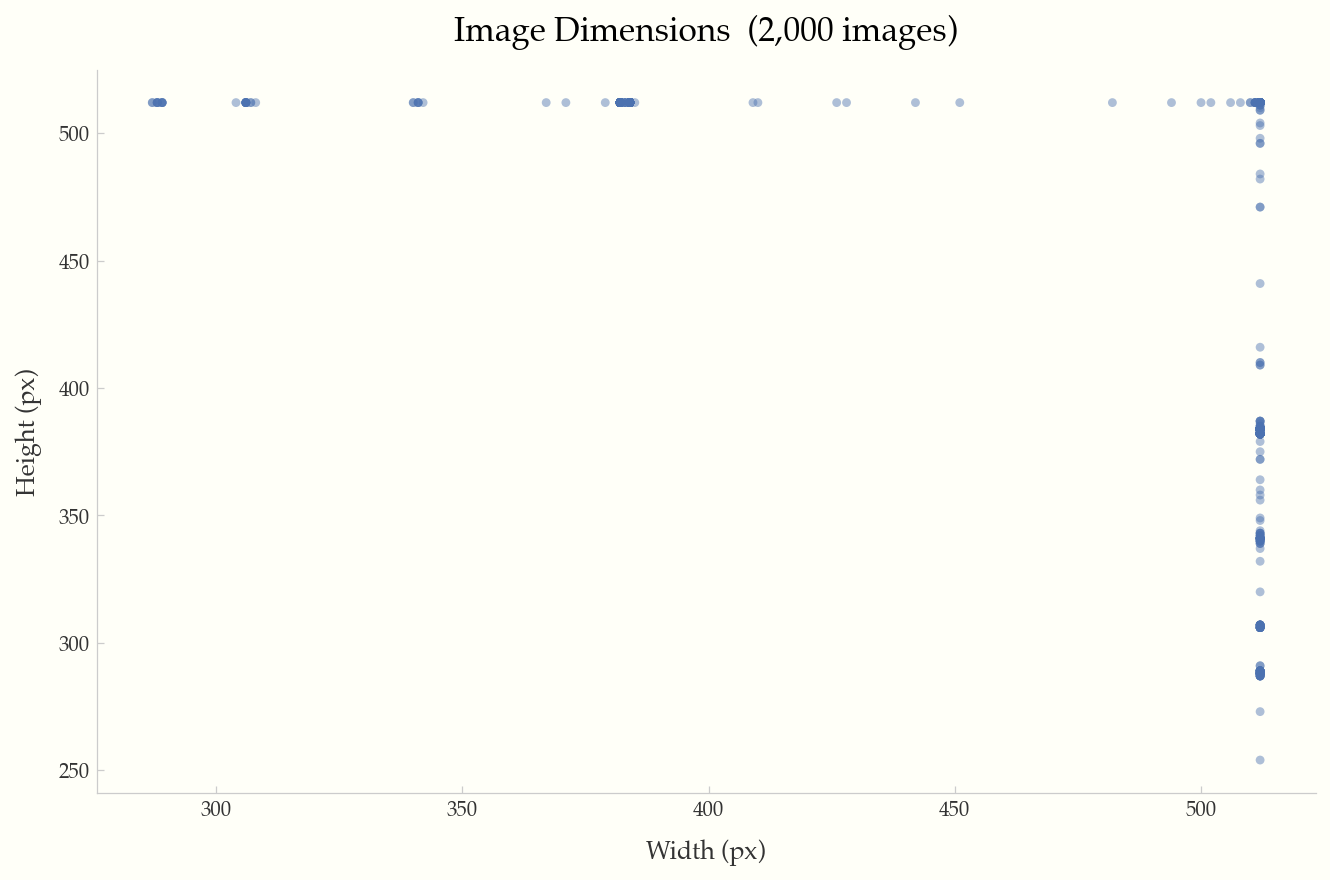
Width vs. height scatter plot with reference lines for 720p, 1080p, and 4K resolutions.
Brightness Distribution
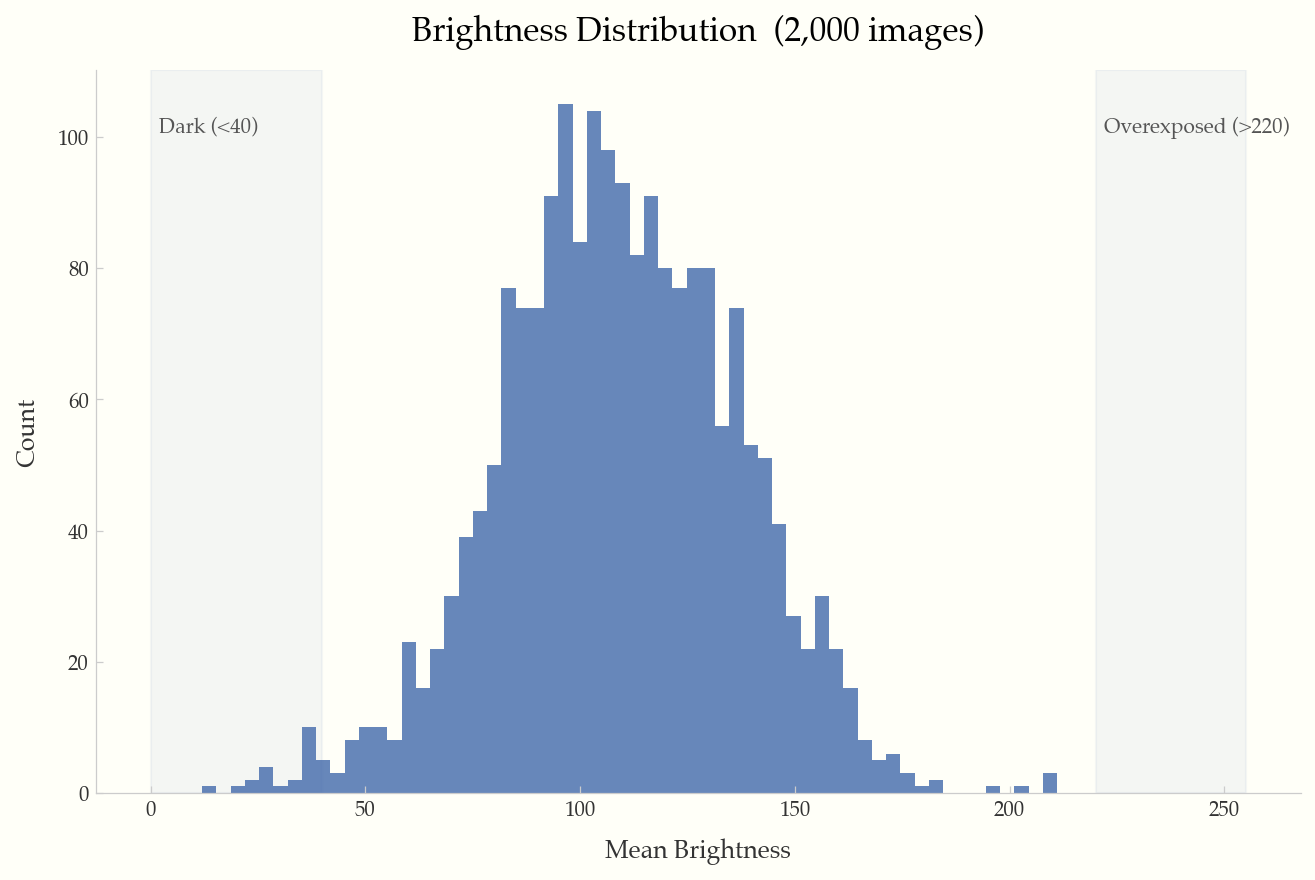
Histogram of mean brightness per image, with shaded regions for dark (<40) and overexposed (>220) images.
File Size Distribution
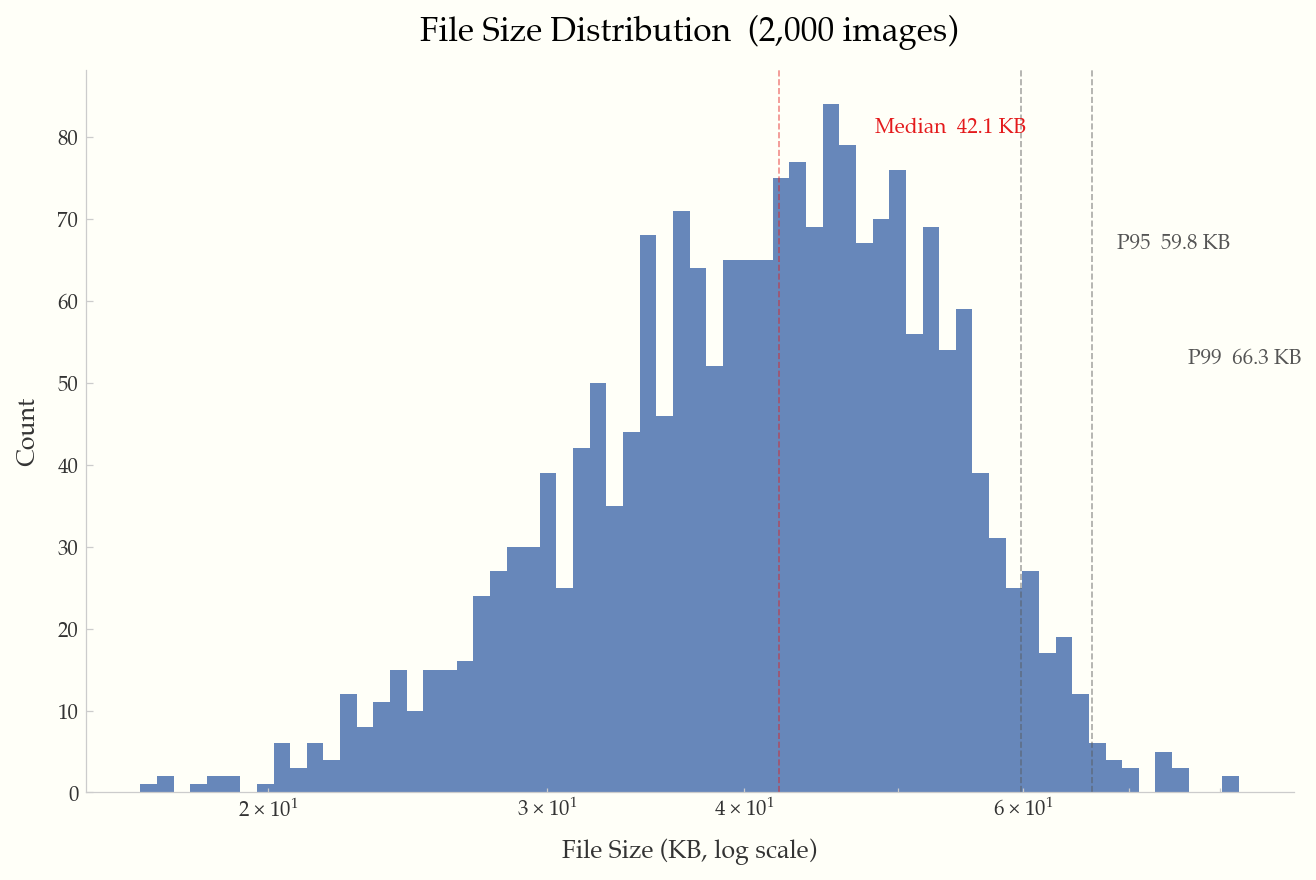
Log-scale histogram with annotated median, P95, and P99 percentile lines.
Aspect Ratio Distribution
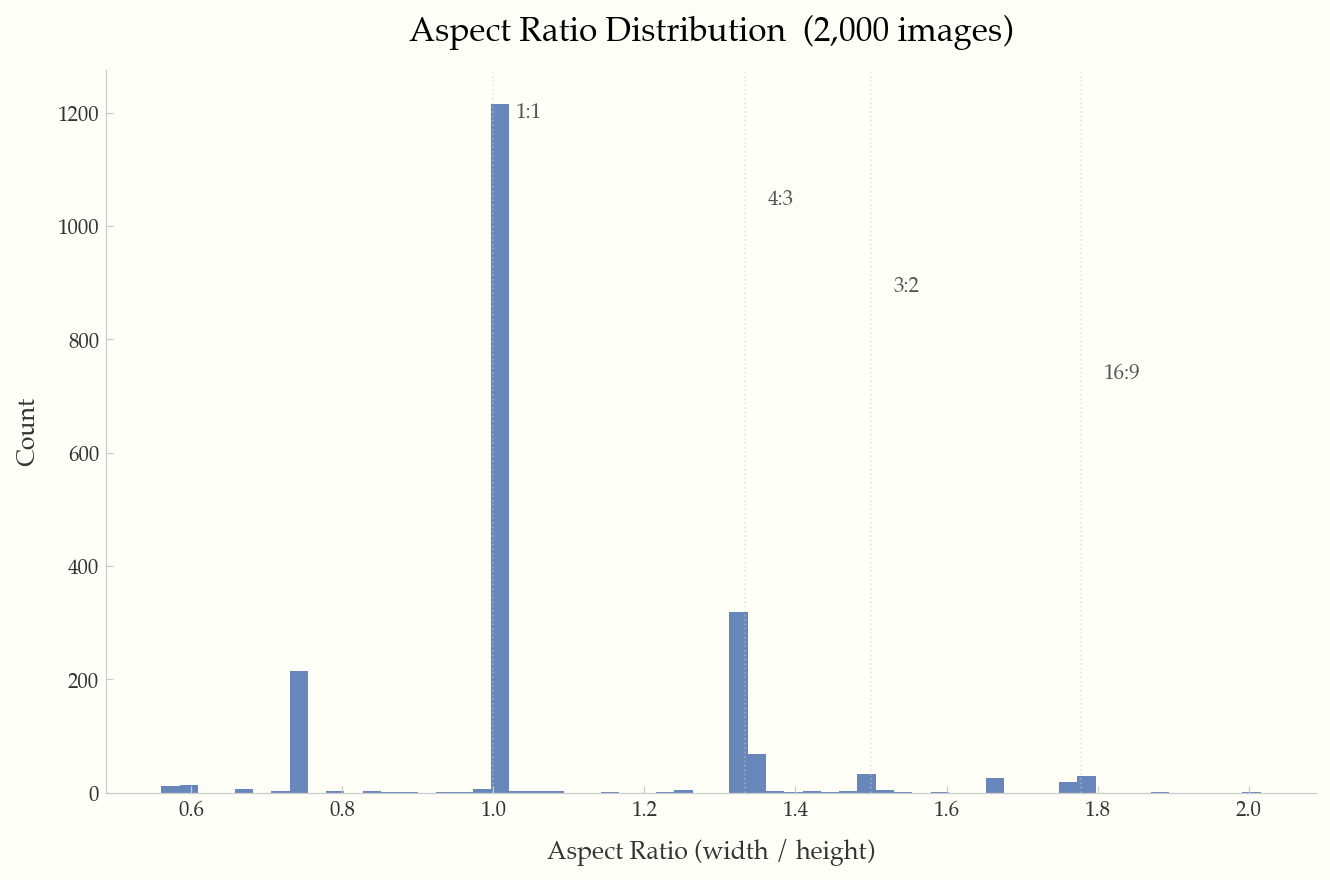
Histogram with reference lines at common ratios (1:1, 4:3, 3:2, 16:9).
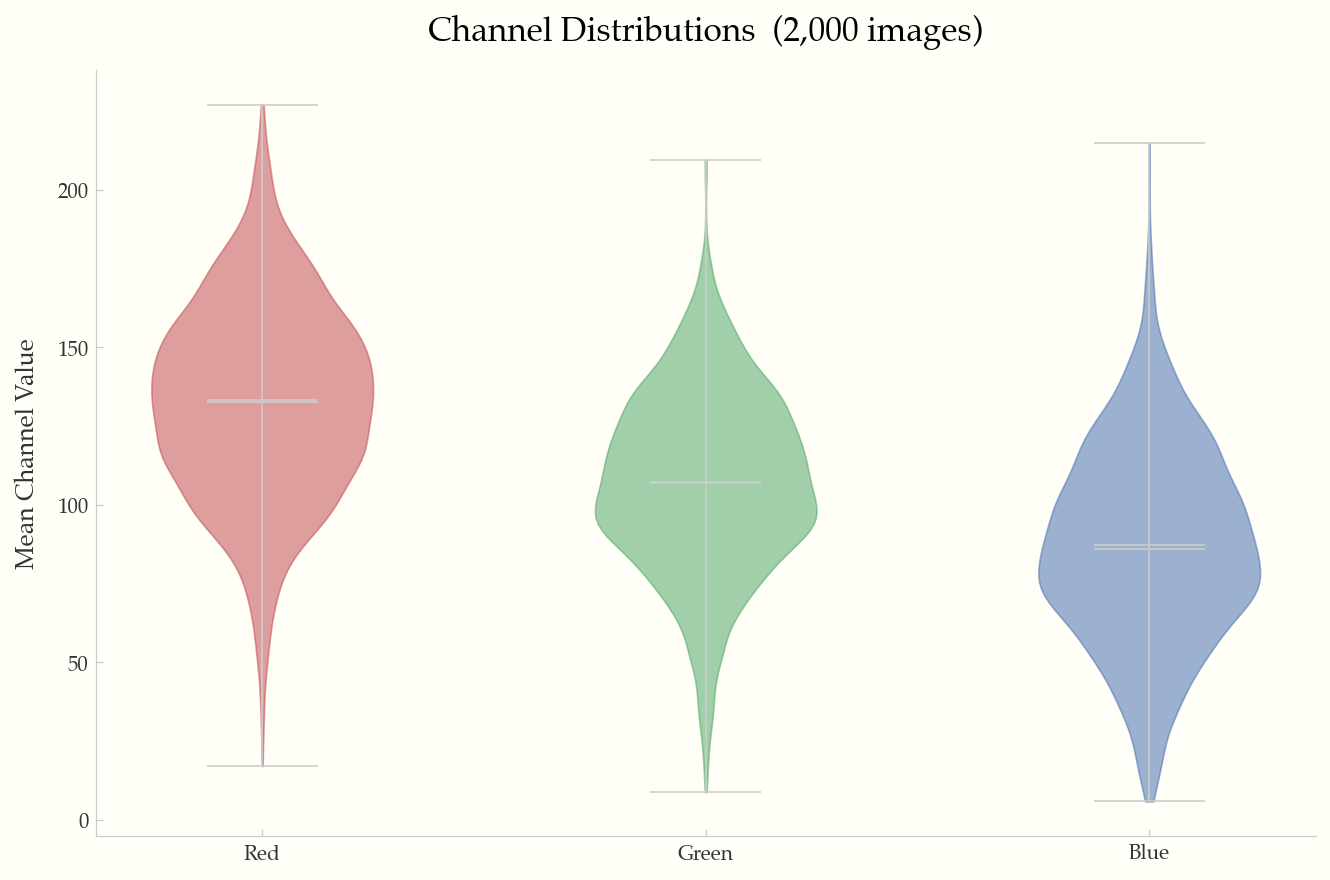
Channel Distributions
Violin plots of mean R/G/B channel values across the dataset.
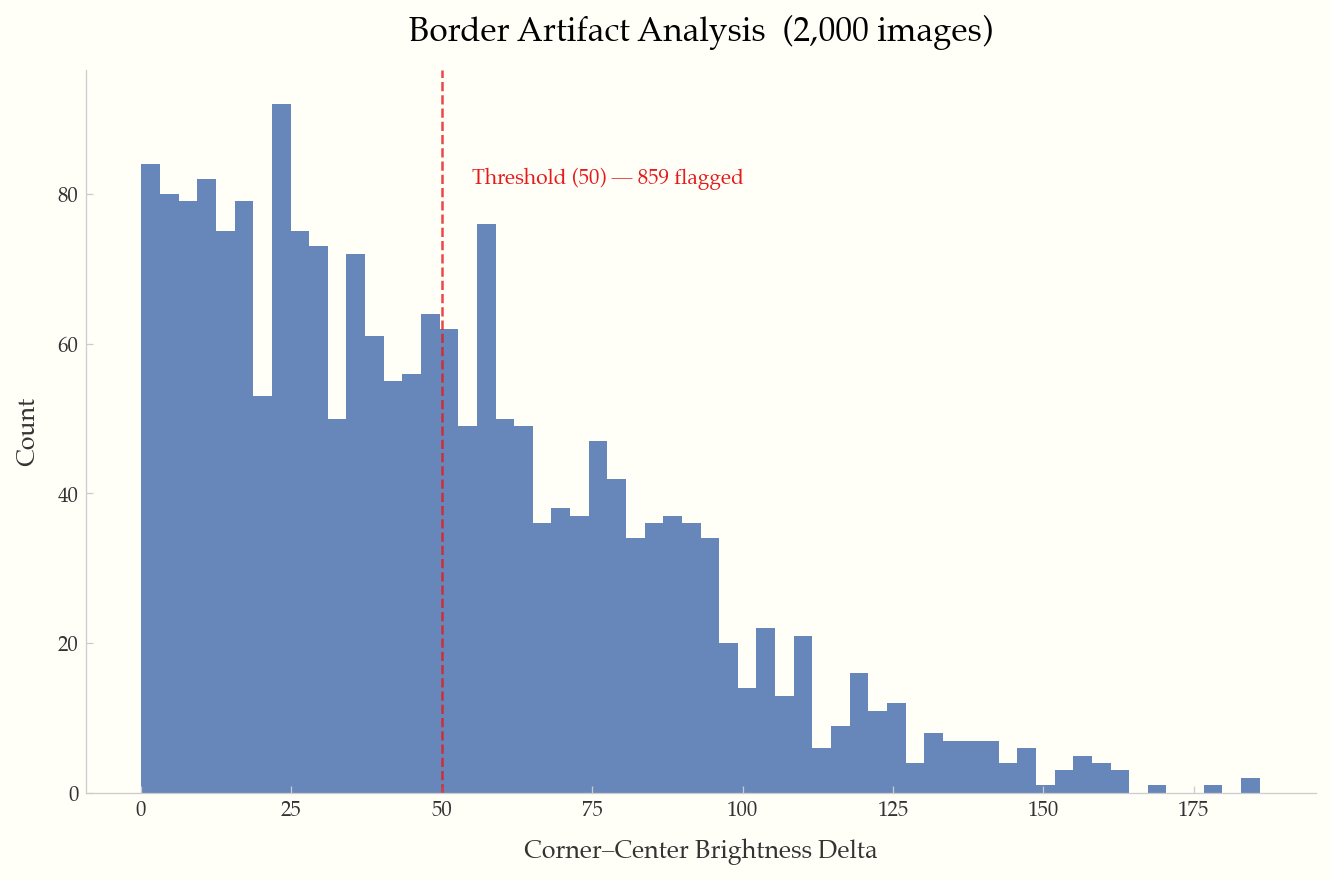
Border Artifact Analysis
Corner-to-center brightness delta histogram with configurable threshold line.
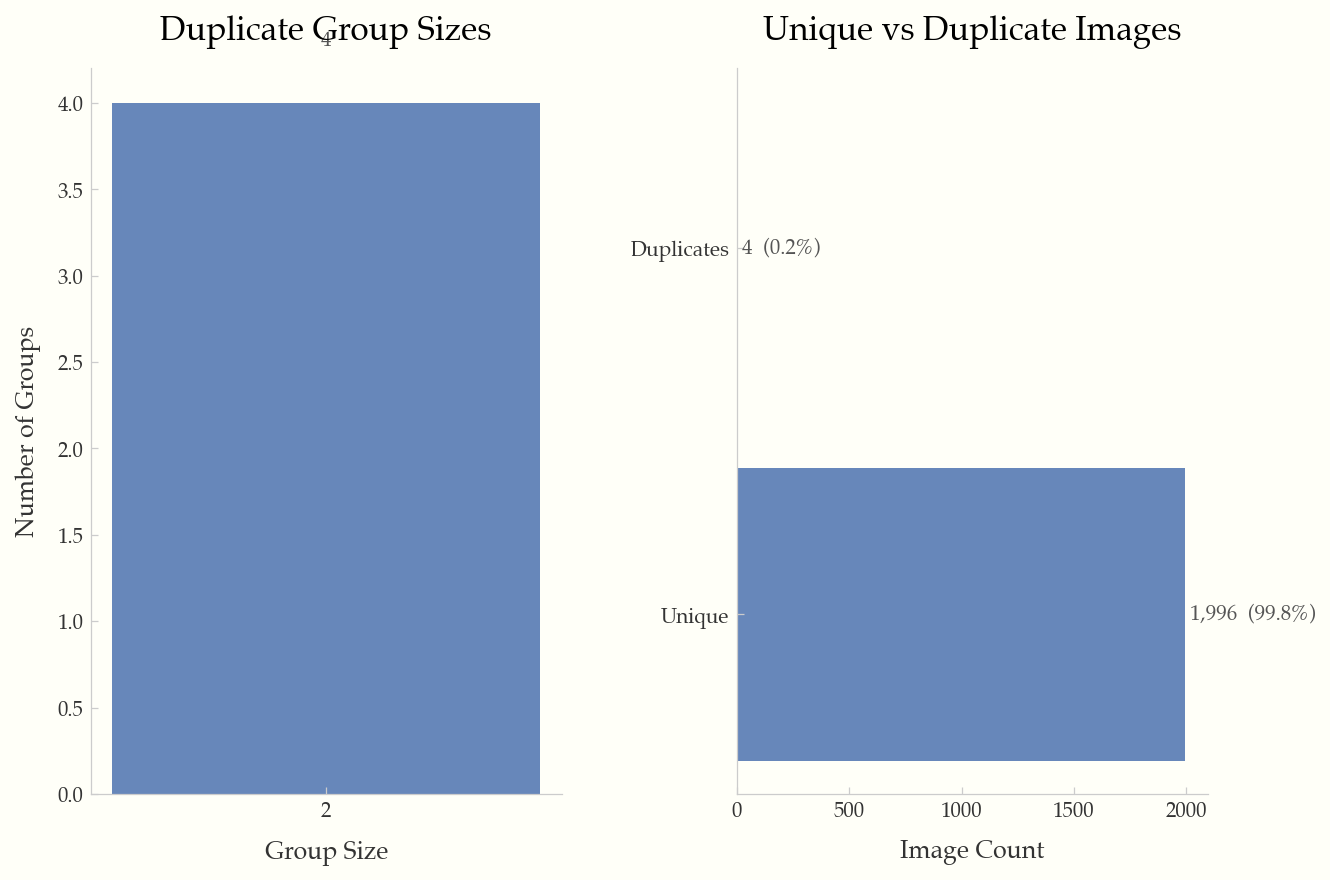
Duplicate Analysis
Duplicate group sizes and unique vs. duplicate breakdown.
CLI Reference
imgeda scan <DIR>
Scan a directory of images and produce a JSONL manifest.
Options:
  -o, --output PATH           Output manifest path [default: imgeda_manifest.jsonl]
  --workers INTEGER           Parallel workers [default: CPU count]
  --checkpoint-every INTEGER  Flush interval [default: 500]
  --resume / --no-resume      Auto-resume from existing manifest [default: resume]
  --force                     Force full rescan (ignore existing manifest)
  --skip-pixel-stats          Metadata-only scan (faster)
  --no-hashes                 Skip perceptual hashing
  --extensions TEXT            Comma-separated extensions to include
  --dark-threshold FLOAT      Dark image threshold [default: 40.0]
  --overexposed-threshold FLOAT  Overexposed threshold [default: 220.0]
  --artifact-threshold FLOAT  Border artifact threshold [default: 50.0]
  --max-image-dim INTEGER     Downsample threshold for pixel stats [default: 2048]
imgeda info -m <MANIFEST>
Print a Rich-formatted dataset summary.
imgeda check <SUBCOMMAND> -m <MANIFEST>
Subcommands: corrupt, exposure, artifacts, duplicates, all
imgeda plot <SUBCOMMAND> -m <MANIFEST>
Subcommands: dimensions, file-size, aspect-ratio, brightness, channels, artifacts, duplicates, all
Common options:
  -o, --output PATH    Output directory [default: ./plots]
  --format TEXT         Output format: png, pdf, svg [default: png]
  --dpi INTEGER         DPI for output [default: 150]
  --sample INTEGER      Sample N records for large datasets
imgeda report -m <MANIFEST>
Generate a single-page HTML report with embedded plots and statistics.
imgeda diff --old <MANIFEST> --new <MANIFEST>
Compare two manifests and show added, removed, and changed images with field-level diffs.
Options:
  -o, --out PATH    Output JSON path (optional)
imgeda gate -m <MANIFEST> -p <POLICY>
Evaluate a manifest against a YAML quality policy. Exit code 0 = pass, 2 = fail.
Options:
  -o, --out PATH    Output JSON path (optional)
Example policy (policy.yml):
max_corrupt_pct: 1.0
max_overexposed_pct: 5.0
max_underexposed_pct: 5.0
max_duplicate_pct: 10.0
min_images_total: 100
imgeda export parquet -m <MANIFEST> -o <OUTPUT>
Export manifest to Parquet format with flattened nested fields. Requires pip install imgeda[parquet].
Architecture
See docs/architecture.md for detailed system diagrams including the local CLI flow, AWS serverless flow, CI/CD quality gate flow, and full module dependency graph.
Manifest Format
The manifest is a JSONL file (one JSON object per line):
- Line 1: Metadata header (input directory, scan settings, schema version)
- Lines 2+: One
ImageRecordper image with all computed fields
{"__manifest_meta__": true, "input_dir": "./images", "created_at": "2026-02-17T12:00:00", ...}
{"path": "./images/cat.jpg", "width": 500, "height": 375, "format": "JPEG", "phash": "a1b2c3d4", ...}
The manifest is append-only and crash-tolerant. Resume is keyed on (path, file_size, mtime) — modified files are automatically re-analyzed.
Performance
Tested on a 10-core Apple M1 Pro with SSD:
| Operation | 3,680 images |
|---|---|
| Full scan (metadata + pixels + hashes) | ~8s |
| Plot generation | ~3s |
| HTML report | ~4s |
The tool is designed to handle 100K+ image datasets with batched processing, memory-bounded futures, and automatic plot adaptations for large datasets.
Development
git clone https://github.com/caylent/imgeda.git
cd imgeda
uv sync --all-extras
uv run pytest
uv run ruff check src/ tests/
License
MIT
Project details
Verified details
These details have been verified by PyPIProject links
GitHub Statistics
Maintainers


Download files
Download the file for your platform. If you're not sure which to choose, learn more about installing packages.
Source Distribution
Built Distribution
Filter files by name, interpreter, ABI, and platform.
If you're not sure about the file name format, learn more about wheel file names.
Copy a direct link to the current filters
File details
Details for the file imgeda-0.0.5.tar.gz.
File metadata
- Download URL: imgeda-0.0.5.tar.gz
- Upload date:
- Size: 37.2 kB
- Tags: Source
- Uploaded using Trusted Publishing? Yes
- Uploaded via: twine/6.1.0 CPython/3.13.7
File hashes
| Algorithm | Hash digest | |
|---|---|---|
| SHA256 |
6e68d806c9c1245915710bec108af308a827fb441f7ae4f60367efcd525729f5
|
|
| MD5 |
2293a51628d7f530087685c5d6256074
|
|
| BLAKE2b-256 |
a5923b88ba4ff99dbe99c129059607e32462f9b1db47638a7bacd323afd9cab1
|
Provenance
The following attestation bundles were made for imgeda-0.0.5.tar.gz:
Publisher:
publish.yml on caylent/imgeda
-
Statement:
-
Statement type:
https://in-toto.io/Statement/v1 -
Predicate type:
https://docs.pypi.org/attestations/publish/v1 -
Subject name:
imgeda-0.0.5.tar.gz -
Subject digest:
6e68d806c9c1245915710bec108af308a827fb441f7ae4f60367efcd525729f5 - Sigstore transparency entry: 963318364
- Sigstore integration time:
-
Permalink:
caylent/imgeda@01f5c7ebc6217c412340458e5389cdf7921b168e -
Branch / Tag:
refs/tags/v0.0.5 - Owner: https://github.com/caylent
-
Access:
public
-
Token Issuer:
https://token.actions.githubusercontent.com -
Runner Environment:
github-hosted -
Publication workflow:
publish.yml@01f5c7ebc6217c412340458e5389cdf7921b168e -
Trigger Event:
push
-
Statement type:
File details
Details for the file imgeda-0.0.5-py3-none-any.whl.
File metadata
- Download URL: imgeda-0.0.5-py3-none-any.whl
- Upload date:
- Size: 56.2 kB
- Tags: Python 3
- Uploaded using Trusted Publishing? Yes
- Uploaded via: twine/6.1.0 CPython/3.13.7
File hashes
| Algorithm | Hash digest | |
|---|---|---|
| SHA256 |
bfdc3fe501bc434973e37b2f7aec9042cc22952d5994fec47957c5f0a3c6e76f
|
|
| MD5 |
fd8d7b46bb085338ec914f27de0c4284
|
|
| BLAKE2b-256 |
9d063abb7a0e2abd84ccbc7dffed4b8514ef2b0bd4eed0cb16791c17e0342aff
|
Provenance
The following attestation bundles were made for imgeda-0.0.5-py3-none-any.whl:
Publisher:
publish.yml on caylent/imgeda
-
Statement:
-
Statement type:
https://in-toto.io/Statement/v1 -
Predicate type:
https://docs.pypi.org/attestations/publish/v1 -
Subject name:
imgeda-0.0.5-py3-none-any.whl -
Subject digest:
bfdc3fe501bc434973e37b2f7aec9042cc22952d5994fec47957c5f0a3c6e76f - Sigstore transparency entry: 963318369
- Sigstore integration time:
-
Permalink:
caylent/imgeda@01f5c7ebc6217c412340458e5389cdf7921b168e -
Branch / Tag:
refs/tags/v0.0.5 - Owner: https://github.com/caylent
-
Access:
public
-
Token Issuer:
https://token.actions.githubusercontent.com -
Runner Environment:
github-hosted -
Publication workflow:
publish.yml@01f5c7ebc6217c412340458e5389cdf7921b168e -
Trigger Event:
push
-
Statement type:






