
Indexly
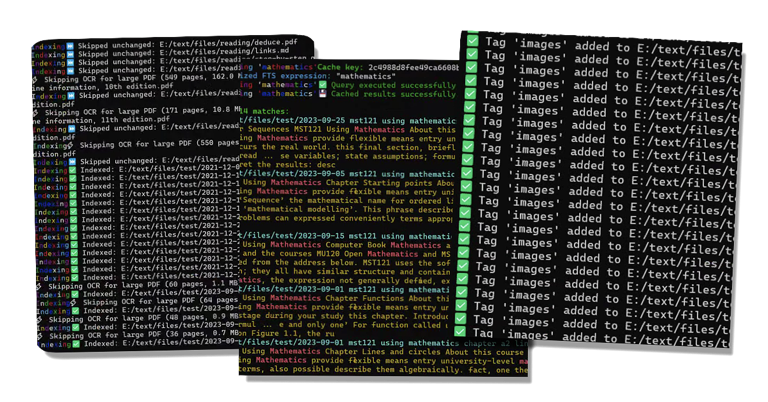
Indexly is a local-first command line tool for indexing, searching, and analyzing files on your own machine.



What Indexly Helps You Do
- Index local folders quickly
- Search content using plain text or regex
- Organize and filter with tags
- Watch folders and auto-update the index
- Analyze CSV, JSON, XML, SQLite, and more
- Compare files and folders
- Create backups and restore safely
Install
pip (Windows, macOS, Linux)
Requires Python 3.11 or newer.
python -m pip install --upgrade pip
python -m pip install indexly
Verify:
indexly --version
Homebrew (macOS and Linux)
brew tap kimsgent/indexly
brew install indexly
Verify:
indexly --version
Homebrew installs the lightweight Indexly core. Manage optional groups with the brewed executable:
command -v indexly
indexly extras list
indexly extras install documents
indexly extras status
Available groups are documents, analysis, visualization, pdf_export,
and backup. Remove a group with indexly extras uninstall <group>.
Homebrew extras are installed into a user-owned overlay scoped to the installed
Indexly version, Python ABI, and platform architecture, outside the Homebrew
Cellar. After
brew upgrade indexly, check indexly extras status and reinstall any group
that the new version needs.
If command -v indexly resolves to a pip or pyenv installation, target
Homebrew explicitly with
"$(brew --prefix indexly)/bin/indexly" extras install <group>.
Selected groups share one managed environment so common dependencies resolve to compatible versions. Adding or removing a group rebuilds that environment atomically and may download packages; the previous working environment remains available if resolution fails.
If indexly extras status reports an invalid managed environment, run
indexly extras reset, then reinstall the groups you need.
Upgrade-created stale overlays are reported but never loaded. They remain after
brew uninstall and can consume substantial space; inspect
indexly extras status --json and remove only an obsolete stale
environment path after confirming it is no longer needed.
Optional Extras for pip and virtual environments
indexly extras install <group> is also safe for pip installations. If you
prefer to manage optional packages directly in a pip installation or virtual
environment, use that environment's Python explicitly:
python -m pip install "indexly[documents]"
python -m pip install "indexly[analysis]"
python -m pip install "indexly[visualization]"
python -m pip install "indexly[pdf_export]"
python -m pip install "indexly[backup]"
Install all optional groups:
python -m pip install "indexly[documents,analysis,visualization,pdf_export,backup]"
Do not use generic pip, pip --user, sudo pip, or PYTHONPATH to add
dependencies to a Homebrew installation. If pip and Homebrew installations
coexist, use command -v indexly to identify the executable you are managing.
The documents group installs Python dependencies for ordinary PDF extraction
and OCR integration. OCR additionally requires the separate Tesseract
executable; on Homebrew systems, install it with brew install tesseract.
Quick Start
indexly index /path/to/folder
indexly search "invoice"
indexly regex "[A-Z]{3}-\\d{4}"
indexly analyze-csv data.csv --show-summary
Search Cache Behavior
FTS search results are cached in search_cache.json in Indexly's runtime data
directory. The FTS database is stored beside it as fts_index.db, and that
database keeps a small indexly_state value named search_index_generation.
When indexing changes file content or prunes stale rows under the indexed root,
Indexly increments the search index generation. Normal searches include that
generation in their cache key, so a search after re-indexing refreshes from the
database automatically instead of reusing results from an older index generation.
Use --no-cache for a one-off cache bypass, or indexly doctor --clear-cache to
remove cached search results.
Developer Environment
git clone https://github.com/kimsgent/project-indexly.git
cd project-indexly
python -m venv .venv
Activate virtual environment:
- macOS/Linux:
source .venv/bin/activate - Windows (PowerShell):
.venv\Scripts\Activate.ps1
Install project and tools:
python -m pip install --upgrade pip
python -m pip install -e ".[documents,analysis,visualization,pdf_export,backup]"
python -m pip install pytest pytest-cov flake8 black isort mypy build twine
Links
- Documentation: https://projectindexly.com
- Source: https://github.com/kimsgent/project-indexly
- Issues: https://github.com/kimsgent/project-indexly/issues
License
MIT. See LICENSE.txt.
1 maintainer

Metadata
1 maintainer
Release files for indexly 2.1.7
For a detailed explanation of source distributions (sdists) and built distributions (wheels), please see the package formats documentation.
Source distribution (sdist)
| File | Size | Uploaded | |
|---|---|---|---|
| indexly-2.1.7.tar.gz | 1.5 MB | Details |
Built distribution (wheel)
| File | Interpreter | ABI | Platform | Reset |
|---|---|---|---|---|
| indexly-2.1.7-py3-none-any.whl | Python 3 | none | any | Details |
Total release size: 3.2 MB
Release files / indexly-2.1.7.tar.gz
| Download URL | indexly-2.1.7.tar.gz |
|---|---|
| Size | 1.5 MB |
| Tags | Source |
|
SHA-256 checksum How to use checksums |
b0c91721fbb1a6fce85f3813d9705da172346b51280fdbfb277924835b4c6f7d
|
|
BLAKE2b-256 checksum How to use checksums |
e06639a9aab2d179e72c6ee8f81d8f4833597a40797060b06abc8d44e1ae9e9b
|
| Upload date | |
|
Uploaded using Trusted Publishing? What is trusted publishing? |
No |
| Uploaded via |
twine/7.0.0 CPython/3.11.16
|
Release files / indexly-2.1.7-py3-none-any.whl
| Download URL | indexly-2.1.7-py3-none-any.whl |
|---|---|
| Size | 1.7 MB |
| Tags | Python 3 |
|
SHA-256 checksum How to use checksums |
43e876a8e113c55b3a239bcab560da25910f547016cf0b62ff197c58b6816001
|
|
BLAKE2b-256 checksum How to use checksums |
6e3a1fd4279d29832e7b140ffd3ba0cc1d0331941b454bf3874b96a7ba7ac414
|
| Upload date | |
|
Uploaded using Trusted Publishing? What is trusted publishing? |
No |
| Uploaded via |
twine/7.0.0 CPython/3.11.16
|














