
A local file indexing and search tool with FTS5, regex, and CSV analysis support.

Project description
Indexly
Indexly is a local-first command line tool for indexing, searching, and analyzing files on your own machine.



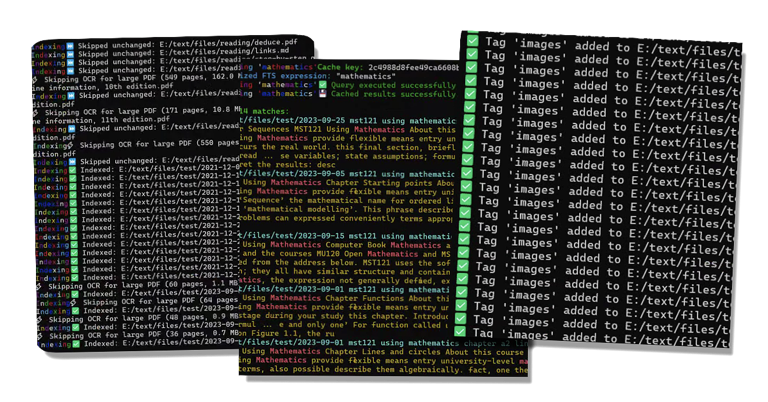
What Indexly Helps You Do
- Index local folders quickly
- Search content using plain text or regex
- Organize and filter with tags
- Watch folders and auto-update the index
- Analyze CSV, JSON, XML, SQLite, and more
- Compare files and folders
- Create backups and restore safely
Install
pip (Windows, macOS, Linux)
python -m pip install --upgrade pip
python -m pip install indexly
Verify:
indexly --version
Homebrew (macOS and Linux)
brew tap kimsgent/indexly
brew install indexly
Verify:
indexly --version
Optional Extras
Indexly uses a lightweight core install. Optional feature groups can be added as needed.
python -m pip install "indexly[documents]"
python -m pip install "indexly[analysis]"
python -m pip install "indexly[visualization]"
python -m pip install "indexly[pdf_export]"
python -m pip install "indexly[backup]"
Install all optional groups:
python -m pip install "indexly[documents,analysis,visualization,pdf_export,backup]"
Quick Start
indexly index /path/to/folder
indexly search "invoice"
indexly regex "[A-Z]{3}-\\d{4}"
indexly analyze-csv data.csv --show-summary
Search Cache Behavior
FTS search results are cached in search_cache.json in Indexly's runtime data
directory. The FTS database is stored beside it as fts_index.db, and that
database keeps a small indexly_state value named search_index_generation.
When indexing changes file content or prunes stale rows under the indexed root,
Indexly increments the search index generation. Normal searches include that
generation in their cache key, so a search after re-indexing refreshes from the
database automatically instead of reusing results from an older index generation.
Use --no-cache for a one-off cache bypass, or indexly doctor --clear-cache to
remove cached search results.
Developer Environment
git clone https://github.com/kimsgent/project-indexly.git
cd project-indexly
python -m venv .venv
Activate virtual environment:
- macOS/Linux:
source .venv/bin/activate - Windows (PowerShell):
.venv\Scripts\Activate.ps1
Install project and tools:
python -m pip install --upgrade pip
python -m pip install -e ".[documents,analysis,visualization,pdf_export,backup]"
python -m pip install pytest pytest-cov flake8 black isort mypy build twine
Links
- Documentation: https://projectindexly.com
- Source: https://github.com/kimsgent/project-indexly
- Issues: https://github.com/kimsgent/project-indexly/issues
License
MIT. See LICENSE.txt.
Release history Release notifications | RSS feed


Download files
Download the file for your platform. If you're not sure which to choose, learn more about installing packages.
Source Distribution
Built Distribution
Filter files by name, interpreter, ABI, and platform.
If you're not sure about the file name format, learn more about wheel file names.
Copy a direct link to the current filters
File details
Details for the file indexly-2.1.4.tar.gz.
File metadata
- Download URL: indexly-2.1.4.tar.gz
- Upload date:
- Size: 1.4 MB
- Tags: Source
- Uploaded using Trusted Publishing? No
- Uploaded via: twine/6.2.0 CPython/3.11.15
File hashes
| Algorithm | Hash digest | |
|---|---|---|
| SHA256 |
b21a147fd551e6a43b5529238ca38382c3513f72a67ab663940443046bd76bdf
|
|
| MD5 |
9a91b9a3162b4e487af84d785b877635
|
|
| BLAKE2b-256 |
0dbe951e71ca04c8931b0700a352db3af7c79e6a00a52ef919396a724eb36334
|
File details
Details for the file indexly-2.1.4-py3-none-any.whl.
File metadata
- Download URL: indexly-2.1.4-py3-none-any.whl
- Upload date:
- Size: 1.5 MB
- Tags: Python 3
- Uploaded using Trusted Publishing? No
- Uploaded via: twine/6.2.0 CPython/3.11.15
File hashes
| Algorithm | Hash digest | |
|---|---|---|
| SHA256 |
9d747c0a59706be805a5a63b142b4f75676644ddafb2934e1b3f5bb244f90ce6
|
|
| MD5 |
53bd401283a01c2d811dfa48893ac8ac
|
|
| BLAKE2b-256 |
a95ecf9135072f7673ba4584aafe9762755d25394e90eaaa29b4474b97902c23
|






