
Infinidev




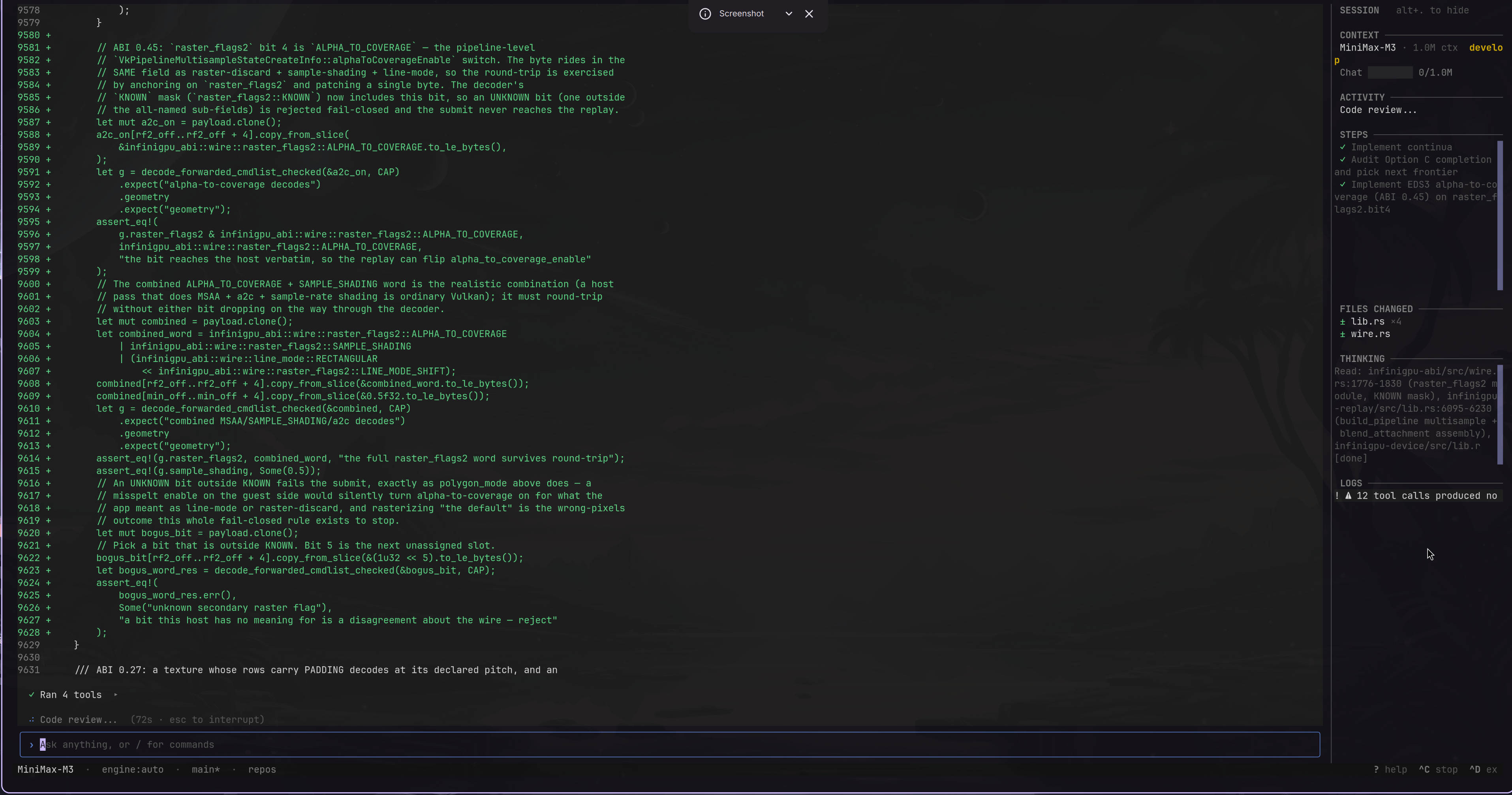
Infinidev is an autonomous AI coding agent for the terminal. It can inspect a repository, plan changes, edit code, run commands and tests, review its work, and keep project knowledge across sessions.
It works with hosted models through LiteLLM and with local models through Ollama.
Install
Python 3.11 or newer is required. The recommended installation uses uv, which keeps Infinidev in an isolated tool environment:
uv tool install infinidev
Upgrade later with:
uv tool upgrade infinidev
You can also install it with pipx:
pipx install infinidev
Start
Run Infinidev from the project you want it to work on:
cd path/to/your/project
infinidev
Use /models manage to choose a provider and model, or /settings to edit the
project configuration. By default, Infinidev expects Ollama at
http://localhost:11434.
Useful command-line modes:
infinidev --no-tui                 # text-only interface
infinidev -p "explain this repo"   # one prompt, then exit
infinidev --continue               # resume the latest local session
infinidev --resume                 # choose, rename, or delete a previous session
Inside either interface, use /session <name> to give the current session a durable
name. The --resume picker shows all sessions registered in the active workspace database
(local-workspace entries first), including their names and estimated storage; enter
rename NUMBER NAME or delete NUMBER to manage an entry before resuming it.
Use /prompts to list the optional prompt capabilities in your shared catalog, narrow
that list with /prompts search <term>, and inspect a guide before activation with
/prompts show <name>. Then use /prompts enable <name> or /prompts disable <name>
to change one for future tasks. Use /prompts reset <name> to remove your override and
inherit the catalog or project state again.
Shared profiles live in ~/.infinidev/prompts/; a project's
.infinidev/prompts.json can override them. See Prompt profiles
for the catalog format and precedence rules.
What it includes
- A live terminal UI with task progress, diffs, files, logs, and context usage.
- Plan-execute-summarize and staged execution for long, multi-step tasks.
- File, shell, Git, web, code-intelligence, knowledge, and image tools.
- Persistent, searchable working memory with recoverable tool evidence.
- Project and user-level prompt profiles, with opt-in workflow guides managed through
/prompts. - Model capability detection and native or text-based tool calling.
- MCP server support; Ken is used for semantic project context when available.
- Permission checks, deterministic completion gates, tests, and post-change review.
- Image attachments, terminal image viewing, and opt-in image generation.
Essential commands
| Command | Purpose |
|---|---|
/help |
Show commands and keybindings |
/models manage |
Choose the active provider and model |
/settings |
View or change project settings |
/engine |
Select the task execution engine |
/plan <task> |
Review a plan before execution |
/mcp |
Show MCP server health |
/findings |
Browse saved project knowledge |
/reindex |
Rebuild the local code index |
/clear |
Clear the transcript |
/exit |
Quit |
How it works
request
  -> read-only chat agent
  -> planner (when code work is needed)
  -> plan-execute-summarize loop
  -> tests and objective checks
  -> review
  -> result
Infinidev stores settings, history, logs, and its SQLite knowledge database in
.infinidev/ inside the current project. Environment variables use the
INFINIDEV_ prefix. Secrets and generated runtime state should not be committed.
Council transcripts shown by /agents are process-local and retain the 100 most
recent completed councils by default, while always preserving active councils. Set
COUNCIL_HISTORY_LIMIT in .infinidev/settings.json (or
INFINIDEV_COUNCIL_HISTORY_LIMIT) to a non-negative number; use 0 to discard a
transcript after its completion event or null for unlimited retention.
Development
git clone https://github.com/Infinibay/infinidev.git
cd infinidev
uv sync
uv run pytest
uv run infinidev
Architecture and subsystem documentation live in docs/. Contributor
guidance is in AGENTS.md.
License
The Infinidev software and documentation are available under the MIT License.
The manually authored task-policy annotations in
data/task-policy-reviews/ are a separately licensed data
component; see their data license and attribution notice.
1 maintainer

Metadata
1 maintainer
Release files for infinidev 0.21.0
For a detailed explanation of source distributions (sdists) and built distributions (wheels), please see the package formats documentation.
Source distribution (sdist)
| File | Size | Uploaded | |
|---|---|---|---|
| infinidev-0.21.0.tar.gz | 34.6 MB | Details |
Built distribution (wheel)
| File | Interpreter | ABI | Platform | Reset |
|---|---|---|---|---|
| infinidev-0.21.0-py3-none-any.whl | Python 3 | none | any | Details |
Total release size: 69.7 MB
Release files / infinidev-0.21.0.tar.gz
| Download URL | infinidev-0.21.0.tar.gz |
|---|---|
| Size | 34.6 MB |
| Tags | Source |
|
SHA-256 checksum How to use checksums |
d83be2f319f424b42f0f69658fbe5a00ba02361cc42dada10a319492469cf09f
|
|
BLAKE2b-256 checksum How to use checksums |
14aa27e8bc7e1423e48012a13443c91af0c028b2404e946e062ee0f3a6af580c
|
| Upload date | |
|
Uploaded using Trusted Publishing? What is trusted publishing? |
No |
| Uploaded via |
uv/0.12.10 {"installer":{"name":"uv","version":"0.12.10","subcommand":["publish"]},"python":null,"implementation":{"name":null,"version":null},"distro":{"name":"Ubuntu","version":"24.04","id":"noble","libc":null},"system":{"name":null,"release":null},"cpu":null,"openssl_version":null,"setuptools_version":null,"rustc_version":null,"ci":true}
|
Release files / infinidev-0.21.0-py3-none-any.whl
| Download URL | infinidev-0.21.0-py3-none-any.whl |
|---|---|
| Size | 35.0 MB |
| Tags | Python 3 |
|
SHA-256 checksum How to use checksums |
0ce305d1adc23a15117c778aa289829363f0b4fe5f7f0124cc34bda25ee7eaeb
|
|
BLAKE2b-256 checksum How to use checksums |
78ccd7c02a3e284cbd4660d04a534eb0307406e1952dd4eeb807ff587b4f93b9
|
| Upload date | |
|
Uploaded using Trusted Publishing? What is trusted publishing? |
No |
| Uploaded via |
uv/0.12.10 {"installer":{"name":"uv","version":"0.12.10","subcommand":["publish"]},"python":null,"implementation":{"name":null,"version":null},"distro":{"name":"Ubuntu","version":"24.04","id":"noble","libc":null},"system":{"name":null,"release":null},"cpu":null,"openssl_version":null,"setuptools_version":null,"rustc_version":null,"ci":true}
|














