
isd – interactive systemd

isd– a better way to work withsystemdunits
Simplify systemd management with isd!
isd is a TUI offering fuzzy search for units, auto-refreshing previews,
smart sudo handling, and a fully customizable interface
for power-users and newcomers alike.
isd is a keyboard-focused, highly customizable TUI with the following features:
- Quickly switch between
systemanduserunits - Fuzzy search units
- Auto refresh previews
- Quickly open outputs in a pager or editor
- Auto
sudoprefixing if required - Auto rescale depending on terminal window size (fluid design)
- Extensive command palette with many keyboard shortcuts
- Fully configurable keybindings
- Optional input state caching for common inputs
- Theme support
- YAML configuration file with auto-complete
Demo
https://github.com/user-attachments/assets/a22868c0-fc01-4973-86ea-410b80b188a8
Click here for a higher quality recording.
Documentation
The documentation is live at:
Installation
The tool can be installed via uv, nix, and as an AppImage.
Refer to the official installation documentation for more details.
Road map
A collection of some unordered ideas that could improve isd:
- Add icon for project and application menu
- Support old
systemdversion - Option to view the security rating of units
- Improve highlighting of
systemdunits (tree-sitter grammar) - Write a custom, more secure
$EDITORintegration (more securesytemctl edit) - Allow customization of preview windows
- Improve
journal_pagerintegration - Add custom sort options
- Faster fuzzy search
- Improve default themes
Acknowledgments
Big thanks to the developers of:
- systemd for creating the most widely used service manager for Linux
- NixOS for piquing my interest in
systemdand service managers syszfor providing a starting point and a desire to build a more complexsystemctlTUI- textual for making it a breeze to create TUIs in Python
- mkdocs-material for building a solid and simple to use static site generator for the documentation
- asciinema for developing an easy to use and self-hostable terminal recorder and player
- vhs for creating a scriptable terminal program
- posting for showing me how to use
textual
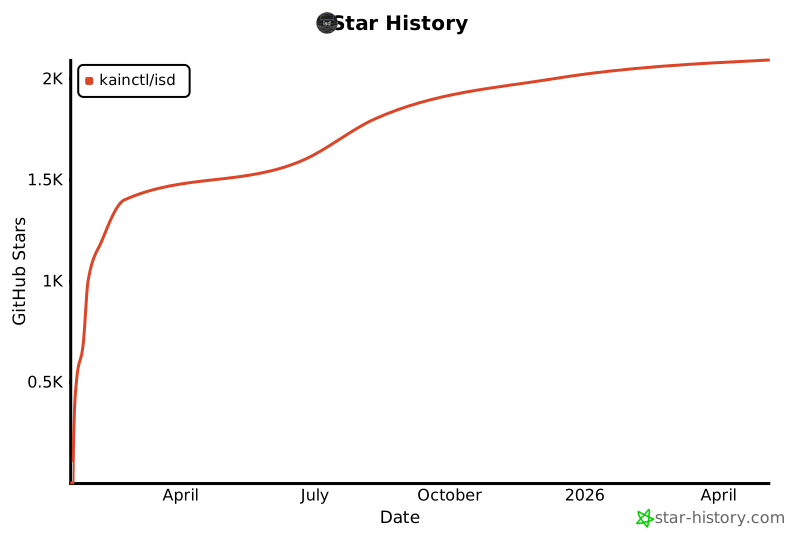
Star history ⭐
1 maintainer

Metadata
1 maintainer
Release files for isd-tui 0.6.1
For a detailed explanation of source distributions (sdists) and built distributions (wheels), please see the package formats documentation.
Source distribution (sdist)
| File | Size | Uploaded | |
|---|---|---|---|
| isd_tui-0.6.1.tar.gz | 434.6 kB | Details |
Built distribution (wheel)
| File | Interpreter | ABI | Platform | Reset |
|---|---|---|---|---|
| isd_tui-0.6.1-py3-none-any.whl | Python 3 | none | any | Details |
Total release size: 611.3 kB
Release files / isd_tui-0.6.1.tar.gz
| Download URL | isd_tui-0.6.1.tar.gz |
|---|---|
| Size | 434.6 kB |
| Tags | Source |
|
SHA-256 checksum How to use checksums |
048012c6f455a95658e0b3422da30e24578db6756ed4540f34e70c27504008e1
|
|
BLAKE2b-256 checksum How to use checksums |
4910bcb5c7659c62519cc48efb513cbf0d9511323e0ead3349fe5d415d0bdf95
|
| Upload date | |
|
Uploaded using Trusted Publishing? What is trusted publishing? |
No |
| Uploaded via |
uv/0.7.22
|
Release files / isd_tui-0.6.1-py3-none-any.whl
| Download URL | isd_tui-0.6.1-py3-none-any.whl |
|---|---|
| Size | 176.7 kB |
| Tags | Python 3 |
|
SHA-256 checksum How to use checksums |
8dc5709a274b558bab992a23db30c33e0b659dc3bb75b0d50475aef8e8bd7389
|
|
BLAKE2b-256 checksum How to use checksums |
9587c4c70e78ca537af879bdbbcaf31d91a6e6422f0c71084c03dd39cb679b9e
|
| Upload date | |
|
Uploaded using Trusted Publishing? What is trusted publishing? |
No |
| Uploaded via |
uv/0.7.22
|














