
Interactive systemd TUI

Project description
isd – interactive systemd

isd– a better way to work withsystemdunits
Simplify systemd management with isd!
isd is a TUI offering fuzzy search for units, auto-refreshing previews,
smart sudo handling, and a fully customizable interface
for power-users and newcomers alike.
isd is a keyboard-focused, highly customizable TUI with the following features:
- Quickly switch between
systemanduserunits - Fuzzy search units
- Auto refresh previews
- Quickly open outputs in a pager or editor
- Auto
sudoprefixing if required - Auto rescale depending on terminal window size (fluid design)
- Extensive command palette with many keyboard shortcuts
- Fully configurable keybindings
- Optional input state caching for common inputs
- Theme support
- YAML configuration file with auto-complete
Demo
https://github.com/user-attachments/assets/1f82a5c6-d6ef-4293-aa2f-347113209882
Click here for a higher quality recording.
Documentation
The documentation is live at:
Installation
The tool can be installed via uv, nix, and as an AppImage.
Refer to official installation documentation for more details.
Road map
A collection of some unordered ideas that could improve isd:
- Option to view the security rating of units
- Improve highlighting of
systemdunits (tree-sitter grammar) - Write a custom, more secure
$EDITORintegration (more securesytemctl edit) - Add icon for project and application menu
- Allow customization of preview windows
- Improve
journal_pagerintegration - Add custom sort options
- Faster fuzzy search
- Improve default themes
Acknowledgments
Big thanks to the developers of:
- systemd for creating the most widely used service manager for Linux
- NixOS for piquing my interest in
systemdand service managers syszfor providing a starting point and a desire to build a more complexsystemctlTUI- textual for making it a breeze to create TUIs in Python
- mkdocs-material for building a solid and simple to use static site generator for the documentation
- asciinema for developing an easy to use and self-hostable terminal recorder and player
- vhs for creating a scriptable terminal program
- posting for showing me how to use
textual
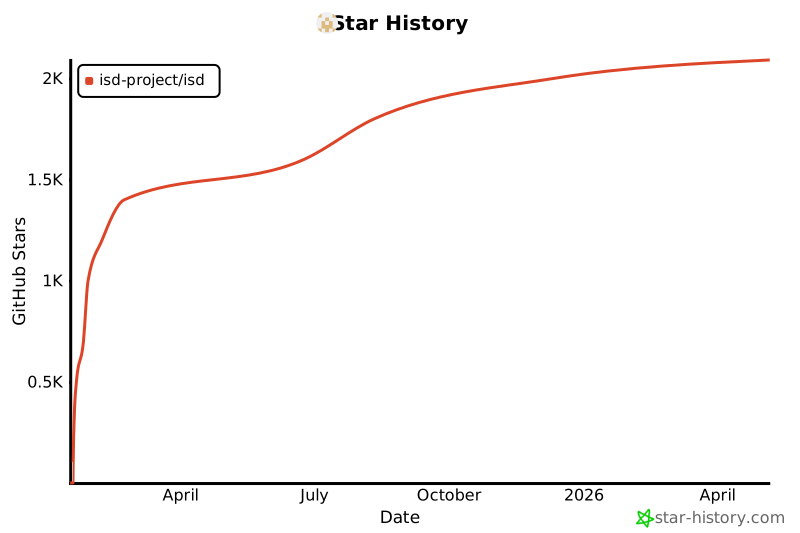
Star history ⭐


Download files
Download the file for your platform. If you're not sure which to choose, learn more about installing packages.
Source Distribution
Built Distribution
Filter files by name, interpreter, ABI, and platform.
If you're not sure about the file name format, learn more about wheel file names.
Copy a direct link to the current filters
File details
Details for the file isd_tui-0.4.0.tar.gz.
File metadata
- Download URL: isd_tui-0.4.0.tar.gz
- Upload date:
- Size: 187.6 kB
- Tags: Source
- Uploaded using Trusted Publishing? No
- Uploaded via: uv/0.5.24
File hashes
| Algorithm | Hash digest | |
|---|---|---|
| SHA256 |
6646af3ace16da9b84641d01cc3d641e91513ec79ef765e0866bdcc75f63ac94
|
|
| MD5 |
7a458a1fe74ce90db00958cf10bad3d1
|
|
| BLAKE2b-256 |
41bc5b391bef996f9282ceb3eaf4d7f1a4a2423a9a463ef47f2fd282d566cfea
|
File details
Details for the file isd_tui-0.4.0-py3-none-any.whl.
File metadata
- Download URL: isd_tui-0.4.0-py3-none-any.whl
- Upload date:
- Size: 121.7 kB
- Tags: Python 3
- Uploaded using Trusted Publishing? No
- Uploaded via: uv/0.5.24
File hashes
| Algorithm | Hash digest | |
|---|---|---|
| SHA256 |
598bf6d75a7fe363b88b3e2f47acac81ad91a3db5799342f73191118460b68d5
|
|
| MD5 |
0588df7c3f16b6ba52b2b62a8d1eedf5
|
|
| BLAKE2b-256 |
ae4455956f5f75613159063d137266ad5eecc9b479b1caeb86ac333c54b9e012
|






