


JailBee gives each git branch its own Linux development environment. Run several full stacks on one host — services, databases, Docker, browsers and IDEs — without making each branch compete for the same ports or Docker names. The environments are Incus system containers, not VMs: each has its own userland and network stack, but shares the host kernel.
That makes parallel coding-agent work practical: give each attempt its own working tree and runtime, see which Claude Code session needs you in the terminal dashboard, and bring commits back through a local git bridge. The same workflow works for development and review without an agent.
The CLI is jailbee, or jb for short. It requires a Linux host with
Incus. JailBee is project-agnostic: a repo's .jailbee/config.yaml describes
its environment. Built at GISGRO, but not tied to GISGRO's stack.
See it work
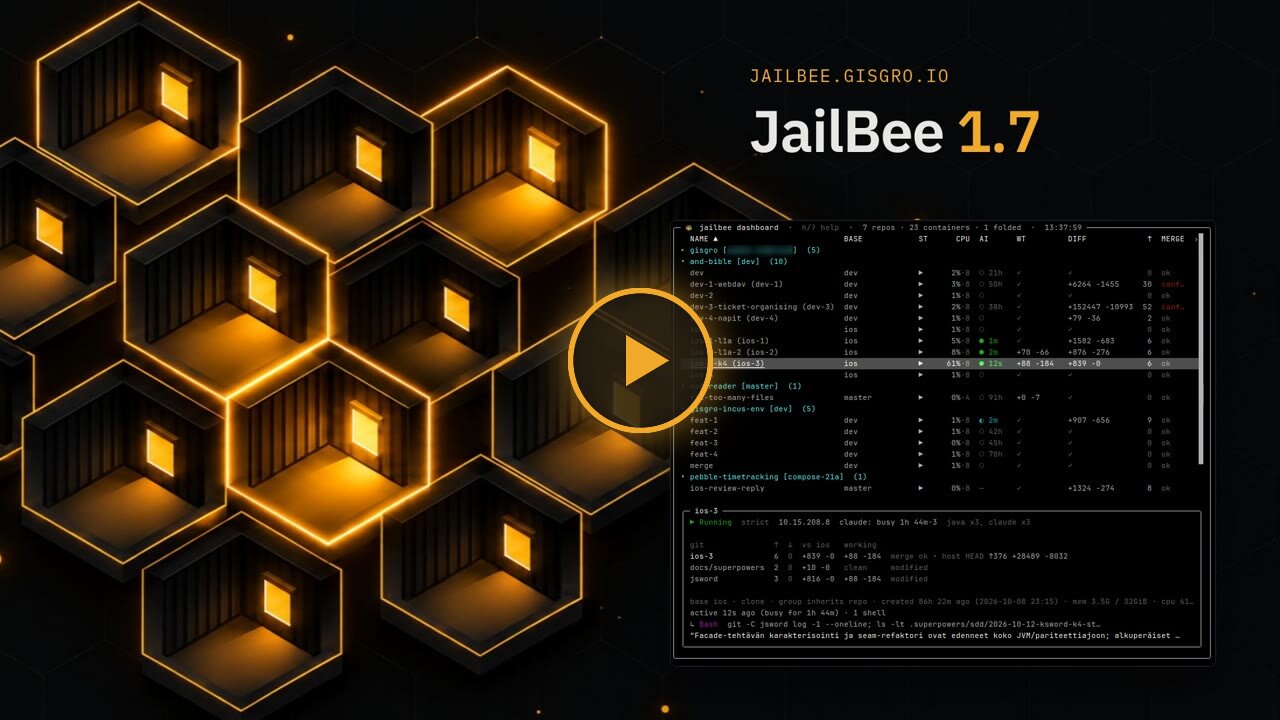
▶ JailBee 1.7: the 3-minute tour
See what a container per branch gives an agent and how the terminal dashboard helps you manage several at once. For the complete create → code → merge → destroy workflow, watch the end-to-end demo.
What you get
-
A whole stack per branch. Containers have their own services and, when enabled, their own Docker daemon. A browser inside each container reaches that branch's app on the same
localhostport, without host port forwarding. Configure provisioning and autostart once, then reuse a golden image for new environments. The default image includes general development tools; additional language stacks and Docker are opt-in. A copy-on-write storage backend such as btrfs makes image reuse and snapshots efficient. Stacks · Storage -
A local git workflow, not a trip through GitHub.
jb git pushandjb git pullmove commits between host and container;jb git mergemerges one container's branch into another. The transfer is local, thoughjb git pushattempts an upstream fetch on the host by default.jb forkstarts another environment from a container's committed work, not its running services or database. Submodules initialized on the host travel with the repo, andjb prcan coordinate submodule PRs before the superproject's. Git bridge -
A terminal dashboard for parallel work. Bare
jbopens the TUI on an interactive terminal by default. It spans registered repos, shows git and resource status, and tracks Claude Code's state and recent tool calls and messages. Attach a session, inspect a diff, open a PR or start and stop selected containers from the same view. Claude Code has a dedicated integration; Codex, Gemini, Aider, OpenCode and Grok presets are best-effort starting points, not equally tested integrations. For other providers' models,claude-jbroutes Claude Code through a separate LiteLLM proxy container; plainclaudekeeps its normal authentication and environment. Agents · Claude Code through LiteLLM -
Explicit network policy and a GitHub outbox. Strict mode is the default: destination IP allowlists, with optional TCP-port restrictions, filter container network traffic. An HTTP(S) egress proxy adds hostname rules, including wildcards; loose mode removes JailBee's allowlist filtering. Agents can stage proposed PR and issue changes for you to inspect and publish with the host's
gh, instead of posting directly. Configure a read-only container token for that workflow — the outbox does not enforce the token's permissions. Security and limitations · Outbox commands -
Desktop tools inside the environment, local or remote. Launch a JetBrains IDE, Chrome, Firefox or a configured app inside a container, with its window on your Wayland desktop. Declare host devices and forwarded services when needed — for example, adb on container localhost. Optional SSH access exposes the TUI and policy-controlled commands, with host management restricted by default. Remote GUI apps can use
waypipe sshor a shared RDP display. GUI apps · Remote GUI -
Reusable state, personal settings outside git. Shared caches and settings outlive individual containers; pooled caches give each container a separate slot, but selected artifacts may be hardlinked across slots. Claude settings are shared within a repo; credential groups share its login across repos. The generated global config selects the
defaultgroup. This wiring uses JailBee-managed directories rather than your personal host~/.claude. Keep environment settings in the repo, personal defaults in~/.config/jailbee/global.yaml, and host-local repo overrides in~/.config/jailbee/repos/<prefix>.yaml. Configuration layers · Credential groups
JailBee is most useful when the runtime is the hard part: several services, Docker stacks, desktop tools or agents running in parallel. If worktrees alone solve your problem, you may not need it. See Who JailBee is for for trade-offs and alternatives.
Getting started
Prepare the host
Install the CLI with uv or
pipx (Python 3.12+):
uv tool install jailbee # or: pipx install jailbee
Then follow Installation for Incus, storage and UID/GID delegation, plus any firewall or kernel-limit adjustments your host needs. This is a real setup step, not something installing the Python package does for you.
Run jb setup to install shell completion and the network-refresh user timer,
with optional JailBee skills for host agents. It does not install Incus or
configure the host prerequisites.
Try it without a repo config
Once the host is ready, open a git repo with a fetchable upstream and
without .jailbee/config.yaml:
jb new work                 # create a scratch environment
jb                          # open the terminal dashboard
With scratch mode enabled (the default), JailBee synthesizes a config and creates the repo's Incus profiles. On an interactive terminal it offers to build the scratch image if missing; later scratch environments reuse that image by default. The image supplies the configured tools, not automatic detection or setup of your app's stack.
For a local-only git repo, use jb new work --base <local-branch> with an
existing committed branch to avoid the default upstream fetch.
For a directory that is not a git repo, use jb new --mount work instead.
Mount mode shares the host directory read-write; it is not a separate
working tree. Scratch skips repo configuration, not host preparation.
Scratch configuration
Configure a repeatable project environment
For a fresh project setup, use this path instead of scratch mode. From the repo you want to manage:
jb config init              # generate .jailbee/config.yaml
# Edit the config: enable the stacks and integrations your project needs.
jb doctor                   # check host prerequisites and config
jb init                     # create the repo's profiles, ACLs and shared dirs
jb registry up              # if this project uses the registry mirror (see below)
jb base build               # build its reusable image; allow several minutes
jb new feat/my-branch       # create the branch environment
jb                          # manage it in the terminal dashboard
With the default auto mirror setting, projects enabling Docker, ECR support
or extra registries need the mirror running before their first strict-mode
jb new. Other projects can skip jb registry up.
Add provisioning and autostart steps for your dependencies, database and dev server; those are project-specific, not inferred by JailBee. See Getting started for the full walkthrough and a typical day's workflow.
Already tried scratch in this repo? jb config init writes a template;
it does not adopt the scratch environment. The template normally resolves to
a different container prefix, leaving the old containers under their scratch
identity. To keep that identity, explicitly carry over its container_prefix
and use jb apply instead of jb init. Review the scratch settings you want
to retain before applying the new config. See
Scratch configuration.
The TUI is the primary interface; jb console is an alternative command
prompt. An optional Qt dashboard is available as jb gui with the gui
extra (uv tool install 'jailbee[gui]'). This is separate from launching
browsers and IDEs inside containers, which does not require that extra.
Know the boundary
JailBee uses unprivileged system containers, not a separate guest kernel. It is not a hostile multi-tenant isolation boundary. Before leaving an agent running without permission prompts, review what that environment can reach:
- Working trees and mounts. Clone mode gives the container a separate
working tree;
--mountdoes not. The clone still borrows Git objects from the read-only host-source mount, so it is not a self-contained repository copy. Shared caches, agent settings and writable host mounts can affect other environments. By default, an existing repo.local/directory is also shared read-write. Container snapshots do not roll back external bind-mounted data. - Credentials and host services. Readable token files can be copied.
GPG integration, when enabled, exposes the host's entire
~/.gnupgdirectory read-only, including any readable secret-key files. Agent sockets can authorize signing or authentication even when mounted read-only. Devices, desktop sockets and port forwards expose host capabilities beyond the private runtime; attach only what you need. - Network policy. The direct-traffic ACL works with IPs, not HTTP paths or content; different hosts can share an allowed IP. Wildcards apply through the HTTP(S) proxy, not to arbitrary protocols. Host sockets and declared port forwards are separate access paths, not covered by the NIC ACL.
- GitHub publication. Use a correctly scoped read-only token inside containers. JailBee does not verify its effective permissions: a write-capable token can bypass the outbox review step.
Read Security and limitations, especially Running an agent without prompts, for the controls and their limits.
Updates and documentation
After updating the CLI package, re-run jb setup for its host integrations.
jb upgrade --dry-run shows which registered repos need an image rebuild or
profile update according to the release's upgrade notes; jb upgrade performs
those steps without restarting development containers or dockerd.
Restart-dependent changes remain pending; LiteLLM reconciliation can still
reload routes or stop a proxy missing its required ChatGPT login.
The command does not update the CLI package itself.
The full, searchable documentation is at jailbee.gisgro.io/docs.
| Guide | What's inside |
|---|---|
| Installation | Host setup and CLI installation |
| Storage | Copy-on-write pools, btrfs and the cost of the dir backend |
| Getting started | Configure a repo and walk through a typical day |
| Commands | CLI commands and flags |
| Configuration | Repo config, personal defaults and local overrides |
| FAQ | Common questions and troubleshooting pointers |
| News | Release announcements and the RSS feed |
For contributors: Contributing, Manual testing, and Releasing.
License
jailbee is free software, released under the GNU General Public License v3.0
or later (GPL-3.0-or-later). See LICENSE for the full text.
Copyright © 2026 GISGRO Oy.
1 maintainer

Metadata
1 maintainer
Release files for jailbee 1.7.3
For a detailed explanation of source distributions (sdists) and built distributions (wheels), please see the package formats documentation.
Source distribution (sdist)
| File | Size | Uploaded | |
|---|---|---|---|
| jailbee-1.7.3.tar.gz | 1.6 MB | Details |
Built distribution (wheel)
| File | Interpreter | ABI | Platform | Reset |
|---|---|---|---|---|
| jailbee-1.7.3-py3-none-any.whl | Python 3 | none | any | Details |
Total release size: 3.3 MB
Release files / jailbee-1.7.3.tar.gz
| Download URL | jailbee-1.7.3.tar.gz |
|---|---|
| Size | 1.6 MB |
| Tags | Source |
|
SHA-256 checksum How to use checksums |
755d76009b5fd9ad7a33d1d65125c9b1be150d6e091abde19cafdb423ea4ae48
|
|
BLAKE2b-256 checksum How to use checksums |
8538cb65512a2f66bcd0d66dc63150ea0afa2328ff5cd6a75ceb8d32f99430ff
|
| Upload date | |
|
Uploaded using Trusted Publishing? What is trusted publishing? |
No |
| Uploaded via |
twine/7.0.0 CPython/3.13.12
|
Release files / jailbee-1.7.3-py3-none-any.whl
| Download URL | jailbee-1.7.3-py3-none-any.whl |
|---|---|
| Size | 1.7 MB |
| Tags | Python 3 |
|
SHA-256 checksum How to use checksums |
1b55e37978c278af79df5d17e085df6f140a1d0d9418dbad640f434fe63a6840
|
|
BLAKE2b-256 checksum How to use checksums |
c92f04f75e3d0a53f19932bd1ead3a3171e6d6c84c62bea5f2a7de8160c59091
|
| Upload date | |
|
Uploaded using Trusted Publishing? What is trusted publishing? |
No |
| Uploaded via |
twine/7.0.0 CPython/3.13.12
|














