
Interactive system-monitor and process viewer for all NVIDIA Jetson [Xavier NX, Nano, AGX Xavier, TX1, TX2]

Project description
Jetson stats





jetson-stats is a package to monitoring and control your NVIDIA Jetson [Xavier NX, Nano, AGX Xavier, TX1, TX2] Works with all NVIDIA Jetson ecosystem.
When you install jetson-stats are included:
Read the Wiki for more detailed information or read the package documentation.
Install
sudo -H pip install -U jetson-stats
🚀 That's it! 🚀
PS: Don't forget to reboot your board
You can run jtop in your python script read here
jtop
It is a system monitoring utility that runs on the terminal and see and control realtime the status of your NVIDIA Jetson. CPU, RAM, GPU status and frequency and other...
The prompt interface will be show like this image, now clickable!:
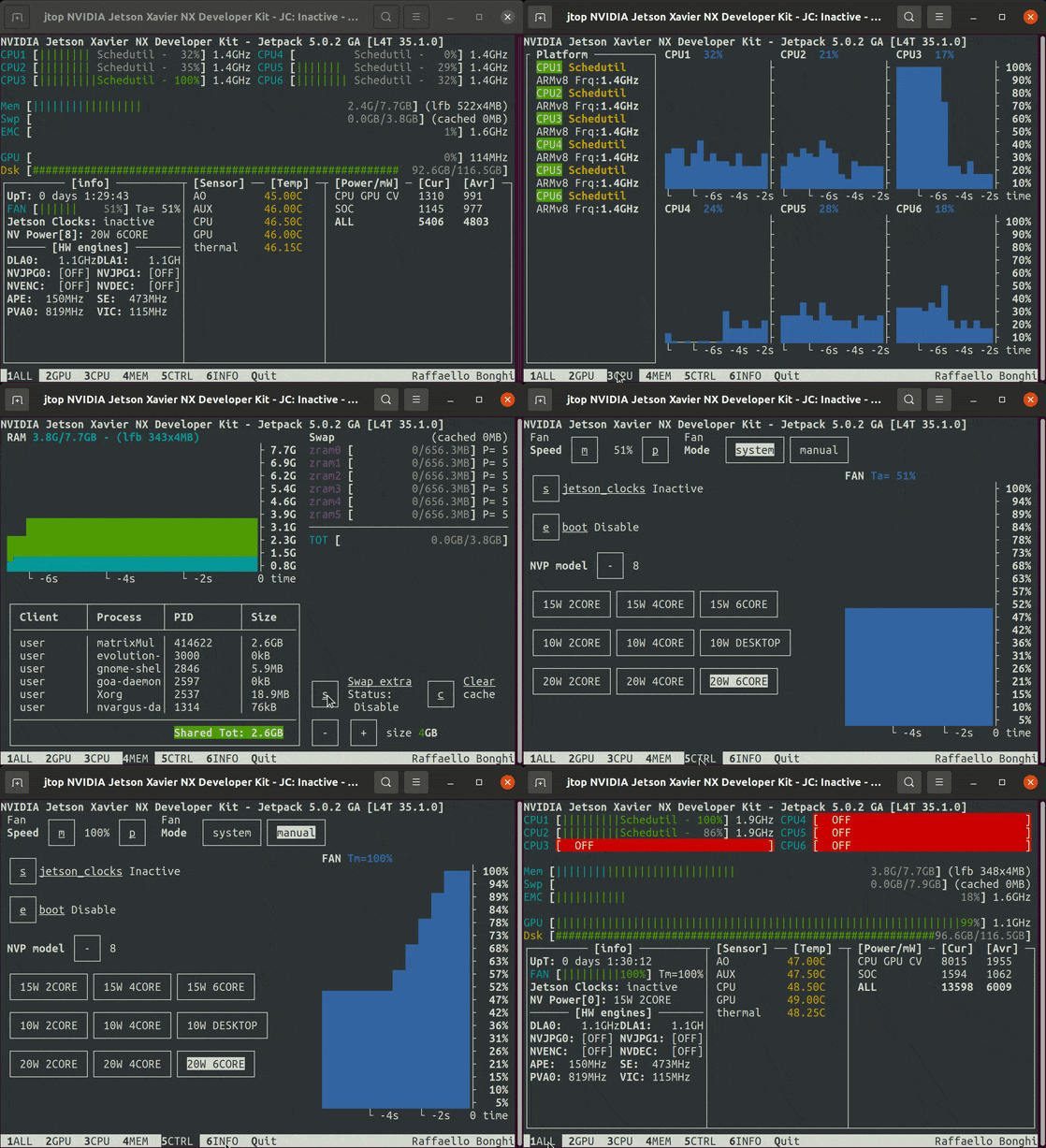
You can run the jtop simple using a simple command jtop
YES! Sudo is not more required!
nvidia@jetson-xavier-nx:~/$ jtop
Other options are available with -h option:
nvidia@jetson-xavier-nx:~/$ jtop -h
usage: jtop [-h] [--no-warnings] [--restore] [--loop] [-r REFRESH] [-p PAGE]
            [-v]

jtop is system monitoring utility and runs on terminal

optional arguments:
  -h, --help            show this help message and exit
  --no-warnings         Do not show warnings (default: False)
  --restore             Reset Jetson configuration (default: False)
  --loop                Automatically switch page every 5s (default: False)
  -r REFRESH, --refresh REFRESH
                        refresh interval (default: 500)
  -p PAGE, --page PAGE  Open fix page (default: 1)
  -v, --version         show program's version number and exit
You can change page using left, right arrow or TAB to change page.
Pages
jtop have four different pages to control your NVIDIA Jetson:
- ALL Are collected all information about your board: CPUs status, Memory, GPU, disk, fan and all status about jetson_clocks, NVPmodel and other
- GPU A real time GPU history about your NVIDIA Jetson
- CPU A real time CPU plot of NVIDIA Jetson
- MEM A real time Memory chart and swap monitor
- CTRL Enable/Disable jetson_clocks, nvpmodel or fan directly from here
- INFO All information about libraries, CUDA, Serial Number, interfaces, ...
Controls
To control the your NVIDIA Jetson are available this keyboard commands:
In page 3 MEM:
- c Clear cache
- s Enable/Disable extra swap
- + and - Increase and decrease swap size
In page 4 CTRL:
- a Start/Stop jetson_clocks service (Note: jetson_clocks start only after 60s from up time)
- e Enable/Disable jetson_clocks on board boot
- + and - Increase and decrease the NVPmodel
- f Manual/jetson_clocks mode for your fan
- p and m Increase and decrease the Fan speed
jetson_config
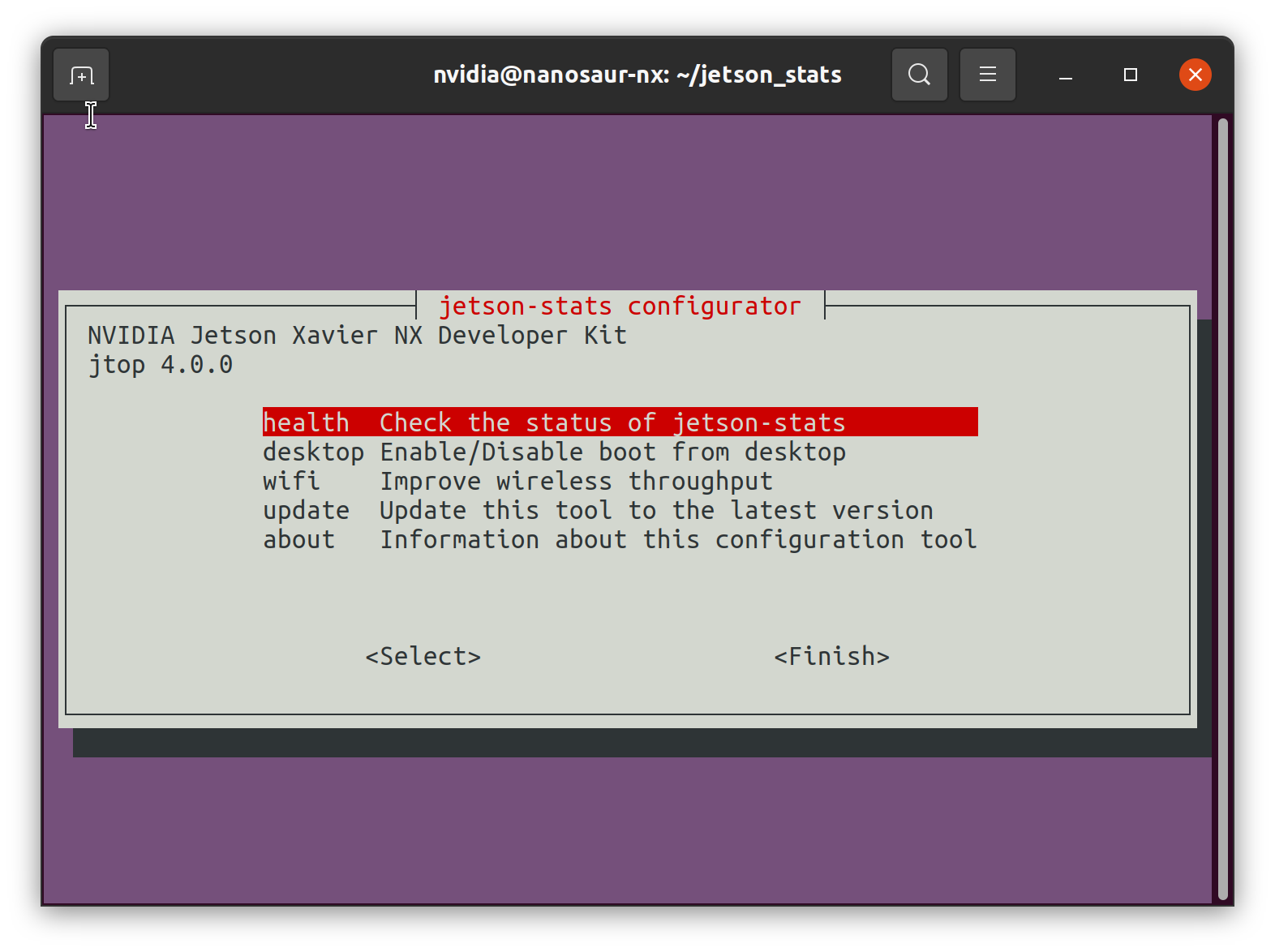
Check jetson-stats health, enable/disable desktop, enable/disable jetson_clocks, improve the performance of your wifi are available only in one click using jetson_config
jetson_release
The command show the status and all information about your NVIDIA Jetson

jetson_swap
Simple manager to switch on and switch off a swapfile in your jetson.
nvidia@jetson-nano:~/$ sudo jetson_swap -h
usage: createSwapFile [[[-d directory ] [-s size] -a] | [-h] | [--off]]
  -d | --dir    <directoryname> Directory to place swapfile
  -n | --name   <swapname> Name swap file
  -s | --size   <gigabytes>
  -a | --auto   Enable swap on boot in /etc/fstab
  -t | --status Check if the swap is currently active
  --off         Switch off the swap
  -h | --help   This message
jetson variables
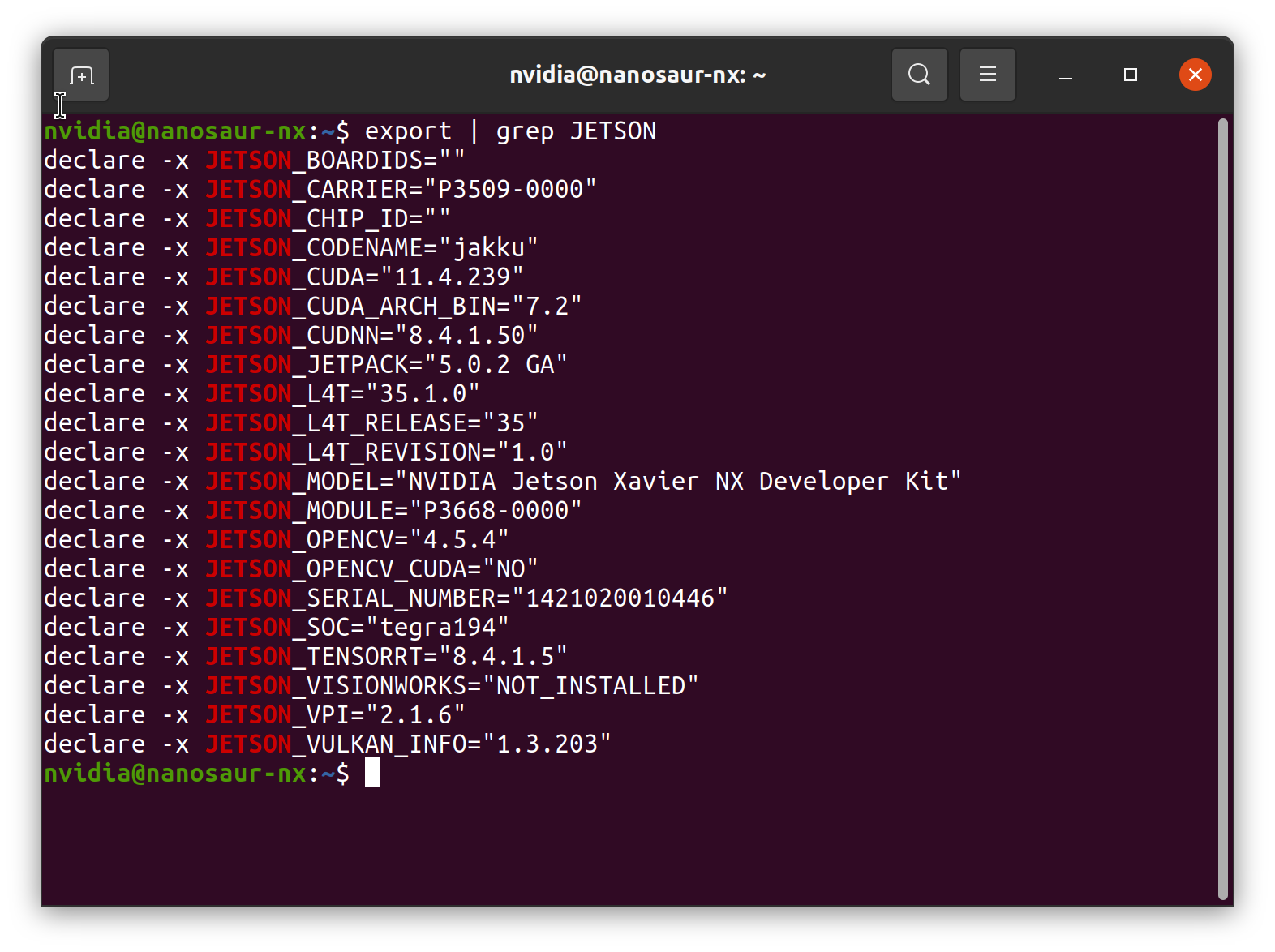
When you install jetson-stats in your bash will be available a list of new environment variables to know which which hardware version is available are you working, which Jetpack is installed and other variable show below
Release history Release notifications | RSS feed


Download files
Download the file for your platform. If you're not sure which to choose, learn more about installing packages.
Source Distribution
File details
Details for the file jetson-stats-3.0.2.tar.gz.
File metadata
- Download URL: jetson-stats-3.0.2.tar.gz
- Upload date:
- Size: 85.4 kB
- Tags: Source
- Uploaded using Trusted Publishing? No
- Uploaded via: twine/1.15.0 pkginfo/1.6.1 requests/2.24.0 setuptools/39.0.1 requests-toolbelt/0.9.1 tqdm/4.51.0 CPython/2.7.17
File hashes
| Algorithm | Hash digest | |
|---|---|---|
| SHA256 |
326263bf550debf486974e76275ba1f4ab0b90f8f1d226c80c543b55a207be20
|
|
| MD5 |
e7e1b56f4a9d7c91e5fc9117600212c7
|
|
| BLAKE2b-256 |
6c1bd926995bee8983cbd4176c5c3f103f8e5198292057c45d82198baccd1077
|






