
JKI Python Bridge for LabVIEW
Easily add a Python API to your LabVIEW application.




Getting Started
-
Install LabVIEW Package with VIPM (You'll use this to create your APIs)
-
Install the jki-python-bridge-for-labview using
pip
python3 pip install jki-python-bridge-for-labview
Note: be sure to install the same version as the LabVIEW package you installed. For example, if you've installed version 5.0.0 of the LabVIEW package, then you'd install the same version of the python package as follows:
python3 pip install jki-python-bridge-for-labview==5.0.1
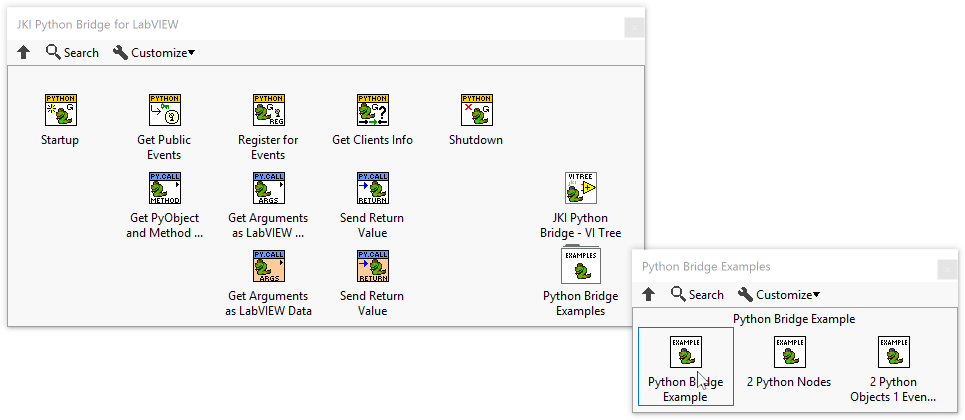
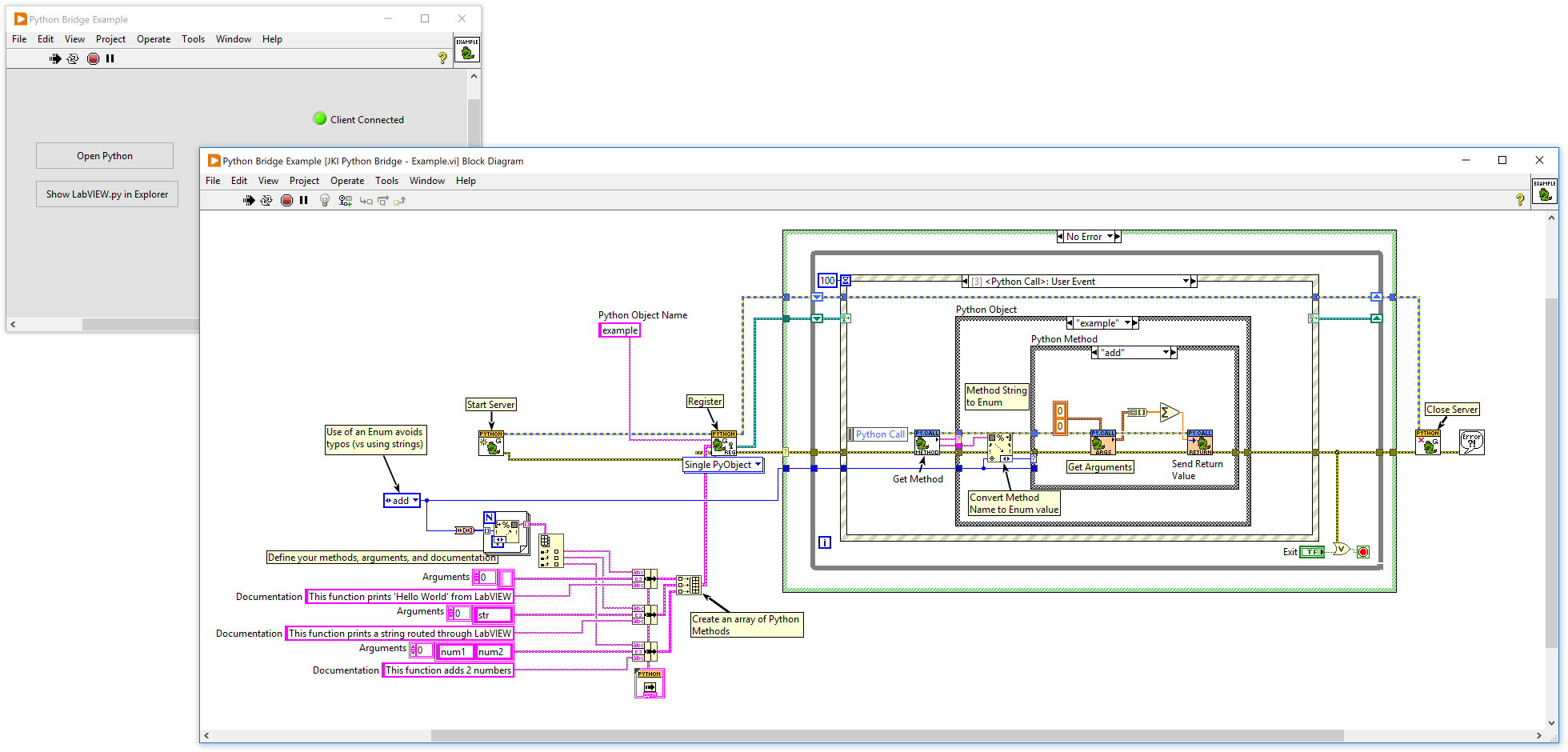
- Open the LabVIEW Example and Run it
- Open cmd.exe or powershell.exe terminal
- Create a virtual environment for testing
python -m venv .venv
- Activate it in PowerShell
.\.venv\scripts\activate.ps1
- Activate it in a Command Shell
.\.venv\scripts\activate.bat
Start Python
PS C:\projects\jki-labview-python-server> python
Python 3.10.4 (tags/v3.10.4:9d38120, Mar 23 2022, 23:13:41) [MSC v.1929 64 bit (AMD64)] on win32
Type "help", "copyright", "credits" or "license" for more information.
- Interact with LabVIEW from Python
>> from jki_python_bridge_for_labview import labview as lv
>> lv.connect()
>>> lv.isConnected
1
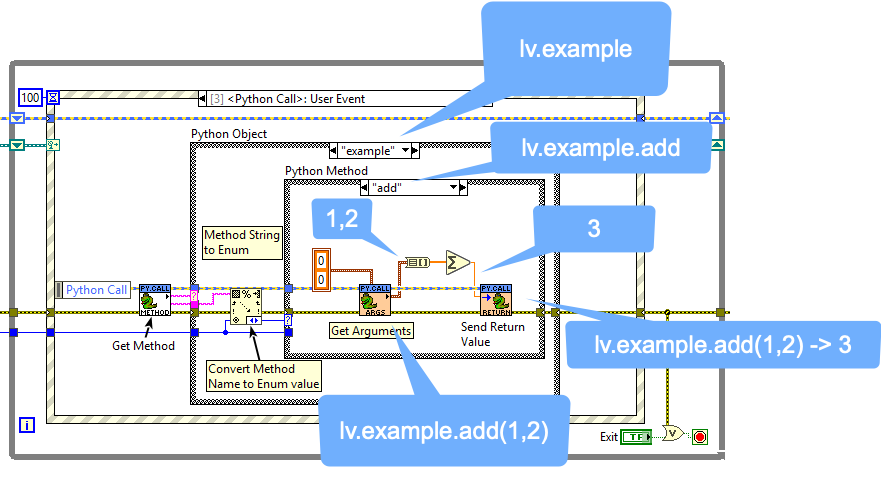
>>> lv.example.add(1,2)
3.0
>>>
- Understanding what's happening
1 maintainer

Release files for jki-python-bridge-for-labview 5.0.1
For a detailed explanation of source distributions (sdists) and built distributions (wheels), please see the package formats documentation.
Source distribution (sdist)
| File | Size | Uploaded | |
|---|---|---|---|
| jki_python_bridge_for_labview-5.0.1.tar.gz | 6.1 kB | Details |
Built distribution (wheel)
| File | Interpreter | ABI | Platform | Reset |
|---|---|---|---|---|
| jki_python_bridge_for_labview-5.0.1-py2.py3-none-any.whl | Python 3, Python 2 | none | any | Details |
Total release size: 12.9 kB
Release files / jki_python_bridge_for_labview-5.0.1.tar.gz
| Download URL | jki_python_bridge_for_labview-5.0.1.tar.gz |
|---|---|
| Size | 6.1 kB |
| Tags | Source |
|
SHA-256 checksum How to use checksums |
ee65309b925dc03faa9a7adf682a70383567677ec8dacaf27c322ae92843e00b
|
|
BLAKE2b-256 checksum How to use checksums |
6b11f98cfcf36827b8ecd4d0fb139dc48eac877818227f7803842b4576293dcb
|
| Upload date | |
|
Uploaded using Trusted Publishing? What is trusted publishing? |
No |
| Uploaded via |
python-httpx/0.23.3
|
Release files / jki_python_bridge_for_labview-5.0.1-py2.py3-none-any.whl
| Download URL | jki_python_bridge_for_labview-5.0.1-py2.py3-none-any.whl |
|---|---|
| Size | 6.8 kB |
| Tags | Python 2 Python 3 |
|
SHA-256 checksum How to use checksums |
d7fa602a12fb8ddde5e0f59bf6caa9ae81dc477949e39cfc2150d829bf559e62
|
|
BLAKE2b-256 checksum How to use checksums |
8b6544ae376b9f100cf3d2edf095df6843d7b16b786a70bd92c9a4262abf3fed
|
| Upload date | |
|
Uploaded using Trusted Publishing? What is trusted publishing? |
No |
| Uploaded via |
python-httpx/0.23.3
|














