
JKI Python Bridge for LabVIEW. Easily control your LabVIEW applications from python via define custom APIs.

Project description
JKI Python Bridge for LabVIEW
Easily add a Python API to your LabVIEW application.




Getting Started
-
Open the Example and Run it
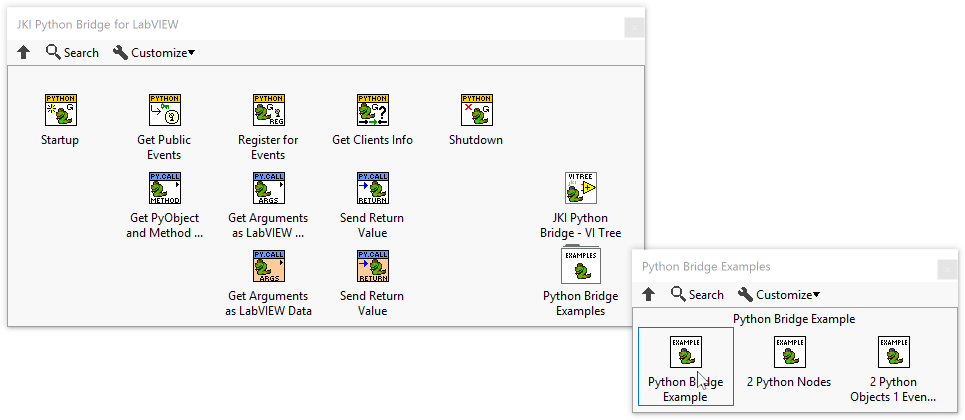
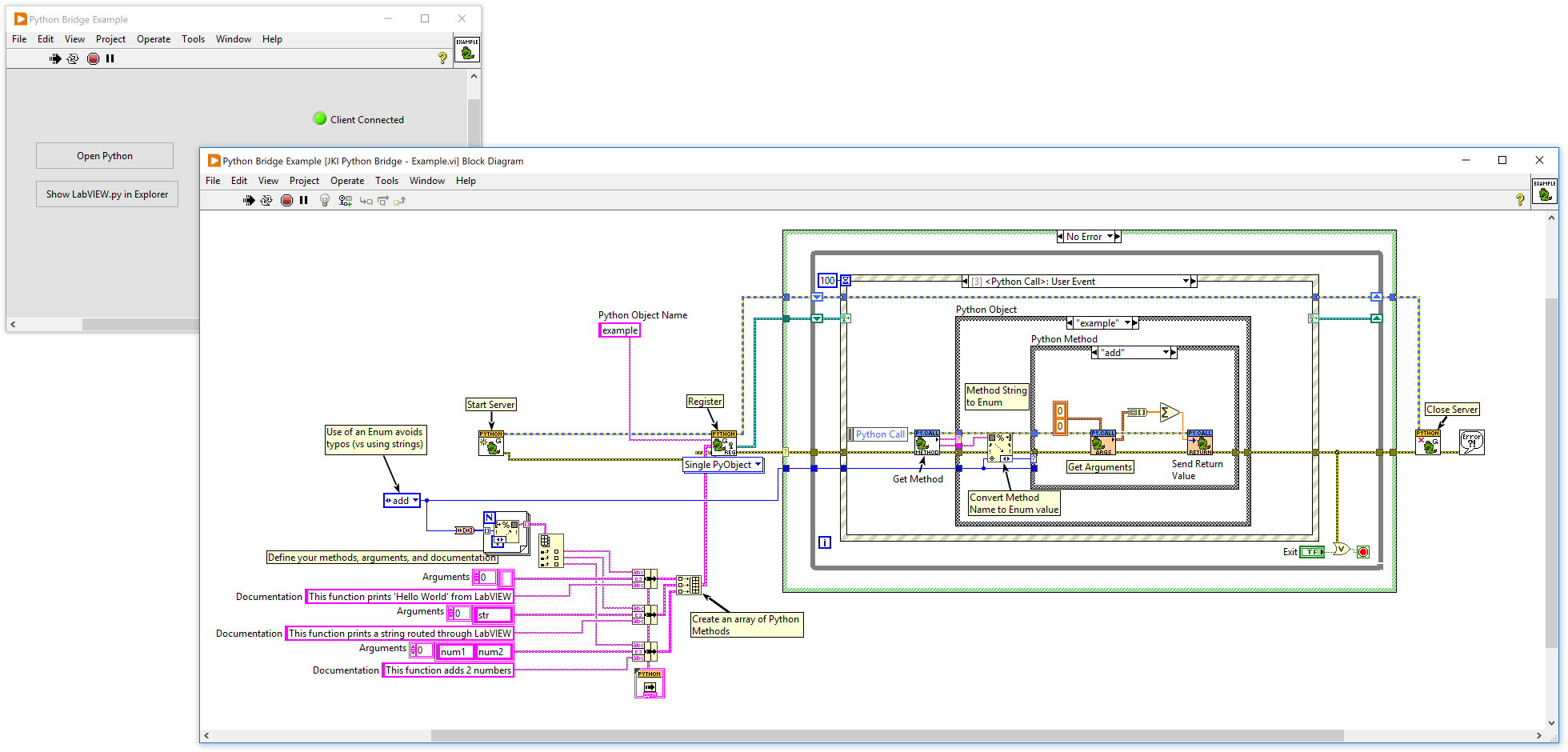
- Open cmd.exe or powershell.exe terminal
- Create a virtual environment for testing
python -m venv .venv
- Activate it in PowerShell
.\.venv\scripts\activate.ps1
- Activate it in a Command Shell
.\.venv\scripts\activate.bat
Start Python
PS C:\projects\jki-labview-python-server> python
Python 3.10.4 (tags/v3.10.4:9d38120, Mar 23 2022, 23:13:41) [MSC v.1929 64 bit (AMD64)] on win32
Type "help", "copyright", "credits" or "license" for more information.
- Interact with LabVIEW from Python
>> import jki_lib_python_bridge_for_labview as lv
>> lv.connect()
>>> lv.isConnected
1
>>> lv.example.add(1,2)
3.0
>>>
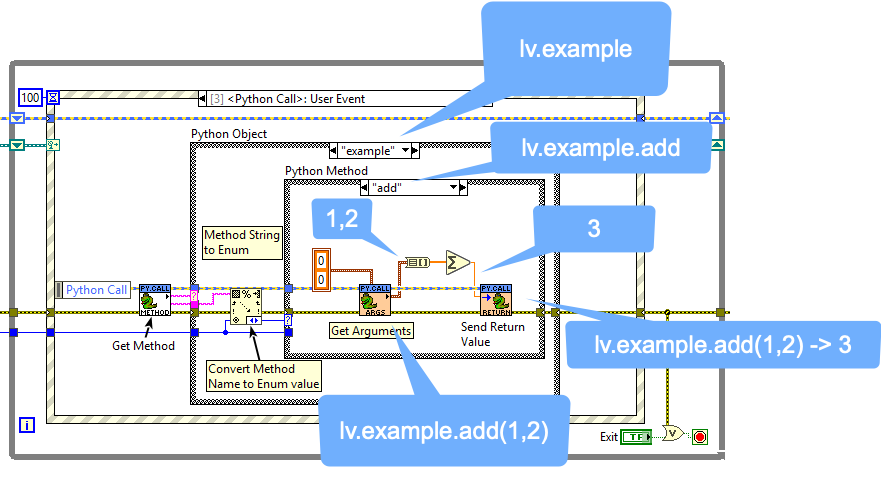
- Understanding what's happening
Release history Release notifications | RSS feed


Download files
Download the file for your platform. If you're not sure which to choose, learn more about installing packages.
Source Distribution
Built Distribution
Filter files by name, interpreter, ABI, and platform.
If you're not sure about the file name format, learn more about wheel file names.
Copy a direct link to the current filters
File details
Details for the file jki_python_bridge_for_labview-5.0.0.tar.gz.
File metadata
- Download URL: jki_python_bridge_for_labview-5.0.0.tar.gz
- Upload date:
- Size: 6.0 kB
- Tags: Source
- Uploaded using Trusted Publishing? No
- Uploaded via: python-httpx/0.23.3
File hashes
| Algorithm | Hash digest | |
|---|---|---|
| SHA256 |
4a2329f0eca2831d007054d57f0d4af83ec905a7008cb097dbb99cd303e5d31d
|
|
| MD5 |
5ba3c95fbe9e4187299655a2e3a1bc07
|
|
| BLAKE2b-256 |
58daa36764a52e295c75c5f41724b0965495e0cd7ea11be79cda5d4316b26cec
|
File details
Details for the file jki_python_bridge_for_labview-5.0.0-py2.py3-none-any.whl.
File metadata
- Download URL: jki_python_bridge_for_labview-5.0.0-py2.py3-none-any.whl
- Upload date:
- Size: 6.6 kB
- Tags: Python 2, Python 3
- Uploaded using Trusted Publishing? No
- Uploaded via: python-httpx/0.23.3
File hashes
| Algorithm | Hash digest | |
|---|---|---|
| SHA256 |
4142f47cbb1f29126e22b9d10dc4c6f77f56f6a1a44144e06709f3a2897d7045
|
|
| MD5 |
69b3629c4f4800196009017c2d263f8e
|
|
| BLAKE2b-256 |
5bcd955c5d72fd4f6055ce5efc38c6ea9bf0ddd38f7078700438ea2743b45302
|






