
This release is a pre-release and may not be stable for production use.
The aim of Jscatter is treatment of experimental data and models:
Reading and analyzing experimental data with associated attributes as temperature, wavevector, comment, ….
Multidimensional fitting taking attributes into account.
Providing useful models for neutron and X-ray scattering form factors, structure factors and dynamic models (quasi elastic neutron scattering) and other topics.
Simplified plotting with paper ready quality.
Easy model building for non programmers.
Python scripts/Jupyter Notebooks to document data evaluation and modelling.


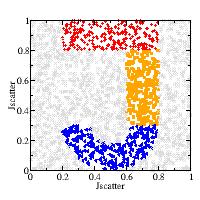
Main concept
Data are organised in dataArray/dataList with attributes as .temperature, .wavevector, .pressure and methods for filter, merging and more.
Multidimensional, attribute dependent fitting (least square Levenberg-Marquardt, Bayesian fit, differential evolution, …).
Provide relative simple plotting commands to allow a fast view on data and possible later pretty up.
User write models using the existing model library or self created models.
The model library contains routines e.g. for vectorized quadrature (formel) or specialised models for scattering as formfactor, structurefactor, dynamic and biomacromolecules.
Documentation
Documentation located at http://jscatter.readthedocs.io. A number of examples how to use Jscatter is provided and can be run from Jscatter.
A short example how to use Jscatter
import jscatter as js

i5=js.dL(js.examples.datapath+'/iqt_1hho.dat')     # read the data (16 sets) with attributes
# define a model for the fit
diffusion=lambda A,D,t,wavevector,elastic=0:A*np.exp(-wavevector**2*D*t)+elastic

# do the fit
i5.fit(model=diffusion,                     # the fit function
       freepar={'D':[0.08],'A':0.98},       # start parameters, "[]" -> independent fit
       fixpar={'elastic':0.0},              # fixed parameters
       mapNames={'t':'X','wavevector':'q'}) # map names from the model to names from the data

p=js.grace(1.2,0.8)                         # open a plot
p.plot(i5,symbol=[-1,0.4,-1],legend='Q=$q') # plot with Q values in legend
p.plot(i5.lastfit,symbol=0,line=[1,1,-1])   # plot fit as lines
p.save('test.agr')
** Released under the GPLv3 **
1 maintainer

Metadata
1 maintainer
Release files for jscatter 1.5.2.dev20230121
For a detailed explanation of source distributions (sdists) and built distributions (wheels), please see the package formats documentation.
Source distribution (sdist)
| File | Size | Uploaded | Provenance | Actions |
|---|---|---|---|---|
| jscatter-1.5.2.dev20230121.tar.gz | 32.0 MB | Without provenance | Details for jscatter-1.5.2.dev20230121.tar.gz |
Release files / jscatter-1.5.2.dev20230121.tar.gz
| Download URL | jscatter-1.5.2.dev20230121.tar.gz |
|---|---|
| Size | 32.0 MB |
| Tags | Source |
|
SHA-256 checksum How to use checksums |
2951c45d73bb722de6c484a207b691722dc4b9803a9d06f913c3e397e31d245b
|
|
BLAKE2b-256 checksum How to use checksums |
e4caa60de9ea43f2b746685a25f318769c27aae50c80b2532ad66feb495fa803
|
| Upload date | |
|
Uploaded using Trusted Publishing? What is trusted publishing? |
No |
| Uploaded via |
twine/4.0.2 CPython/3.10.6
|
Security for jscatter 1.5.2.dev20230121
Provenance
Provenance describes where a file came from. On PyPI, provenance is shared via attestations, which provide a verifiable record of the build or publishing details. View details, limitations and caveats.
No provenance found
None of the files in this release were uploaded with provenance metadata.
A note on package security
PyPI is a repository for distributing packages, not a service for auditing them. While third-party security researchers and our staff do their best to detect and remove malicious packages, PyPI cannot guarantee the quality, security or suitability of any given package.
To learn more about protecting yourself from malicious actors, visit our package security documentation.














