
jlv
A terminal viewer for JSONL files (one JSON value per line).
https://github.com/user-attachments/assets/5e47dbae-dd43-408b-b65d-e8e98aeeba17
Install the jsonl-viewer package; the command is still jlv:
uv tool install jsonl-viewer
jlv your-file.jsonl
Alternatively, use pip install jsonl-viewer. From a source checkout:
uv run jlv your-file.jsonl
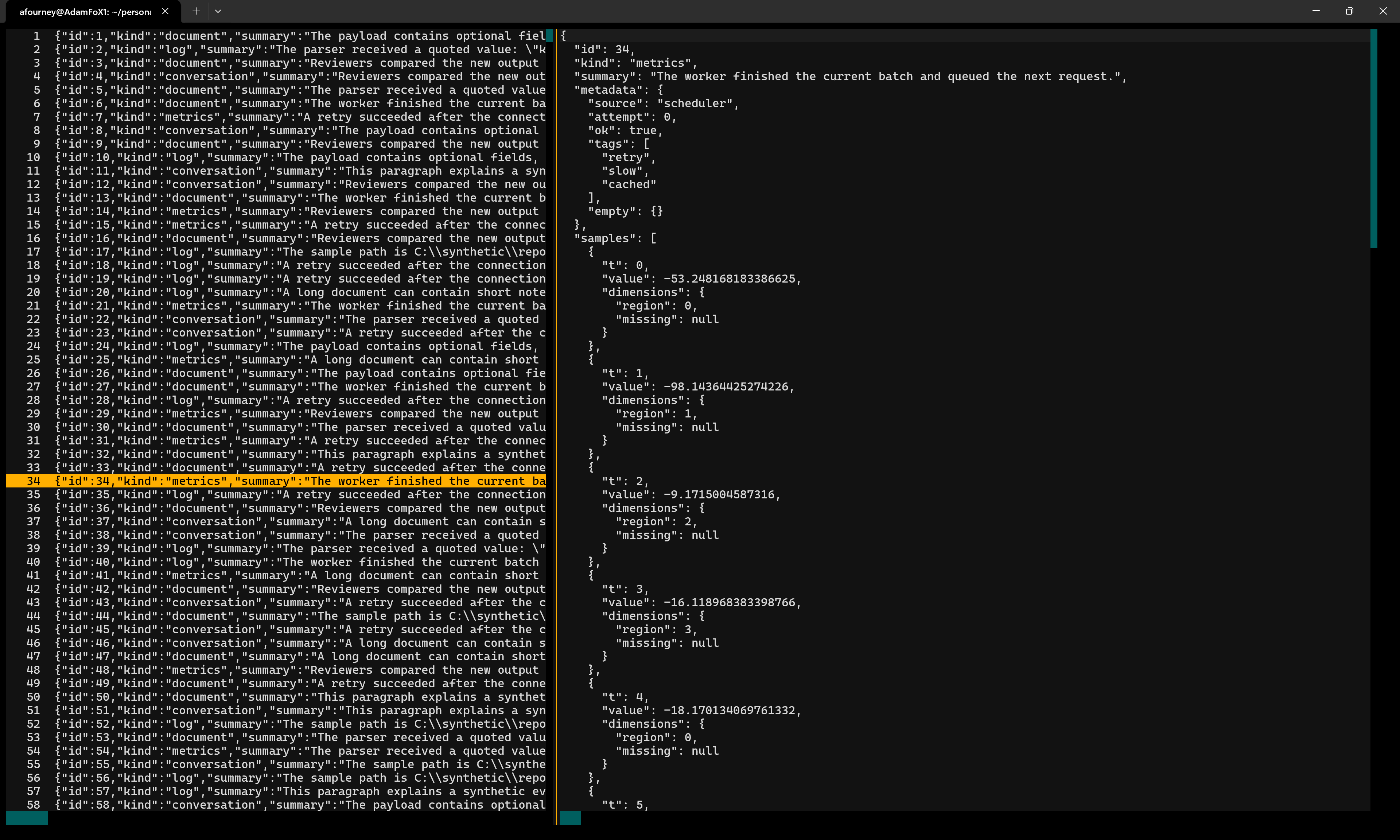
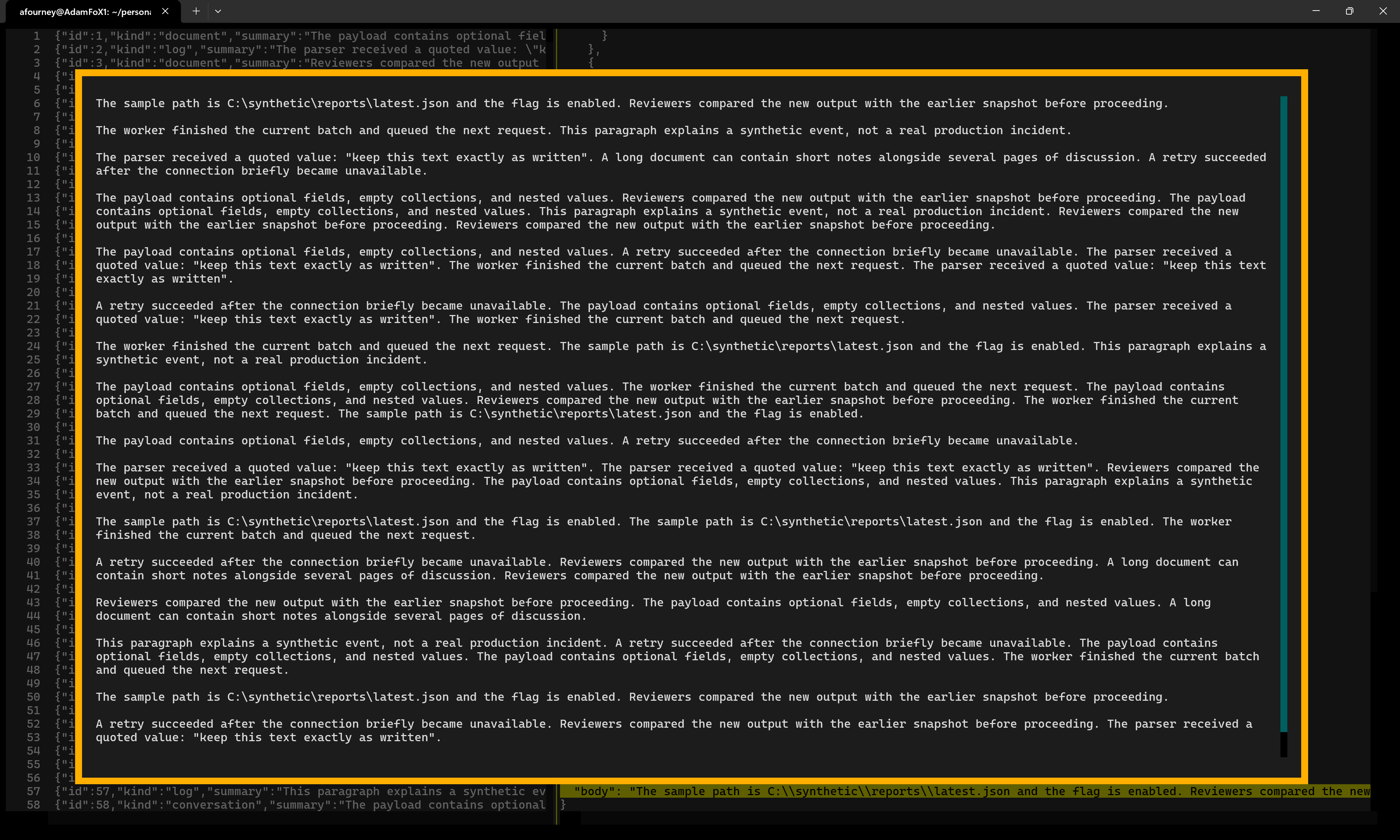
Requires Python 3.12+ and Textual 8+. The left panel lists numbered records; the right panel shows the selected record as indented JSON. Select a string to read its decoded contents in a scrollable, word-wrapped inspector.
Screenshots
Browse records alongside their formatted JSON:
Open a string to read its decoded, word-wrapped contents:
Controls
| Key / action | Effect |
|---|---|
| Up / Down, k / j | Select the previous / next record or line |
| Page Up / Page Down | Move by a page |
| Home / End, gg / G | Move to the first / last row |
| Tab / Shift+Tab | Switch panels |
| Left / Right, h / l | Scroll horizontally where available |
| 0 / $ | Reveal the start / end of the current line |
| [ / ] | Navigate object/array block starts in the JSON preview |
| % | Jump between matching object/array delimiters in the JSON preview |
| Enter or click | Inspect a selected string |
| Mouse wheel / scrollbars | Scroll the panel under the pointer |
| Ctrl+F, /, ? | Open search (both / and ? search forward) |
| Enter in search | Find next match and return focus to the panel |
| Enter in a main panel while search is open | Close search, focus the JSON preview, and inspect its current line if it is a string |
| F3, n | Find next match |
| Shift+F3, N | Find previous match |
| :number then Enter | Jump to a 1-based line in the originating panel |
| :q then Enter | Close the string inspector, or quit from a main panel |
| Alt+R / Alt+C | Toggle Regex / Match case while search is open |
| Escape | Close search first, then the string inspector |
The inspector is read-only and supports text selection and Ctrl+C to copy. The main panels also support text selection. The left-hand preview is capped at 1,000 characters, but the right-hand document and decoded strings are not truncated.
Search
The main panels share one search across the full formatted JSON, including text
beyond the left panel's truncated previews. A result selects its record on the
left and highlights the matching text on the right, scrolling it into view.
F3 and Shift+F3 (or n and N with a panel focused) move between individual
matches, including matches in the same record, and wrap at either end of the
file. Escape closes the search bar.
Inside the string inspector, search is independent and limited to that decoded string.
Search defaults to literal, case-insensitive matching. Use Alt+R for regular expressions and Alt+C for case-sensitive matching; the search bar displays both settings. Press Enter to search after editing the query or changing an option.
Large files
Both main panels render only visible rows, rather than creating a widget for every record or JSON field. The loader validates the entire file in one buffered pass and builds a compact byte-offset index. Records are read and parsed on demand; small bounded caches retain recent previews and formatted documents. The string inspector also renders a viewport, and defers wrapping until its actual display width is known.
Validation still happens before the viewer opens: malformed JSON, invalid UTF-8, and interior blank lines are reported with a line number. Trailing blank lines are permitted. This is a read-only viewer, not a live file follower; do not edit the input file while viewing it.
Sample file
The repository includes stress-test.jsonl.gz, a compressed synthetic dataset
with 30,000 records. Extract it before opening it:
gzip -dk stress-test.jsonl.gz
uv run jlv stress-test.jsonl
The extracted file is 300 MB and is Git-ignored. Records range from approximately 1-100 KB and contain nested structures and strings of varying lengths. Some strings intentionally end mid-sentence to fit the generated record sizes.
1 maintainer

Release files for jsonl-viewer 0.0.2
For a detailed explanation of source distributions (sdists) and built distributions (wheels), please see the package formats documentation.
Source distribution (sdist)
| File | Size | Uploaded | |
|---|---|---|---|
| jsonl_viewer-0.0.2.tar.gz | 13.4 kB | Details |
Built distribution (wheel)
| File | Interpreter | ABI | Platform | Reset |
|---|---|---|---|---|
| jsonl_viewer-0.0.2-py3-none-any.whl | Python 3 | none | any | Details |
Total release size: 29.2 kB
Release files / jsonl_viewer-0.0.2.tar.gz
| Download URL | jsonl_viewer-0.0.2.tar.gz |
|---|---|
| Size | 13.4 kB |
| Tags | Source |
|
SHA-256 checksum How to use checksums |
67ffd24596d77bbb4185160942cf286846dff86d6518ad09de3ea1f4af1e85ae
|
|
BLAKE2b-256 checksum How to use checksums |
007681fc4ef492722ddbe537d31bbf27045bc3523dac10084d15667f3a5c261b
|
| Upload date | |
|
Uploaded using Trusted Publishing? What is trusted publishing? |
Yes |
| Uploaded via |
twine/7.0.0 CPython/3.13.14
|
Provenance
Provenance describes where a file came from. On PyPI, provenance is shared via attestations, which provide a verifiable record of the build or publishing details. View details, limitations and caveats.


PyPI Publish Attestation
PyPI verified that this artifact, at this checksum, originated from the publisher listed below.
Signed by GitHub Actions, verified by PyPI on Sep 23, 2026.
Transparency logRelease files / jsonl_viewer-0.0.2-py3-none-any.whl
| Download URL | jsonl_viewer-0.0.2-py3-none-any.whl |
|---|---|
| Size | 15.8 kB |
| Tags | Python 3 |
|
SHA-256 checksum How to use checksums |
a5ac104cbad7f9e060752edc7d463e9f36c5b371c0d249912043c7fe7b622e03
|
|
BLAKE2b-256 checksum How to use checksums |
465138b5e79d41afe250785c5f44b2fcfcf077a7e45b3d064d1cdf2f04d317b0
|
| Upload date | |
|
Uploaded using Trusted Publishing? What is trusted publishing? |
Yes |
| Uploaded via |
twine/7.0.0 CPython/3.13.14
|
Provenance
Provenance describes where a file came from. On PyPI, provenance is shared via attestations, which provide a verifiable record of the build or publishing details. View details, limitations and caveats.
PyPI Publish Attestation
PyPI verified that this artifact, at this checksum, originated from the publisher listed below.
Signed by GitHub Actions, verified by PyPI on Sep 23, 2026.
Transparency log













