
JUnit Report Generator



junit-html-report-generator is a lightweight, zero-dependency Python tool that converts JUnit XML test reports into human-readable, static HTML dashboards.
Perfect for CI/CD pipelines, local debugging, or sharing test results with stakeholders.
🚀 Key Features
- Simple Conversion: Turn complex XML into a clean, responsive HTML file in seconds.
- 🎨 Multiple Templates: Choose from built-in themes (Dark mode, Minimal, etc.) to suit your preferences.
- CI/CD Ready: Seamlessly integrates with Jenkins, GitHub Actions, GitLab CI, and CircleCI.
- Detailed Insights: View pass/fail rates, execution times, and capture stdout/stderr logs.
- Dual Mode: Use it as a CLI tool or import it as a Python library.
📦 Installation
Install the package via pip:
pip install junit-html-report-generator
🛠 Usage
Command Line Interface (CLI) Basic conversion (uses default template):
junit-html-report-generator report.xml -o output.html
Using a specific template:
junit-html-report-generator report.xml -o output.html --template dark
Setting a custom title:
junit-html-report-generator report.xml -o output.html --template legacy --title "Nightly Run"
List available templates:
junit-html-report-generator --list-templates
Generating analytics reports (in addition to the main report):
junit-html-report-generator report.xml -o output.html --allow-analytics
This generates both output.html (main report) and output-analytics.html (analytics dashboard with charts and filters).
Python Library You can integrate the generator directly into your Python scripts.
from junit_report_generator import create_report

# Convert with a specific template
create_report(
    source="results.xml",
    output="dashboard.html",
    template="dark",
    title="Nightly Run"
)

# or using a string of XML data
with open("results.xml", "r") as f:
    xml_data = f.read()
    html_content = create_report(xml_string=xml_data, template="minimal")
🎨 Available Templates
The package comes with several pre-built templates to customize your report style.
| Template Name | Description | Best For |
|---|---|---|
| modern | (Default) A clean, colorful dashboard with charts and collapsible sections. | General use, stakeholder reports. |
| dark | A high-contrast dark theme version of the modern dashboard. | Late-night debugging, dark-mode lovers. |
| minimal | A text-heavy, high-density layout with no charts and only minimal inline JavaScript for basic filtering/collapsing. | Large test suites (10k+ tests), slow connections that still allow basic interactivity. |
| legacy | A simple table view similar to older Jenkins reports. | Backward compatibility. |
| analytics | Advanced analytics dashboard with multi-axis charts, performance insights, and interactive filters. | In-depth performance analysis, identifying bottlenecks. |
📸 Template Previews
Modern (Default)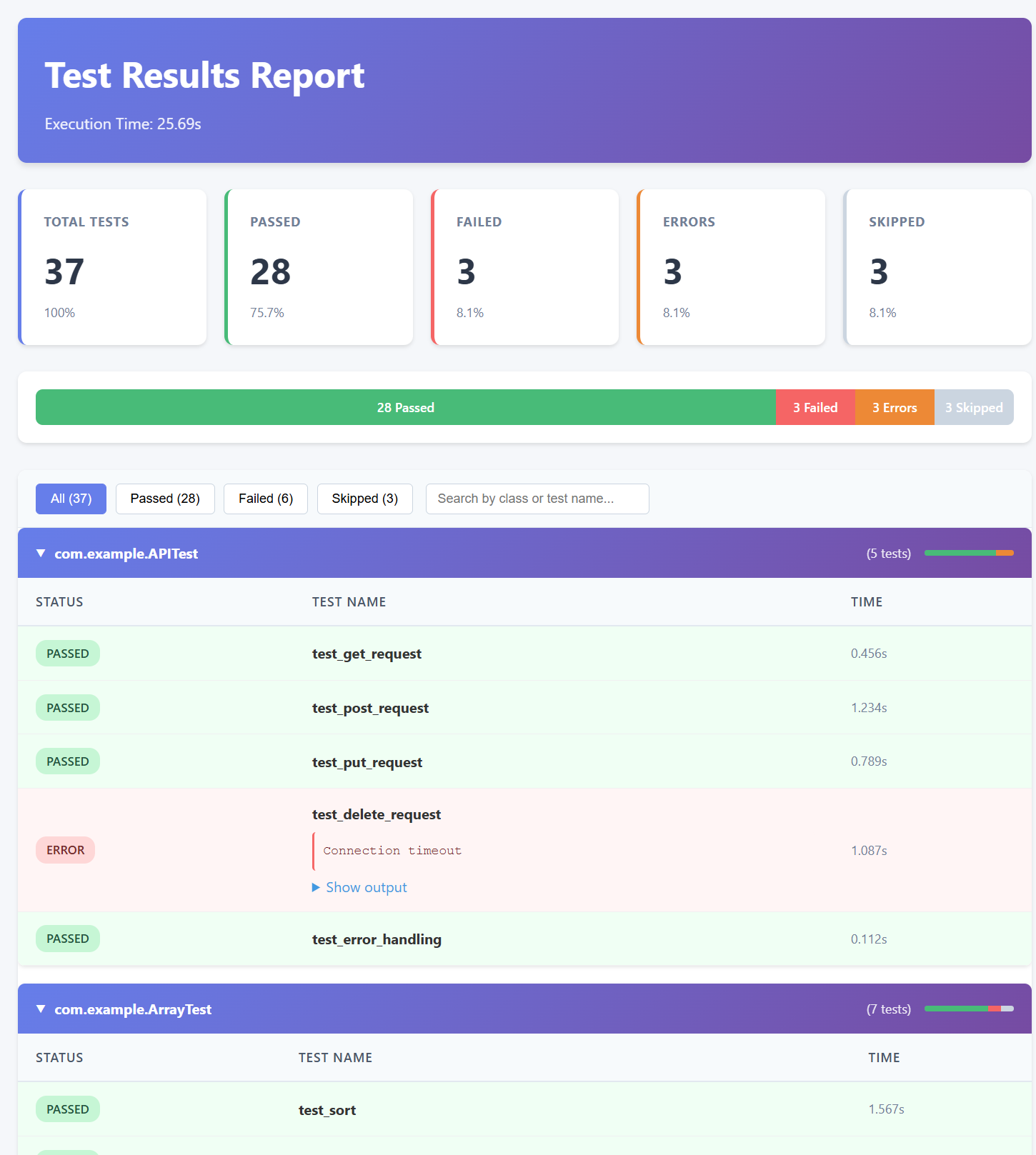
|
Dark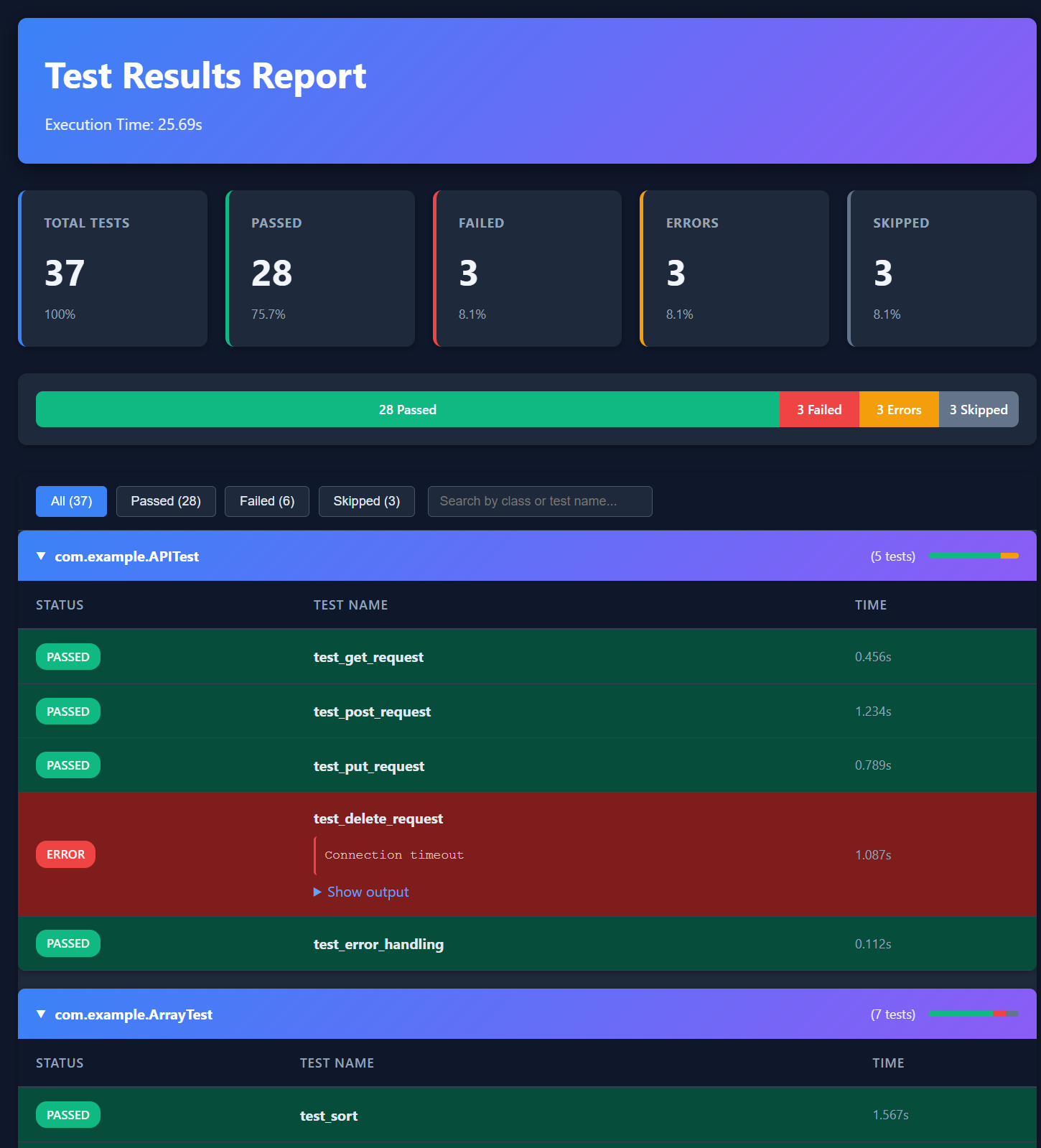
|
Minimal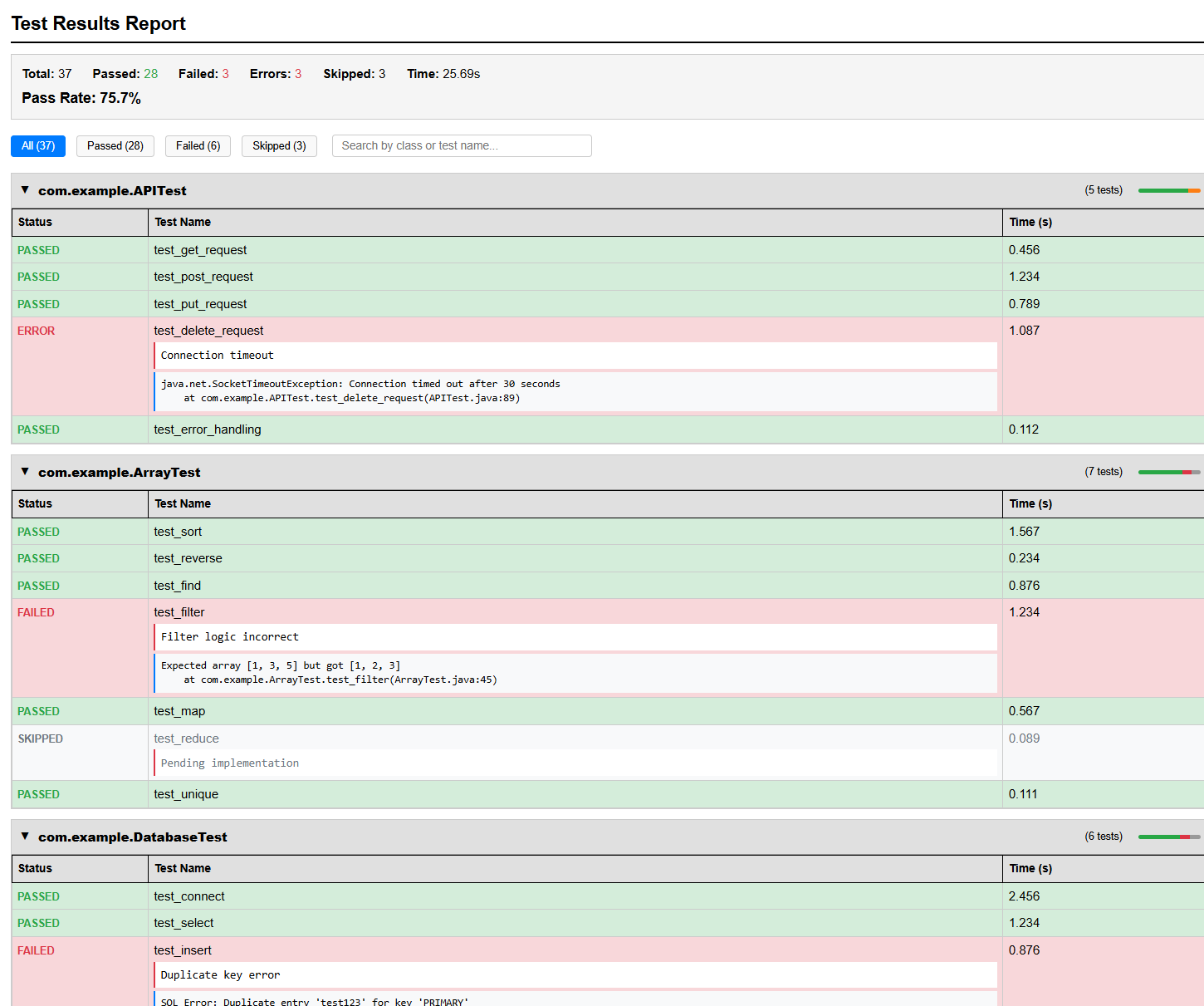
|
Legacy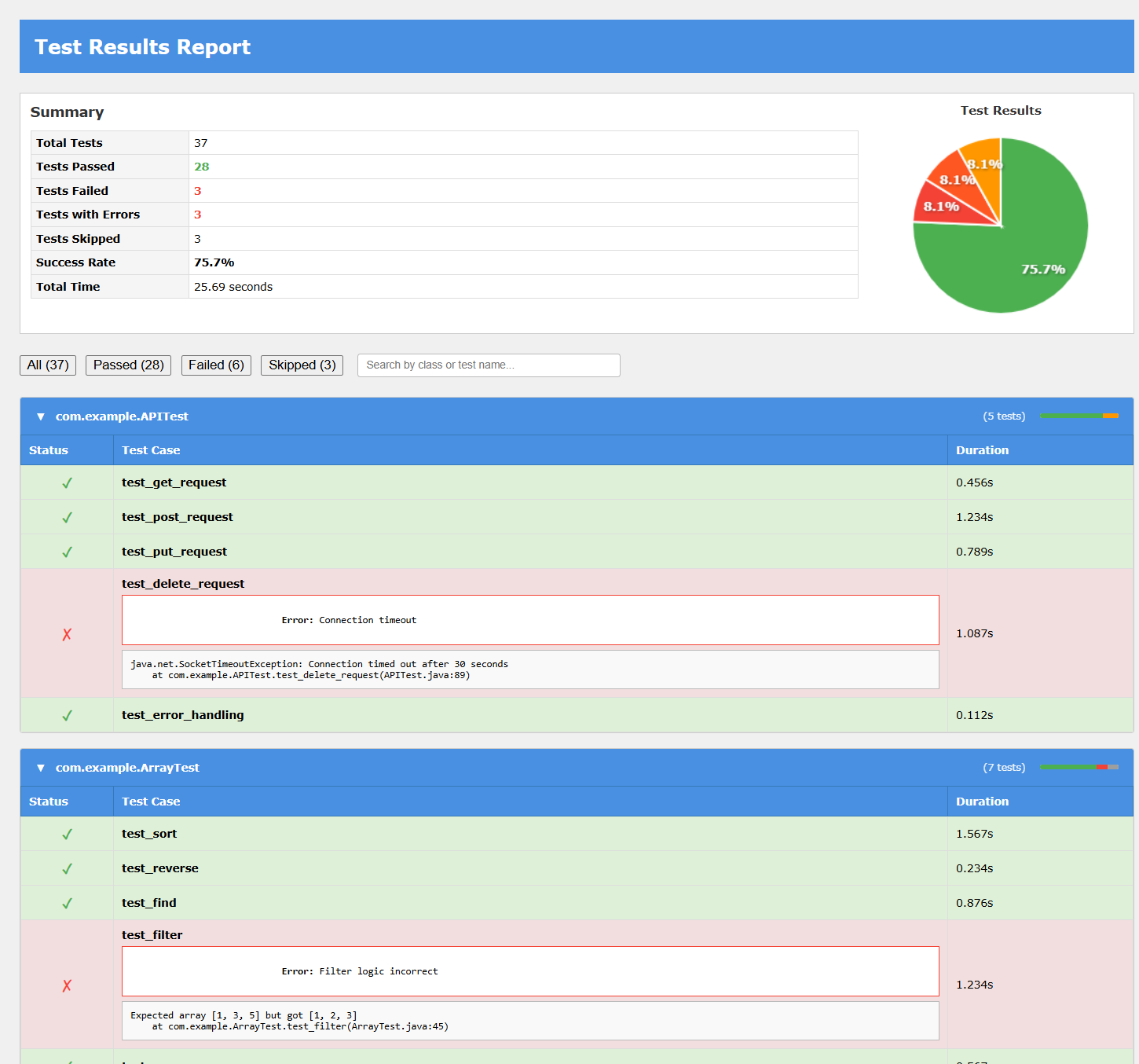
|
Analytics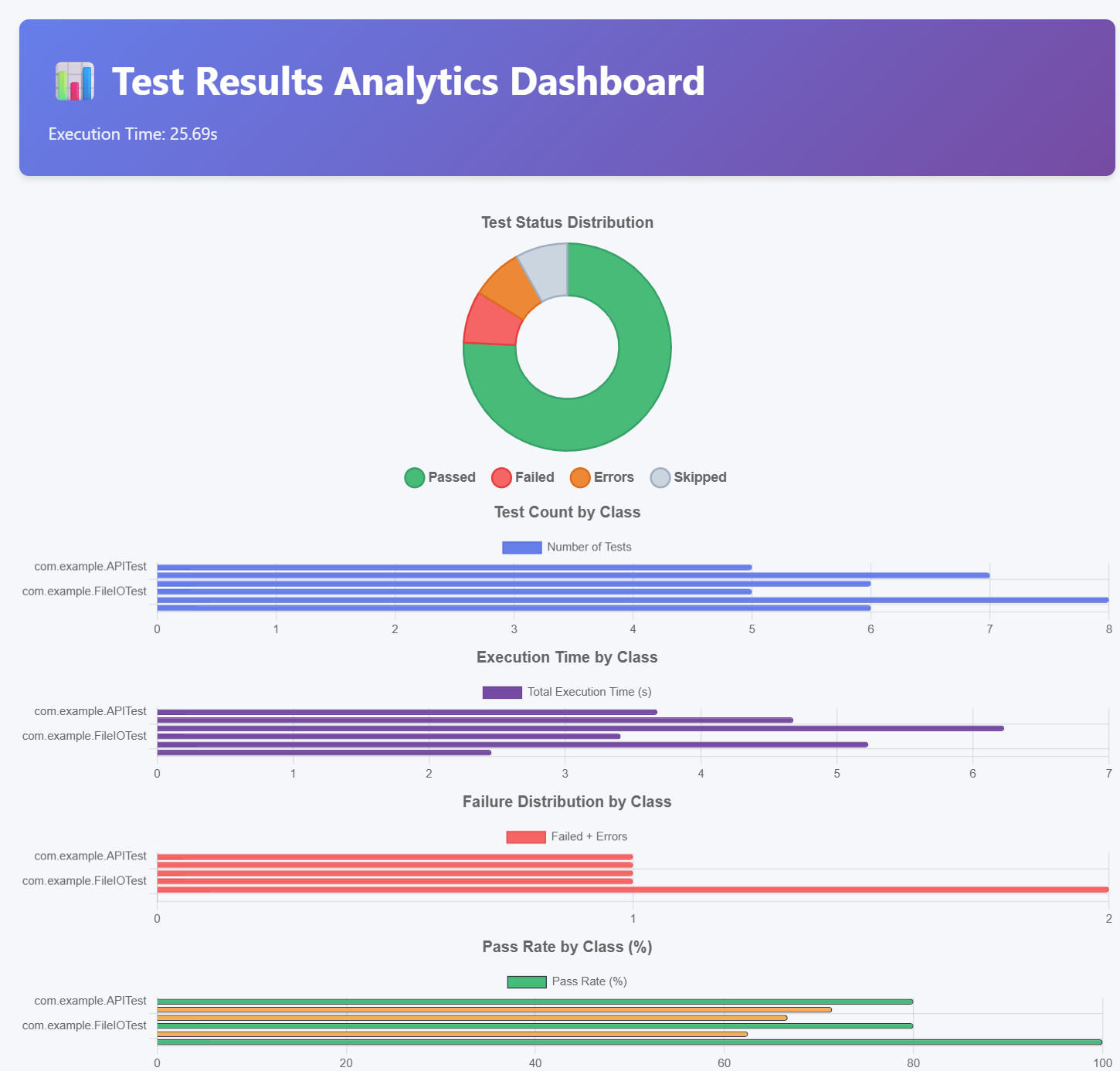
|
|
📊 Example Output
The generated HTML report includes:
- Summary Cards: Total tests, passed, failed, skipped, and total duration.
- Test Cases Table: Sortable list of all test cases with status indicators.
- Failure Details: Expandable sections showing stack traces and error messages.
Analytics Dashboard (--allow-analytics)
The analytics report provides advanced insights:
- Interactive Charts: Status distribution, test count by class, execution time by class, failure distribution, and pass rate visualization.
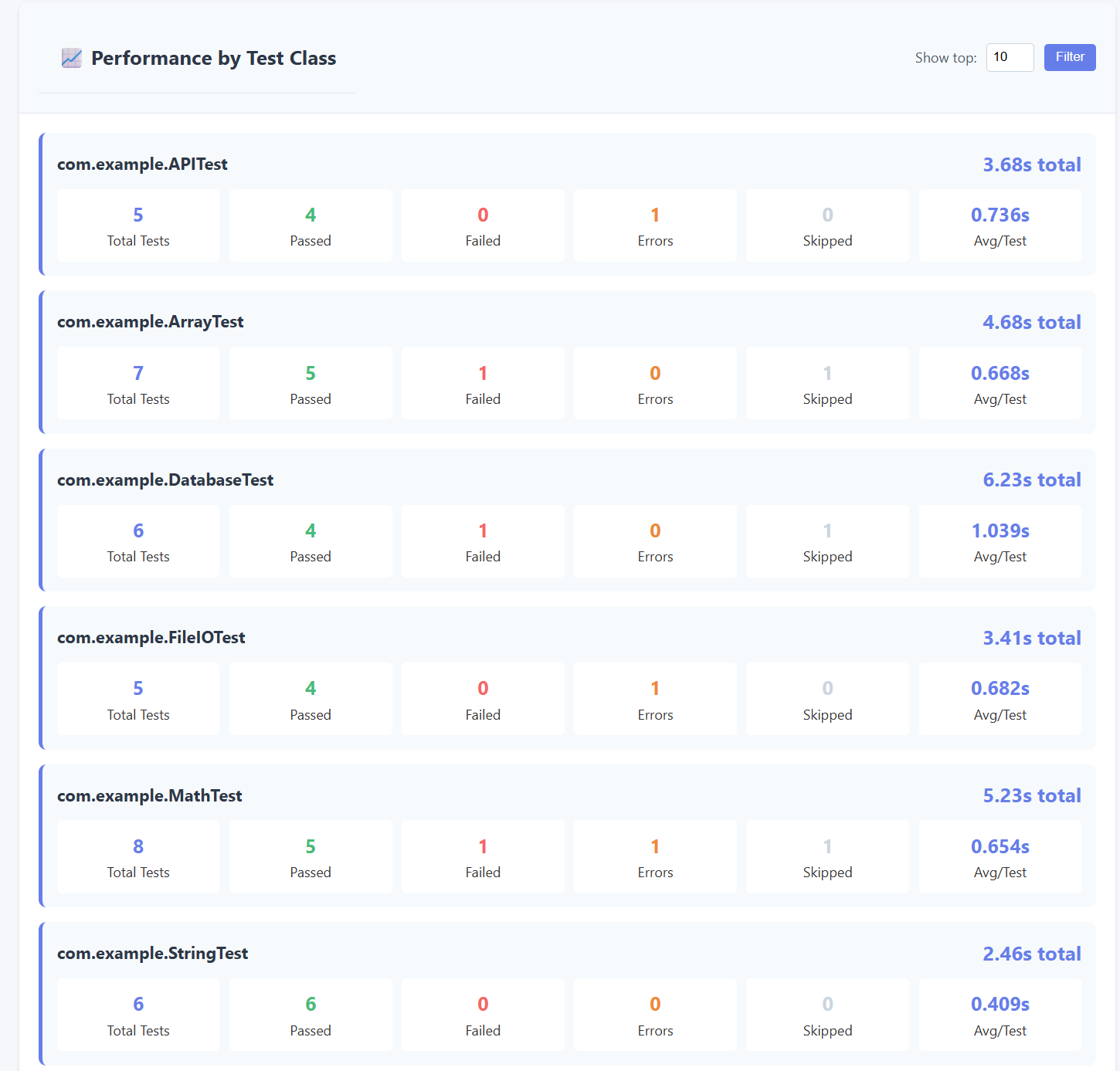
- Performance Metrics: Detailed breakdown of test execution by class with averages and statistics.
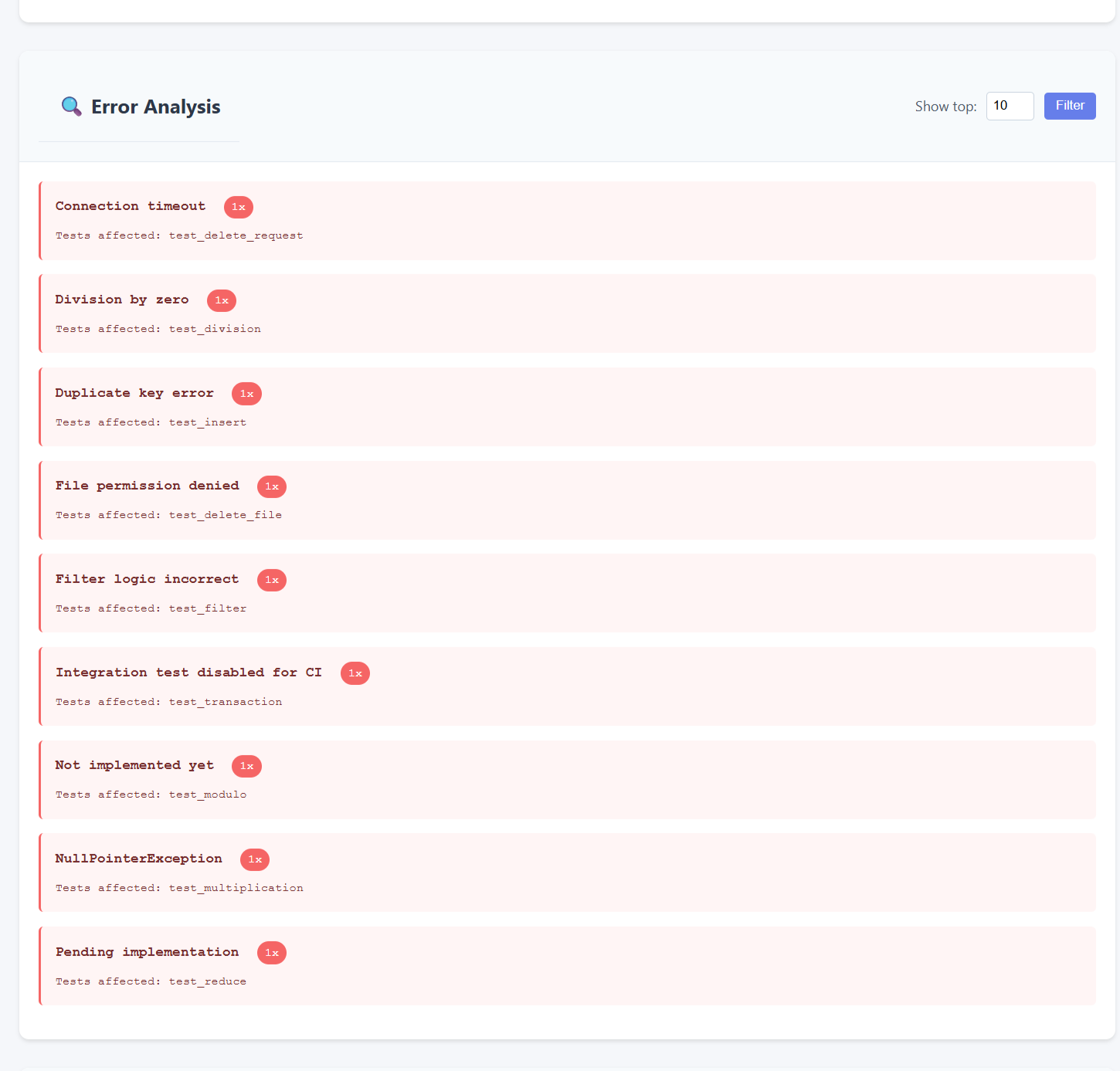
- Error Analysis: Deduplicated error messages with frequency counts and affected tests.
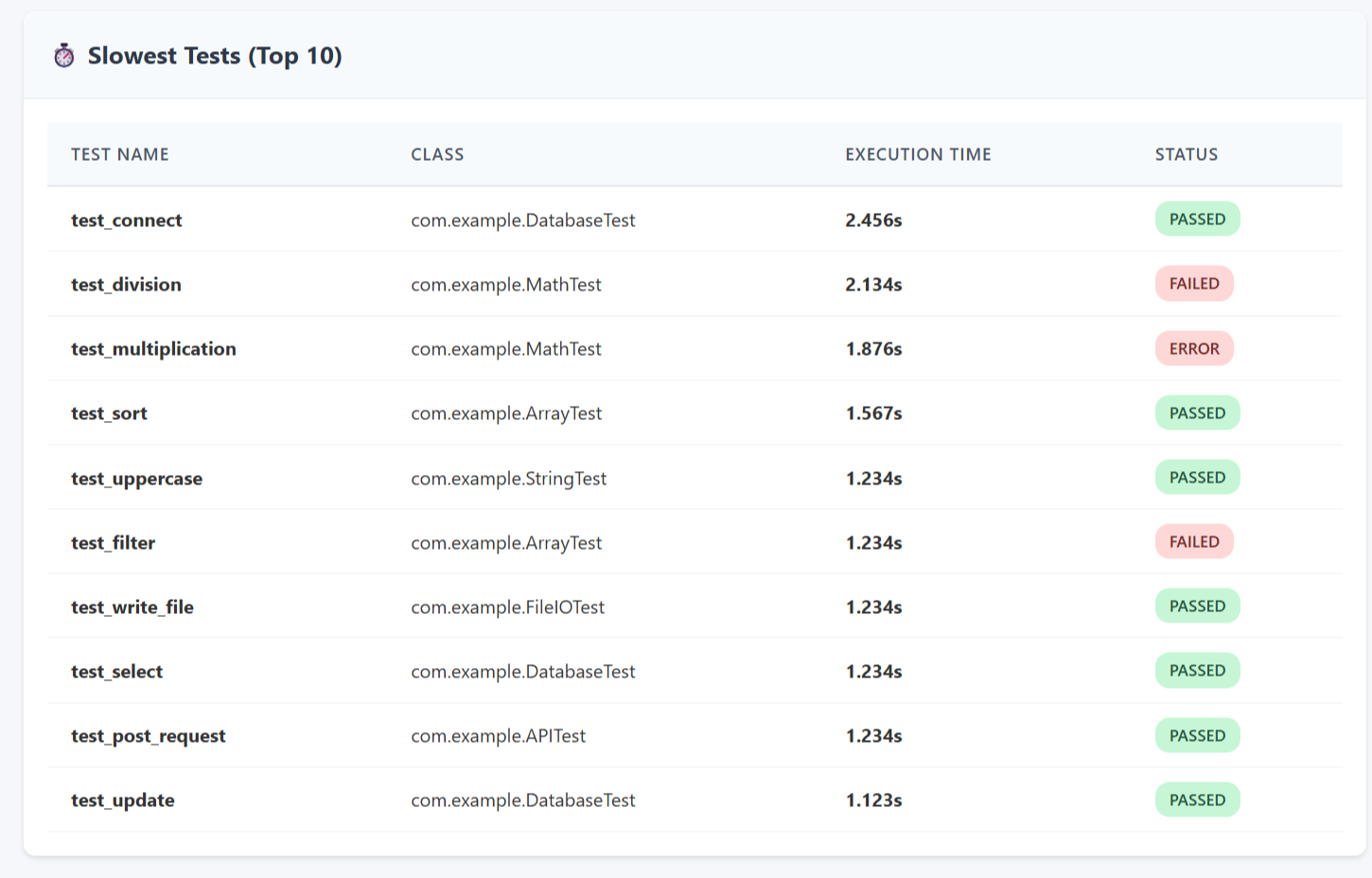
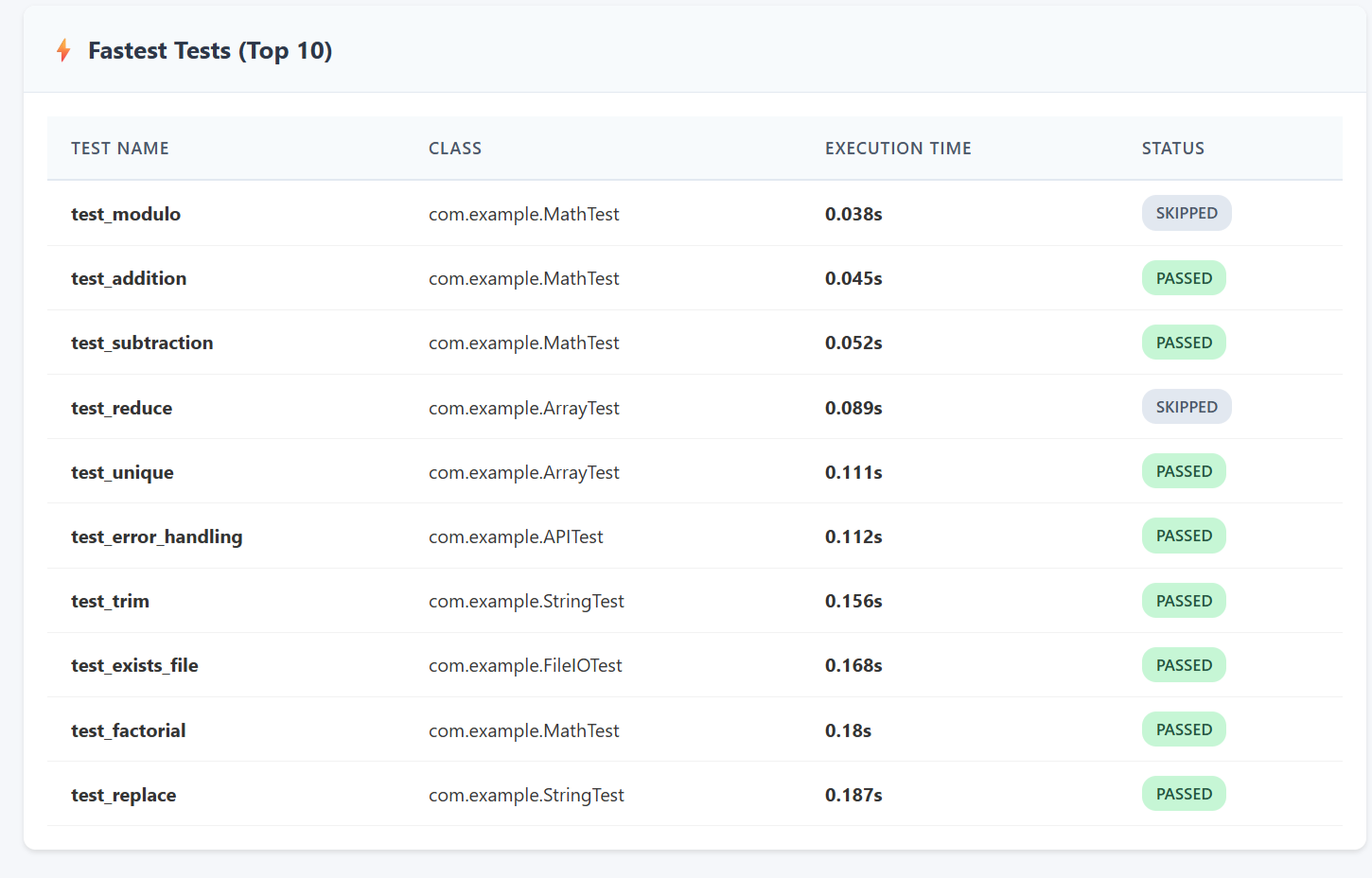
- Top Tests: Slowest and fastest tests ranked by execution time.
- Filterable Sections: Use "Show top N" filters in Performance by Class and Error Analysis sections to focus on the most relevant data.
🤝 Contributing
Contributions are welcome! Please feel free to submit a Pull Request.
Development Setup
-
Clone the repository
git clone https://github.com/gorkalertxundi/junit-html-report-generator.git
cd junit-html-report-generator
-
Install in editable mode
pip install -e .
This installs the package in development mode, allowing you to make changes to the source code and test them immediately without reinstalling.
-
Verify the installation
# Check that the CLI is available
junit-html-report-generator --list-templates

# Verify templates are bundled correctly
python -c "from junit_html_report_generator import get_available_templates; print(get_available_templates())"
Running Tests
Run the test suite to ensure everything works correctly:
# Run all tests
python -m unittest discover tests

# Run tests with verbose output
python -m unittest discover tests -v

# Run a specific test
python -m unittest tests.test_parser.TestJUnitParser.test_parse_single_testsuite
All tests should pass before submitting a pull request.
Testing Locally
-
Generate a test report
# Use the provided sample file
junit-html-report-generator sample-test-results.xml -o test-report.html

# Try different templates
junit-html-report-generator sample-test-results.xml -o dark-report.html --template dark
junit-html-report-generator sample-test-results.xml -o minimal-report.html --template minimal
-
Test the Python API
from junit_html_report_generator import create_report

# Test with file
create_report(source="sample-test-results.xml", output="api-test.html")

# Test with XML string
with open("sample-test-results.xml") as f:
    html = create_report(xml_string=f.read(), template="dark")
    print(f"Generated {len(html)} bytes of HTML")
-
Test template bundling
# Build the package
python -m build

# Check that templates are included
tar -tzf dist/junit-html-report-generator-*.tar.gz | grep templates
Adding a New Template
- Create your template file in
junit_html_report_generator/templates/yourtemplate.html - Use Jinja2 syntax with these variables:
{{ summary.total }},{{ summary.passed }},{{ summary.failed }}, etc.{{ summary.pass_rate }}for the percentage{% for test in test_cases %}to iterate through tests{{ test.name }},{{ test.status }},{{ test.message }},{{ test.output }}
- Test your template:
junit2html sample-test-results.xml --template yourtemplate - The template will automatically appear in
--list-templates
Contribution Workflow
- Fork the repository
- Create your feature branch (
git checkout -b feature/AmazingFeature) - Make your changes and test thoroughly
- Run the test suite to ensure nothing broke
- Commit your changes (
git commit -m 'Add some AmazingFeature') - Push to the branch (
git push origin feature/AmazingFeature) - Open a Pull Request with a clear description of your changes
📄 License
Distributed under the MIT License. See LICENSE for more information.
1 maintainer

Metadata
1 maintainer
Release files for junit-html-report-generator 1.2.0
For a detailed explanation of source distributions (sdists) and built distributions (wheels), please see the package formats documentation.
Source distribution (sdist)
| File | Size | Uploaded | |
|---|---|---|---|
| junit_html_report_generator-1.2.0.tar.gz | 28.4 kB | Details |
Built distribution (wheel)
| File | Interpreter | ABI | Platform | Reset |
|---|---|---|---|---|
| junit_html_report_generator-1.2.0-py3-none-any.whl | Python 3 | none | any | Details |
Total release size: 60.9 kB
Release files / junit_html_report_generator-1.2.0.tar.gz
| Download URL | junit_html_report_generator-1.2.0.tar.gz |
|---|---|
| Size | 28.4 kB |
| Tags | Source |
|
SHA-256 checksum How to use checksums |
9d4178d2781a681a8612ae8a17ef7cb1d8cd2971d6b62e16a8b949e913b583da
|
|
BLAKE2b-256 checksum How to use checksums |
fb7136195a7d893832f454a64c620fc671559a2b2848305dabc77fe586562858
|
| Upload date | |
|
Uploaded using Trusted Publishing? What is trusted publishing? |
No |
| Uploaded via |
twine/6.2.0 CPython/3.14.2
|
Release files / junit_html_report_generator-1.2.0-py3-none-any.whl
| Download URL | junit_html_report_generator-1.2.0-py3-none-any.whl |
|---|---|
| Size | 32.5 kB |
| Tags | Python 3 |
|
SHA-256 checksum How to use checksums |
3f9ee101cb1a72c8155aeddfb66b667d3a0e0058b3700b1c3c7050200dfa6ca4
|
|
BLAKE2b-256 checksum How to use checksums |
794dea2cb9095d8dbcc1b74f5b393984cab17e789b566cbdaeaa8a1c1c9a7af1
|
| Upload date | |
|
Uploaded using Trusted Publishing? What is trusted publishing? |
No |
| Uploaded via |
twine/6.2.0 CPython/3.14.2
|














