
CLI tool and library to convert JUnit XML test results into human-readable HTML dashboards

Project description
JUnit Report Generator



junit-html-report-generator is a lightweight, zero-dependency Python tool that converts JUnit XML test reports into human-readable, static HTML dashboards.
Perfect for CI/CD pipelines, local debugging, or sharing test results with stakeholders.
🚀 Key Features
- Simple Conversion: Turn complex XML into a clean, responsive HTML file in seconds.
- 🎨 Multiple Templates: Choose from built-in themes (Dark mode, Minimal, etc.) to suit your preferences.
- CI/CD Ready: Seamlessly integrates with Jenkins, GitHub Actions, GitLab CI, and CircleCI.
- Detailed Insights: View pass/fail rates, execution times, and capture stdout/stderr logs.
- Dual Mode: Use it as a CLI tool or import it as a Python library.
📦 Installation
Install the package via pip:
pip install junit-html-report-generator
🛠 Usage
Command Line Interface (CLI) Basic conversion (uses default template):
junit-html-report-generator report.xml -o output.html
Using a specific template:
junit-html-report-generator report.xml -o output.html --template dark
Setting a custom title:
junit-html-report-generator report.xml -o output.html --template legacy --title "Nightly Run"
List available templates:
junit-html-report-generator --list-templates
Python Library You can integrate the generator directly into your Python scripts.
from junit_report_generator import create_report

# Convert with a specific template
create_report(
    source="results.xml",
    output="dashboard.html",
    template="dark",
    title="Nightly Run"
)

# or using a string of XML data
with open("results.xml", "r") as f:
    xml_data = f.read()
    html_content = create_report(xml_string=xml_data, template="minimal")
🎨 Available Templates
The package comes with several pre-built templates to customize your report style.
| Template Name | Description | Best For |
|---|---|---|
| modern | (Default) A clean, colorful dashboard with charts and collapsible sections. | General use, stakeholder reports. |
| dark | A high-contrast dark theme version of the modern dashboard. | Late-night debugging, dark-mode lovers. |
| minimal | A text-heavy, high-density layout with no Javascript or charts. | Large test suites (10k+ tests), slow connections. |
| legacy | A simple table view similar to older Jenkins reports. | Backward compatibility. |
📸 Template Previews
Modern (Default)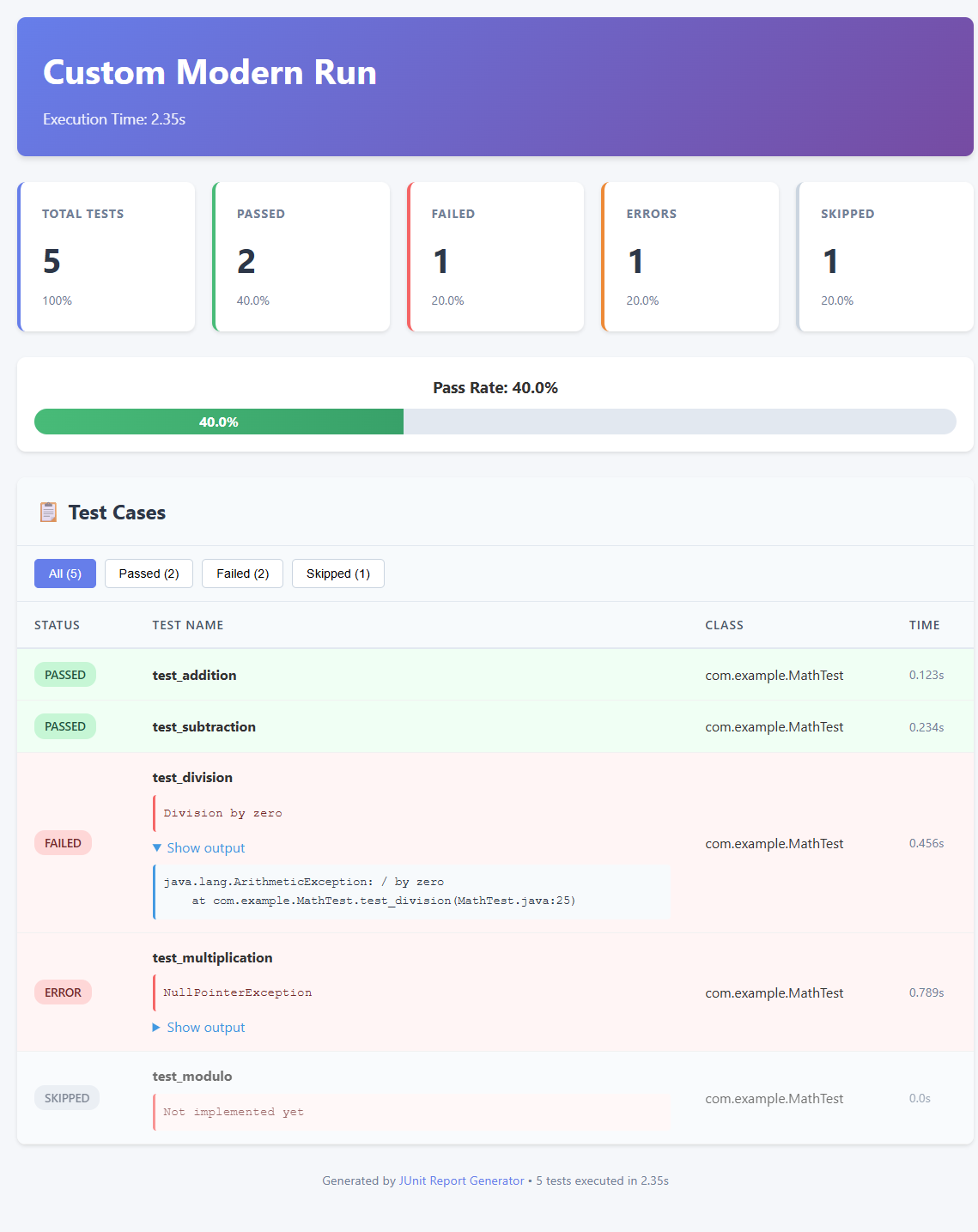
|
Modern Dark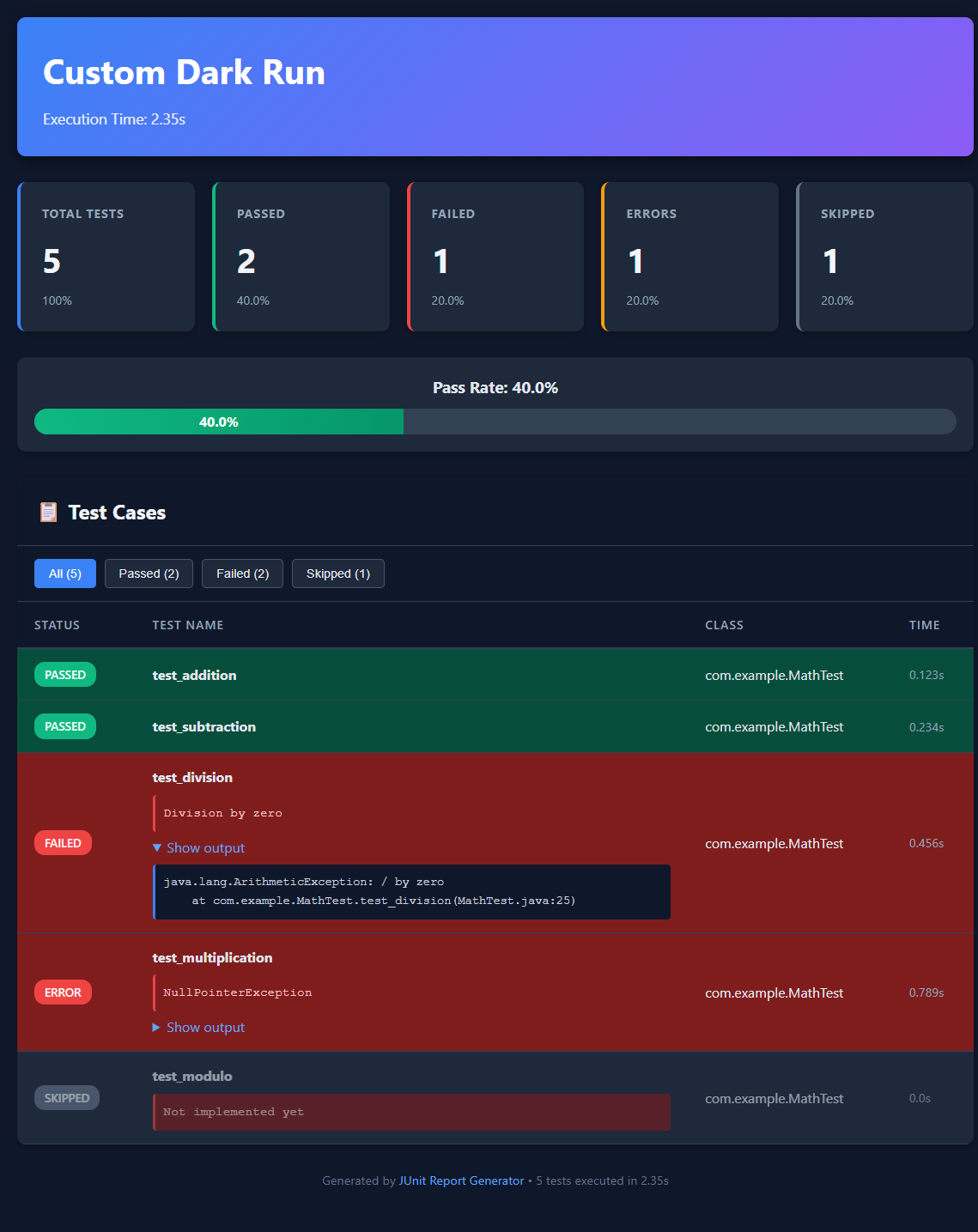
|
Minimal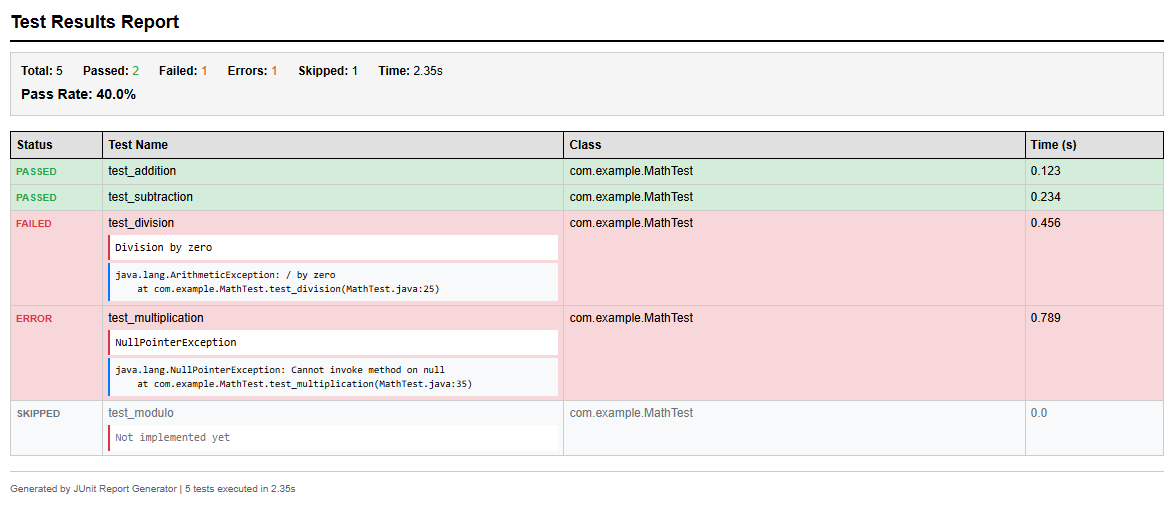
|
Legacy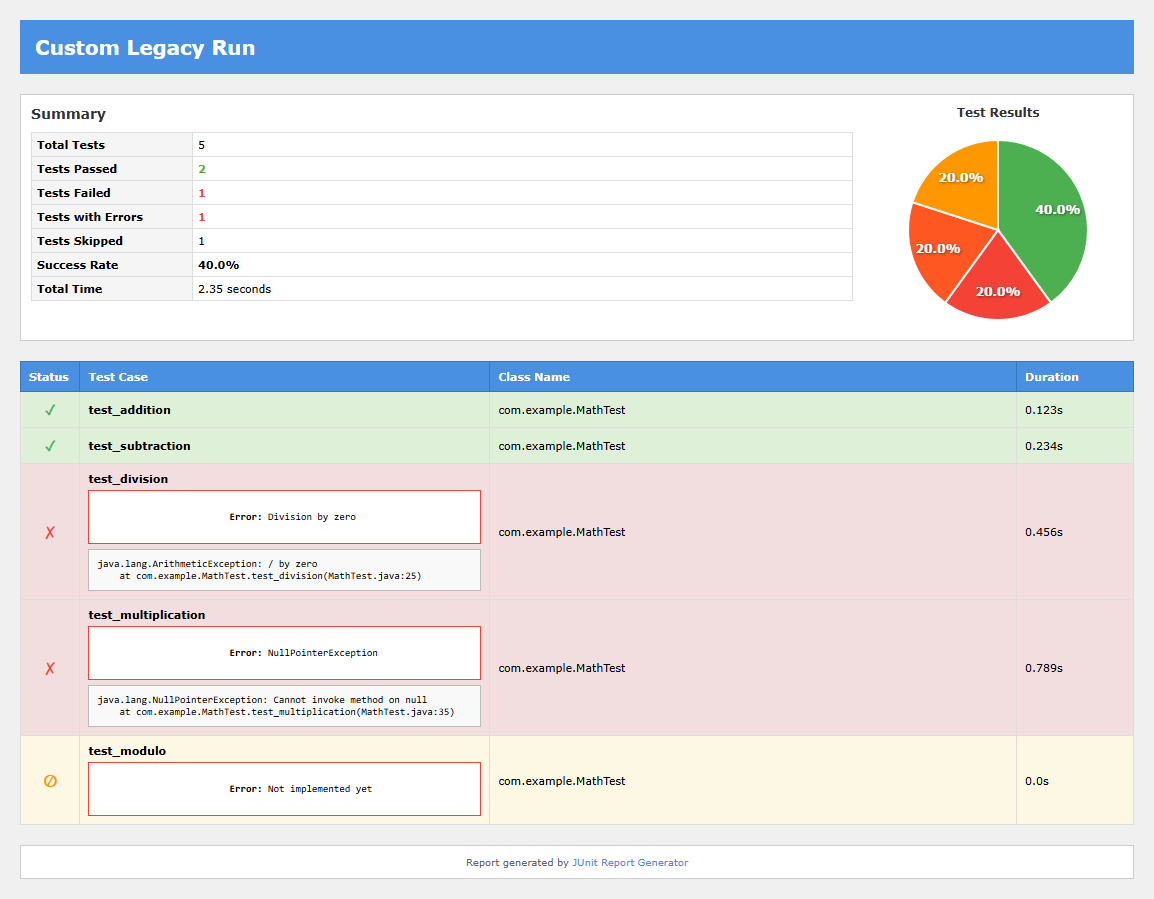
|
📊 Example Output
The generated HTML report includes:
- Summary Cards: Total tests, passed, failed, skipped, and total duration.
- Test Cases Table: Sortable list of all test cases with status indicators.
- Failure Details: Expandable sections showing stack traces and error messages.
🤝 Contributing
Contributions are welcome! Please feel free to submit a Pull Request.
Development Setup
-
Clone the repository
git clone https://github.com/gorkalertxundi/junit-html-report-generator.git
cd junit-html-report-generator
-
Install in editable mode
pip install -e .
This installs the package in development mode, allowing you to make changes to the source code and test them immediately without reinstalling.
-
Verify the installation
# Check that the CLI is available
junit-html-report-generator --list-templates
Verify templates are bundled correctly
python -c "from junit_html_report_generator import get_available_templates; print(get_available_templates())"
### Running Tests

Run the test suite to ensure everything works correctly:

```bash
# Run all tests
python -m unittest discover tests

# Run tests with verbose output
python -m unittest discover tests -v

# Run a specific test
python -m unittest tests.test_parser.TestJUnitParser.test_parse_single_testsuite
All tests should pass before submitting a pull request.
Testing Locally
- Generate a test report
# Use the provided sample file
junit-html-report-generator sample-test-results.xml -o test-report.html
Try different templates
junit-html-report-generator sample-test-results.xml -o dark-report.html --template dark junit-html-report-generator sample-test-results.xml -o minimal-report.html --template minimal
2. **Test the Python API**
```python
from junit_html_report_generator import create_report

# Test with file
create_report(source="sample-test-results.xml", output="api-test.html")

# Test with XML string
with open("sample-test-results.xml") as f:
    html = create_report(xml_string=f.read(), template="dark")
    print(f"Generated {len(html)} bytes of HTML")
- Test template bundling
# Build the package
python -m build

# Check that templates are included
tar -tzf dist/junit-html-report-generator-*.tar.gz | grep templates
Adding a New Template
- Create your template file in
junit_html_report_generator/templates/yourtemplate.html - Use Jinja2 syntax with these variables:
{{ summary.total }},{{ summary.passed }},{{ summary.failed }}, etc.{{ summary.pass_rate }}for the percentage{% for test in test_cases %}to iterate through tests{{ test.name }},{{ test.status }},{{ test.message }},{{ test.output }}
- Test your template:
junit2html sample-test-results.xml --template yourtemplate - The template will automatically appear in
--list-templates
Contribution Workflow
- Fork the repository
- Create your feature branch (
git checkout -b feature/AmazingFeature) - Make your changes and test thoroughly
- Run the test suite to ensure nothing broke
- Commit your changes (
git commit -m 'Add some AmazingFeature') - Push to the branch (
git push origin feature/AmazingFeature) - Open a Pull Request with a clear description of your changes
📄 License
Distributed under the MIT License. See LICENSE for more information.
Release history Release notifications | RSS feed


Download files
Download the file for your platform. If you're not sure which to choose, learn more about installing packages.
Source Distribution
Built Distribution
Filter files by name, interpreter, ABI, and platform.
If you're not sure about the file name format, learn more about wheel file names.
Copy a direct link to the current filters
File details
Details for the file junit_html_report_generator-1.1.0.tar.gz.
File metadata
- Download URL: junit_html_report_generator-1.1.0.tar.gz
- Upload date:
- Size: 20.3 kB
- Tags: Source
- Uploaded using Trusted Publishing? No
- Uploaded via: twine/6.2.0 CPython/3.14.2
File hashes
| Algorithm | Hash digest | |
|---|---|---|
| SHA256 |
e3495c6d4b04f349b1b0a7b3405e7b3beebbf3a85704aef9117df11d4f0dc61a
|
|
| MD5 |
c8ece786585dc5ce87dbb3ec3130eed9
|
|
| BLAKE2b-256 |
ab8661560afef46440548ad20d2602be8212008e94badec6fbfbce5ad66bfb60
|
File details
Details for the file junit_html_report_generator-1.1.0-py3-none-any.whl.
File metadata
- Download URL: junit_html_report_generator-1.1.0-py3-none-any.whl
- Upload date:
- Size: 21.0 kB
- Tags: Python 3
- Uploaded using Trusted Publishing? No
- Uploaded via: twine/6.2.0 CPython/3.14.2
File hashes
| Algorithm | Hash digest | |
|---|---|---|
| SHA256 |
045f830a1592c8471ec9d05332163f2f1dcc5548a0eaa7a92d52df86b1248d36
|
|
| MD5 |
302a8d55f5bf1d899dd0885c6a72b38b
|
|
| BLAKE2b-256 |
6dc24971c2a3c50bfcea6c2593cee5119936602f1cb43b9d0e6c7ae48e50beba
|






