
juntagrico-billing





This is an extension for juntagrico. You can find more information about juntagrico here (https://github.com/juntagrico/juntagrico).
It provides the following features for juntagrico:
- creating managing bills (invoices) for juntagrico subscriptions
- display of bills as HTML or PDF
- support for swiss qr bill with reference number
- manage payments for bills
- reading camt.054 payment files (in connection with qr bills and refnumer)
- bookkeeping export covering bills and payments
Installation
Install juntagrico-billing via pip
pip install juntagrico-billing
or add it to your main django projects requirements.txt:
juntagrico-billing
You may also install from github source (or add it to requirements.txt):
pip install git+https://github.com/juntagrico/juntagrico-billing.git
In your juntagrico.settings.py add juntagrico_billing somewhere above juntagrico:
INSTALLED_APPS = (
    'juntagrico_billing',
    'juntagrico',
    ...
In your urls.py you also need to add the new pattern:
urlpatterns = [
    ...
    path('',include('juntagrico_billing.urls')),
]
As the billing app introduces its own database tables, you need to apply migrations after installing.
Execute python manage.py migrate in your main django project.
Configuration
Set these in your settings.py to modify juntagrico-billing
BILLS_USERMENU
Set to True to add "bills" to the user menu.
default value: False
DUEDATE_NOTICE_URL
Set the url of a page that explains the due date policy of your bills, if you have any.
default value: ''
Create settings object
juntagrico-billing uses a singleton Settings object to store some setting.
You need to create this settings object once in django admin.
-
Log in to juntagrico and go to the admin UI at
https://<my juntagrico site>/admin. -
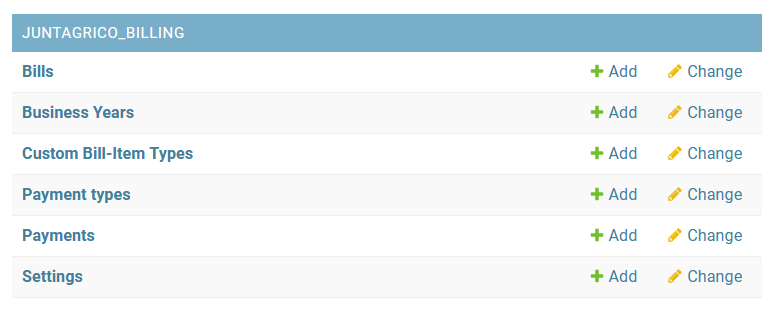
You should see in admin a new section for juntagrico_billing
-
Add a new Settings object
-
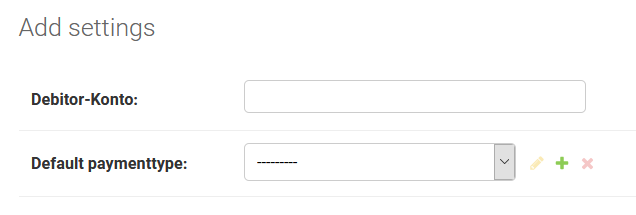
You need to specify a debtors account, just specify any digit code (e.g.
1100) -
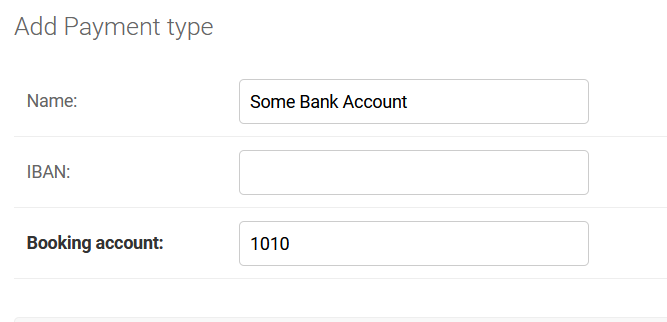
A default paymenttype is mandatory too. You may create one directly from the settings dialog:
-
Save your settings object. There must be only one settings object.
Create a business year
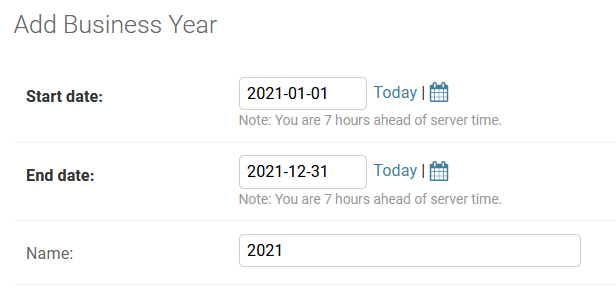
Billing is done on the base of a business-year. A business-year denotes the time period for creating bills. Usually this will correspond to a calendar year (1.1 - 31.1 of a year). It is possible to use different timespans though. Business-years should be consecutive.
Business years are managed in django admin UI.
- Log in to
/adminand create a new businessyear object
Billing
Billing is based on the activation and deactivation dates of subscriptions (and extrasubscriptions) in juntagrico. At any time you may create all needed invoices (bills) for a certain business-year.
In juntagrico you should see the Bills and Bookkeeping Menu, if you are assigned bookkeeping rights.
Go to Bills and choose the desired business-year.
Switch to the Generate bills tab. The amount of pending bills for the businessyear should then be displayed.
This may take some time depending on the number of subscriptions and members in your system.
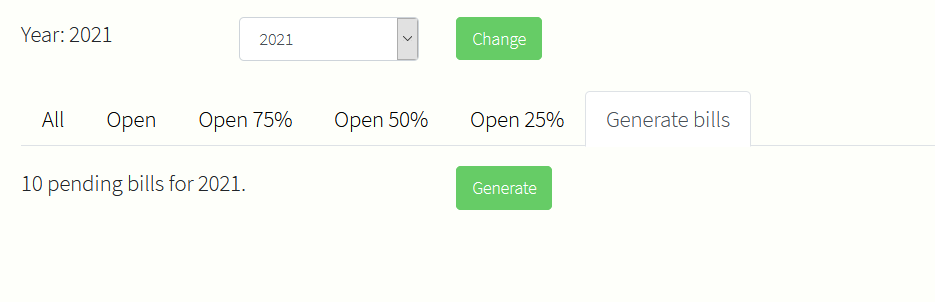
Pressing the Generate button will create these bills.
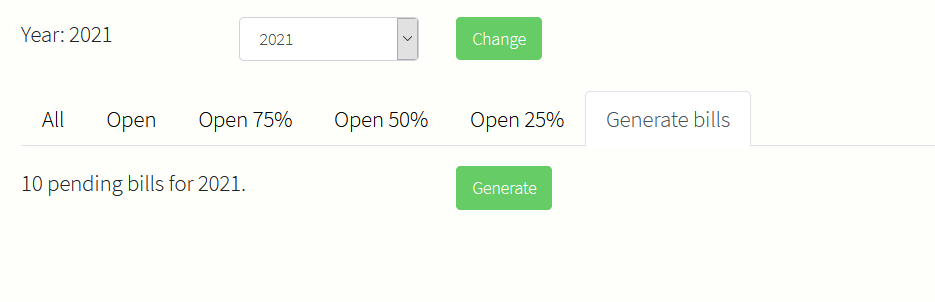
They may be viewed afterwards on the all tab of the bills list.
Modifying or adding bills
There are two modes to view an existing bill object:
- admin view of the bill. click on the first column of a bill row to open the bill in django admin.
- user view of the bill. click on the last columdn of a bill row to open the bill as the user will see it.
If a bill created via Generate is incorrect, proceed as follows:
- delete the bill in the django admin UI
- correct the subscription settings
- in most cases this will involve adjusting the activation or deactivation date of the subscription / extrasubscription
- re-create the bill by going to the
Generate billstab on theBillslist.- if you only modified one subscription, it should say
1 pending bill - click on
Generateto re-create the bill based on the modified settings
- if you only modified one subscription, it should say
The same procedure applies if a new subscription or subscription part (extrasubscription) is added after bills for a business-year have been generated. If there already is a bill for the same member and you want the additional parts to appear on the same bill, you may delete the existing bill and regenerate it like described above. Deleting a bill is only possible if there are no payments on it. If you add parts without deleting an existing bill, then a new bill will be added for the member.
Adding custom items to a bill
In addition to subscription and extrasubscription parts, a bill may also contain custom items. Custom items may be used for stuff like
- correcting overpaid bills
- adding special credit for a certain member (work instead of paying)
- adding additional contributions (solidarity contributions)
For each kind of custom item you need to define a custom Bill item type in django admin:
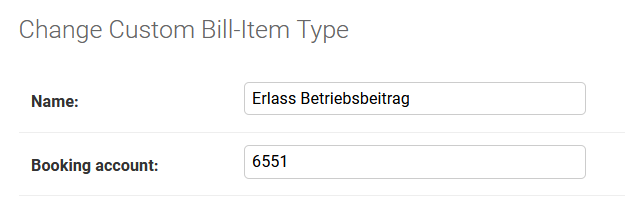
You need to specify a description and a booking account for the custom item type.
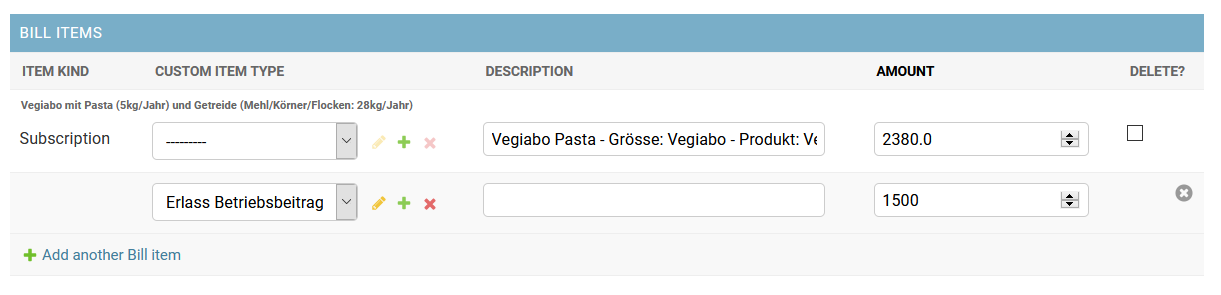
You may then add custom item types on a bill in the django admin view of the bill:
Bookkeeping Export
TBD
Metadata
Release files for juntagrico-billing 2.0.1
For a detailed explanation of source distributions (sdists) and built distributions (wheels), please see the package formats documentation.
Source distribution (sdist)
| File | Size | Uploaded | |
|---|---|---|---|
| juntagrico_billing-2.0.1.tar.gz | 64.8 kB | Details |
Built distribution (wheel)
| File | Interpreter | ABI | Platform | Reset |
|---|---|---|---|---|
| juntagrico_billing-2.0.1-py3-none-any.whl | Python 3 | none | any | Details |
Total release size: 151.6 kB
Release files / juntagrico_billing-2.0.1.tar.gz
| Download URL | juntagrico_billing-2.0.1.tar.gz |
|---|---|
| Size | 64.8 kB |
| Tags | Source |
|
SHA-256 checksum How to use checksums |
b04b1edf6fd558121f575def54b486909a903c00ad558c90b96c857ab22e3dfe
|
|
BLAKE2b-256 checksum How to use checksums |
2cab5eb4b3f0d4984f46298b5f232e20f48e185bdfcd71972c70f0af87986be9
|
| Upload date | |
|
Uploaded using Trusted Publishing? What is trusted publishing? |
Yes |
| Uploaded via |
twine/7.0.0 CPython/3.13.14
|
Provenance
Provenance describes where a file came from. On PyPI, provenance is shared via attestations, which provide a verifiable record of the build or publishing details. View details, limitations and caveats.


PyPI Publish Attestation
PyPI verified that this artifact, at this checksum, originated from the publisher listed below.
Signed by GitHub Actions, verified by PyPI on Oct 16, 2026.
Transparency logRelease files / juntagrico_billing-2.0.1-py3-none-any.whl
| Download URL | juntagrico_billing-2.0.1-py3-none-any.whl |
|---|---|
| Size | 86.8 kB |
| Tags | Python 3 |
|
SHA-256 checksum How to use checksums |
0fb92979c6150642a812ff67ad1ccfad6008e6fe8e8a5fdfaf82e395225f5235
|
|
BLAKE2b-256 checksum How to use checksums |
1f4f6f8c032cb5cbc850e8792037e4445a940c01a1469b99443ac77e8d628b7e
|
| Upload date | |
|
Uploaded using Trusted Publishing? What is trusted publishing? |
Yes |
| Uploaded via |
twine/7.0.0 CPython/3.13.14
|
Provenance
Provenance describes where a file came from. On PyPI, provenance is shared via attestations, which provide a verifiable record of the build or publishing details. View details, limitations and caveats.
PyPI Publish Attestation
PyPI verified that this artifact, at this checksum, originated from the publisher listed below.
Signed by GitHub Actions, verified by PyPI on Oct 16, 2026.
Transparency log













