
No project description provided
Verified details
These details have been verified by PyPIProject links
Owner
GitHub Statistics
Maintainers


Project description
JupyterLite




JupyterLite is a JupyterLab distribution that runs entirely in the browser built from the ground-up using JupyterLab components and extensions.
⚡ Status ⚡
JupyterLite is part of the Project Jupyter Frontends subproject.
Not all the features available in JupyterLab and the Classic Notebook will work with JupyterLite, but many do!
Don't hesitate to check out the documentation for more information and project updates.
✨ Try it in your browser ✨
JupyterLite works with both the JupyterLab and Jupyter Notebook interfaces.
| Try it with JupyterLab | Try it with Jupyter Notebook |
|---|---|
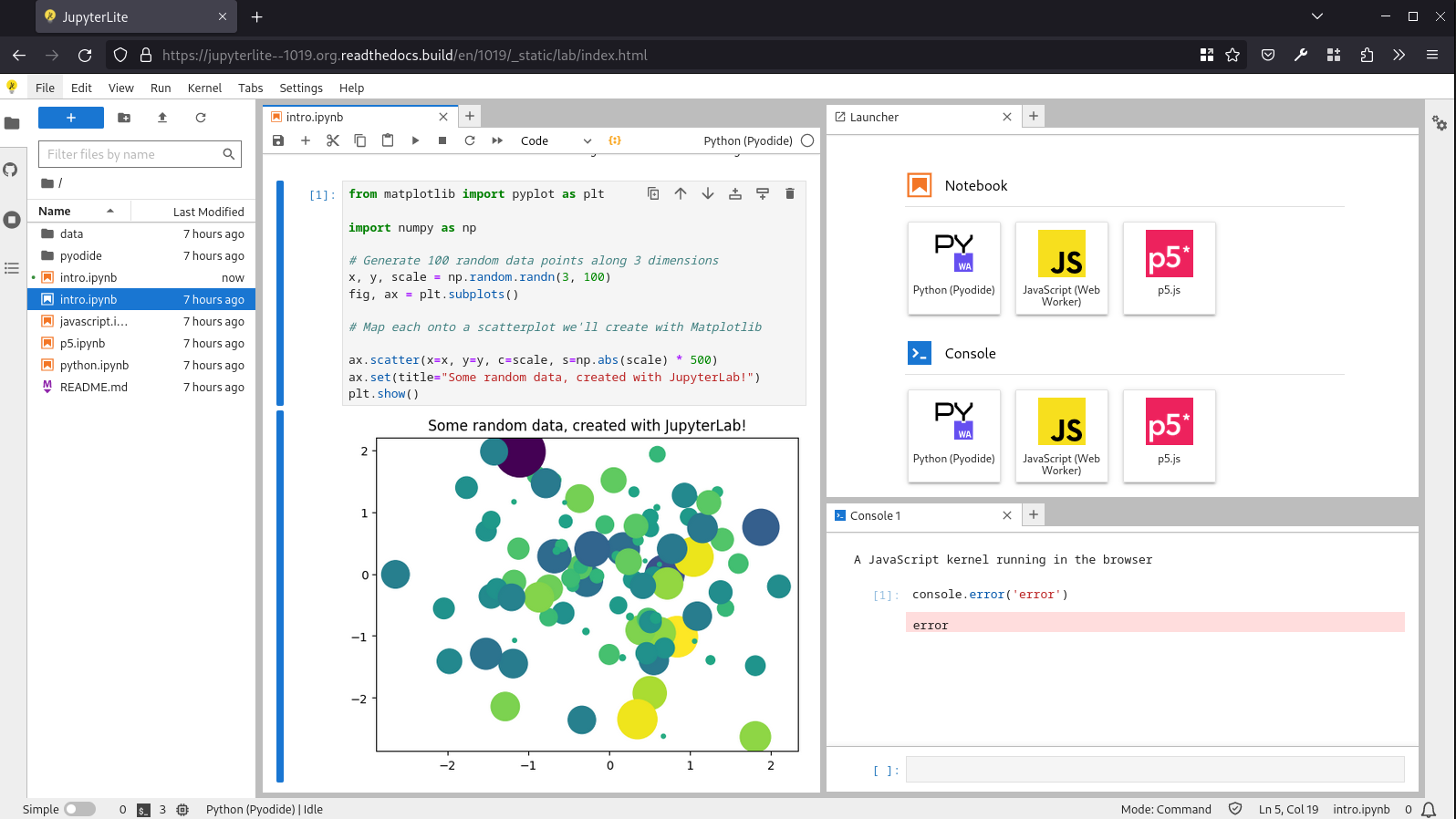 |
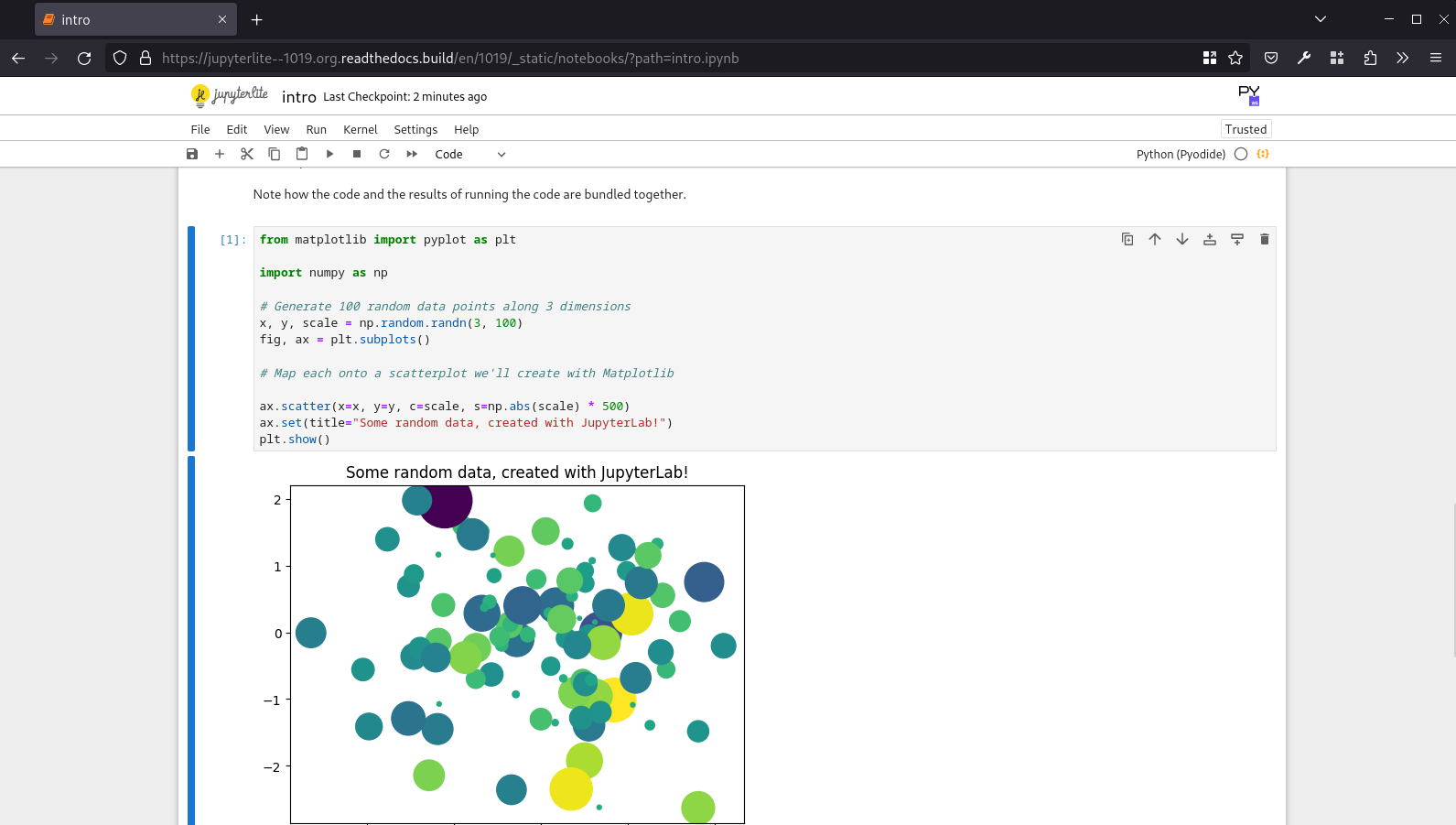 |
🏗️ Build your own JupyterLite 🏗️
You can build your own JupyterLite website in a couple of minutes, with custom extensions and packages.
See the documentation for more details.
Browser-based Interactive Computing
JupyterLite is all about accessible browser-based interactive computing:
- Python kernels running in a Web Worker:
- Support for interactive visualization libraries such as
altair,bqplot,ipywidgets,matplotlib, andplotly - View hosted example Notebooks and other files, then edit, save, and download from the
browser's
IndexDB(orlocalStorage) - Support for saving settings for JupyterLab/Lite core and federated extensions
- Basic session and kernel management to have multiple kernels running at the same time
- Support for Code Consoles
Ease of Deployment
- Served via well-cacheable, static HTTP(S), locally or on most static web hosts
- Embeddable within larger applications
- Requires no dedicated application server much less a container orchestrator
- Fine-grained configurability of page settings, including reuse of federated JupyterLab extensions
Version Compatibility
The table below shows the versions of JupyterLab and Jupyter Notebook bundled with each JupyterLite core release.
| jupyterlite-core | jupyterlab | notebook | supported |
|---|---|---|---|
| 0.7.0 | 4.5.0 | 7.5.0 | ✅ |
| 0.6.0 | 4.4.3 | 7.4.3 | ✅ |
| 0.5.0 | 4.3.4 | 7.3.2 | ❌ |
| 0.4.0 | 4.2.4 | 7.2.0 | ❌ |
| 0.3.0 | 4.1.1 | 7.1.0 | ❌ |
| 0.2.0 | 4.0.7 | 7.0.6 | ❌ |
| 0.1.0 | 3.5.3 | - | ❌ |
Note: Only the last two releases are actively supported.
Development install
See the contributing guide for a development installation.
Related
JupyterLite is a reboot of several attempts at making a full static Jupyter distribution that runs in the browser, without having to start the Python Jupyter Server on the host machine.
The goal is to provide a lightweight computing environment accessible in a matter of seconds with a single click, in a web browser and without having to install anything.
This project is a collection of packages that can be remixed together in variety of ways to create new applications and distributions. Most of the packages in this repo focus on providing server-like components that run in the browser (to manage kernels, files and settings), so existing JupyterLab extensions and plugins can be reused out of the box.
See also:
- p5-notebook: A minimal Jupyter Notebook UI for p5.js kernels running in the browser
- jyve: Jupyter Kernels, right inside JupyterLab
- Starboard Notebook: In-browser literal notebooks
- Basthon: A Jupyter notebook implementation using Pyodide
- Notebook.link: A cloud-backed, in-browser notebook platform based on JupyterLite
👥 Contributors

Join our community and become a contributor today! 🚀
Project details
Verified details
These details have been verified by PyPIProject links
Owner
GitHub Statistics
Maintainers
Release history Release notifications | RSS feed


Download files
Download the file for your platform. If you're not sure which to choose, learn more about installing packages.
Source Distribution
Built Distribution
Filter files by name, interpreter, ABI, and platform.
If you're not sure about the file name format, learn more about wheel file names.
Copy a direct link to the current filters
File details
Details for the file jupyterlite-0.8.1.tar.gz.
File metadata
- Download URL: jupyterlite-0.8.1.tar.gz
- Upload date:
- Size: 6.1 kB
- Tags: Source
- Uploaded using Trusted Publishing? Yes
- Uploaded via: twine/6.2.0 CPython/3.12.13
File hashes
| Algorithm | Hash digest | |
|---|---|---|
| SHA256 |
c184575c650e1c4414af120a924944bc1ff98f7e26653f7f972fe80e42b3ca5e
|
|
| MD5 |
50a830c7bb555c465e0c5b226dcdfa11
|
|
| BLAKE2b-256 |
0a42fe028459fee13a4e30e49a7573cf888b1b519d0738769956271a094b9eaf
|
File details
Details for the file jupyterlite-0.8.1-py3-none-any.whl.
File metadata
- Download URL: jupyterlite-0.8.1-py3-none-any.whl
- Upload date:
- Size: 6.7 kB
- Tags: Python 3
- Uploaded using Trusted Publishing? Yes
- Uploaded via: twine/6.2.0 CPython/3.12.13
File hashes
| Algorithm | Hash digest | |
|---|---|---|
| SHA256 |
7f4bc8b3941ca69006564c386cd77949bac8ebaa1033d634ccdb419866cbaf9c
|
|
| MD5 |
48b6fbae486ba601312423e577e55a46
|
|
| BLAKE2b-256 |
1c32c3223b137132df9e598e3eebfb96a563de78a90f9afe0227eec68d8acd81
|






