
A JupyterLab extension for serving web app.
Verified details
These details have been verified by PyPIProject links
GitHub Statistics
Maintainers

Project description
jupyterpack


A JupyterLite extension to serve in-browser Python and Javascript web application
Features
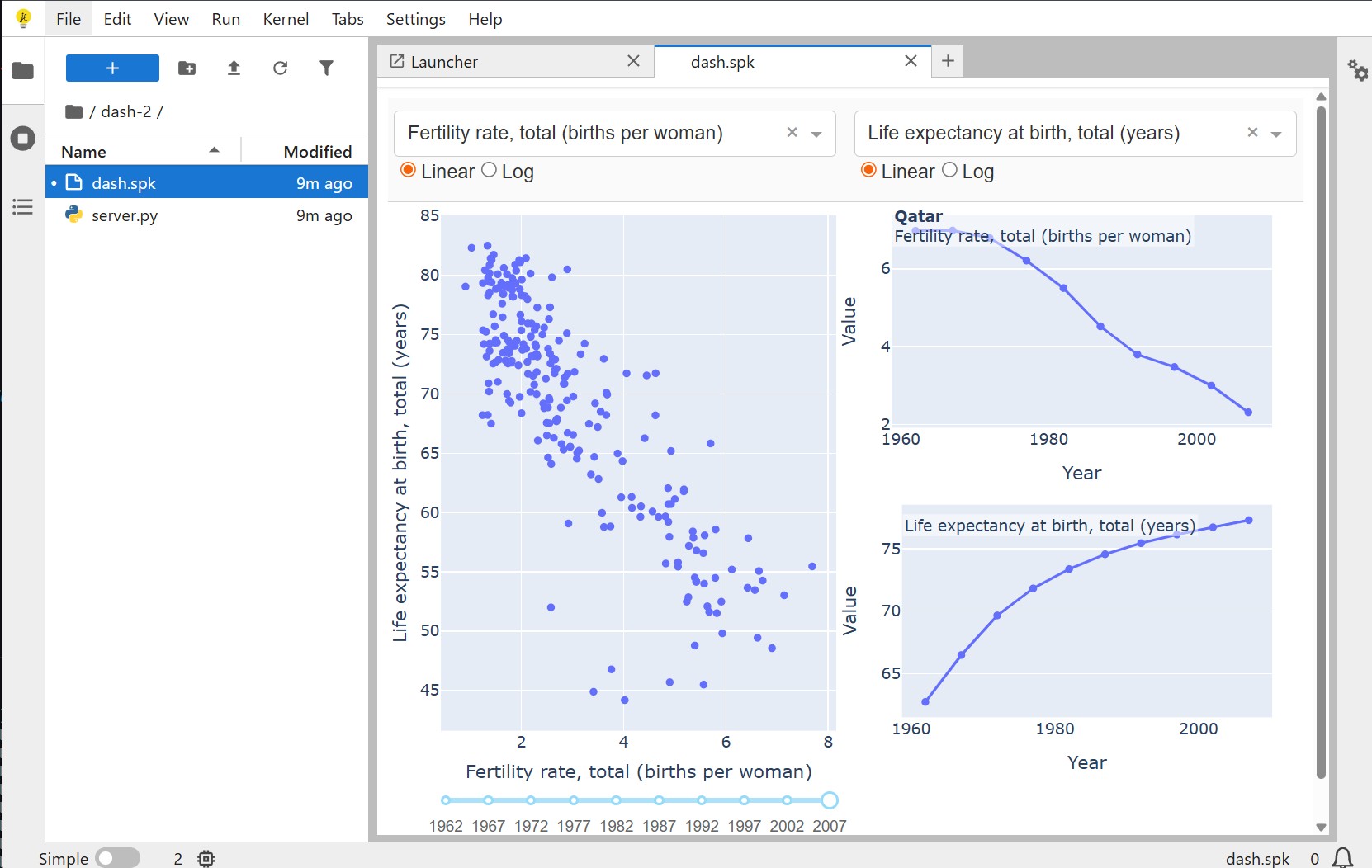
- Python Web Apps: Serve Python web applications directly in the browser using JupyterLite's in-browser Python kernel.
jupyterpackcurrently supports Dash and Streamlit. - JavaScript Web Apps: Bundle and serve JavaScript web applications using in-browser bundlers.
Installation
You can install jupyterpack using pip or conda
# Install using pip
pip install jupyterpack

# Install using conda
conda install -c conda-forge jupyterpack
Usage
To use jupyterpack, you need to create a .spk file that defines your web application. Here's an example structure of a React application:
my_app/
├── app.spk
├── App.js         # Your JS code
├── package.json   # Your JS dependencies
└── index.html      # HTML entry for JS apps
the app.spk is the entry point of your React app, it should contain the following content:
{
  "name": "React Example",
  "entry": "/index.html",
  "framework": "react"
}
Double clicking the spk file to open the web app as a tab of JupyterLab.
Dash application
Same as the React application, here is the structure of a Dash application:
my_app/
├── app.spk
├── server.py         # Your Dash code
the app.spk is the entry point of your Dash app, it should contain the following content:
{
  "name": "Dash Example",
  "entry": "server.py",
  "framework": "dash"
}
For the Dash code, you need to define your Dash app variable as app and do not call app.run_server directly, jupyterpack will handle the server for you. Just as the case of React app, double clicking the spk file will open the Dash app in a new JupyterLab tab.
Try it online!
You can try it online by clicking on this badge:
License
jupyterpack is licensed under the BSD-3-Clause license.
Project details
Verified details
These details have been verified by PyPIProject links
GitHub Statistics
Maintainers
Release history Release notifications | RSS feed


Download files
Download the file for your platform. If you're not sure which to choose, learn more about installing packages.
Source Distribution
Built Distribution
Filter files by name, interpreter, ABI, and platform.
If you're not sure about the file name format, learn more about wheel file names.
Copy a direct link to the current filters
File details
Details for the file jupyterpack-0.5.1.tar.gz.
File metadata
- Download URL: jupyterpack-0.5.1.tar.gz
- Upload date:
- Size: 202.3 kB
- Tags: Source
- Uploaded using Trusted Publishing? Yes
- Uploaded via: twine/6.2.0 CPython/3.12.12
File hashes
| Algorithm | Hash digest | |
|---|---|---|
| SHA256 |
2d86c264415217531a5de6b18956e84ecf1583a09f3ca6477a2f89f43b4defec
|
|
| MD5 |
01cf2881a7d92c40761767509818dcb1
|
|
| BLAKE2b-256 |
257abed440a77eeeb071276c7f84c9e4ac2e8adf9beb381c3066f92566edfdff
|
File details
Details for the file jupyterpack-0.5.1-py3-none-any.whl.
File metadata
- Download URL: jupyterpack-0.5.1-py3-none-any.whl
- Upload date:
- Size: 129.5 kB
- Tags: Python 3
- Uploaded using Trusted Publishing? Yes
- Uploaded via: twine/6.2.0 CPython/3.12.12
File hashes
| Algorithm | Hash digest | |
|---|---|---|
| SHA256 |
6a926766f07277f823bdd6644119e5b688396d239391e4cdc0931abce034d24a
|
|
| MD5 |
c2b9b0d5a92dc673d69312813bcc483a
|
|
| BLAKE2b-256 |
322d01bb98dca02d347a995d078c375a2191ebbc33d78319158ce4c5d71589f7
|






