





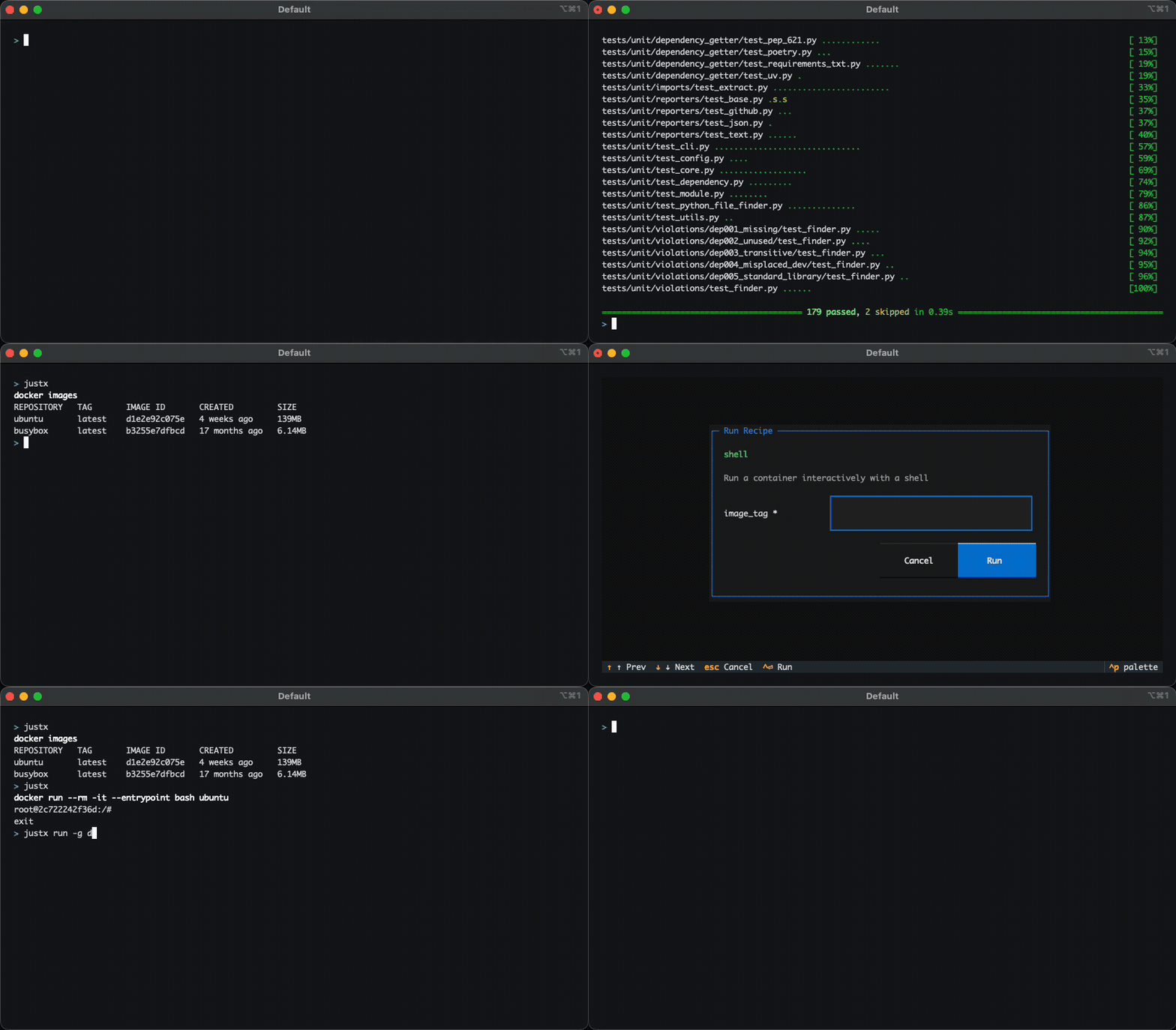
justx is a TUI command launcher built on top of just. Define recipes once, run them anywhere.
Installation
uv tool install justx   # recommended
# or
pip install justx
Prerequisite: the
justbinary must be available on$PATH.
Quickstart
1. Initialise your global recipe library:
justx init
This creates ~/.justx/ with a sample justfile to get you started. To pull in a richer set of ready-made recipes (git, docker, filesystem tools, and more), run:
justx init --download-examples
2. Launch the TUI:
justx
Browse your recipes with the arrow keys and press Enter to run one. Press q to quit.
Global recipes
justx supports global recipes; recipes that are available from anywhere on your machine, no matter which project you're in.
Global recipes are discovered automatically when you run justx. justx searches for the global justfile and also discovers all .just files in the ~/.justx/ directory. For example:
~/.justx/
├── git.just        # git workflows
├── docker.just     # container management
└── ssh.just        # remote connections
Where ~/.justx/docker.just might contain:
# Run a container interactively with a shell
shell image_tag:
    docker run --rm -it --entrypoint bash {{image_tag}}
You can also skip the TUI and run recipes directly with justx run:
# Run 'shell' from the global 'docker' source with `my-image` as the tag
# Equivalent to: just --justfile ~/.justx/docker.just --working-directory . shell my-image
justx run -g docker:shell my-image
Local recipes and modules
If you run justx from a directory that contains a justfile, its recipes appear automatically in the TUI. justx also supports just's native module system — any modules declared in your justfile are discovered and shown as separate sources.
# justfile
mod docker
mod deploy

test:
    pytest
For full details on file discovery, CLI reference, and example justfiles, see the documentation.
1 maintainer

Metadata
1 maintainer
Release files for justx 0.5.3
For a detailed explanation of source distributions (sdists) and built distributions (wheels), please see the package formats documentation.
Source distribution (sdist)
| File | Size | Uploaded | |
|---|---|---|---|
| justx-0.5.3.tar.gz | 210.7 kB | Details |
Built distribution (wheel)
| File | Interpreter | ABI | Platform | Reset |
|---|---|---|---|---|
| justx-0.5.3-py3-none-any.whl | Python 3 | none | any | Details |
Total release size: 239.2 kB
Release files / justx-0.5.3.tar.gz
| Download URL | justx-0.5.3.tar.gz |
|---|---|
| Size | 210.7 kB |
| Tags | Source |
|
SHA-256 checksum How to use checksums |
eb7ae9d29b7b5e35deee54a7362618a88acd0d9ec653fdc4531da0ecabe3289d
|
|
BLAKE2b-256 checksum How to use checksums |
082bc81af14df3f38c9be4394ef016f471299875b2139e9a2dcda803b6ef332e
|
| Upload date | |
|
Uploaded using Trusted Publishing? What is trusted publishing? |
No |
| Uploaded via |
uv/0.9.28 {"installer":{"name":"uv","version":"0.9.28","subcommand":["publish"]},"python":null,"implementation":{"name":null,"version":null},"distro":{"name":"Ubuntu","version":"24.04","id":"noble","libc":null},"system":{"name":null,"release":null},"cpu":null,"openssl_version":null,"setuptools_version":null,"rustc_version":null,"ci":true}
|
Release files / justx-0.5.3-py3-none-any.whl
| Download URL | justx-0.5.3-py3-none-any.whl |
|---|---|
| Size | 28.5 kB |
| Tags | Python 3 |
|
SHA-256 checksum How to use checksums |
16b7d12427855116ff973be7e656d83e66991dc476eaf45a7cbd2441d59864f6
|
|
BLAKE2b-256 checksum How to use checksums |
eff6d09a90b1d0ae06c97055cbdd4d7c1615049cce0a5346344b9e94cd804903
|
| Upload date | |
|
Uploaded using Trusted Publishing? What is trusted publishing? |
No |
| Uploaded via |
uv/0.9.28 {"installer":{"name":"uv","version":"0.9.28","subcommand":["publish"]},"python":null,"implementation":{"name":null,"version":null},"distro":{"name":"Ubuntu","version":"24.04","id":"noble","libc":null},"system":{"name":null,"release":null},"cpu":null,"openssl_version":null,"setuptools_version":null,"rustc_version":null,"ci":true}
|














