
JWT Toolkit
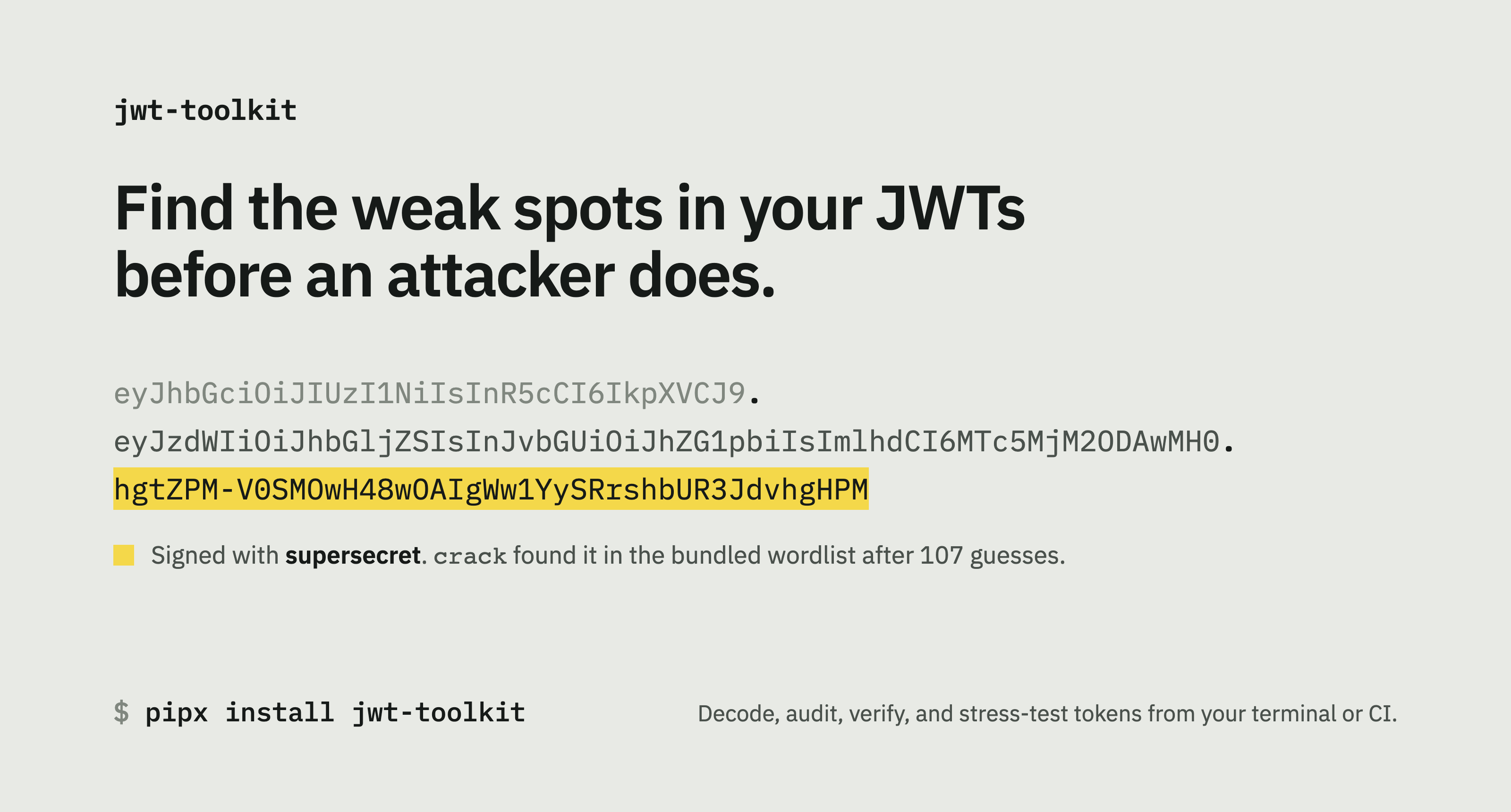




Find the weak spots in your JSON Web Tokens before an attacker does.
jwt-toolkit is a command-line tool for inspecting, auditing, verifying, and stress-testing JWTs. Point it at a token from your own system and it tells you what is wrong with it: a missing expiry, a guessable HMAC secret, a header that invites key confusion, a verifier that accepts alg: none. Every command has readable terminal output, and the ones you would script have a stable --json mode for CI.
The JWS logic is implemented in the open on top of cryptography, with no dependency on pyjwt or python-jose, so you can read exactly how a signature is checked.
Contents
- Features
- Installation
- A two-minute tour
- Commands
- decode · audit · verify · diff · sign · forge · crack · generate-secret · download-wordlists
- Passing tokens, keys, and secrets
- Supported algorithms
- Scripting and CI
- Security model
- Use responsibly
- Contributing · Security policy · License
Features
| Decode | Pretty-print the header, payload, and signature, with iat/nbf/exp shown in UTC and relative to now. |
| Audit | Static analysis with no key required. Flags alg: none, stripped signatures, weak HMAC use, embedded jwk, jku/x5u over HTTP, kid injection shapes, crit misuse, missing or excessive lifetimes, and PII in the payload, with CVE references and an A to F grade. Given the key, it also flags guessable secrets and RSA keys under 2048 bits. |
| Verify | Signature plus exp, nbf, iat, iss, and aud checks against an HMAC secret, a PEM key, an X.509 certificate, or a JWKS endpoint. |
| Diff | Compare two tokens field by field, with JSON Pointer paths and identity, permission, and lifetime fields highlighted. |
| Sign | Mint test tokens with HMAC, RSA, RSA-PSS, ECDSA, or EdDSA keys, including encrypted private keys, payload files, and lifetimes such as --expires-in 15m. |
| Forge | Generate attack-shaped variants of a token (alg: none, algorithm confusion, tampered payloads) to check that your verifier rejects them. |
| Crack | Test an HMAC secret against a wordlist across worker processes, with --json for CI. A curated list ships with the package. |
| Generate | Produce cryptographically strong secrets, raw for scripts or formatted for humans. |
Installation
jwt-toolkit is a command-line tool, so install it into its own environment with pipx or uv:
pipx install jwt-toolkit
# or
uv tool install jwt-toolkit
To try it without installing:
uvx jwt-toolkit --help
pip install jwt-toolkit also works inside a virtual environment. Requires Python 3.13 or newer.
A two-minute tour
# 1. Create a strong secret and keep it out of your shell history
jwt-toolkit generate-secret --raw > hs256.secret

# 2. Mint a token that expires in 15 minutes
TOKEN=$(jwt-toolkit sign --payload '{"sub":"alice","iss":"auth.example.com","aud":"api"}' \
  --secret-file hs256.secret --expires-in 15m)

# 3. Look inside it
jwt-toolkit decode "$TOKEN"

# 4. Check it for misconfigurations, no key needed
jwt-toolkit audit "$TOKEN"

# 5. Verify the signature and claims the way your API should
jwt-toolkit verify "$TOKEN" --secret-file hs256.secret --issuer auth.example.com --audience api

# 6. Make sure the secret is not in a common wordlist
jwt-toolkit crack "$TOKEN"
Run jwt-toolkit on its own for an overview, or jwt-toolkit COMMAND --help for every option of a command.
Commands
| Command | What it answers |
|---|---|
decode |
What is inside this token? |
audit |
Is this token configured safely? |
verify |
Is this token authentic and currently acceptable? |
diff |
What changed between these two tokens? |
sign |
Can I mint a token for testing? |
forge |
Does my verifier reject known attack shapes? |
crack |
Is this HMAC secret guessable? |
generate-secret |
What should the secret be instead? |
download-wordlists |
Where do I get the wordlist as a file? |
Each command reads the token from an argument, a file, or stdin. See Passing tokens, keys, and secrets.
decode
Decodes a token without verifying it and prints the header, payload, and signature. When the payload has iat, nbf, or exp, a Time Claims table shows each value in UTC and relative to now, and flags values that are not valid NumericDates.
jwt-toolkit decode <token>
jwt-toolkit decode @token.jwt --json
| Option | Description |
|---|---|
--json |
Print {schema_version, header, payload, signature} with raw values. |
Decoding is not verification: anyone can write any claims into a token. Use verify before trusting the contents.
audit
Runs static checks against the header and payload and grades the token. No key is needed. Add --secret, --secret-file, or --public-key to include a signature check in the same report.
jwt-toolkit audit <token>
jwt-toolkit audit <token> --strict --require iss,aud --json
╭────────────────────────────── Security Verdict ──────────────────────────────╮
│ Verdict : WEAK                                                               │
│ Grade   : B                                                                  │
│                                                                              │
│ CRITICAL : 0   WARN : 2   INFO : 3   PASS : 2                                │
╰──────────────────────────────────────────────────────────────────────────────╯
                                    Findings
┏━━━━━━━━━━━━┳━━━━━━━━━━━━━━━━┳━━━━━━━━━━━━━━━━━━━━━━━┳━━━━━━━━━━━━━━━━━━━━━━━━┓
┃ Severity   ┃ Field          ┃ Detail                ┃ Recommendation         ┃
┡━━━━━━━━━━━━╇━━━━━━━━━━━━━━━━╇━━━━━━━━━━━━━━━━━━━━━━━╇━━━━━━━━━━━━━━━━━━━━━━━━┩
│ WARN       │ alg            │ HS256 is symmetric:   │ Use a                  │
│            │                │ the shared secret     │ cryptographically      │
│            │                │ must be strong or it  │ strong secret          │
│            │                │ can be brute-forced   │ (jwt-toolkit           │
│            │                │                       │ generate-secret) or    │
│            │                │                       │ migrate to an          │
│            │                │                       │ asymmetric algorithm.  │
├────────────┼────────────────┼───────────────────────┼────────────────────────┤
│ WARN       │ exp            │ No exp claim: token   │ Always set exp;        │
│            │                │ never expires         │ short-lived tokens     │
│            │                │                       │ limit blast radius if  │
│            │                │                       │ leaked.                │
└────────────┴────────────────┴───────────────────────┴────────────────────────┘
| Option | Description |
|---|---|
--strict |
Treat WARN findings as failures (exit 1). |
--require CLAIMS |
Comma-separated claims that must be present, such as iss,aud,sub. Each missing one is a WARN finding. |
--secret, --secret-file |
Also verify an HMAC signature. When the secret verifies the token, it is also checked against the bundled common-secrets list and the RFC 7518 minimum length. |
--public-key FILE |
Also verify an asymmetric signature with a PEM key or X.509 certificate, and check the RSA key size. |
--json |
Print the full report, including every finding and its recommendation. |
What it checks
| Area | Findings |
|---|---|
| Algorithm | alg: none in any casing (CRITICAL, CVE-2015-2951); non-registered spellings such as hs256; symmetric algorithms that depend on secret strength; unknown or missing alg; the deprecated EdDSA name. |
| Signature | A signed alg with the signature removed, the stripped-signature shape (CRITICAL). |
| Key smuggling | jwk embedded in the header (CRITICAL, CVE-2018-0114); jku or x5u over plain HTTP (CRITICAL) or pointing at external keys (WARN); an x5c certificate chain that a verifier must validate against a pinned root (WARN); HMAC combined with key-bearing headers, the HS/RS confusion shape (CRITICAL, CVE-2016-10555). |
| Header parameters | kid containing path traversal, SQL, or command injection sequences; non-string kid; crit that is malformed or lists missing parameters; non-boolean b64; unexpected typ. |
| Lifetime | Missing exp; expired tokens; nbf in the future; iat in the future or implausible; very long lifetimes; non-numeric time claims. |
| Claims | Missing iss, aud, iat, or jti (INFO), and any claim named in --require (WARN); iss or sub that is not a string, and aud that is not a string or list of strings (WARN). |
| Key material | With --secret: a secret in the bundled common-secrets list (CRITICAL) or shorter than the hash output, which RFC 7518 3.2 requires (WARN). With --public-key: an RSA key under 2048 bits (CRITICAL, NIST SP 800-131A). Findings never include the secret. |
| Payload contents | Sensitive field names such as password or secret; email addresses; Luhn-valid card numbers anywhere in nested data. |
Grades: any CRITICAL finding gives F, three or more WARN give C, one or two WARN give B, otherwise A.
Exit codes: 0 grade A to C, 1 grade F, a failed signature check, or WARN findings under --strict, 2 invalid input.
verify
Checks the signature, then the registered claims. The key you supply decides the algorithm family, so an RS256 public key never verifies an HS256 token, and alg: none is always rejected. A token whose alg is none, unknown, or from the other family fails the signature check as an invalid token.
jwt-toolkit verify <token> --secret-file hs256.secret --issuer auth.example.com --audience api
jwt-toolkit verify <token> --public-key public.pem
jwt-toolkit verify <token> --public-key cert.pem --leeway 30
jwt-toolkit verify <token> --jwks-url https://auth.example.com/.well-known/jwks.json --json
| Option | Description |
|---|---|
--secret, --secret-file |
HMAC secret for HS* tokens. |
--public-key FILE |
PEM public key or X.509 certificate for RS*, PS*, ES*, and Ed* tokens. |
--jwks-url URL |
JWKS endpoint (https://, http://, or file://). The token's kid selects the key, and its kty, crv, and alg must match the token. A key marked use: enc, or whose key_ops lacks verify, is refused. An http:// URL adds a WARN check, since the key could be swapped in transit. |
--issuer, --audience |
Expected iss and aud. aud may be a string or a list. |
--leeway SECONDS |
Clock-skew tolerance for exp and nbf. |
--json |
Print {schema_version, valid, checks[]}. |
Checks performed: signature; crit (rejected, since no extensions are supported); exp (a token is expired at its exp second); nbf; iat not in the future; and iss/aud when requested. Time claims must be finite numbers. A missing iss or aud fails the check by name.
Exit codes: 0 valid, 1 invalid (including alg: none and algorithm-confusion tokens), 2 unusable input, key, or options, such as no key or two keys.
diff
Compares two tokens and reports added, removed, and changed fields in the header and payload. Paths are JSON Pointers such as /roles/0, arrays are compared in order, and JSON types stay distinct, so 1, 1.0, and true are different values. Neither token is verified.
jwt-toolkit diff @before.jwt @after.jwt
jwt-toolkit diff "$OLD" "$NEW" --json --exit-code
                            Changed Fields
┏━━━┳━━━━━━━━━┳━━━━━━━━━━┳━━━━━━━━━┳━━━━━━━━━━━━┳━━━━━━━━━━━━━━━━━━━━━┓
┃   ┃ Section ┃ Path     ┃ Change  ┃ Before     ┃ After               ┃
┡━━━╇━━━━━━━━━╇━━━━━━━━━━╇━━━━━━━━━╇━━━━━━━━━━━━╇━━━━━━━━━━━━━━━━━━━━━┩
│ ! │ payload │ /roles/0 │ changed │ "user"     │ "admin"             │
├───┼─────────┼──────────┼─────────┼────────────┼─────────────────────┤
│ ! │ payload │ /exp     │ changed │ 2000000000 │ 2000086400          │
├───┼─────────┼──────────┼─────────┼────────────┼─────────────────────┤
│   │ payload │ /email   │ added   │ (absent)   │ "alice@example.com" │
└───┴─────────┴──────────┴─────────┴────────────┴─────────────────────┘
╭───────────────────────────────── Token Diff ─────────────────────────────────╮
│ Tokens differ                                                                │
│                                                                              │
│ Field changes : 3 (2 notable)                                                │
│ Signature     : changed                                                      │
│ Neither token was verified. This compares contents only.                     │
╰──────────────────────────────────────────────────────────────────────────────╯
Rows marked ! are identity, audience, lifetime, permission, or key-selection fields. The summary also says when only the serialization changed, for example reordered keys with the same values.
| Option | Description |
|---|---|
--json |
Print {schema_version, verified, identical, signature_changed, header_encoding_changed, payload_encoding_changed, changes[]}. |
--exit-code |
Exit 1 when the tokens differ, like git diff --exit-code. |
Only one of the two arguments may be - (stdin).
sign
Mints a token for tests and fixtures. The header always declares the algorithm that was used.
jwt-toolkit sign --payload '{"sub":"1"}' --secret-file hs256.secret
jwt-toolkit sign --payload-file fixture.json --private-key private.pem --expires-in 15m
echo '{"sub":"1"}' | jwt-toolkit sign --payload-file - --private-key rsa.pem --alg PS256
| Option | Description |
|---|---|
--payload JSON / --payload-file FILE |
The payload as a JSON object. Pass exactly one; --payload-file - reads stdin. |
--expires-in DURATION |
Set iat to now and exp to now plus the duration: 30s, 15m, 1h, 7d, or 2w. Refuses to overwrite an iat or exp already in the payload. |
--secret, --secret-file |
HMAC secret for HS*. |
--private-key FILE |
PEM private key (PKCS#8 or traditional) for RS*, PS*, ES*, and Ed*. |
--passphrase-file FILE |
Passphrase for an encrypted private key. Without it, you are prompted on a terminal; non-interactive runs fail instead of hanging. |
--alg ALG |
Signing algorithm. Defaults to HS256 with a secret. With --private-key and no --alg, it follows the key: RS256 for RSA, ES256/ES384/ES512 by curve, and Ed25519 or Ed448. |
--header JSON |
Replace the default {"alg": ..., "typ": "JWT"} header. |
The token is printed on its own line, so $(jwt-toolkit sign ...) captures it cleanly.
forge
Builds attack-shaped variants of a token you own. Send each one to your API: every variant should be rejected. A variant that is accepted points to a real verification flaw.
jwt-toolkit forge <token>
jwt-toolkit forge <token> --public-key public.pem --json
jwt-toolkit forge <token> --mode alg_none_lower
| Variant | What a correct verifier must do | Reference |
|---|---|---|
alg_none_lower, alg_none_upper, alg_none_mixed |
Reject unsigned tokens in any casing of none. |
CVE-2015-2951 |
empty_signature |
Reject a token whose signature was removed. | |
tampered_payload |
Recompute the signature instead of trusting the claims. | |
hs_rs_confusion |
Never verify HMAC with a public key. Needs --public-key. |
CVE-2016-10555 |
kid_path_traversal, kid_sql_injection |
Never build file paths or SQL from kid. |
|
jku_attacker |
Never fetch keys from an unpinned jku. |
|
jwk_embedded |
Never trust a key supplied in the token header. | CVE-2018-0114 |
The last four are header-only: they keep the original signature, so a rejection shows the header was handled but does not prove the flaw is absent. The output marks them.
crack
Tries every line of a wordlist as the HMAC secret. Use it on your own tokens to prove a secret is guessable, and replace any secret it finds.
jwt-toolkit crack <token>                              # bundled common-secrets list
jwt-toolkit crack <token> rockyou.txt --workers 8
jwt-toolkit crack <token> keys.txt --encoding all --output found.txt
jwt-toolkit crack <token> --json                       # for CI
╭──────────────────────────── Weak Secret Detected ────────────────────────────╮
│ Secret: supersecret                                                          │
│                                                                              │
│ Algorithm        : HS256                                                     │
│ Position         : #107 of ~313 candidates                                   │
│ Candidates tried : 107                                                       │
│ Time elapsed     : 0.001s                                                    │
│ Average rate     : 128.8k c/s                                                │
│                                                                              │
│ This secret is in the wordlist, so it is not safe.                           │
│ Generate a strong secret with: jwt-toolkit generate-secret                   │
╰──────────────────────────────────────────────────────────────────────────────╯
| Option | Description |
|---|---|
WORDLIST |
Path to a wordlist. Without it, the curated list bundled with the package is used. |
--workers N |
Worker processes, 1 to 64, default 4. Lists under 50,000 candidates run in one process. --threads is accepted as an alias. |
--encoding |
Treat each line as utf-8 text, hex, base64, or try all three. |
--output FILE |
Write a found secret to a file, exactly as the wordlist line holds it. The file is readable by its owner only (mode 0600). |
--json |
Print {schema_version, found, algorithm, wordlist, encoding, candidates_tried, elapsed_seconds}; a match adds secret, secret_encoding, position, and saved_to. |
Wordlists are streamed, so multi-gigabyte lists are fine. Each line is tried exactly as written: only the line ending and a leading byte-order mark are removed, so secrets with spaces or a leading # are found.
Exit codes: 1 the secret was found (the token is weak), 0 the list was exhausted, 2 invalid input. Not finding a secret does not prove it is strong; generate-secret does.
generate-secret
Generates a random secret with Python's secrets module.
jwt-toolkit generate-secret                       # 256 bits, hex, in a panel
jwt-toolkit generate-secret --bits 512 --encoding base64
jwt-toolkit generate-secret --raw > hs256.secret  # just the secret and a newline
| Option | Description |
|---|---|
--bits N |
64 to 4096, a multiple of 8. Default 256. |
--encoding |
hex (default) or base64 (URL-safe, padded). |
--raw |
Print only the secret, unaffected by --quiet and --no-color. |
download-wordlists
Saves the curated wordlist as a file, for use with other tools or as a starting point for your own list. crack does not need it, since the same list ships with the package.
jwt-toolkit download-wordlists --output-dir wordlists
The file is fetched over verified TLS from this release's git tag and checked against a pinned SHA-256 before it is kept. It is downloaded to a temporary file first, so a failed or tampered download never replaces an existing copy. --source URL (https://, http://, or file://) downloads from somewhere else without the hash check, and --force overwrites an existing file.
Passing tokens, keys, and secrets
Tokens. Every command that takes a token accepts:
| Form | Meaning |
|---|---|
eyJhbGci... |
The token itself. |
@path/to/token.jwt |
Read the token from a file. |
- |
Read the token from stdin. |
Surrounding whitespace and line breaks are ignored, and a leading Bearer is dropped, so a value copied from an Authorization header works as-is.
HMAC secrets. --secret VALUE is convenient but ends up in shell history and is visible to other users in process listings. Prefer --secret-file FILE: the file is read as UTF-8 text, and only a byte-order mark and one trailing newline are removed, so the output of generate-secret --raw works unchanged.
Asymmetric keys. Private keys are PEM files in PKCS#8 or traditional format. Encrypted keys are supported through --passphrase-file or an interactive prompt. Public keys may be PEM SubjectPublicKeyInfo keys or X.509 certificates.
JWKS. verify --jwks-url fetches a key set over HTTPS (or reads a file:// path), selects the key by the token's kid, and requires the key type, curve, and any alg on the key to match the token. Responses over 1 MiB and redirects from https to http are refused.
Supported algorithms
| Family | alg values |
Key input |
|---|---|---|
| HMAC | HS256, HS384, HS512 |
--secret or --secret-file |
| RSA PKCS#1 v1.5 | RS256, RS384, RS512 |
PEM, X.509, or JWKS (kty: RSA) |
| RSA-PSS | PS256, PS384, PS512 |
PEM, X.509, or JWKS (kty: RSA) |
| ECDSA | ES256, ES384, ES512 |
PEM, X.509, or JWKS (kty: EC) |
| EdDSA | Ed25519, Ed448, EdDSA |
PEM, X.509, or JWKS (kty: OKP) |
alg is matched case-sensitively, as RFC 7515 requires. EdDSA is the RFC 8037 name and takes its curve from the key. RFC 9864 deprecates it in favour of Ed25519 and Ed448, so audit reports it as INFO. alg: none is never accepted by verify.
Scripting and CI
Quiet, uncolored output. Global options go before the command:
jwt-toolkit --quiet --no-color audit "$TOKEN" --json
| Option | Environment variable | Effect |
|---|---|---|
--quiet |
JWT_TOOLKIT_QUIET=1 |
Drop the banner, progress, and hints. Results and errors are always printed. |
--no-color |
NO_COLOR=1 |
Disable colors. |
--no-banner |
JWT_TOOLKIT_NO_BANNER=1 |
Suppress the banner shown by a bare jwt-toolkit. |
Output streams. Results go to stdout; errors, progress, and hints go to stderr, so jwt-toolkit sign ... > token.jwt captures only the token. Under --json, error documents are printed to stdout like any other result.
JSON output. decode, audit, verify, diff, forge, and crack accept --json. Every document carries "schema_version": "0.1"; a field will not be renamed or removed without a new schema version. Errors use the same envelope with a stable code:
{
  "schema_version": "0.1",
  "error": "invalid_structure",
  "message": "Invalid JWT structure: expected 3 parts, got 1",
  "detail": ["A JWT must have exactly 3 base64url parts separated by dots"]
}
Error codes include invalid_structure, invalid_base64url, invalid_json, invalid_json_object, invalid_number, token_unreadable, unsupported_algorithm, invalid_key_options, key_error, stdin_conflict, signature_missing, wordlist_missing, wordlist_unreadable, and wordlist_empty.
Exit codes. 0 means the check passed, 1 means it found a problem, and 2 means the input could not be used. The exceptions are crack, which exits 1 when it finds the secret, and diff, which only exits 1 with --exit-code.
Example: gate a deployment on a token's configuration
- name: Audit the service token
  run: |
    pipx install jwt-toolkit
    jwt-toolkit --quiet audit "$SERVICE_TOKEN" --strict --require iss,aud,exp --json > audit.json
Security model
What jwt-toolkit guarantees about its own behavior:
- Signatures and MACs are compared in constant time, through
hmac.compare_digestorcryptography's verifiers. verifyrejectsalg: none, derives the algorithm family from the key you supply rather than from the token, matchesalgcase-sensitively, and rejects tokens that require unsupportedcritextensions.- Header and payload must be JSON objects;
NaN,Infinity, and overflowing numbers are rejected rather than compared. - Secrets, passphrases, and private keys are never echoed in output or error messages.
- Token contents are printed as literal text, so a crafted claim cannot inject terminal styling or crash the renderer.
- The only network access is the JWKS fetch you request with
--jwks-urland the explicitdownload-wordlistscommand, both over verified TLS when using HTTPS.
Use responsibly
jwt-toolkit is built for defensive work: auditing your own tokens, hardening your own services, and learning how JWTs break. forge and crack exist so you can find these weaknesses before someone else does. Only use them against tokens and systems you are authorized to test.
Contributing
Contributions are welcome, from new audit rules to documentation fixes. See CONTRIBUTING.md for the project layout, development setup, branch and commit conventions, and the pull request checklist.
Security policy
Please report vulnerabilities privately through GitHub Security Advisories, not public issues. See SECURITY.md for supported versions and the supply-chain controls behind each release.
License
MIT © Khaled Saeed
1 maintainer

Metadata
1 maintainer
Release files for jwt-toolkit 1.2.0
For a detailed explanation of source distributions (sdists) and built distributions (wheels), please see the package formats documentation.
Source distribution (sdist)
| File | Size | Uploaded | Provenance | Actions |
|---|---|---|---|---|
| jwt_toolkit-1.2.0.tar.gz | 205.4 kB | With provenance | Details for jwt_toolkit-1.2.0.tar.gz |
Built distribution (wheel)
| File | Interpreter | ABI | Platform | Actions Reset |
|---|---|---|---|---|
| jwt_toolkit-1.2.0-py3-none-any.whl | Python 3 | none | any | Details for jwt_toolkit-1.2.0-py3-none-any.whl |
Total release size: 285.3 kB
Release files / jwt_toolkit-1.2.0.tar.gz
| Download URL | jwt_toolkit-1.2.0.tar.gz |
|---|---|
| Size | 205.4 kB |
| Tags | Source |
|
SHA-256 checksum How to use checksums |
40c6eb657a39f7e78bc2f4500356b073ef8261606cc9f4d83b03e5c9a35f77fd
|
|
BLAKE2b-256 checksum How to use checksums |
e07ba9996d61092693ef68f2776fdb7822aab98f02c68945860a15ffa72316db
|
| Upload date | |
|
Uploaded using Trusted Publishing? What is trusted publishing? |
Yes |
| Uploaded via |
twine/7.0.0 CPython/3.13.14
|
Provenance
Provenance describes where a file came from. On PyPI, provenance is shared via attestations, which provide a verifiable record of the build or publishing details. View details, limitations and caveats.


PyPI Publish Attestation
PyPI verified that this artifact, at this checksum, originated from the publisher listed below.
Signed by GitHub Actions, verified by PyPI on Oct 19, 2026.
Transparency logRelease files / jwt_toolkit-1.2.0-py3-none-any.whl
| Download URL | jwt_toolkit-1.2.0-py3-none-any.whl |
|---|---|
| Size | 79.9 kB |
| Tags | Python 3 |
|
SHA-256 checksum How to use checksums |
2bfd2d26050bcf93dd95b5acac412ff27a8226d9f6541c748723814dce1cb55e
|
|
BLAKE2b-256 checksum How to use checksums |
a6dd0631d2618b1d8ae5e71b9ba1bb72aa6b89e97091005b01739c238475eabb
|
| Upload date | |
|
Uploaded using Trusted Publishing? What is trusted publishing? |
Yes |
| Uploaded via |
twine/7.0.0 CPython/3.13.14
|
Provenance
Provenance describes where a file came from. On PyPI, provenance is shared via attestations, which provide a verifiable record of the build or publishing details. View details, limitations and caveats.
PyPI Publish Attestation
PyPI verified that this artifact, at this checksum, originated from the publisher listed below.
Signed by GitHub Actions, verified by PyPI on Oct 19, 2026.
Transparency logSecurity for jwt-toolkit 1.2.0
Provenance
Provenance describes where a file came from. On PyPI, provenance is shared via attestations, which provide a verifiable record of the build or publishing details. View details, limitations and caveats.
Full provenance
Both files in this release have been uploaded with provenance metadata.
Attestation for jwt_toolkit-1.2.0.tar.gz
PyPI Publish Attestation
PyPI verified that this artifact, at this checksum, originated from the publisher listed below.
Signed by GitHub Actions, verified by PyPI on Oct 19, 2026.
Transparency logA note on package security
PyPI is a repository for distributing packages, not a service for auditing them. While third-party security researchers and our staff do their best to detect and remove malicious packages, PyPI cannot guarantee the quality, security or suitability of any given package.
To learn more about protecting yourself from malicious actors, visit our package security documentation.














