
KEGGaNOG






Motivation
eggNOG-mapperis a comprehensive tool for fast functional annotation of novel sequences. Yet it does not provide any visualization functions.KEGG-Decoderis a perfect tool for visualizing KEGG Pathways. But it only takesKEGG-Koalaoutputs as an input (including blastKOALA, ghostKOALA, KOFAMSCAN).KEGG-Koalais a web-tool which can work for more than 24 hours.eggNOG-mappercan be installed locally on your PC / server and work faster.- This tool
KEGGaNOGmakeseggNOG-mappermeetKEGG-Decoder! It parseseggNOG-mapperoutput, make it fit for the input toKEGG-Decoderand then visualize KEGG Pathways as the heatmap! - Pro-tip:
eggNOG-mapperandKEGGaNOGcould be wrapped into 🐍Snakemakepipeline making metabolic profiling a "one-click" process!
Installation
# Linux / WSL / macOS
conda create -n kegganog pip -y
conda activate kegganog
pip install kegganog
Usage Guide
Command-line mode
Usage: KEGGaNOG [OPTIONS]

 KEGGaNOG: Link eggNOG-mapper and KEGG-Decoder for pathway visualization.

╭─ Options ──────────────────────────────────────────────────────────────────────────────╮
│ --input      -i         TEXT                    Path to eggNOG-mapper annotation file. │
│ --output     -o         TEXT                    Output folder to saveresults.          │
│ --multi      -M                                 Run KEGGaNOG in multi-sample cohort    │
│                                                 profile mode.                          │
│ --overwrite  -overwrite                         Overwrite the output directory if it   │
│                                                 already exists.                        │
│ --dpi        -dpi       INTEGER                 DPI resolution mapping index for the   │
│                                                 output image visualization.            │
│                                                 [default: 300]                         │
│ --color      -c         [Blues|Greens|Reds|     Target seaborn color map palette       │
│                         Purples|Greys|Oranges]  matrix rule.                           │
│                                                 [default: Blues]                       │
│ --name       -n         TEXT                    Sample identity text string for        │
│                                                 axis labeling.                         │
│                                                 [default: SAMPLE]                      │
│ --group      -g                                 Group the pathway matrix heatmap rows  │
│                                                 based on predefined functional         │
│                                                 categories.                            │
│ --web                                           Launch the interactive local web UI    │
│                                                 dashboard at http://localhost:8000.    │
│ --version    -V                                 Show version and exit.                 │
│ --help       -h                                 Show this message and exit.            │
╰────────────────────────────────────────────────────────────────────────────────────────╯
🔗 Please visit KEGGaNOG wiki page
Web interface mode
For an interactive, browser-based experience with live preview and advanced visualization options:
KEGGaNOG --web
Then open http://localhost:8000 in your browser.
Features:
- Live preview — visualize plots in real-time as you adjust parameters
- Interactive settings — no command-line arguments needed; drop files, tweak colors and dimensions through an intuitive UI
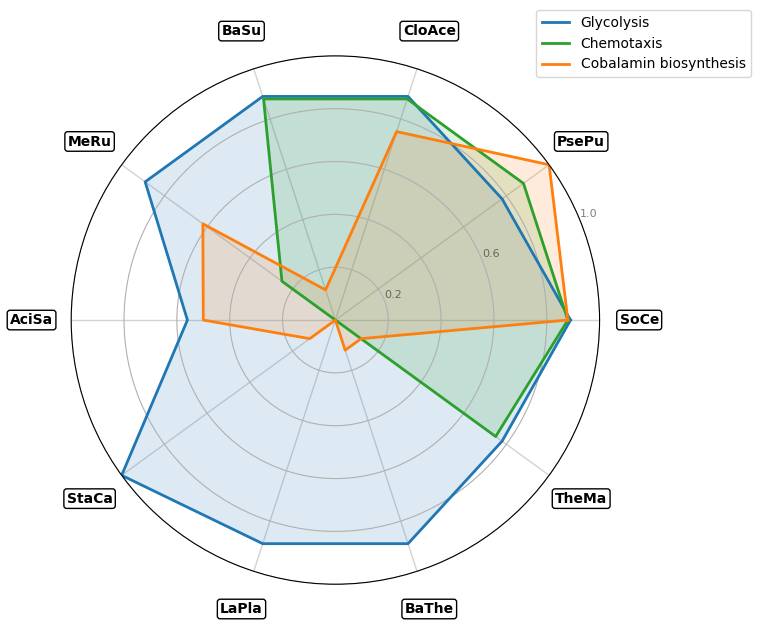
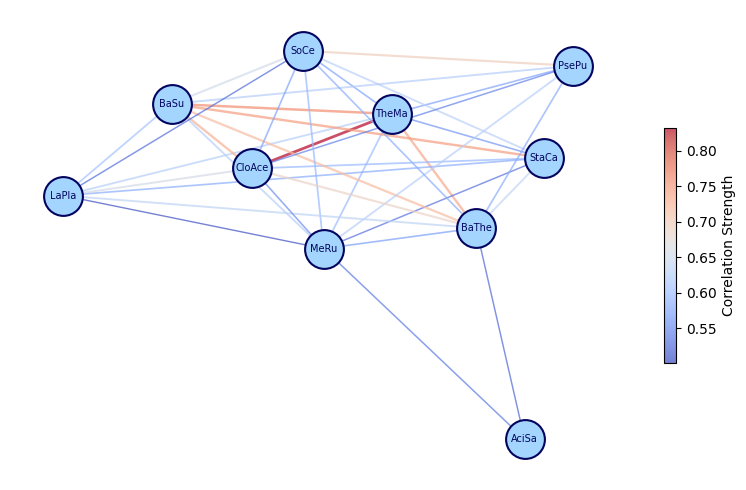
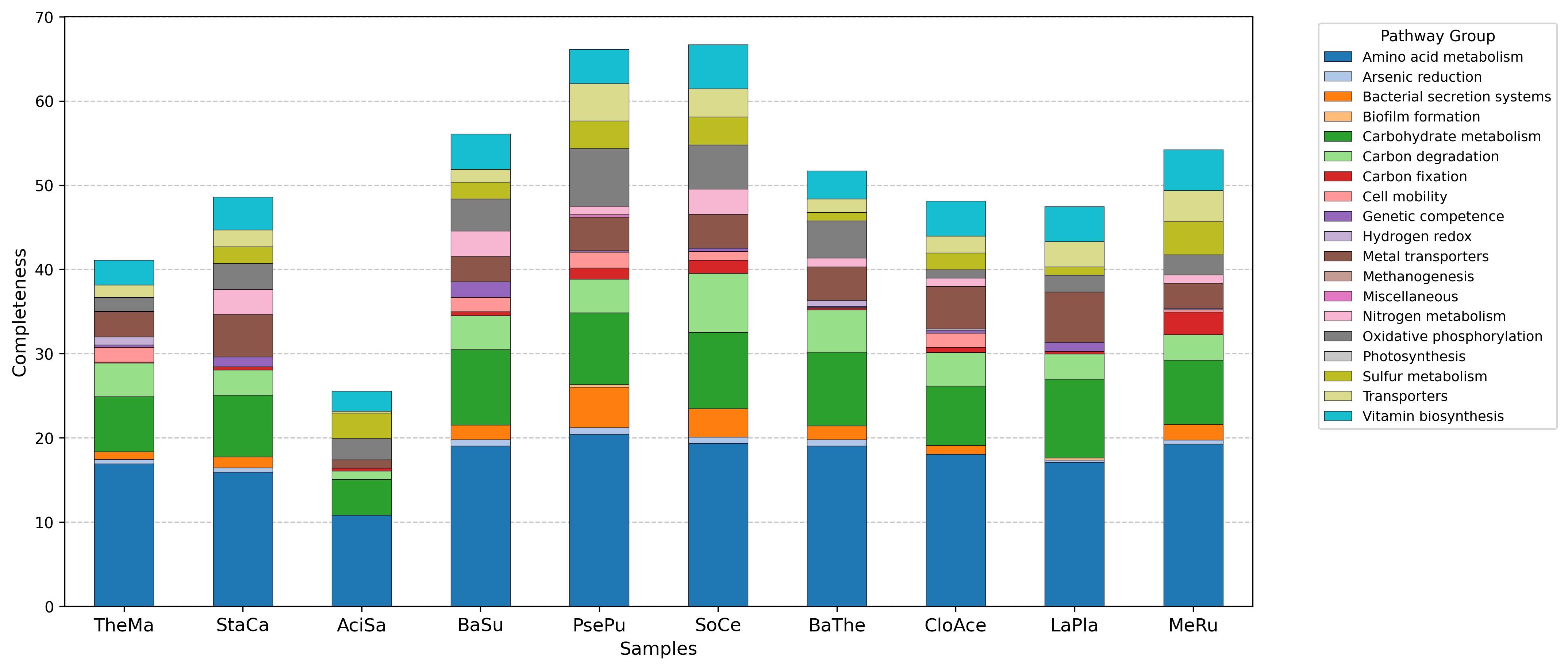
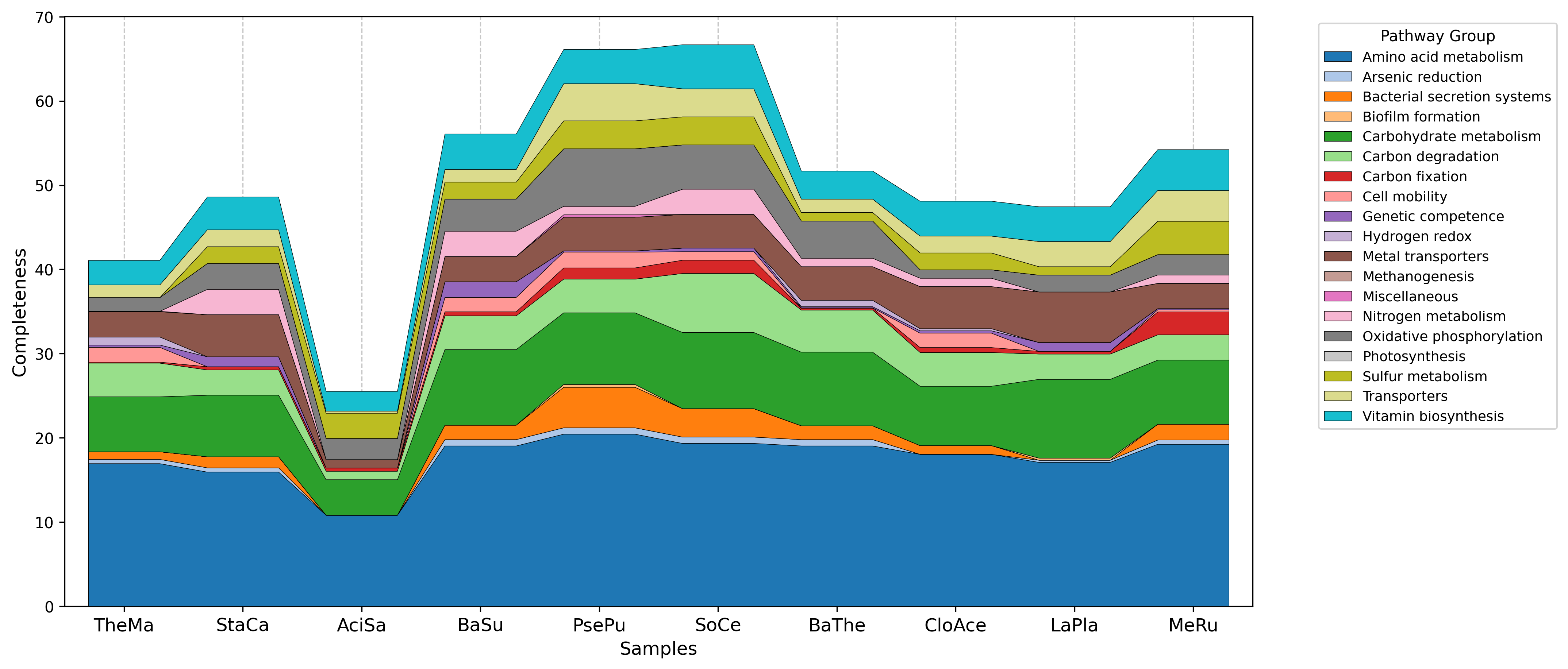
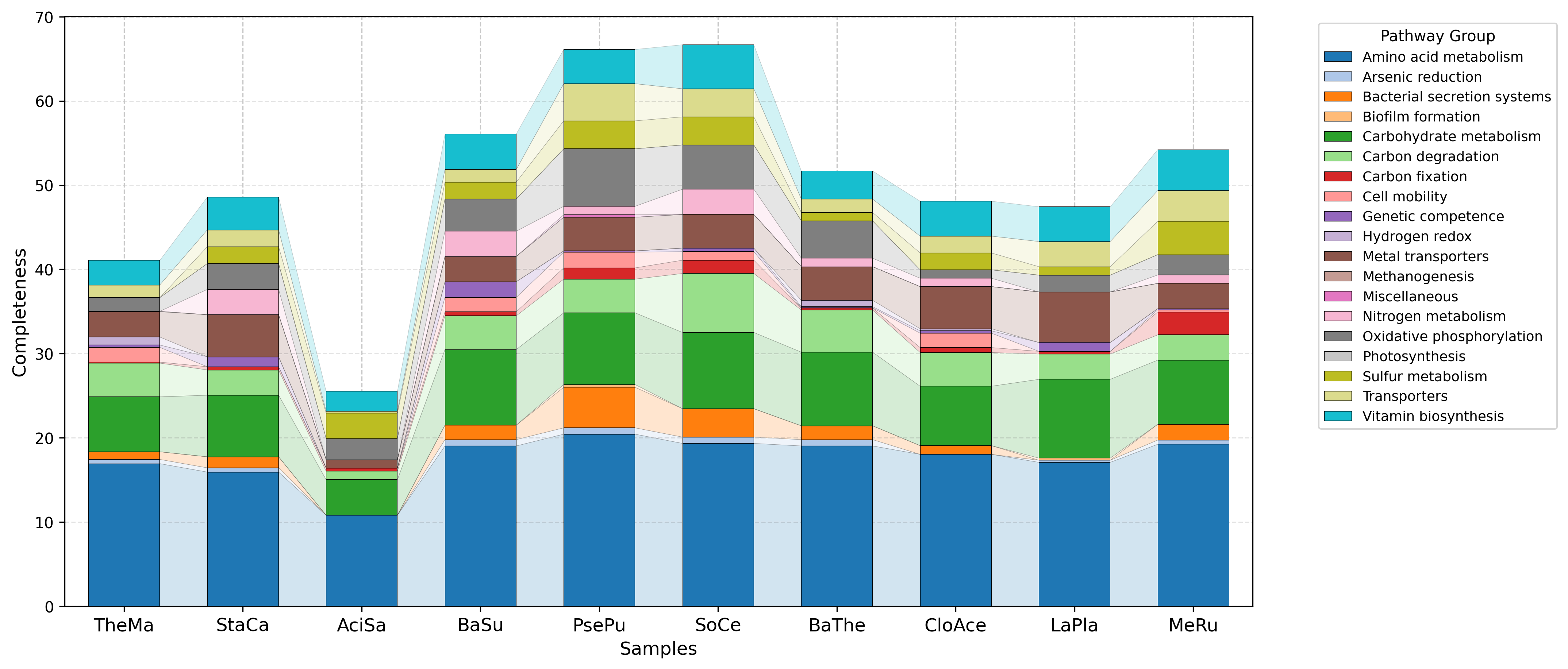
- Multi-sample analysis — compare samples using heatmaps, radarplots, correlation networks, stacked bars, and streamgraphs
- Re-render on the fly — modify plot parameters without re-running the full analysis (multi mode only)
- Download results — export individual plots or the complete results ZIP
Output examples gallery
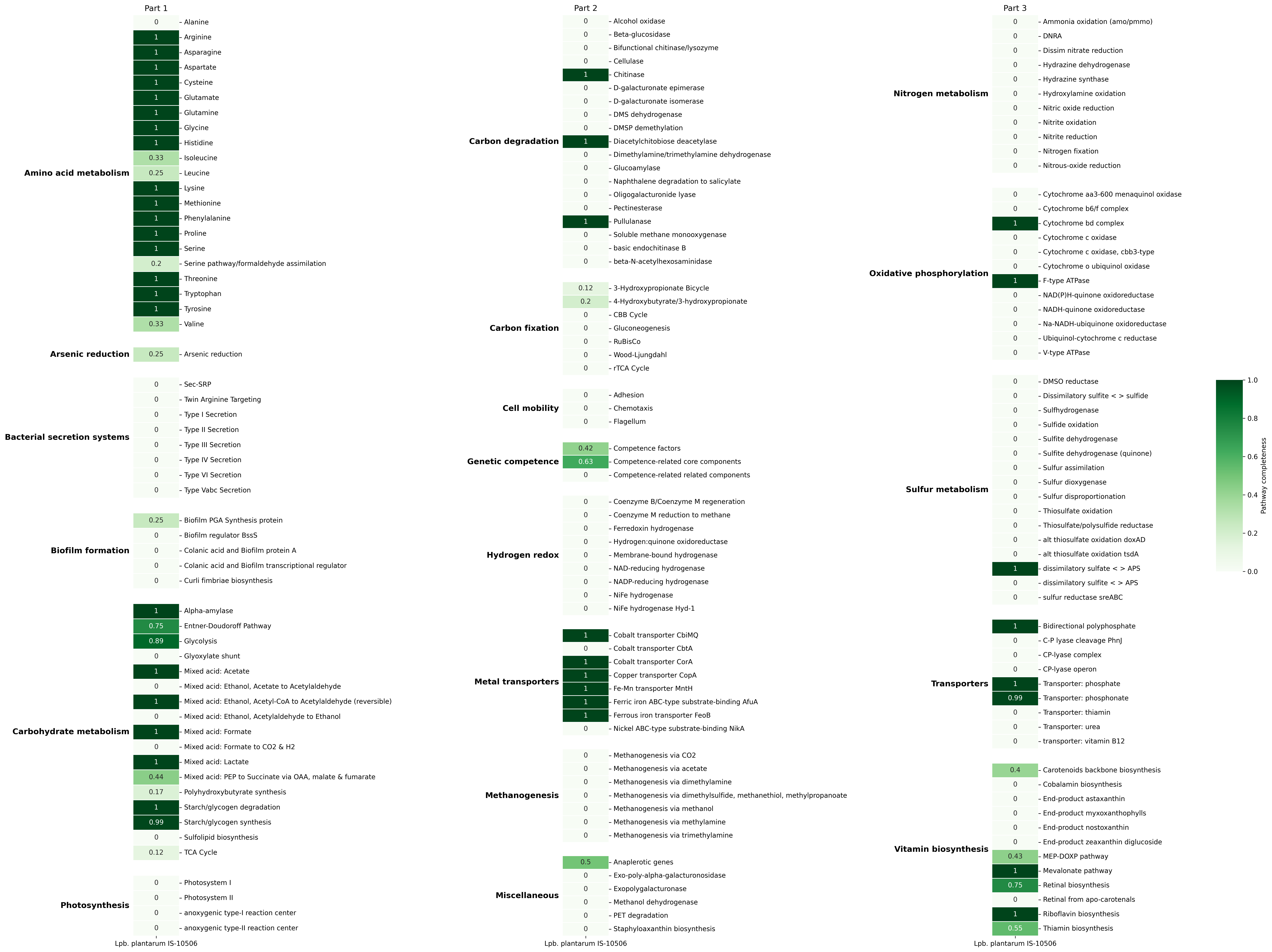
Default visualization
| Single mode | Multi mode |
|---|---|
 |
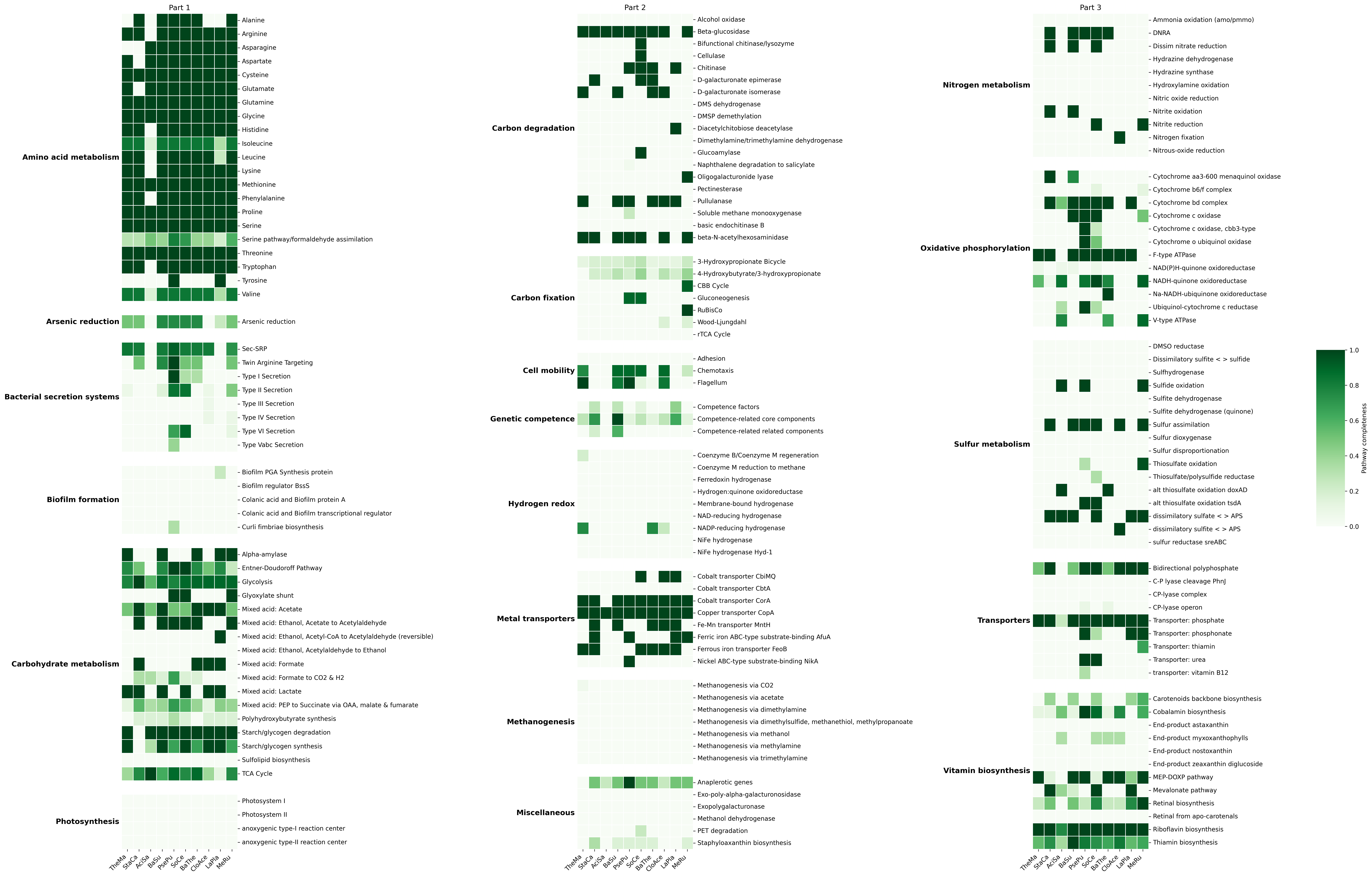 |
These figures are generated using functional groupping mode (-g/--group) and Greens colormap
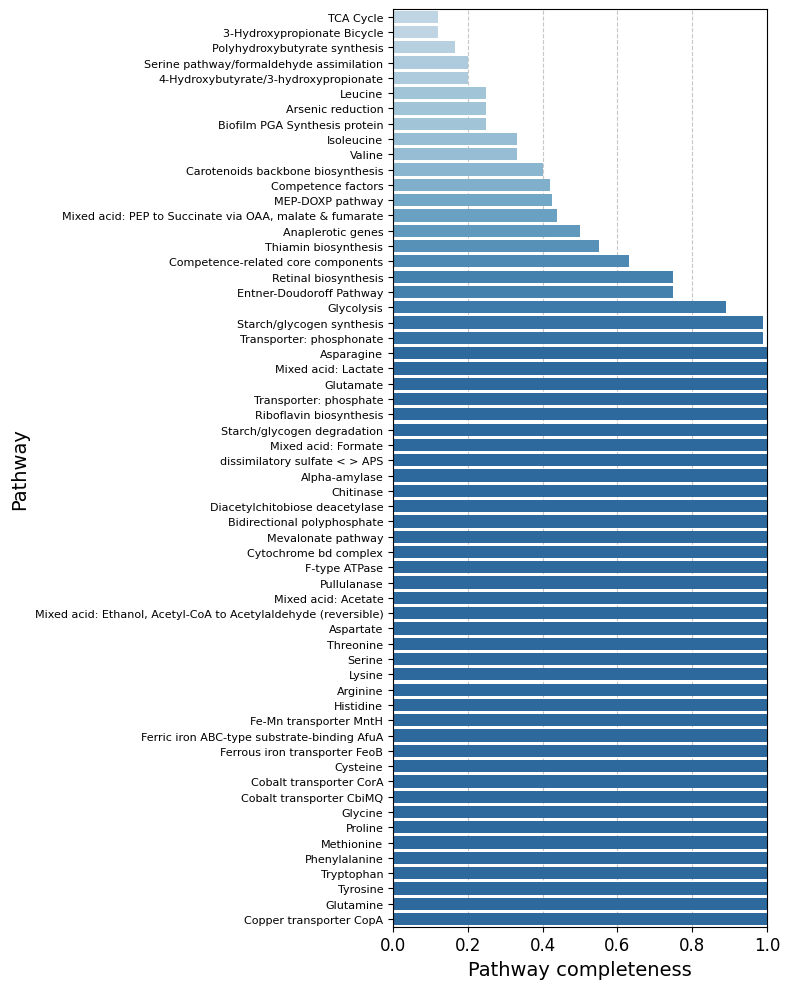
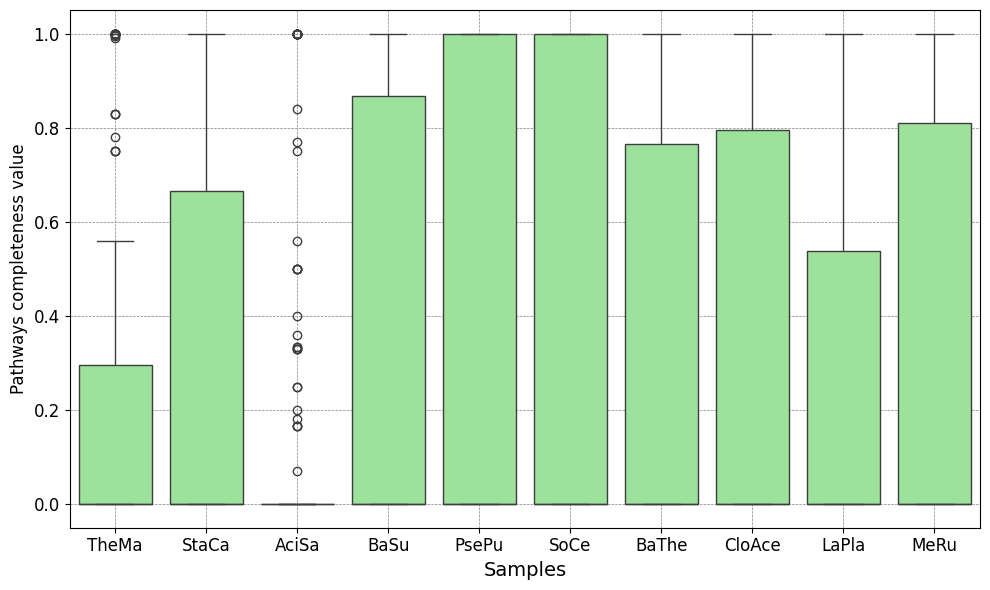
User APIs visualization
| Barplot | Boxplot | Radarplot | Correlation Network |
|---|---|---|---|
 |
 |
 |
 |
| Stacked Barplot | Streamgraph | Stacked Barplot + Streamgraph |
|---|---|---|
 |
 |
 |
Advantages
- Seemless Access to KEGG Annotations: Provides KEGG Ortholog (KO) annotations without requiring a KEGG license.
- High-Throughput Capability: Optimized for rapid KO assignment in large-scale datasets, ideal for metagenomics and genomics projects.
- Broad Functional Coverage: Leverages the extensive eggNOG database to annotate genes across a wide range of taxa.
Limitation
- Indirect KO Mapping:
eggNOG-mapperdoesn’t directly use the KEGG database, its KO term assignments are inferred through orthologous groups (eggNOG entries). This can sometimes result in less precise annotations.
Tool name background
KEGGaNOG stands for “KEGG out of NOG”, highlighting its purpose: extracting KEGG Ortholog annotations from eggNOG’s Non-supervised Orthologous Groups.
Citation
If you use KEGGaNOG in your research, please cite:
Acknowledgements
For now KEGGaNOG uses KEGG-Decoder as a main dependecy. I greatly thank KEGG-Decoder's developers.
1 maintainer

Release files for kegganog 1.6.5
For a detailed explanation of source distributions (sdists) and built distributions (wheels), please see the package formats documentation.
Source distribution (sdist)
| File | Size | Uploaded | |
|---|---|---|---|
| kegganog-1.6.5.tar.gz | 181.4 kB | Details |
Built distribution (wheel)
| File | Interpreter | ABI | Platform | Reset |
|---|---|---|---|---|
| kegganog-1.6.5-py3-none-any.whl | Python 3 | none | any | Details |
Total release size: 389.7 kB
Release files / kegganog-1.6.5.tar.gz
| Download URL | kegganog-1.6.5.tar.gz |
|---|---|
| Size | 181.4 kB |
| Tags | Source |
|
SHA-256 checksum How to use checksums |
fcecf001b355808459248eb12fc9289c5c77d7881923a2d0ca12c9163a8b1ef8
|
|
BLAKE2b-256 checksum How to use checksums |
1952491f53a699eaca10b823aeaca6318efcc96d2d1448deb35c29b805e4f19c
|
| Upload date | |
|
Uploaded using Trusted Publishing? What is trusted publishing? |
Yes |
| Uploaded via |
twine/6.1.0 CPython/3.13.14
|
Provenance
Provenance describes where a file came from. On PyPI, provenance is shared via attestations, which provide a verifiable record of the build or publishing details. View details, limitations and caveats.


PyPI Publish Attestation
PyPI verified that this artifact, at this checksum, originated from the publisher listed below.
Signed by GitHub Actions, verified by PyPI on Jul 23, 2026.
Transparency logRelease files / kegganog-1.6.5-py3-none-any.whl
| Download URL | kegganog-1.6.5-py3-none-any.whl |
|---|---|
| Size | 208.3 kB |
| Tags | Python 3 |
|
SHA-256 checksum How to use checksums |
b756c9f576d0d06d6346e9ec6f55cd2e3518efa3f641f1486a3726bd78a9cf9a
|
|
BLAKE2b-256 checksum How to use checksums |
b6a979a6027faa417c646a68c636d0ac20c7a2f8a71260f63083e14025528328
|
| Upload date | |
|
Uploaded using Trusted Publishing? What is trusted publishing? |
Yes |
| Uploaded via |
twine/6.1.0 CPython/3.13.14
|
Provenance
Provenance describes where a file came from. On PyPI, provenance is shared via attestations, which provide a verifiable record of the build or publishing details. View details, limitations and caveats.
PyPI Publish Attestation
PyPI verified that this artifact, at this checksum, originated from the publisher listed below.
Signed by GitHub Actions, verified by PyPI on Jul 23, 2026.
Transparency log













