
A tool for generating KEGG heatmaps from eggNOG-mapper outputs.
Verified details
These details have been verified by PyPIProject links
GitHub Statistics
Maintainers

Project description
KEGGaNOG






Motivation
eggNOG-mapperis a comprehensive tool for fast functional annotation of novel sequences. Yet it does not provide any visualization functions.KEGG-Decoderis a perfect tool for visualizing KEGG Pathways. But it only takesKEGG-Koalaoutputs as an input (including blastKOALA, ghostKOALA, KOFAMSCAN).KEGG-Koalais a web-tool which can work for more than 24 hours.eggNOG-mappercan be installed locally on your PC / server and work faster.- This tool
KEGGaNOGmakeseggNOG-mappermeetKEGG-Decoder! It parseseggNOG-mapperoutput, make it fit for the input toKEGG-Decoderand then visualize KEGG Pathways as the heatmap! - Pro-tip:
eggNOG-mapperandKEGGaNOGcould be wrapped into 🐍Snakemakepipeline making metabolic profiling a "one-click" process!
Installation
# Linux / WSL / macOS
conda create -n kegganog pip -y
conda activate kegganog
pip install kegganog
Usage Guide
Command-line mode
Usage: KEGGaNOG [OPTIONS]

 KEGGaNOG: Link eggNOG-mapper and KEGG-Decoder for pathway visualization.

╭─ Options ────────────────────────────────────────────────────────────────────╮
│ --input      -i              TEXT     Path to eggNOG-mapper annotation file. │
│ --output     -o              TEXT     Output folder to save results.         │
│ --multi      -M                       Run KEGGaNOG in multi mode with        │
│                                       multiple eggNOG-mapper annotation      │
│                                       files.                                 │
│ --overwrite  -overwrite               Overwrite the output directory if it   │
│                                       already exists.                        │
│ --dpi        -dpi            INTEGER  DPI for the output image.              │
│                                       [default: 300]                         │
│ --color      -c              TEXT     Cmap for seaborn heatmap.              │
│                                       [default: Blues]                       │
│ --name       -n              TEXT     Sample name for labeling.              │
│                                       [default: SAMPLE]                      │
│ --group      -g                       Group the heatmap based on predefined  │
│                                       categories.                            │
│ --web                                 Launch local web UI in browser at      │
│                                       http://localhost:8000.                 │
│ --version    -V                       Show version and exit.                 │
│ --help       -h                       Show this message and exit.            │
╰──────────────────────────────────────────────────────────────────────────────╯
🔗 Please visit KEGGaNOG wiki page
Web interface mode
For an interactive, browser-based experience with live preview and advanced visualization options:
KEGGaNOG --web
Then open http://localhost:8000 in your browser.
Features:
- Live preview — visualize plots in real-time as you adjust parameters
- Interactive settings — no command-line arguments needed; drop files, tweak colors and dimensions through an intuitive UI
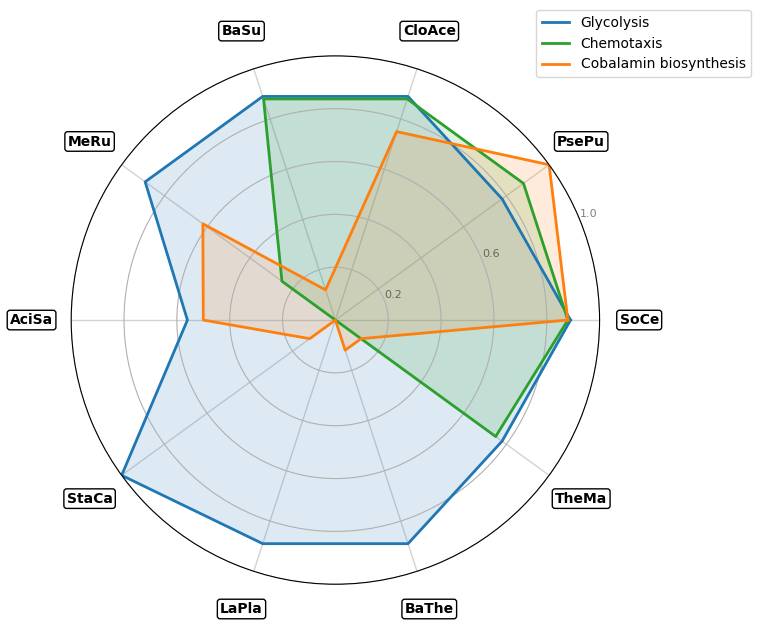
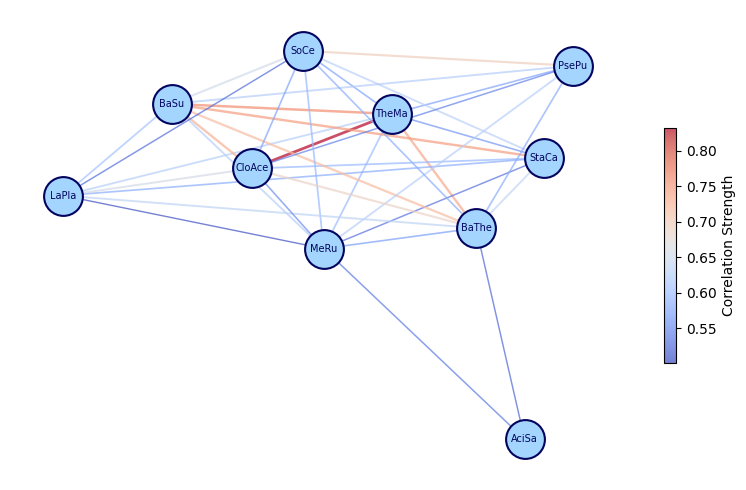
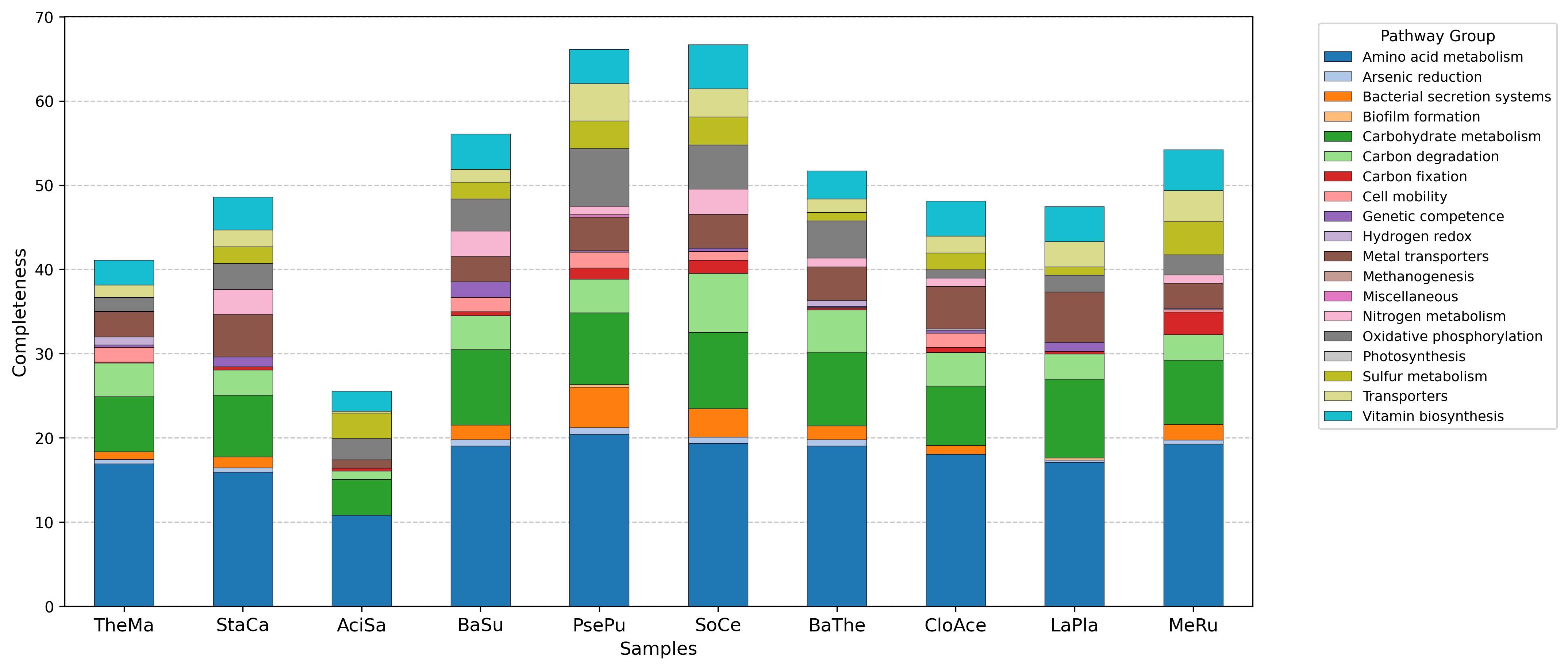
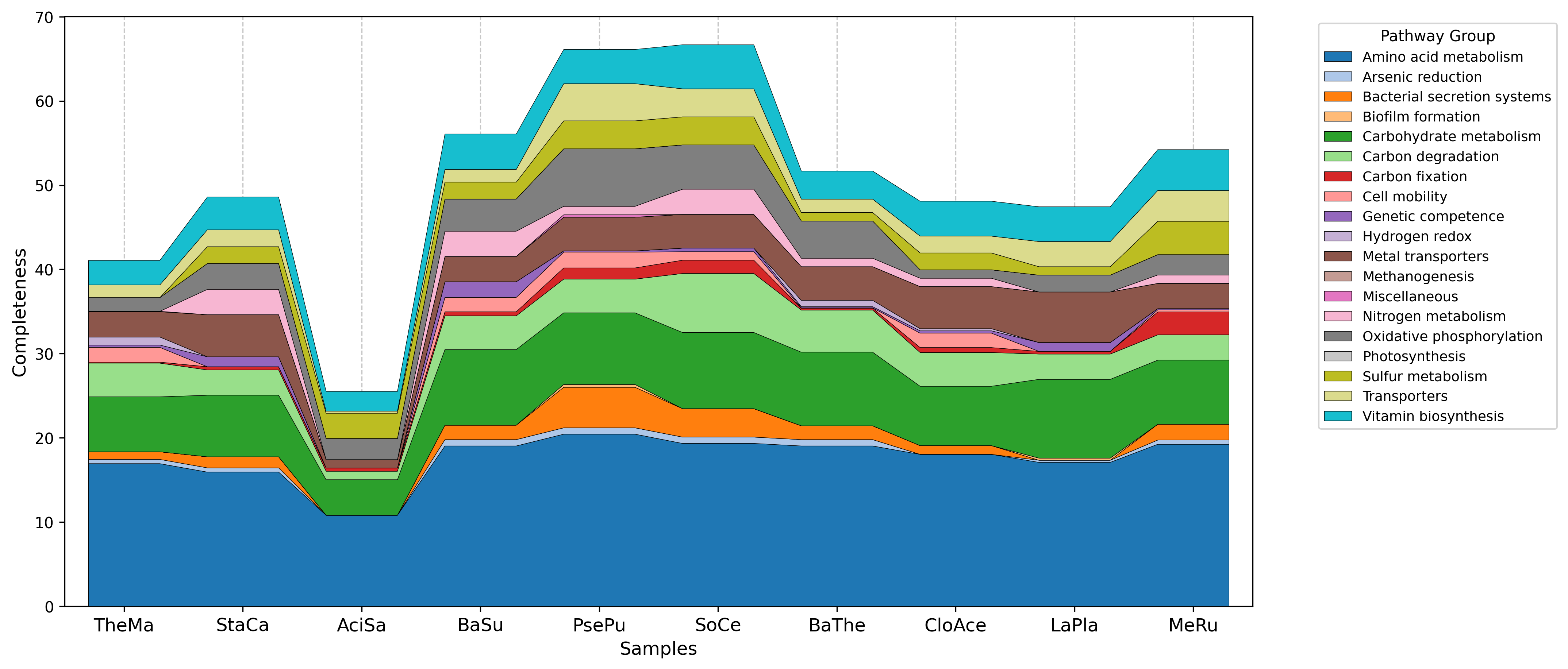
- Multi-sample analysis — compare samples using heatmaps, radarplots, correlation networks, stacked bars, and streamgraphs
- Re-render on the fly — modify plot parameters without re-running the full analysis (multi mode only)
- Download results — export individual plots or the complete results ZIP
Output examples gallery
Default visualization
| Single mode | Multi mode |
|---|---|
 |
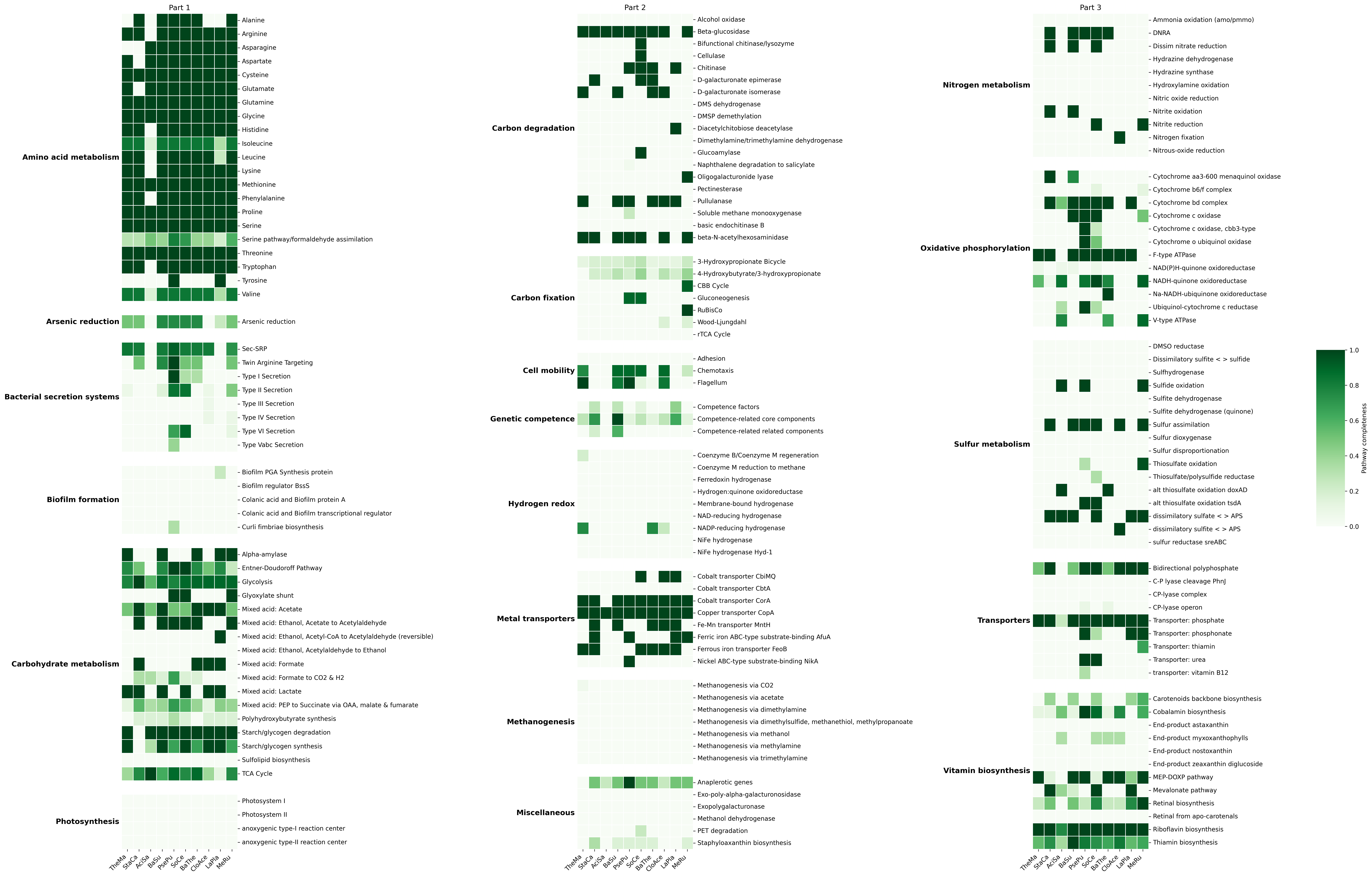 |
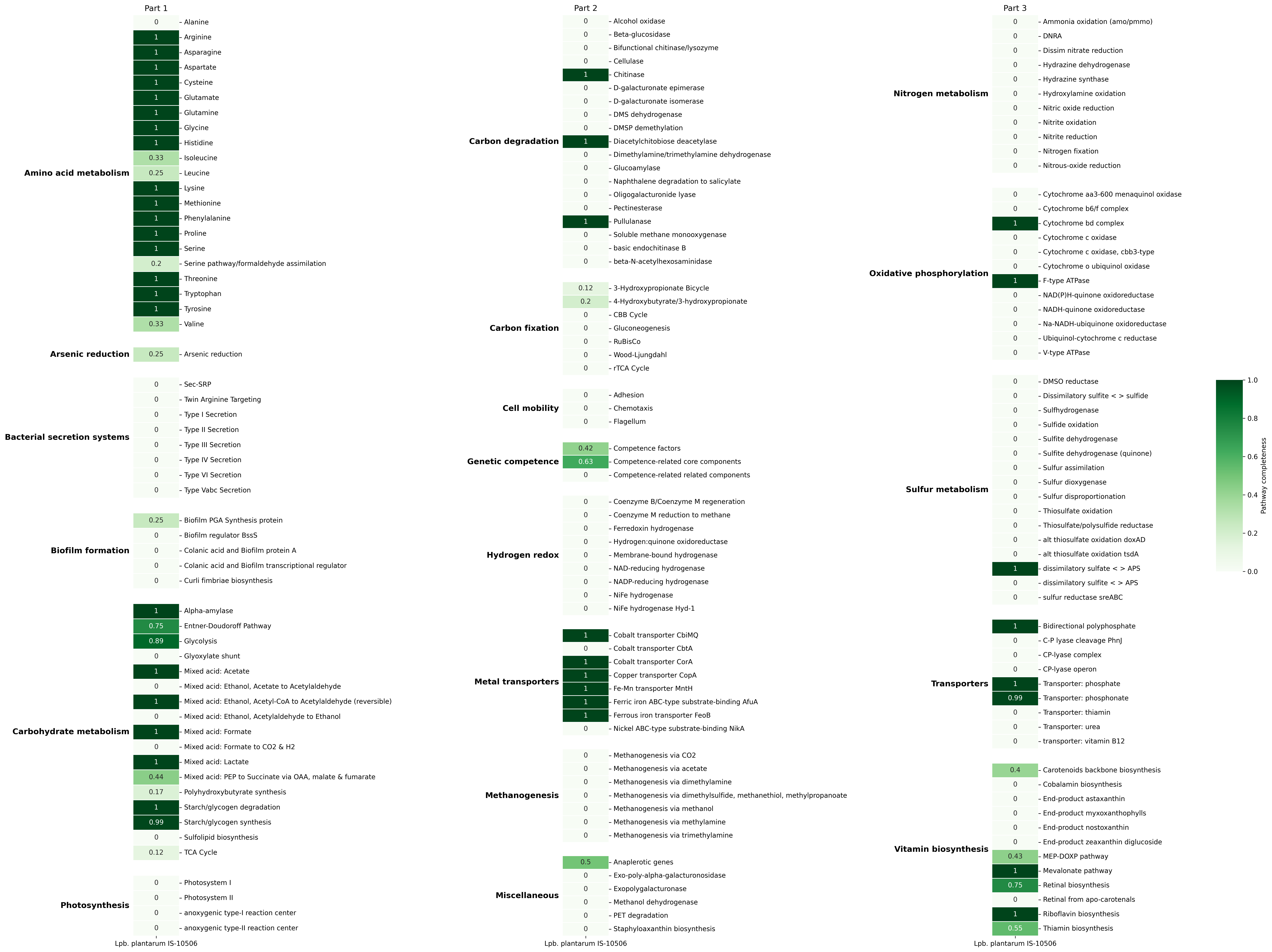
These figures are generated using functional groupping mode (-g/--group) and Greens colormap
User APIs visualization
| Barplot | Boxplot | Radarplot | Correlation Network |
|---|---|---|---|
 |
 |
 |
 |
| Stacked Barplot | Streamgraph | Stacked Barplot + Streamgraph |
|---|---|---|
 |
 |
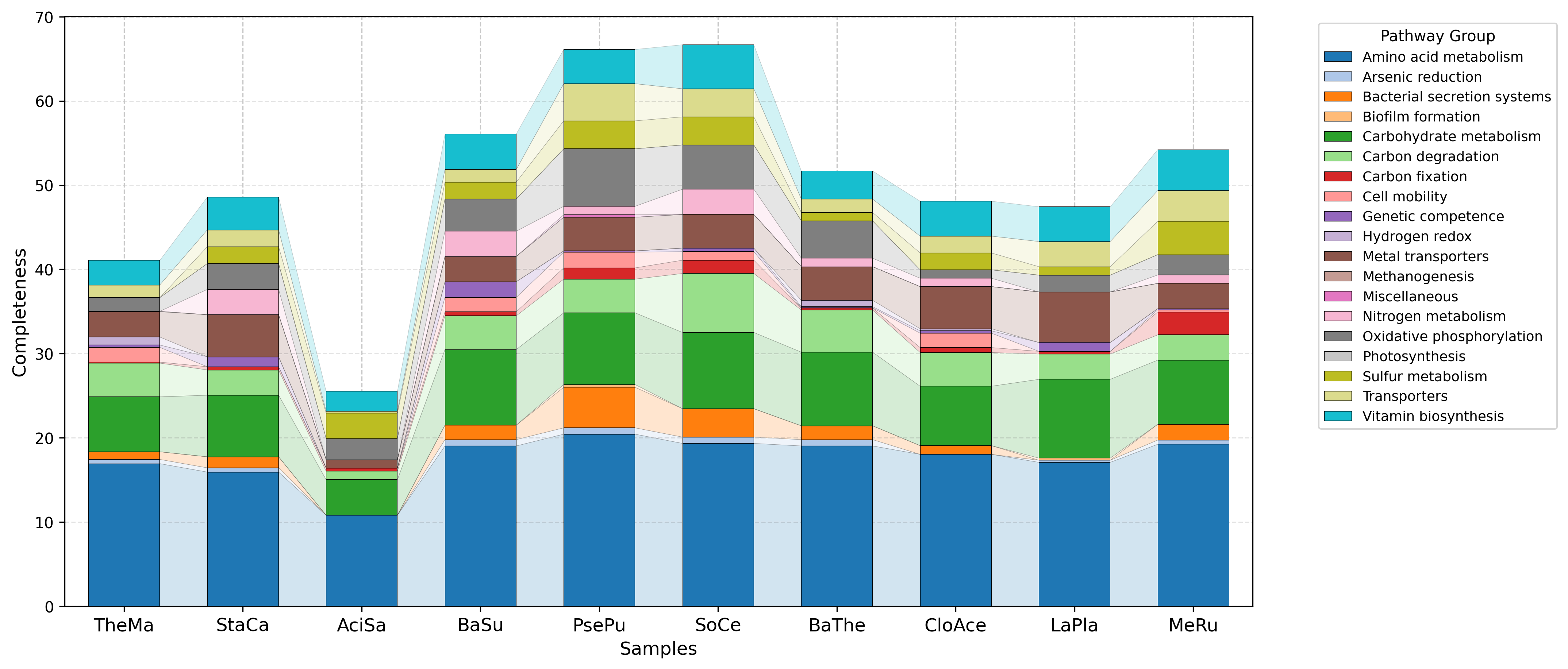 |
Advantages
- Seemless Access to KEGG Annotations: Provides KEGG Ortholog (KO) annotations without requiring a KEGG license.
- High-Throughput Capability: Optimized for rapid KO assignment in large-scale datasets, ideal for metagenomics and genomics projects.
- Broad Functional Coverage: Leverages the extensive eggNOG database to annotate genes across a wide range of taxa.
Limitation
- Indirect KO Mapping:
eggNOG-mapperdoesn’t directly use the KEGG database, its KO term assignments are inferred through orthologous groups (eggNOG entries). This can sometimes result in less precise annotations.
Tool name background
KEGGaNOG stands for “KEGG out of NOG”, highlighting its purpose: extracting KEGG Ortholog annotations from eggNOG’s Non-supervised Orthologous Groups.
Contributing
Contributions are welcome! If you have any ideas, bug fixes, or enhancements, feel free to open an issue or submit a pull request.
Contact
For any inquiries or support, feel free to contact me via email
Happy functional annotation! 💻🧬
Citation
If you use KEGGaNOG in your research, please cite:
Acknowledgements
For now KEGGaNOG uses KEGG-Decoder as a main dependecy. I greatly thank KEGG-Decoder's developers.
Project details
Verified details
These details have been verified by PyPIProject links
GitHub Statistics
Maintainers
Release history Release notifications | RSS feed


Download files
Download the file for your platform. If you're not sure which to choose, learn more about installing packages.
Source Distribution
Built Distribution
Filter files by name, interpreter, ABI, and platform.
If you're not sure about the file name format, learn more about wheel file names.
Copy a direct link to the current filters
File details
Details for the file kegganog-1.6.2.tar.gz.
File metadata
- Download URL: kegganog-1.6.2.tar.gz
- Upload date:
- Size: 168.0 kB
- Tags: Source
- Uploaded using Trusted Publishing? Yes
- Uploaded via: twine/6.1.0 CPython/3.13.12
File hashes
| Algorithm | Hash digest | |
|---|---|---|
| SHA256 |
316faeb973e783286e6287991248cc97dda51a06d64c2597ed6401f7bfee68d3
|
|
| MD5 |
d65da6770c5238fac0bcf38062951bf6
|
|
| BLAKE2b-256 |
6ca54041d54f9b47e68432df93a2dbe0e54ae08b9270ddf45798ec68a24d280f
|
Provenance
The following attestation bundles were made for kegganog-1.6.2.tar.gz:
Publisher:
publish.yml on iliapopov17/KEGGaNOG
-
Statement:
-
Statement type:
https://in-toto.io/Statement/v1 -
Predicate type:
https://docs.pypi.org/attestations/publish/v1 -
Subject name:
kegganog-1.6.2.tar.gz -
Subject digest:
316faeb973e783286e6287991248cc97dda51a06d64c2597ed6401f7bfee68d3 - Sigstore transparency entry: 1680928858
- Sigstore integration time:
-
Permalink:
iliapopov17/KEGGaNOG@fea63a04a09de796c5c394c14c59cf1015d1aeea -
Branch / Tag:
refs/tags/v.1.6.2 - Owner: https://github.com/iliapopov17
-
Access:
public
-
Token Issuer:
https://token.actions.githubusercontent.com -
Runner Environment:
github-hosted -
Publication workflow:
publish.yml@fea63a04a09de796c5c394c14c59cf1015d1aeea -
Trigger Event:
push
-
Statement type:
File details
Details for the file kegganog-1.6.2-py3-none-any.whl.
File metadata
- Download URL: kegganog-1.6.2-py3-none-any.whl
- Upload date:
- Size: 185.8 kB
- Tags: Python 3
- Uploaded using Trusted Publishing? Yes
- Uploaded via: twine/6.1.0 CPython/3.13.12
File hashes
| Algorithm | Hash digest | |
|---|---|---|
| SHA256 |
691a5d55019047b4f693bd87dcbbc18de676e85e4f53a83df65ad7583b830d65
|
|
| MD5 |
eb6a259aa850c4cc8d68b47472453b8a
|
|
| BLAKE2b-256 |
94595e7eb95521f3ba12dd6320bd6b69737c2ab74fc3dc04ff841bdb6fa2216d
|
Provenance
The following attestation bundles were made for kegganog-1.6.2-py3-none-any.whl:
Publisher:
publish.yml on iliapopov17/KEGGaNOG
-
Statement:
-
Statement type:
https://in-toto.io/Statement/v1 -
Predicate type:
https://docs.pypi.org/attestations/publish/v1 -
Subject name:
kegganog-1.6.2-py3-none-any.whl -
Subject digest:
691a5d55019047b4f693bd87dcbbc18de676e85e4f53a83df65ad7583b830d65 - Sigstore transparency entry: 1680929108
- Sigstore integration time:
-
Permalink:
iliapopov17/KEGGaNOG@fea63a04a09de796c5c394c14c59cf1015d1aeea -
Branch / Tag:
refs/tags/v.1.6.2 - Owner: https://github.com/iliapopov17
-
Access:
public
-
Token Issuer:
https://token.actions.githubusercontent.com -
Runner Environment:
github-hosted -
Publication workflow:
publish.yml@fea63a04a09de796c5c394c14c59cf1015d1aeea -
Trigger Event:
push
-
Statement type:






