
kindle-anki


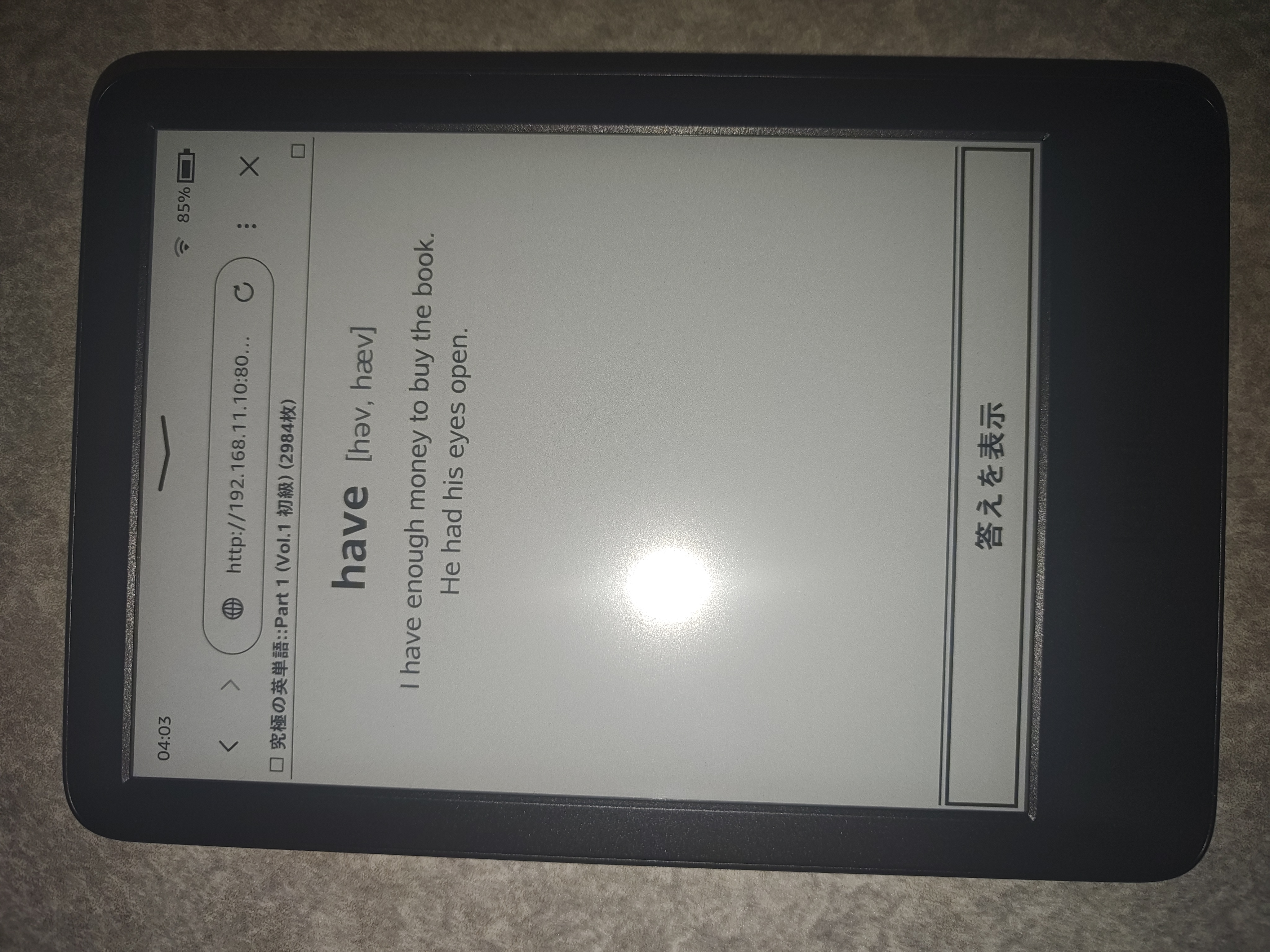
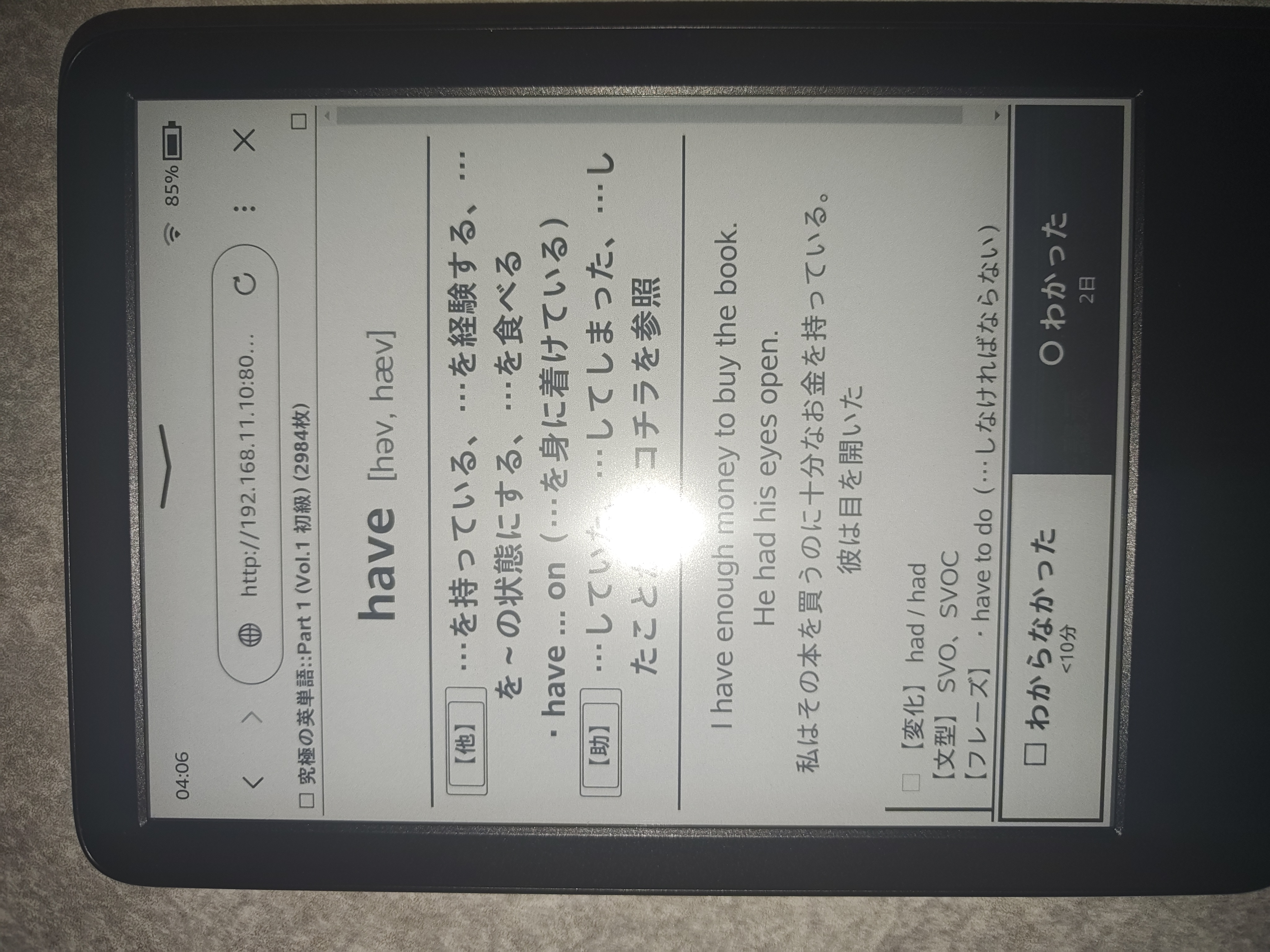
KindleのブラウザでAnkiカードを快適に学習・復習するための軽量ローカルWebサーバーです。
- E-ink最適化: 不要な枠線やHTMLタグを排除し、白黒反転フラッシュなし(AJAX)で単語・発音・意味・例文を表示
- PC音声再生同期: カード表示に合わせてホストPC側で音声再生
📦 インストール (Installation)
PyPIから直接インストールできます:
pip install kindle-anki
または pipx を使用:
pipx install kindle-anki
あるいはリポジトリから実行:
git clone https://github.com/sh1ragami/kindle-anki.git
cd kindle-anki
python3 kindle_anki.py
⚙️ 前提条件 (Prerequisites)
- PC上で Anki が起動していること。
- アドオン AnkiConnect (
2055492159) がインストールされていること。 - AnkiConnectの設定で
webBindAddressを"0.0.0.0"に変更すること(Ankiメニュー -> ツール -> アドオン -> AnkiConnect -> 設定)。
{
    "webBindAddress": "0.0.0.0",
    "webBindPort": 8765
}
🚀 使い方 (Usage)
1. サーバーの起動
pip でインストールした場合:
kindle-anki
スクリプトから直接起動する場合:
python3 kindle_anki.py
起動時に表示されるURL(例: http://192.168.1.10:8000)を確認します。
2. Kindleからアクセス
- KindleをPCと同じWi-Fiに接続します。
- Kindleの「体験版ブラウザ」を開き、表示されたURLにアクセスします。
🔧 オプション (Options)
kindle-anki --port 8000 --host 0.0.0.0 --anki-url http://127.0.0.1:8765
| オプション | デフォルト | 説明 |
|---|---|---|
--port |
8000 |
サーバーのポート番号 |
--host |
0.0.0.0 |
バインドするホストIP |
--anki-url |
http://127.0.0.1:8765 |
AnkiConnectのURL |
🔊 音声再生 (Audio)
PC側に mpv または ffplay がインストールされている場合、Kindleのカード切り替えに合わせて自動でPCスピーカーから音声が流れます。
# Ubuntu / Debian
sudo apt install mpv

# macOS
brew install mpv
📄 ライセンス (License)
1 maintainer

Metadata
1 maintainer
Release files for kindle-anki 1.0.1
For a detailed explanation of source distributions (sdists) and built distributions (wheels), please see the package formats documentation.
Source distribution (sdist)
| File | Size | Uploaded | Provenance | Actions |
|---|---|---|---|---|
| kindle_anki-1.0.1.tar.gz | 16.0 kB | Without provenance | Details for kindle_anki-1.0.1.tar.gz |
Built distribution (wheel)
| File | Interpreter | ABI | Platform | Actions Reset |
|---|---|---|---|---|
| kindle_anki-1.0.1-py3-none-any.whl | Python 3 | none | any | Details for kindle_anki-1.0.1-py3-none-any.whl |
Total release size: 32.4 kB
Release files / kindle_anki-1.0.1.tar.gz
| Download URL | kindle_anki-1.0.1.tar.gz |
|---|---|
| Size | 16.0 kB |
| Tags | Source |
|
SHA-256 checksum How to use checksums |
26f137fad7a099483cc7b3dc454c75d9e92782a10ce2a43bb5d7d47d6aaf0c92
|
|
BLAKE2b-256 checksum How to use checksums |
2b960e123b9ad9b81f12323a7aede4ba31859c12c1aa01ecd342395fb70fe10b
|
| Upload date | |
|
Uploaded using Trusted Publishing? What is trusted publishing? |
No |
| Uploaded via |
twine/7.0.0 CPython/3.14.6
|
Release files / kindle_anki-1.0.1-py3-none-any.whl
| Download URL | kindle_anki-1.0.1-py3-none-any.whl |
|---|---|
| Size | 16.4 kB |
| Tags | Python 3 |
|
SHA-256 checksum How to use checksums |
25a3f0186ddb4c4dfae388996f035e9cb23e29dc8edd963a47eb13aa52cdf2cf
|
|
BLAKE2b-256 checksum How to use checksums |
b5f082f8ddac91348ec2ebdbdfe421e8c902185aefa7151eeeee4d0a87fee11f
|
| Upload date | |
|
Uploaded using Trusted Publishing? What is trusted publishing? |
No |
| Uploaded via |
twine/7.0.0 CPython/3.14.6
|
Security for kindle-anki 1.0.1
Provenance
Provenance describes where a file came from. On PyPI, provenance is shared via attestations, which provide a verifiable record of the build or publishing details. View details, limitations and caveats.
No provenance found
None of the files in this release were uploaded with provenance metadata.
A note on package security
PyPI is a repository for distributing packages, not a service for auditing them. While third-party security researchers and our staff do their best to detect and remove malicious packages, PyPI cannot guarantee the quality, security or suitability of any given package.
To learn more about protecting yourself from malicious actors, visit our package security documentation.














