
kindle-anki


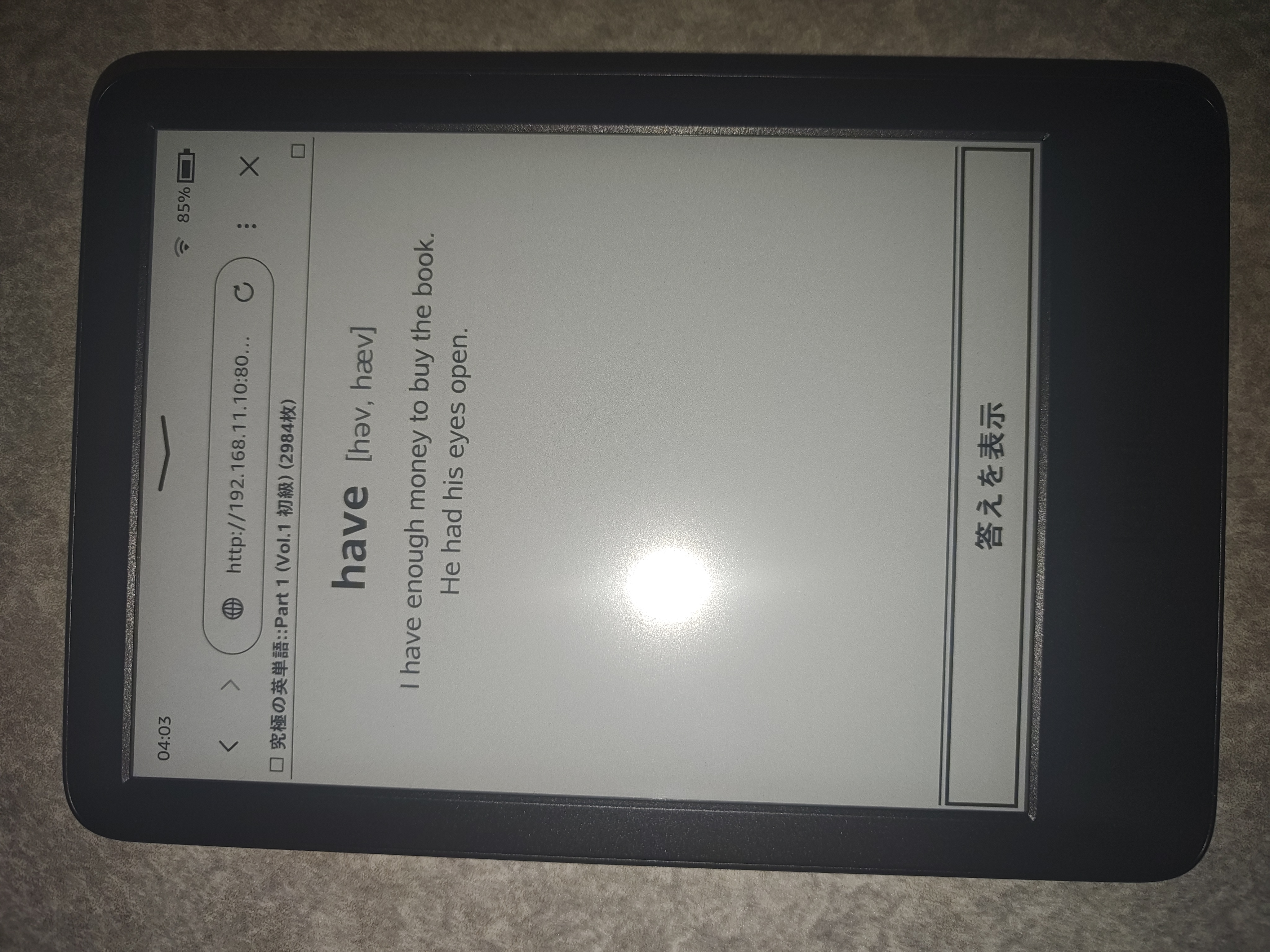
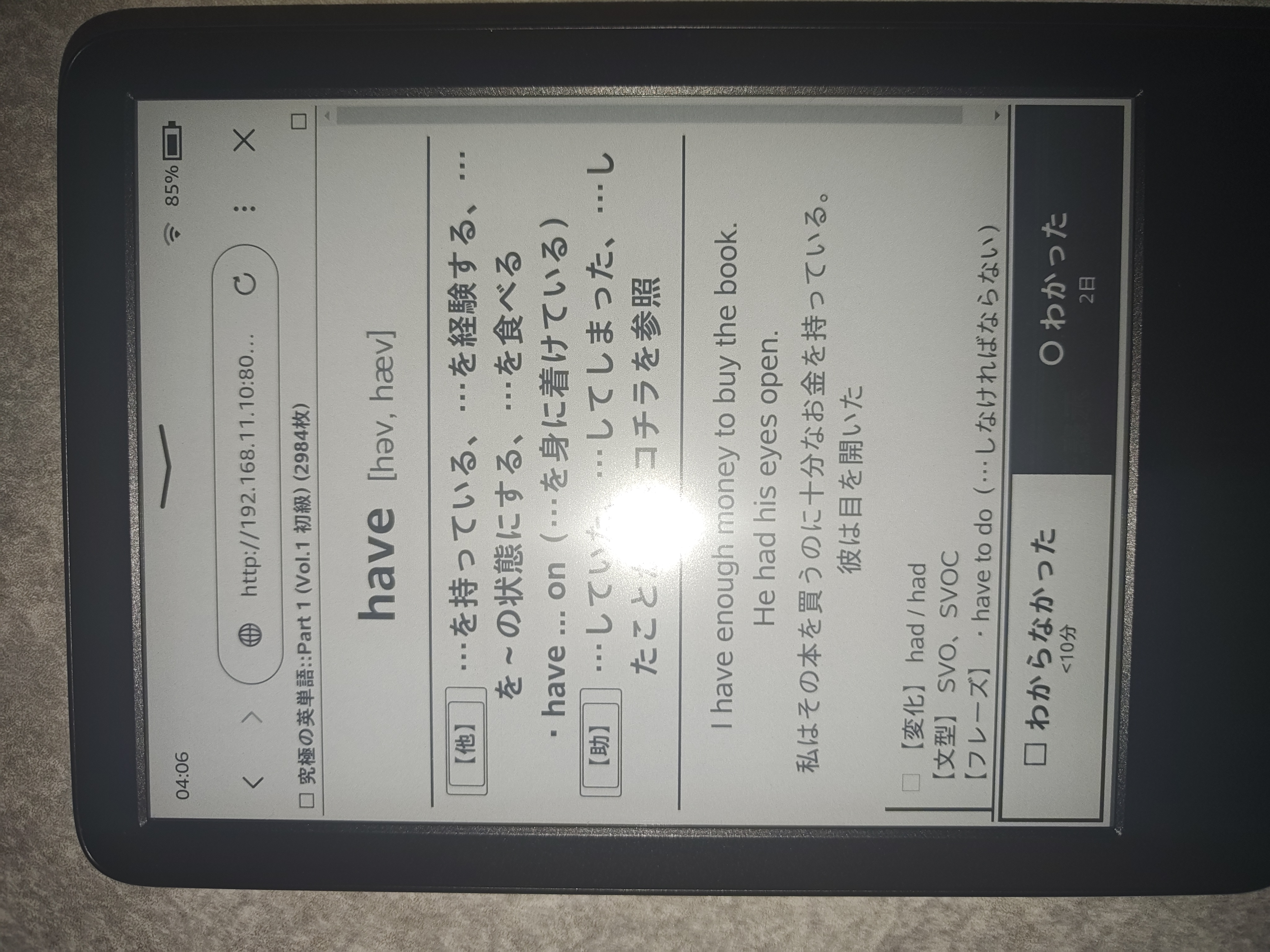
KindleのブラウザでAnkiカードを快適に学習・復習するための軽量ローカルWebサーバーです。
- E-ink最適化: 不要な枠線やHTMLタグを排除し、白黒反転フラッシュなし(AJAX)で単語・発音・意味・例文を表示
- PC音声再生同期: カード表示に合わせてホストPC側で音声再生
📦 インストール (Installation)
PyPIから直接インストールできます:
pip install kindle-anki
または pipx を使用:
pipx install kindle-anki
あるいはリポジトリから実行:
git clone https://github.com/sh1ragami/kindle-anki.git
cd kindle-anki
python3 kindle_anki.py
⚙️ 前提条件 (Prerequisites)
- PC上で Anki が起動していること。
- アドオン AnkiConnect (
2055492159) がインストールされていること。 - AnkiConnectの設定で
webBindAddressを"0.0.0.0"に変更すること(Ankiメニュー -> ツール -> アドオン -> AnkiConnect -> 設定)。
{
    "webBindAddress": "0.0.0.0",
    "webBindPort": 8765
}
🚀 使い方 (Usage)
1. サーバーの起動
pip でインストールした場合:
kindle-anki
スクリプトから直接起動する場合:
python3 kindle_anki.py
起動時に表示されるURL(例: http://192.168.1.10:8000)を確認します。
2. Kindleからアクセス
- KindleをPCと同じWi-Fiに接続します。
- Kindleの「体験版ブラウザ」を開き、表示されたURLにアクセスします。
🔧 オプション (Options)
kindle-anki --port 8000 --host 0.0.0.0 --anki-url http://127.0.0.1:8765
| オプション | デフォルト | 説明 |
|---|---|---|
--port |
8000 |
サーバーのポート番号 |
--host |
0.0.0.0 |
バインドするホストIP |
--anki-url |
http://127.0.0.1:8765 |
AnkiConnectのURL |
🔊 音声再生 (Audio)
PC側に mpv または ffplay がインストールされている場合、Kindleのカード切り替えに合わせて自動でPCスピーカーから音声が流れます。
# Ubuntu / Debian
sudo apt install mpv

# macOS
brew install mpv
📄 ライセンス (License)
1 maintainer

Download files
Download the file for your platform. If you're not sure which to choose, learn more about installing packages.
Source Distribution
kindle_anki-1.0.1.tar.gz
(16.0 kB
view details)
Built Distribution
Filter files by name, interpreter, ABI, and platform.
If you're not sure about the file name format, learn more about wheel file names.
Copy a direct link to the current filters
File details
Details for the file kindle_anki-1.0.1.tar.gz.
File metadata
- Download URL: kindle_anki-1.0.1.tar.gz
- Upload date:
- Size: 16.0 kB
- Tags: Source
- Uploaded using Trusted Publishing? No
- Uploaded via:
twine/7.0.0 CPython/3.14.6
File hashes
| Algorithm | Hash digest | |
|---|---|---|
| SHA256 |
26f137fad7a099483cc7b3dc454c75d9e92782a10ce2a43bb5d7d47d6aaf0c92
|
|
| MD5 |
2b5363ef74477c2e9f47b6e423ae890c
|
|
| BLAKE2b-256 |
2b960e123b9ad9b81f12323a7aede4ba31859c12c1aa01ecd342395fb70fe10b
|
File details
Details for the file kindle_anki-1.0.1-py3-none-any.whl.
File metadata
- Download URL: kindle_anki-1.0.1-py3-none-any.whl
- Upload date:
- Size: 16.4 kB
- Tags: Python 3
- Uploaded using Trusted Publishing? No
- Uploaded via:
twine/7.0.0 CPython/3.14.6
File hashes
| Algorithm | Hash digest | |
|---|---|---|
| SHA256 |
25a3f0186ddb4c4dfae388996f035e9cb23e29dc8edd963a47eb13aa52cdf2cf
|
|
| MD5 |
ffc098aefbabe9574bdb801717d1a96a
|
|
| BLAKE2b-256 |
b5f082f8ddac91348ec2ebdbdfe421e8c902185aefa7151eeeee4d0a87fee11f
|














