
Monitor deep learning model training and hardware usage from mobile.





🔥 Features
- Monitor running experiments from mobile phone or laptop
- Monitor hardware usage on any computer with a single command
- Integrate with just 2 lines of code (see examples below)
- Keeps track of experiments including infomation like git commit, configurations and hyper-parameters
- API for custom visualizations
- Pretty logs of training progress
- Open source!

Hosting the experiments server
Prerequisites
To install MongoDB, refer to the official
documentation here.
Installation
Install the package using pip:
pip install labml-app
Starting the server
# Start the server on the default port (5005)
labml app-server

# To start the server on a different port, use the following command
labml app-server --port PORT
Optional: to setup and configure Nginx in your server, please refer to this.
You can access the user interface either by visiting http://localhost:{port} or, if configured on a separate machine,
by navigating to http://{server-ip}:{port}.
Monitor Experiments
Installation
- Install the package using pip.
pip install labml
- Create a file named
.labml.yamlat the top level of your project folder, and add the following line to the file:
app_url: http://localhost:{port}/api/v1/default

# If you are setting up the project on a different machine, include the following line instead,
app_url: http://{server-ip}:{port}/api/v1/default
PyTorch example
from labml import tracker, experiment

with experiment.record(name='sample', exp_conf=conf):
    for i in range(50):
        loss, accuracy = train()
        tracker.save(i, {'loss': loss, 'accuracy': accuracy})
Distributed training example
from labml import tracker, experiment

uuid = experiment.generate_uuid() # make sure to sync this in every machine
experiment.create(uuid=uuid,
                  name='distributed training sample',
                  distributed_rank=0,
                  distributed_world_size=8,
                  )
with experiment.start():
    for i in range(50):
        loss, accuracy = train()
        tracker.save(i, {'loss': loss, 'accuracy': accuracy})
📚 Documentation
Guides
- API to create experiments
- Track training metrics
- Monitored training loop and other iterators
- API for custom visualizations
- Configurations management API
- Logger for stylized logging
🖥 Screenshots
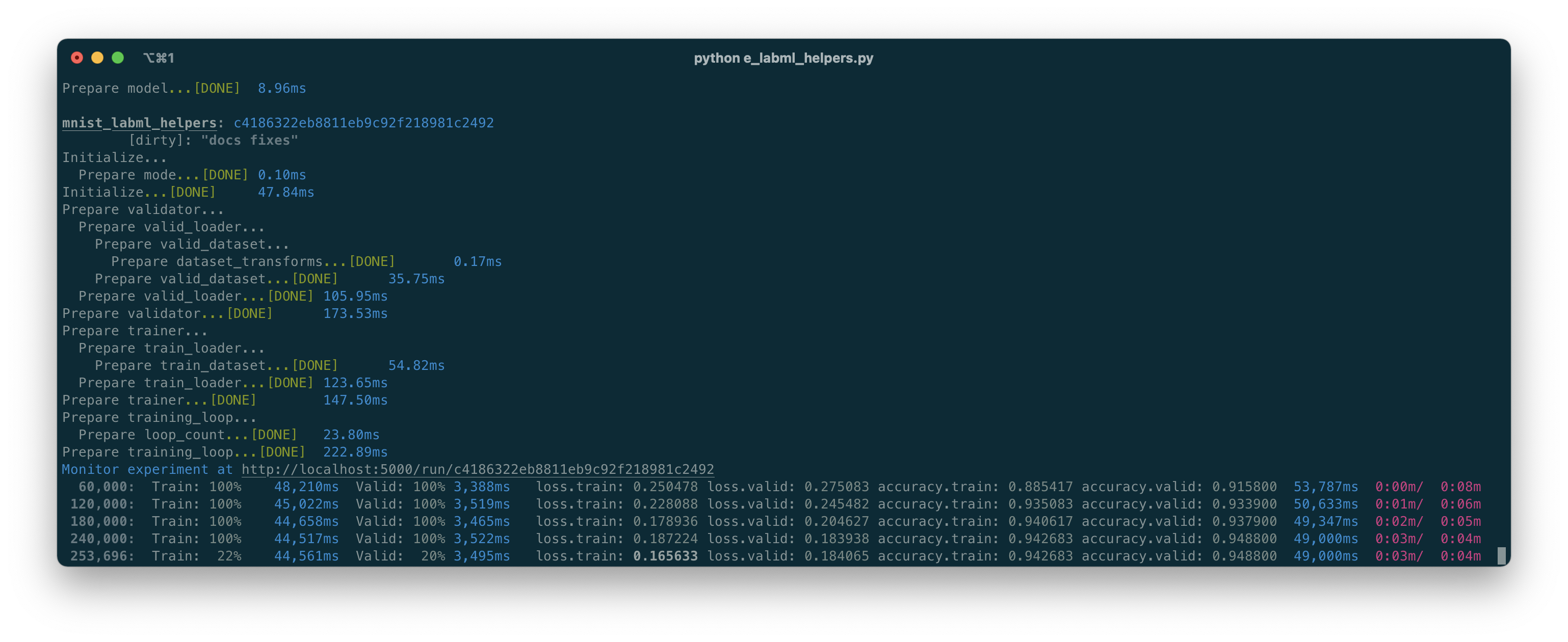
Formatted training loop output
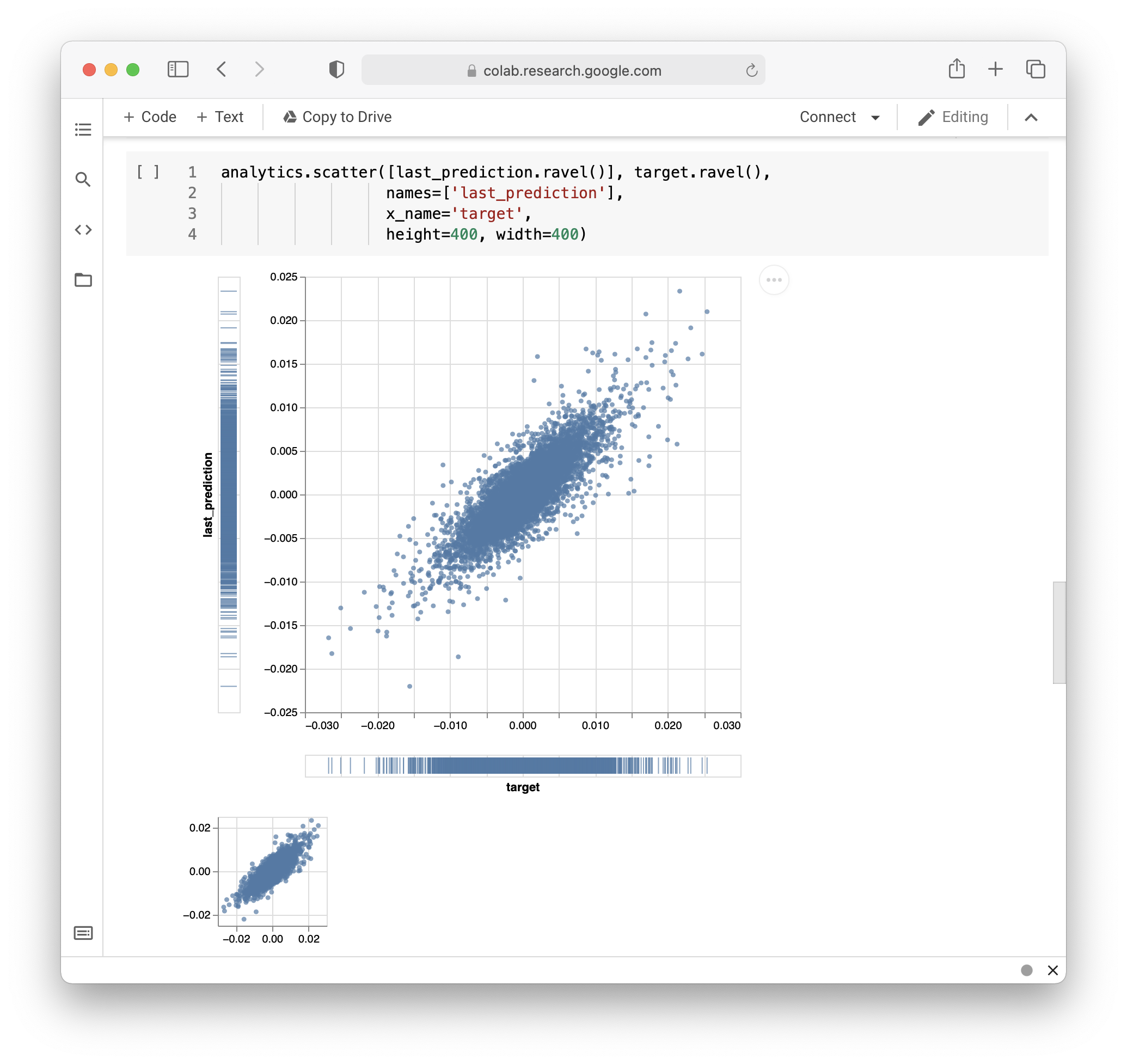
Custom visualizations based on Tensorboard logs
Monitoring hardware usage
# Install packages and dependencies
pip install labml psutil py3nvml

# Start monitoring
labml monitor
Citing
If you use LabML for academic research, please cite the library using the following BibTeX entry.
@misc{labml,
 author = {Varuna Jayasiri, Nipun Wijerathne, Adithya Narasinghe, Lakshith Nishshanke},
 title = {labml.ai: A library to organize machine learning experiments},
 year = {2020},
 url = {https://labml.ai/},
}
1 maintainer

Metadata
1 maintainer
Release files for labml 0.5.3
For a detailed explanation of source distributions (sdists) and built distributions (wheels), please see the package formats documentation.
Source distribution (sdist)
| File | Size | Uploaded | Provenance | |
|---|---|---|---|---|
| labml-0.5.3.tar.gz | 72.3 kB | Without provenance | Details |
Built distribution (wheel)
| File | Interpreter | ABI | Platform | Reset |
|---|---|---|---|---|
| labml-0.5.3-py3-none-any.whl | Python 3 | none | any | Details |
Total release size: 166.9 kB
Release files / labml-0.5.3.tar.gz
| Download URL | labml-0.5.3.tar.gz |
|---|---|
| Size | 72.3 kB |
| Tags | Source |
|
SHA-256 checksum How to use checksums |
a04ad3a2d45cab9bde59f70f9897b43f3b55dbe690fdcef2461d11d2dc1b005a
|
|
BLAKE2b-256 checksum How to use checksums |
0eeaedd3fdfc99a4a67eb0618107c8033a6a5501455f6998894793a4b6405de3
|
| Upload date | |
|
Uploaded using Trusted Publishing? What is trusted publishing? |
No |
| Uploaded via |
twine/4.0.2 CPython/3.10.11
|
Release files / labml-0.5.3-py3-none-any.whl
| Download URL | labml-0.5.3-py3-none-any.whl |
|---|---|
| Size | 94.6 kB |
| Tags | Python 3 |
|
SHA-256 checksum How to use checksums |
f62647a1ba18086de0f297e25801260aa59614edb51aa62b5a52c9a7666554d6
|
|
BLAKE2b-256 checksum How to use checksums |
72d3bbde1e96161837122700228bca6b0a829795cfdf7b74609170e4948e99d0
|
| Upload date | |
|
Uploaded using Trusted Publishing? What is trusted publishing? |
No |
| Uploaded via |
twine/4.0.2 CPython/3.10.11
|
Security for labml 0.5.3
Provenance
Provenance describes where a file came from. On PyPI, provenance is shared via attestations, which provide a verifiable record of the build or publishing details. View details, limitations and caveats.
No provenance found
None of the files in this release were uploaded with provenance metadata.
A note on package security
PyPI is a repository for distributing packages, not a service for auditing them. While third-party security researchers and our staff do their best to detect and remove malicious packages, PyPI cannot guarantee the quality, security or suitability of any given package.
To learn more about protecting yourself from malicious actors, visit our package security documentation.














