

Lagun
A minimal, web-based MySQL/MariaDB GUI editor. Install it, run it, use it.
Features
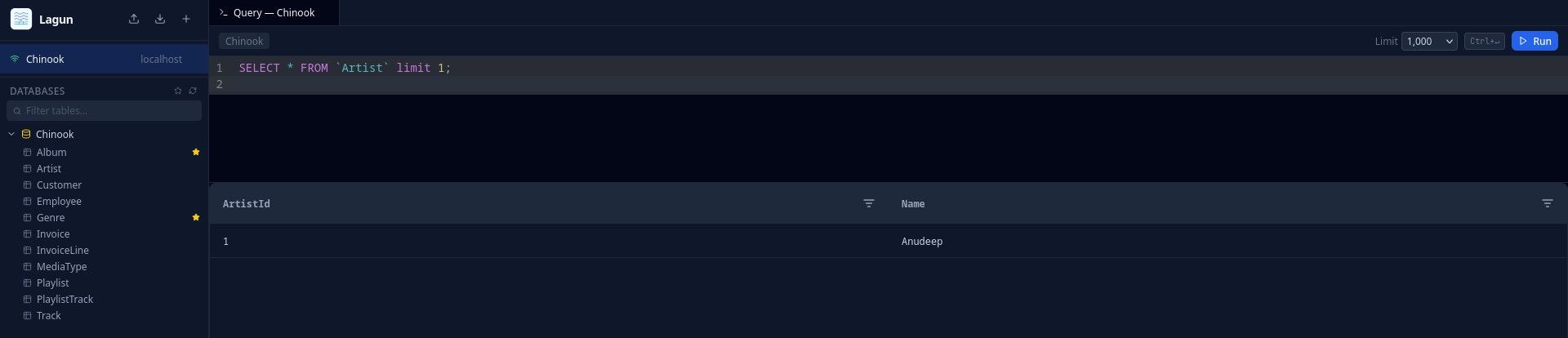
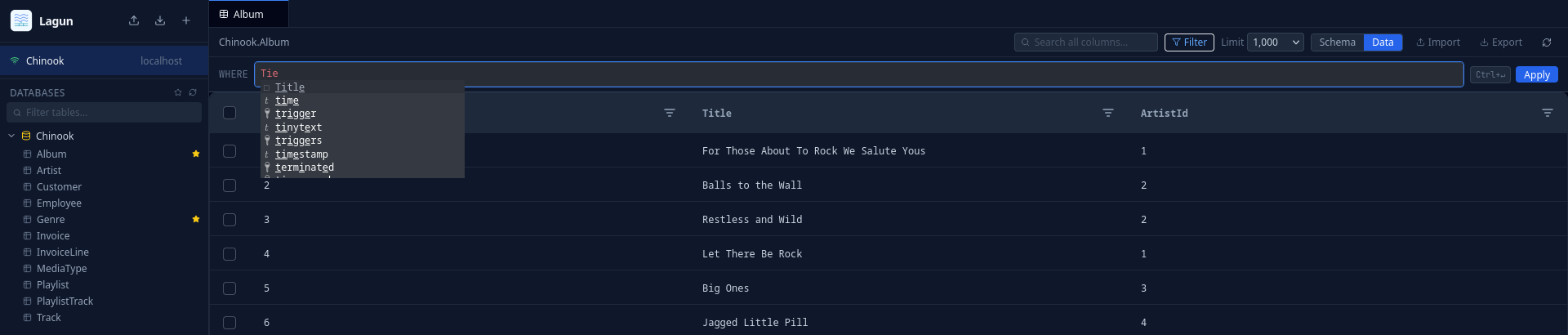
- Web-based SQL editor with syntax highlighting, autocompletion, and multi-tab support
- Multi-statement execution — run multiple statements at once, each result shown in its own sub-tab
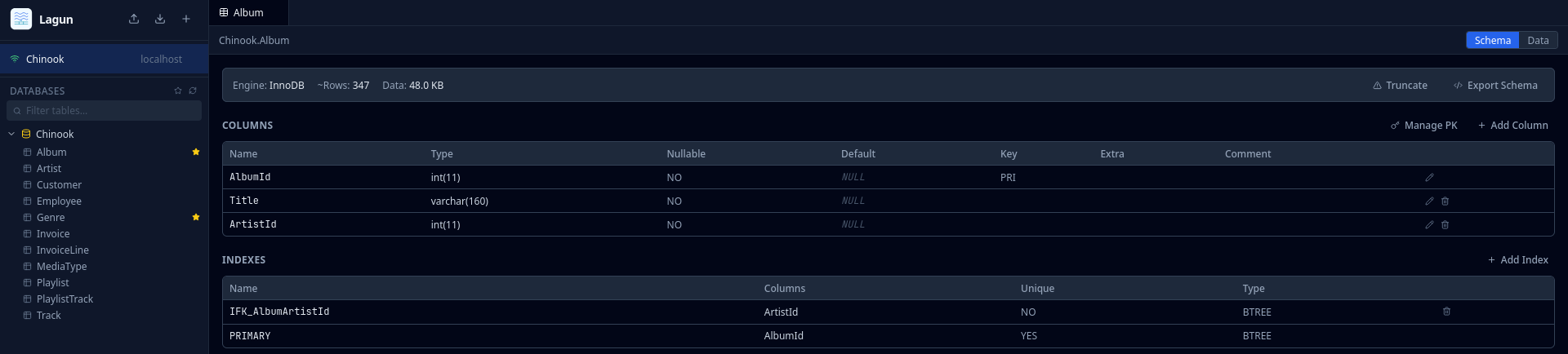
- Schema browser — explore databases, tables, columns, and indexes; resizable sidebar
- Schema management — create, modify, and drop tables, columns, and indexes
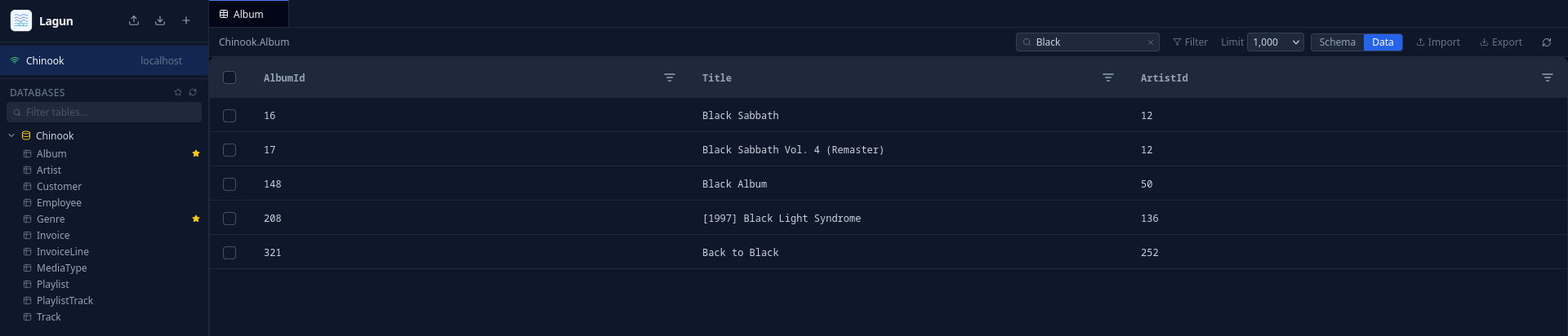
- In-line data editing — edit cells, insert rows, delete rows directly in the grid
- Import & export — CSV and SQL formats with streaming for large datasets; export respects active column filters
- Query history — full SQL with word wrap, copy or load any entry back into the editor
- Large write scripts — normal Execute can run 25+ writes in one backend transaction with rollback
- Bookmarks — save and organize frequently used tables
- Connection management — import and export connection configs
- Secure connections — SSL/TLS, credentials stored in OS keyring, encrypted session backup
- LDAP/AD authentication — optional, via ldapgate
Install
pip install lagun
Usage
lagun serve
Opens the GUI in your browser. Connect to any MySQL or MariaDB database from there.
Options:
--host TEXT          Bind host. [default: 127.0.0.1]
--port INTEGER       Bind port. [default: 8080]
--no-open            Don't open the browser automatically.
--ldap-config PATH   Path to ldapgate YAML config to enable LDAP authentication.
LDAP Authentication
Lagun can require users to log in via LDAP/AD before accessing the editor. This uses ldapgate as FastAPI middleware — no separate proxy process needed.
pip install 'lagun[ldap]'
lagun serve --ldap-config /path/to/ldapgate.yaml
For login bursts across at least 200 active users, size LDAPGate's bounded
connection pool and deadline in /path/to/ldapgate.yaml:
ldap:
  timeout: 30
  pool_size: 16
Shared connections and audit log
For LDAP deployments, an administrator can provide connections centrally and limit each one to selected LDAP usernames:
export LAGUN_DBS_PASSWORD='database-password'
lagun serve --ldap-config /etc/lagun/ldap.yaml --connections-config /etc/lagun/connections.yaml
connections:
  - id: dbs-production
    name: DBS Production
    host: mariadb.internal
    port: 3306
    username: shared_mariadb_user
    password_env: LAGUN_DBS_PASSWORD
    default: true
    selected_databases: [app, analytics]
    allowed_users: [alice, bob]
Listed users can use the connection but cannot edit it. Removing it in the UI
only hides it for that user. LDAP users may also create private connections;
those are visible only to their owner. Edit this file and restart Lagun to
change shared access. Set selected_databases to limit the visible schema
browser/search scope for a managed connection; omit it or use an empty list to
show all non-system schemas the database user can access.
LDAP API activity is recorded in Lagun's local lagun.db, not in MariaDB.
By default that database is ~/.lagun/lagun.db; set LAGUN_DB to relocate the
whole local store (saved connections, settings, and audit events), for example
LAGUN_DB=/var/lib/lagun/lagun.db. Read it from the server with lagun audit and purge old entries with
lagun audit purge --older-than 90.
For direct local HTTP usage, set proxy.secure_cookies: false in the ldapgate
config. Keep secure_cookies: true in production and run Lagun behind HTTPS
with trusted_proxies configured so LDAPGate can honor X-Forwarded-Proto.
When LDAP is enabled, a logout button appears in the top-right corner of the tab bar.
Admin console
LDAP administrators can open /admin to inspect saved connection metadata,
review recent API activity, monitor live workspaces, and manage the LDAP
allowlist without restarting Lagun. Enable the screen with an explicit
administrator allowlist:
lagun serve \
  --ldap-config /etc/lagun/ldap.yaml \
  --admin-user alice \
  --admin-user bob \
  --connections-config /etc/lagun/connections.yaml
LAGUN_ADMIN_USERS=alice,bob is equivalent to repeating --admin-user.
Administrator access is LDAP-only and separate from connections.yaml
allowed_users; connection inventory never returns stored database passwords.
Access policy remains owned by LDAPGate and the server-managed connections file.
The Users & policy view atomically updates ldap.allowed_users, creates a
mode-restricted backup, revokes removed users' active LDAP sessions, and applies
changes to new logins immediately. It requires ldap.allowed_users to be an
explicit YAML list; group-only LDAP policy must be changed in its source
configuration instead.
The admin console also includes a live workspace view: authenticated browser clients publish tab identity heartbeats, and active normal or bulk executions are shown with session, database, tab, state, duration, and the complete SQL text. Presence is process-local and expires after 45 seconds without a heartbeat. Query and API audit records preserve complete JSON request bodies; expand each event in the console to inspect its full scrollable payload.
See the ldapgate README for config file documentation.
Concurrent Deployments
Lagun bounds database work so bursts from many browser tabs queue instead of opening unlimited upstream connections. Defaults suit a single application instance serving a small or medium internal team:
LAGUN_DB_POOL_MAX_SIZE=10— connections per saved database session.LAGUN_DB_GLOBAL_CONNECTION_LIMIT=100— connections leased across all sessions.LAGUN_DB_ACQUIRE_TIMEOUT_SECONDS=10— maximum queue wait before HTTP 503.LAGUN_DB_POOL_IDLE_SECONDS=900— close pools unused for 15 minutes.LAGUN_QUERY_MAX_RUNTIME_SECONDS=30— normal query execution deadline.LAGUN_SQLITE_BUSY_SECONDS=10— local metadata/audit write wait.
Raise pool limits only after checking the connection ceilings and workload of
the target MySQL/MariaDB servers. Run one Lagun process per local lagun.db;
the SQLite metadata store and in-process query cancellation state are not
designed for shared multi-process deployment.
Large Write Scripts
For large write scripts (25+ INSERT, UPDATE, or DELETE statements), Lagun
can send the entire script to the backend in one request from the normal Execute
button. The backend executes all statements in order inside one transaction and
rolls back on first failure.
Set LAGUN_BULK_WRITE_THRESHOLD or VITE_LAGUN_BULK_WRITE_THRESHOLD at
frontend build time to change the UI threshold.
See docs/bulk-execution.md for API details, limits, admin configuration, and troubleshooting.
Screenshots
Development
Requires uv.
git clone https://github.com/anudeepd/lagun
cd lagun
uv sync
uv run lagun serve
License
MIT
1 maintainer

Download files
Download the file for your platform. If you're not sure which to choose, learn more about installing packages.
Source Distribution
Built Distribution
Filter files by name, interpreter, ABI, and platform.
If you're not sure about the file name format, learn more about wheel file names.
Copy a direct link to the current filters
File details
Details for the file lagun-0.1.76.tar.gz.
File metadata
- Download URL: lagun-0.1.76.tar.gz
- Upload date:
- Size: 1.4 MB
- Tags: Source
- Uploaded using Trusted Publishing? No
- Uploaded via:
uv/0.11.23 {"installer":{"name":"uv","version":"0.11.23","subcommand":["publish"]},"python":null,"implementation":{"name":null,"version":null},"distro":{"name":"Fedora Linux","version":"44","id":"","libc":null},"system":{"name":null,"release":null},"cpu":null,"openssl_version":null,"setuptools_version":null,"rustc_version":null,"ci":true}
File hashes
| Algorithm | Hash digest | |
|---|---|---|
| SHA256 |
ba648059f48a959e18cbaed44a8292eba0f536b6a8b878558df36e2258e15251
|
|
| MD5 |
42a4400f84433757c59dd76bb13a8729
|
|
| BLAKE2b-256 |
c4c69c5e4e3ab0a7cbf97f8b272b9979f7c81f6891795e2fed64b51cd2329bef
|
File details
Details for the file lagun-0.1.76-py3-none-any.whl.
File metadata
- Download URL: lagun-0.1.76-py3-none-any.whl
- Upload date:
- Size: 1.4 MB
- Tags: Python 3
- Uploaded using Trusted Publishing? No
- Uploaded via:
uv/0.11.23 {"installer":{"name":"uv","version":"0.11.23","subcommand":["publish"]},"python":null,"implementation":{"name":null,"version":null},"distro":{"name":"Fedora Linux","version":"44","id":"","libc":null},"system":{"name":null,"release":null},"cpu":null,"openssl_version":null,"setuptools_version":null,"rustc_version":null,"ci":true}
File hashes
| Algorithm | Hash digest | |
|---|---|---|
| SHA256 |
9d25ce81a9505e7fc4f0bd57972bf5791abcaf408111f999022be555b1a7c1ee
|
|
| MD5 |
7ce7770dc244415404b2ecd736564867
|
|
| BLAKE2b-256 |
fde4ea3744c0f322d4afeab127d282cfee6240280426a82e56b8d95f0df81ebc
|







