




Timbr LangChain LLM SDK
Timbr LangChain LLM SDK is a Python SDK that extends LangChain and LangGraph with custom agents, chains, and nodes for seamless integration with the Timbr semantic layer. It enables converting natural language prompts into optimized semantic-SQL queries and executing them directly against your data.
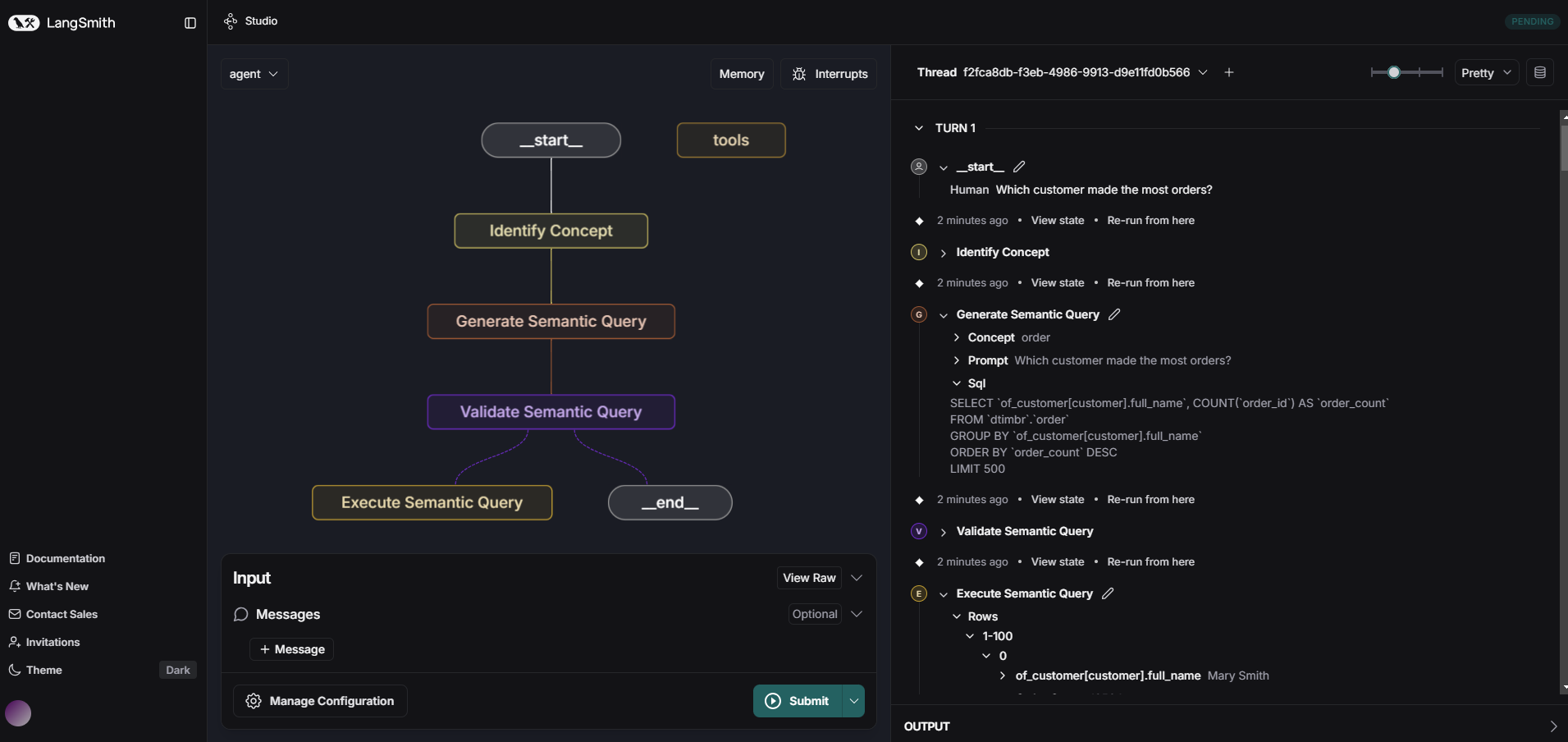
Dependencies
- Access to a timbr-server
- Python 3.10 or newer
Python 3.14 note
IMPORTANT for Python 3.14 users
Python 3.14 currently has partial support. Base package installation is supported, but some optional provider extras may still be unavailable on 3.14 due to upstream package constraints.
If an extras install fails on 3.14, install the base package first:
python -m pip install langchain-timbr
Installation
Using pip
python -m pip install langchain-timbr
Install with selected LLM providers
One of: openai, anthropic, google, azure_openai, snowflake, databricks, vertex_ai, bedrock (or 'all')
python -m pip install 'langchain-timbr[<your selected providers, separated by comma w/o space>]'
Using pip from github
pip install git+https://github.com/WPSemantix/langchain-timbr
Documentation
For comprehensive documentation and usage examples, please visit:
Configuration
The SDK uses environment variables for configuration. All configurations are optional - when set, they serve as default values for langchain-timbr provided tools. Below are all available configuration options:
Configuration Options
Timbr Connection Settings
TIMBR_URL- The URL of your Timbr serverTIMBR_TOKEN- Authentication token for accessing the Timbr serverTIMBR_ONTOLOGY- The ontology to use (also acceptsONTOLOGYas an alias)IS_JWT- Whether the token is a JWT token (true/false)JWT_TENANT_ID- Tenant ID for JWT authentication
Cache and Data Processing
CACHE_TIMEOUT- Timeout for caching operations in secondsIGNORE_TAGS- Comma-separated list of tags to ignore during processingIGNORE_TAGS_PREFIX- Comma-separated list of tag prefixes to ignore during processing
LLM Configuration
LLM_TYPE- The type of LLM provider to useLLM_MODEL- The specific model to use with the LLM providerLLM_API_KEY- API key or client secret for the LLM providerLLM_TEMPERATURE- Temperature setting for LLM responses (controls randomness)LLM_ADDITIONAL_PARAMS- Additional parameters to pass to the LLMLLM_TIMEOUT- Timeout for LLM requests in secondsLLM_TENANT_ID- LLM provider tenant/directory ID (Used for Service Principal authentication)LLM_CLIENT_ID- LLM provider client ID (Used for Service Principal authentication)LLM_CLIENT_SECRET- LLM provider client secret (Used for Service Principal authentication)LLM_ENDPOINT- LLM provider OpenAI endpoint URLLLM_API_VERSION- LLM provider API versionLLM_SCOPE- LLM provider authentication scope
Authentication & User Context
All chains, agents, and nodes accept the same authentication and user-context parameters: token, is_jwt, jwt_tenant_id, and conn_params.
JWT authentication
To authenticate with a JWT access token (for example, one obtained from Azure AD / OAuth), pass the token as token and set is_jwt=True. In multi-tenant environments also pass jwt_tenant_id (these can also be set via the IS_JWT and JWT_TENANT_ID environment variables):
from langchain_timbr import create_timbr_sql_agent

agent_executor = create_timbr_sql_agent(
    llm=llm,
    url="https://your-timbr-server",
    token="eyJhbGciOiJSUzI1NiIsInR5cCI6...",  # the JWT access token
    is_jwt=True,                              # treat the token as a JWT
    jwt_tenant_id="tenant-5",                 # optional: for multi-tenant environments
    ontology="your_ontology",
)

result = agent_executor.invoke("What are the total sales for last month?")
Impersonating a user
To run queries on behalf of another Timbr user (using that user's permissions), pass the x-api-impersonate-user header through conn_params. The value is the username or email of the user to impersonate:
from langchain_timbr import ExecuteTimbrQueryChain

chain = ExecuteTimbrQueryChain(
    llm=llm,
    url="https://your-timbr-server",
    token="your-token",
    ontology="your_ontology",
    conn_params={"x-api-impersonate-user": "user@example.com"},
)

result = chain.invoke({"prompt": "What are the total sales for last month?"})
conn_params accepts any extra Timbr connection headers and is supported on every chain, agent, and node. It can be combined with JWT authentication.
Conversation Memory
TIMBR_ENABLE_MEMORY- Enable conversation memory for follow-up question detection (true/false, default: false)TIMBR_MEMORY_WINDOW_SIZE- Number of past conversation turns to consider when detecting follow-ups (default: 3)
Enable memory (via TIMBR_ENABLE_MEMORY=true or by passing enable_memory=True) and call the agent with the same conversation_id across turns so follow-up questions are resolved against the prior context:
from langchain_timbr import create_timbr_sql_agent

agent_executor = create_timbr_sql_agent(
    llm=llm,
    url="https://your-timbr-server",
    token="your-token",
    ontology="your_ontology",
    enable_memory=True,             # or set TIMBR_ENABLE_MEMORY=true
    conversation_id="conv-123",     # reuse the same id across turns
)

# First turn
agent_executor.invoke("What were the total sales last month?")

# Follow-up turn — resolved against the previous question using the same conversation_id
agent_executor.invoke("And how does that compare to the previous month?")
See the conversation_id parameter for grouping multiple agent calls under one conversation.
Technical Context
Technical context enriches SQL generation prompts with per-column statistical annotations
-
ENABLE_TECHNICAL_CONTEXT- Enable or disable technical context enrichment (true/false, default:true) -
TECHNICAL_CONTEXT_MODE- Controls which columns receive annotations:include_all— annotate every column that has statisticsfilter_matched— annotate only columns whose values match the user's questionauto(default) — choose automatically based on token budget
-
TECHNICAL_CONTEXT_MAX_TOKENS- Maximum token budget allocated for technical context annotations (default:3000, hard cap:20000). The annotations are trimmed to the largest number of values per column that fits the budget, so raising it adds values. A value above the cap is clamped to it (logged as a warning) rather than rejected, and0or less disables technical context. -
TECHNICAL_CONTEXT_PROPERTIES- Comma-separated whitelist of property names to fetch statistics for. When set, only these properties will have statistics loaded from the ontology. Properties not in this list are skipped, reducing query cost and response size. Empty (default) means all properties are fetched. -
TIMBR_MATCH_MAX_PER_TOKEN- How many distinct values one prompt token may fuzzy-match within a column (integer, default:5). -
TIMBR_MATCH_MAX_PER_COLUMN- Ceiling on fuzzy-matched values contributed by one column across all tokens (integer, default:20). A backstop: matched columns are exempt from prompt trimming, so this is what bounds them.
These options can also be passed directly to chain/node constructors:
from langchain_timbr import ExecuteTimbrQueryChain

chain = ExecuteTimbrQueryChain(
    llm=llm,
    url="https://your-timbr-server",
    token="your-token",
    ontology="your_ontology",
    concepts_list="organization",
    enable_technical_context=True,
    technical_context_mode="auto",
    technical_context_max_tokens=3000,
    # Only fetch stats for these properties (whitelist):
    technical_context_properties=["region", "status", "country_code"],
    # Exclude these properties from schema display AND stats fetching (blacklist):
    exclude_properties=["entity_id", "entity_type", "entity_label"],
)
| Parameter | Type | Default | Description |
|---|---|---|---|
enable_technical_context |
Optional[bool] |
True |
Enable/disable technical context enrichment |
technical_context_mode |
Optional[str] |
"auto" |
Column annotation strategy (include_all, filter_matched, auto) |
technical_context_max_tokens |
Optional[int] |
3000 |
Maximum token budget for annotations. Hard cap 20000; larger values are clamped to it, 0 or less disables the feature |
technical_context_properties |
Optional[list|str] |
[] (all) |
Whitelist of property names to fetch statistics for. Empty = no restriction |
exclude_properties |
Optional[list|str] |
['entity_id', 'entity_type', 'entity_label'] |
Properties excluded from schema display and statistics fetching |
Note:
technical_context_properties(whitelist) andexclude_properties(blacklist) can be used together. The whitelist restricts which properties get statistics fetched; the blacklist further removes properties from the fetched set.
Metadata Context
Metadata context is the sub-graph of your ontology (concepts, properties, measures, relationships) that gets put into the Data Agent context. Bigger sub-graph give the LLM more to work with but cost more tokens.
METADATA_CONTEXT_MODEstatic(default) - Send the pre-computed ontology sub-graph. Fast, predictable, but can be large.dynamic- Identify the relevant concepts and paths and rebuilds a leaner sub-graph. Smaller prompt, but adds more steps.
METADATA_CONTEXT_MAX_TOKENS- Token budget for the metadata sub-graph. Indynamicmode it's a soft cap — the pipeline trims the rebuilt sub-graph to fit, but emits over-budget rather than failing.
Graph Depth
How many relationship hops the Data Agent is allowed to traverse from the root concept (e.g. customer → order → product is 2 hops).
MAX_GRAPH_DEPTH- The hard upper bound for the dynamic pipeline's reachability search (default:3). Sets the ceiling for max graph traversals.graph_depth- The default graph traversals level - starting point (default:1).
These options can also be passed directly to chain/node constructors:
from langchain_timbr import ExecuteTimbrQueryChain

chain = ExecuteTimbrQueryChain(
    llm=llm,
    url="https://your-timbr-server",
    token="your-token",
    ontology="your_ontology",
    concepts_list="organization",
    metadata_context_mode="dynamic",
    metadata_context_max_tokens=12000,
    graph_depth=1,
    max_graph_depth=3,
)
| Parameter | Type | Default | Description |
|---|---|---|---|
metadata_context_mode |
Optional[str] |
"static" |
How the ontology sub-graph is chosen (static, dynamic) |
metadata_context_max_tokens |
Optional[int] |
12000 |
Token budget for the metadata sub-graph (soft cap in dynamic) |
graph_depth |
Optional[int] |
1 |
Default relationship hops to traverse per query |
max_graph_depth |
Optional[int] |
3 |
Hard upper bound on hops the dynamic pipeline may explore |
Monitoring & History
TIMBR_ENABLE_TRACE- Enable detailed trace logging for agent/chain execution (true/false, default:false)TIMBR_ENABLE_HISTORY- Enable query history tracking (true/false, default:false)TIMBR_HISTORY_SAVE_RESULTS- Whether to save query result rows in history (true/false, default:false)
The SDK supports optional execution tracing and query history recording. These can be enabled via environment variables (see above) or set directly on TimbrSqlAgent:
from langchain_timbr import TimbrSqlAgent

agent = TimbrSqlAgent(
    llm=llm,
    url="https://your-timbr-server",
    token="your-token",
    ontology="your_ontology",
    enable_trace=True,        # Enable chain-level trace logging
    enable_history=True,      # Enable query history storage
    save_results=True,        # Save result rows in history
    conversation_id="conv-123",  # Group calls into a multi-turn conversation
)
| Parameter | Type | Default | Description |
|---|---|---|---|
enable_trace |
Optional[bool] |
TIMBR_ENABLE_TRACE |
Enable detailed trace logging per chain step |
enable_history |
Optional[bool] |
TIMBR_ENABLE_HISTORY |
Store query execution history |
save_results |
Optional[bool] |
TIMBR_HISTORY_SAVE_RESULTS |
Include result rows in history entries |
conversation_id |
Optional[str] |
None |
Associate multiple agent calls under one conversation |
Benchmarking
The SDK includes a benchmarking utility to evaluate LLM query accuracy against a named benchmark defined in your Timbr server.
from langchain_timbr.utils.benchmark import run_benchmark

results = run_benchmark(
    benchmark_name="my_benchmark",
    url="https://your-timbr-server",
    token="your-token",
    ontology="your_ontology",
    execution="full",             # "full" or "generate_sql_only"
    number_of_iterations=1,
    use_deterministic=True,       # Row-comparison scoring
    use_llm_judge=False,          # LLM-as-judge scoring
    llm_params={                  # Optional: override LLM at runtime
        "llm_type": "openai",
        "llm_model": "gpt-4o",
        "api_key": "sk-...",
    },
)
The llm_params dict accepts: llm_type, llm_model / model, llm_api_key / api_key. Temperature and timeout are managed automatically.
Results are returned as a dict keyed by question ID, with a "_summary" key containing aggregate statistics. Each result includes a selected_entity field identifying which ontology entity was used.
1 maintainer

Metadata
1 maintainer
Release files for langchain-timbr 6.4.0
For a detailed explanation of source distributions (sdists) and built distributions (wheels), please see the package formats documentation.
Source distribution (sdist)
| File | Size | Uploaded | |
|---|---|---|---|
| langchain_timbr-6.4.0.tar.gz | 536.1 kB | Details |
Built distribution (wheel)
| File | Interpreter | ABI | Platform | Reset |
|---|---|---|---|---|
| langchain_timbr-6.4.0-py3-none-any.whl | Python 3 | none | any | Details |
Total release size: 884.3 kB
Release files / langchain_timbr-6.4.0.tar.gz
| Download URL | langchain_timbr-6.4.0.tar.gz |
|---|---|
| Size | 536.1 kB |
| Tags | Source |
|
SHA-256 checksum How to use checksums |
a5a9577f22cb086537771bf73aa4774a0fe5c14f2936c7d067d152a9b6d28b87
|
|
BLAKE2b-256 checksum How to use checksums |
37491b57a4b941cc4b5c5a49312779157c1951082c341fdb6b19199709fe5e2a
|
| Upload date | |
|
Uploaded using Trusted Publishing? What is trusted publishing? |
No |
| Uploaded via |
twine/7.0.0 CPython/3.13.14
|
Release files / langchain_timbr-6.4.0-py3-none-any.whl
| Download URL | langchain_timbr-6.4.0-py3-none-any.whl |
|---|---|
| Size | 348.2 kB |
| Tags | Python 3 |
|
SHA-256 checksum How to use checksums |
1cc2783eebdafa178f092b6473af3e5d213e66ba87ee02e7ff0bf8d078216885
|
|
BLAKE2b-256 checksum How to use checksums |
5825a6b5768c0dbda73022731c3ee19dcfb155ae438d1548bad4c2f3e90e4f10
|
| Upload date | |
|
Uploaded using Trusted Publishing? What is trusted publishing? |
No |
| Uploaded via |
twine/7.0.0 CPython/3.13.14
|














