
LANscape
A local network scanner with a built-in web UI. Discover devices, open ports, and running services on your network.
The UI was recently converted into react, stored in a separate repo: mdennis281/lanscape-ui
pip install lanscape
python -m lanscape
Stats:


Latest release:



Docker:


Health:




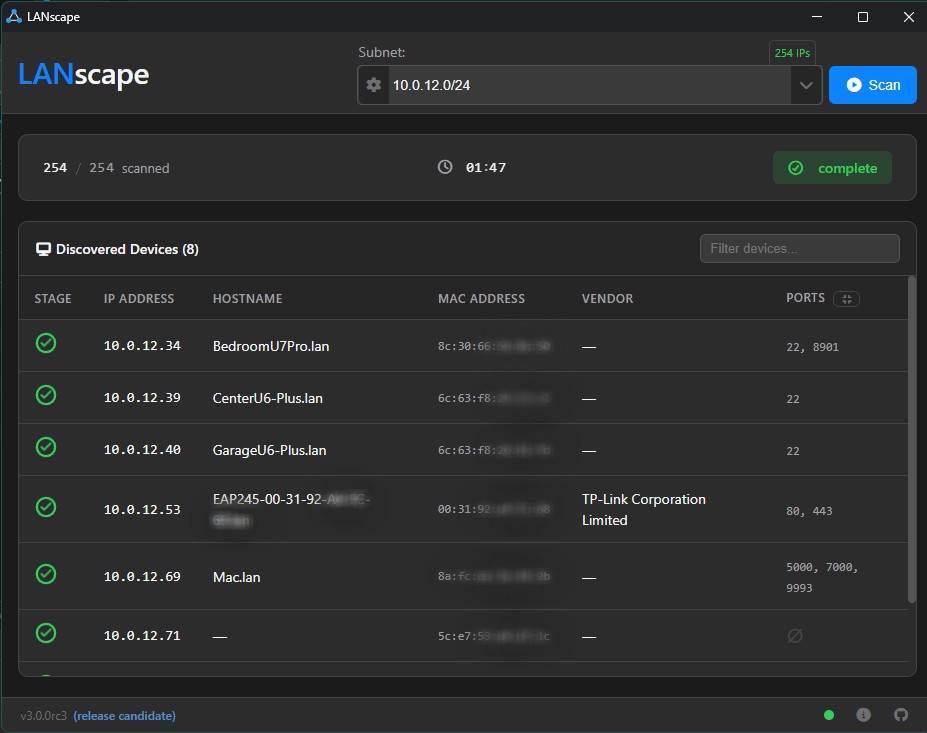
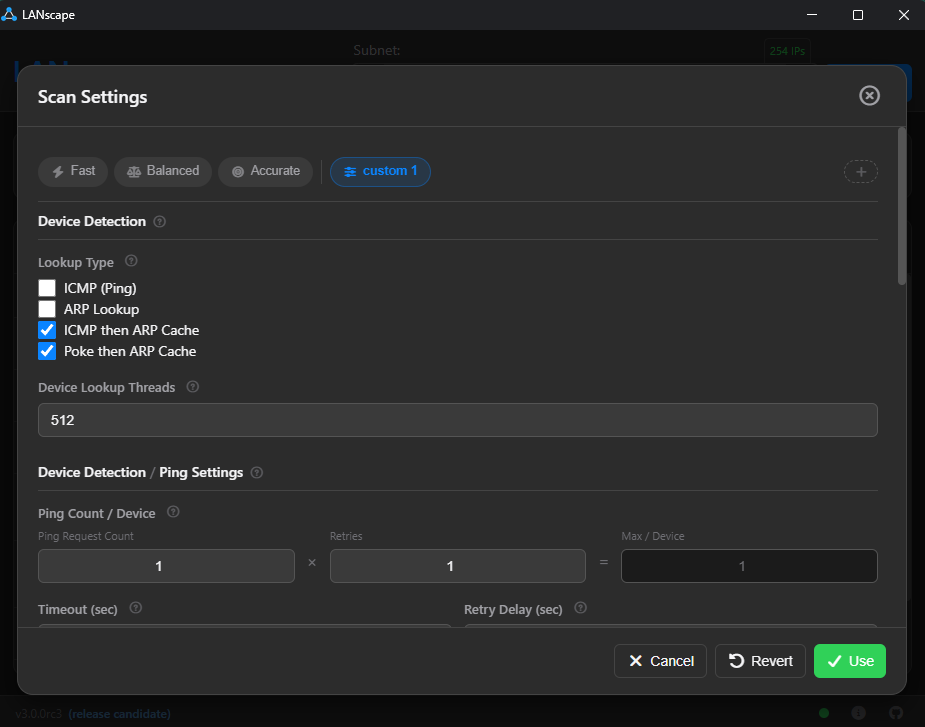
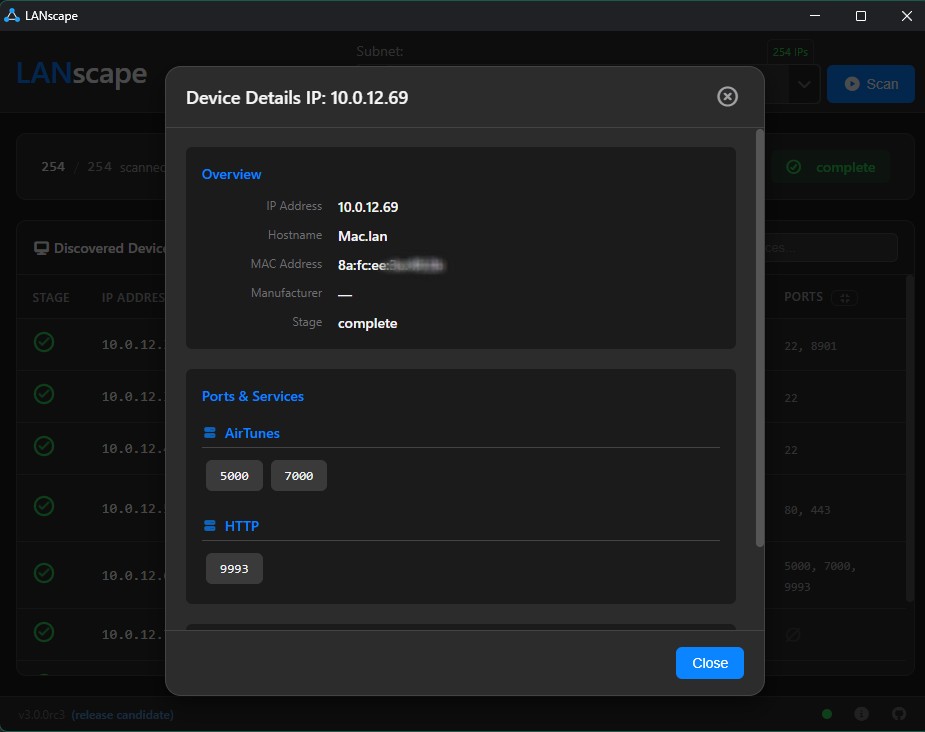
More screenshots
Flags
| Flag | Description |
|---|---|
--version |
Show the installed version and exit |
--ui-port <number> |
Port for the web UI (default: auto) |
--ws-port <number> |
Port for the WebSocket server (default: 8766) |
--ws-server |
Start WebSocket server only (no UI) |
--persistent |
Don't auto-shutdown when the browser tab closes |
--mdns-off |
Disable mDNS service discovery |
--logfile <path> |
Write log output to a file |
--loglevel <level> |
Set log level: DEBUG, INFO, WARNING, ERROR, CRITICAL (default: INFO) |
--debug |
Shorthand for --loglevel DEBUG |
python -m lanscape
python -m lanscape --version
python -m lanscape --ui-port 8080
python -m lanscape --debug --persistent
python -m lanscape --logfile /tmp/lanscape.log --loglevel WARNING
python -m lanscape --ws-server --ws-port 9000
Docker (Linux Only)
Not recommended for most users. Network scanning requires direct LAN access (ARP, ICMP, broadcasts), which conflicts with Docker's network isolation. The Docker image requires
--network hostmode, which only works on Linux — on Windows and macOS, Docker Desktop runs inside a VM so--network hostexposes the VM's network, not your physical LAN.For most users,
pip install lanscapeis the better option.
If you're running on a Linux host and still want to use Docker, see the full setup guide: Docker Setup Instructions
Troubleshooting
MAC Address / Manufacturer is inaccurate or unknown
LANscape does an ARP lookup to determine MAC addresses. This can require elevated permissions to get accurate results — try running your shell as admin.
Scan accuracy seems low
The scanner uses a combination of ARP, ICMP, and port probing to find devices. If results aren't great out of the box:
- Tweak the scan configuration preset (accessible from the gear icon)
- Set up ARP lookup properly — see ARP issues
- Open an issue if something still seems off
Something else
Feel free to submit an issue with details about what you're seeing.
1 maintainer

Metadata
1 maintainer
Release files for lanscape 4.1.9
For a detailed explanation of source distributions (sdists) and built distributions (wheels), please see the package formats documentation.
Source distribution (sdist)
| File | Size | Uploaded | |
|---|---|---|---|
| lanscape-4.1.9.tar.gz | 2.2 MB | Details |
Built distribution (wheel)
| File | Interpreter | ABI | Platform | Reset |
|---|---|---|---|---|
| lanscape-4.1.9-py3-none-any.whl | Python 3 | none | any | Details |
Total release size: 4.5 MB
Release files / lanscape-4.1.9.tar.gz
| Download URL | lanscape-4.1.9.tar.gz |
|---|---|
| Size | 2.2 MB |
| Tags | Source |
|
SHA-256 checksum How to use checksums |
67f4dce73a0441532f0d4eeb1cdf01db3e6d47a13aacdd994bdc231fcb9f9153
|
|
BLAKE2b-256 checksum How to use checksums |
d38b0daea2bb4d01b99a3a90887b43a76571ea7f68ec437ebd17194c7be76af7
|
| Upload date | |
|
Uploaded using Trusted Publishing? What is trusted publishing? |
No |
| Uploaded via |
twine/7.0.0 CPython/3.14.7
|
Release files / lanscape-4.1.9-py3-none-any.whl
| Download URL | lanscape-4.1.9-py3-none-any.whl |
|---|---|
| Size | 2.3 MB |
| Tags | Python 3 |
|
SHA-256 checksum How to use checksums |
596a2fada599d862d35030ccb84d2a99b442c45804f36082979455b9fd0f0db3
|
|
BLAKE2b-256 checksum How to use checksums |
eb3b7fc53e27e87fbe14c2ea5bee40d1fb9acb82570c343baf4d125d1d3b34e4
|
| Upload date | |
|
Uploaded using Trusted Publishing? What is trusted publishing? |
No |
| Uploaded via |
twine/7.0.0 CPython/3.14.7
|














