
A terminal UI for interacting with Github

Project description


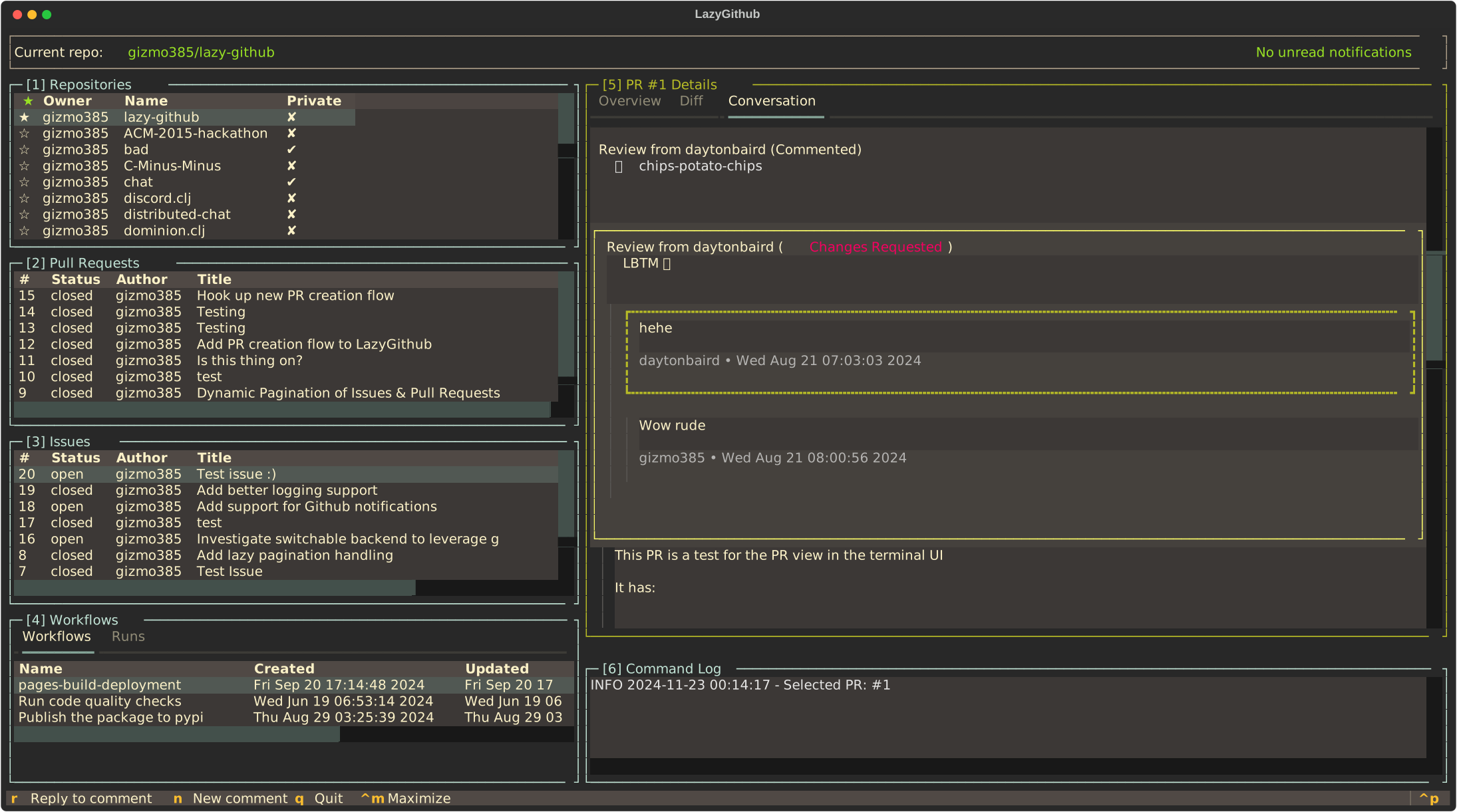
LazyGithub is a terminal UI client for interacting with GitHub. It draws heavy inspiration from the lazygit project and uses Textual to drive the terminal UI interactions.
How to Use It
Installing with the Github CLI
If you have the Github CLI installed, you can install LazyGithub as an extension with gh extension install gizmo385/gh-lazy and then running gh lazy to run it.
Installing from PyPi
You can run the most recently built version by installing it from PyPI. If you have uv installed, you can do that easily with uvx lazy-github.
When you first start LazyGithub, you will be prompted with a device login code and a link to GitHub where you will be able to authenticate the app against your account. This allows the app to act on your behalf and is necessary for LazyGithub to function.
Currently, it supports the following:
- Listing the repositories associated with your account
- Listing the issues, pull requests, and actions on your repositories
- Listing the details, diff, and reviews on any of those pull requests
- Detailed issue and pull request views, including conversation participation
Reporting Bugs
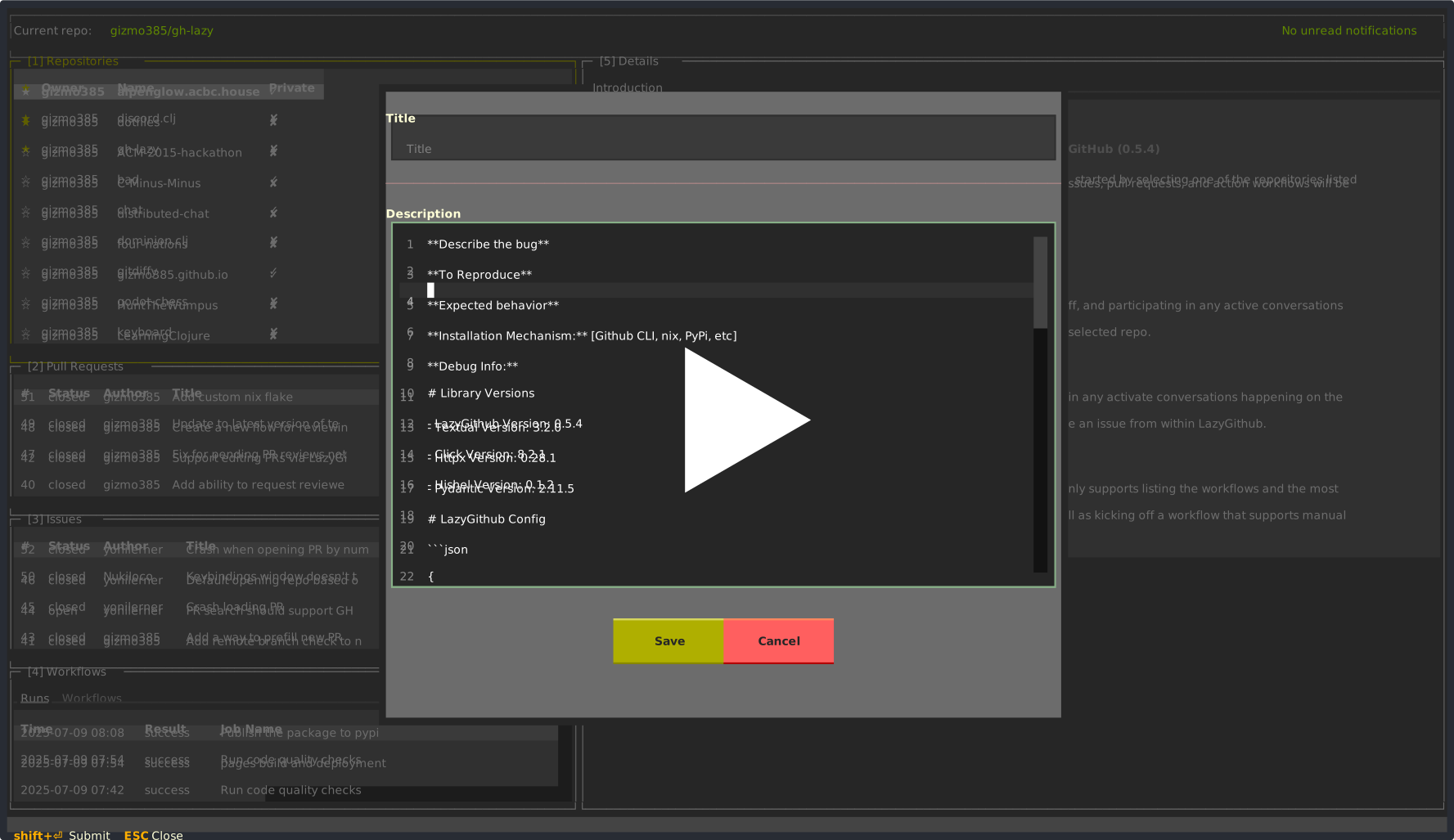
If you run into any bugs while using LazyGithub, please let me know! You can do this by creating a
new bug report or search
for Open Bug Report in the command pallete from inside LazyGithub.
Running Locally
If you wish to run it from a local clone of the repository, you can do so by running the ./start.sh located in the root of the repo.
Customization
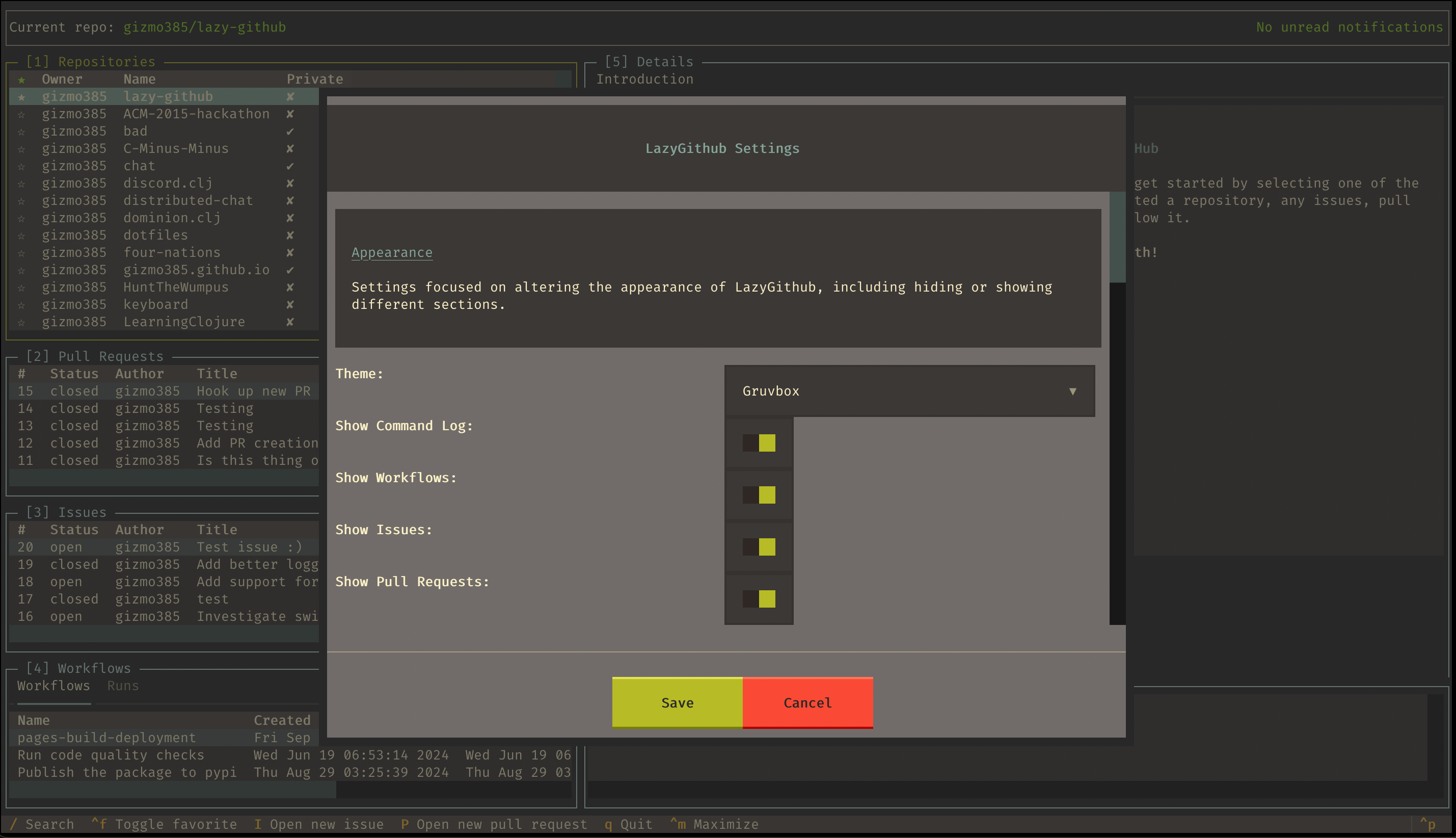
LazyGithub supports a number of customization options, all of which are stored in $HOME/.config/lazy-github/config.json.
These can be edited manually via changing the config or by opening the settings management UI within LazyGithub. That UI
can be accessed via the command pallete (CMD+p) and then searching for settings.
Release history Release notifications | RSS feed


Download files
Download the file for your platform. If you're not sure which to choose, learn more about installing packages.
Source Distribution
Built Distribution
Filter files by name, interpreter, ABI, and platform.
If you're not sure about the file name format, learn more about wheel file names.
Copy a direct link to the current filters
File details
Details for the file lazy_github-0.6.5.tar.gz.
File metadata
- Download URL: lazy_github-0.6.5.tar.gz
- Upload date:
- Size: 1.3 MB
- Tags: Source
- Uploaded using Trusted Publishing? Yes
- Uploaded via: twine/6.1.0 CPython/3.13.12
File hashes
| Algorithm | Hash digest | |
|---|---|---|
| SHA256 |
7b75e855709094f0044f85af66ce8f25e084d3284937da3e1b214cc252d69bc8
|
|
| MD5 |
abd88f1065284e7cee78dd6f90623387
|
|
| BLAKE2b-256 |
14666506f0ea873cd1b6e7204c3aa858c23f80c6d9e8b2b02b6ac6d430b326e8
|
Provenance
The following attestation bundles were made for lazy_github-0.6.5.tar.gz:
Publisher:
publish.yaml on gizmo385/gh-lazy
-
Statement:
-
Statement type:
https://in-toto.io/Statement/v1 -
Predicate type:
https://docs.pypi.org/attestations/publish/v1 -
Subject name:
lazy_github-0.6.5.tar.gz -
Subject digest:
7b75e855709094f0044f85af66ce8f25e084d3284937da3e1b214cc252d69bc8 - Sigstore transparency entry: 1280435288
- Sigstore integration time:
-
Permalink:
gizmo385/gh-lazy@e739f39e9c17765bc09384d37b4165ae8b3d6703 -
Branch / Tag:
refs/heads/main - Owner: https://github.com/gizmo385
-
Access:
public
-
Token Issuer:
https://token.actions.githubusercontent.com -
Runner Environment:
github-hosted -
Publication workflow:
publish.yaml@e739f39e9c17765bc09384d37b4165ae8b3d6703 -
Trigger Event:
push
-
Statement type:
File details
Details for the file lazy_github-0.6.5-py3-none-any.whl.
File metadata
- Download URL: lazy_github-0.6.5-py3-none-any.whl
- Upload date:
- Size: 105.4 kB
- Tags: Python 3
- Uploaded using Trusted Publishing? Yes
- Uploaded via: twine/6.1.0 CPython/3.13.12
File hashes
| Algorithm | Hash digest | |
|---|---|---|
| SHA256 |
6b197b778462bb26cce7e68db7b92a1ad43198bd5a61794463b35effbad9603c
|
|
| MD5 |
4759aabefd409d70a51b5417b440b0ec
|
|
| BLAKE2b-256 |
27194bf3ece2b77fb74867038b6c1583b089db682fca3884e7df114a56199316
|
Provenance
The following attestation bundles were made for lazy_github-0.6.5-py3-none-any.whl:
Publisher:
publish.yaml on gizmo385/gh-lazy
-
Statement:
-
Statement type:
https://in-toto.io/Statement/v1 -
Predicate type:
https://docs.pypi.org/attestations/publish/v1 -
Subject name:
lazy_github-0.6.5-py3-none-any.whl -
Subject digest:
6b197b778462bb26cce7e68db7b92a1ad43198bd5a61794463b35effbad9603c - Sigstore transparency entry: 1280435295
- Sigstore integration time:
-
Permalink:
gizmo385/gh-lazy@e739f39e9c17765bc09384d37b4165ae8b3d6703 -
Branch / Tag:
refs/heads/main - Owner: https://github.com/gizmo385
-
Access:
public
-
Token Issuer:
https://token.actions.githubusercontent.com -
Runner Environment:
github-hosted -
Publication workflow:
publish.yaml@e739f39e9c17765bc09384d37b4165ae8b3d6703 -
Trigger Event:
push
-
Statement type:






